Best Court Management Software in 2026: Prices, Free Plans and 6 Picks
Searching for the best court management software? Here are 6 options with prices and free plans. Where a tool struggles is spelled out. Read the profiles.

- Editor's choice
 Smokeball
Automatic time tracking and document automation
Starts atSee websiteVisit smokeball.comFull review - Great alternative
 CosmoLex
Cloud-based practice management
Starts at$49 per user a monthVisit cosmolex.comFull review - Also consider
 Rocket Matter
Modern businesses seeking efficiency
Starts at$39 a month per user billed yearlyVisit rocketmatter.comFull review
Direct answer
Smokeball leads the list, best for automatic time tracking and document automation. Listed starting prices: CosmoLex from $49 per user a month, Rocket Matter from $39 a month per user billed yearly and MyCase from $50 per user per month. If your case is different, CosmoLex suits cloud-based practice management and Rocket Matter suits modern businesses seeking efficiency. The remaining 3 options are covered below with prices and limits.
TL;DR:
- This list starts with Smokeball, which is built for automatic time tracking and document automation.
- Before buying Rocket Matter, weigh this: may lack some advanced features of bigger products.
- Neither Smokeball nor Actionstep, nor any of the other 4 tools, has a permanent free plan; trials and quotes are the norm.
- Actionstep is the one to check for thorough control and workflows.
Last checked November 2026. Prices and plan details were read from the vendors' own pages in November 2026; vendors change plans often, so confirm the current price on the vendor site before you buy.
Quick comparison
| Tool | Best for | Starts at | Free plan? | |
|---|---|---|---|---|
| Smokeball | Automatic time tracking and document automation | See website | Not stated | Visit |
| CosmoLex | Cloud-based practice management | $49 per user a month | Free trial | Visit |
| Rocket Matter | Modern businesses seeking efficiency | $39 a month per user billed yearly | Free trial | Visit |
 MyCase | All-in-one law firm management | $50 per user per month | Free trial | Visit |
 PracticePanther | Automating firm processes and billing | $49 per user a month | Free trial | Visit |
 Actionstep | Thorough control and workflows | See website | Not stated | Visit |
Court Management Software compared in detail
LinkVetted compared 6 tools for court management software. The goal is a practical shortlist: published prices, free plan facts, best-fit use cases and honest limits for every entry.

Smokeball works best for automatic time tracking and document automation. Solo practitioners and small businesses centred on efficiency may benefit most. Consider other choices if you need a broader AI system or highly customized workflows.
Smokeball's automation strengths may be more than some businesses need, and practices with minimal document work might prefer more straightforward tools. It is a strong match for businesses that prioritize time capture and document efficiency. This comparison lists no price for Smokeball; ask the vendor. Trial and free access: Not stated.
Trade-offs to know: Focus on automation may suit specific practice types.
- Document automation saves time on paperwork
- Integrated trust and billing software
- May need initial setup time
CosmoLex is a good fit for cloud-based practice management. CosmoLex is cloud-based legal software for practice management in law businesses of all sizes, helping increase efficiency and secure client data.
Honest limits: May lack advanced AI features.
Also, if you need broad AI or customization, explore other choices. CosmoLex may not offer the advanced automation or AI capabilities found in some other products, and businesses with highly specialized needs might need extra tools. Price to start with CosmoLex: $49 per user per month. Free options: Free trial.
- Focus on secure client data
- Helps increase law firm efficiency
- Customization may be restricted
Rocket Matter targets modern businesses seeking efficiency. Small to midsize businesses looking for a steady, cloud-based system to organize their practice may find Rocket Matter a solid fit.
Beyond that, Rocket Matter may not offer the same depth of automation or AI as some competitors, and businesses with complicated needs might outgrow it. What you pay to start with Rocket Matter: $39 per month per user billed annually. As for free access: Free trial.
What to check first: May lack some advanced features of bigger systems.
- Focus on efficiency and profitability
- Cloud-based option
- Restricted AI capabilities
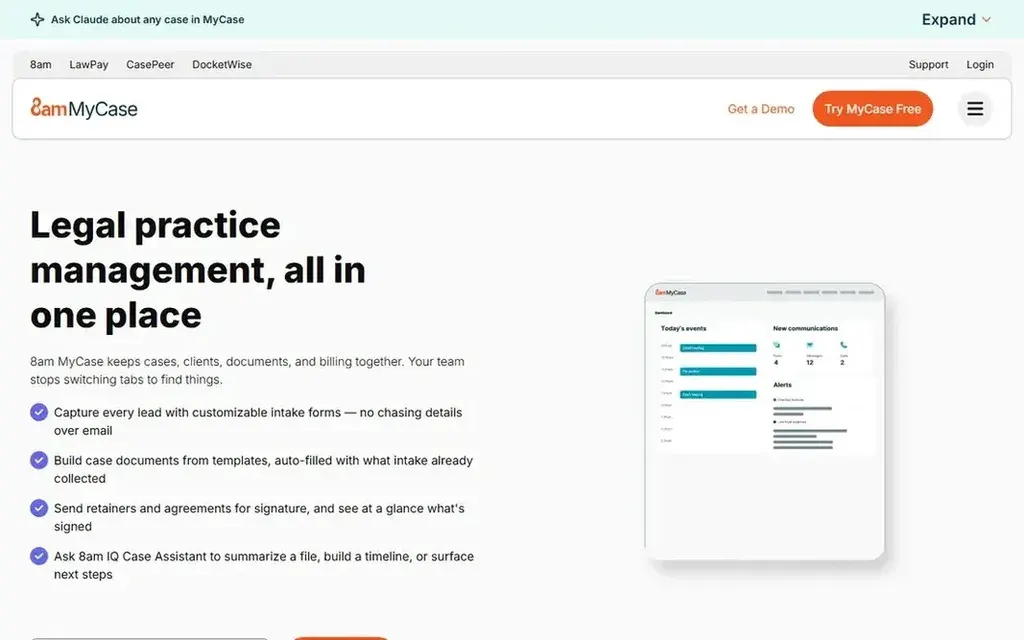
Think of MyCase for all-in-one law firm management. MyCase is legal practice management software built to run a profitable firm, not just run cases.
Limits to weigh: Needs internet access.
It brings together cases, clients, billing, and payments in one place, making it a solid choice for small to midsize law businesses that want an integrated system. Businesses looking to cut software sprawl and simplify daily operations may find MyCase a solid fit. Entry price for MyCase: $50 per user per month. Free access: Free trial.
- Cloud-based access from anywhere
- Built to support firm profitability
- May be more than needed for very small firms
For automating firm processes and billing, PracticePanther is a natural candidate. PracticePanther is law practice management software that automates firm processes, billing, time tracking, and more.
It is meant to help businesses save time on administrative tasks and boost efficiency. In practice, if you need deep AI or complicated workflow customization, explore other tools. PracticePanther starts at: $49 per user per month. Trial and free access: Free trial.
What to check first: May lack advanced AI features.
- Approachable interface
- Simplifies firm processes
- Customization choices may be restricted for complex businesses
Actionstep is aimed squarely at full control and workflows. It is built for businesses that want to simplify operations and boost client service. Actionstep's thorough nature may be overwhelming for solo practitioners or very small businesses, and it may need significant setup.
Downsides: May be complicated for small businesses.
For everyday use, midsize to bigger businesses with complicated workflows may benefit most from Actionstep's capabilities. In daily use, if you need a more straightforward, quicker-to-deploy option, consider other tools. Actionstep does not show a starting price in this comparison, so check the vendor site for current pricing. Free access: Not stated.
- Aims to build better client experiences
- Supplies thorough control over firm success
- Needs setup and training
Selection criteria
For each of the 6 tools we noted price, free plan or trial, fit for court management software and the main limit, using vendor pages and documentation. Seat minimums, billing terms and add-ons can move the real cost, so the starting prices here are a guide and not a quote. Tools are placed by general fit for court management software, with price clarity and free access as tie-breakers. A different team can reasonably rank them differently.
Pre-purchase checklist
- Ask Smokeball and Actionstep for a written quote, since no starting price is shown.
- Take the trial from CosmoLex, Rocket Matter, MyCase and PracticePanther and push a live task through it before you pay.
- Read the limits listed for Smokeball first: focus on automation may suit specific practice types.
- Test the integrations you rely on with PracticePanther before committing; some connectors sit on upper tiers.
- Add up seats, add-ons and usage charges for MyCase before comparing it with cheaper entries.
FAQ
What is court management software?
Court management software, commonly part of legal practice management suites, helps law businesses organize cases, track deadlines, handle documents, and manage billing.
Does any tool for court management software here have a free plan?
No tool in this list, Smokeball and Actionstep included, has a permanent free plan. CosmoLex, Rocket Matter, MyCase, PracticePanther offer a trial. Trials and quotes are the usual route, so plan a short evaluation period.
Do these tools publish their prices?
Not all of them. Smokeball and Actionstep publish no starting price, so expect a quote request for those. The rest, CosmoLex included, show a starting price, though seats and billing terms still change the final cost.
Is cloud-based court management software secure?
Reputable cloud-based providers implement security measures like encryption and access controls. Always review a vendor's security documentation and compliance certifications before committing.
What is the cheapest option for court management software in this list?
On published monthly entry prices, Rocket Matter is the lowest here at $39 per month per user billed annually. Entry price is only part of the cost, because seats, add-ons and billing terms can change the total. For the full picture, the cards above cover all 6 entries of this Court management software list, including price, free plan and limits.
Is Smokeball the right pick for everyone comparing court management software?
No single tool suits every team. Smokeball comes first because it fits automatic time tracking and document automation, while CosmoLex suits cloud-based practice management and Rocket Matter suits modern firms seeking efficiency. Match the tool to your own size, budget and workflow before deciding.
Sources
- https://www.smokeball.com
- https://www.cosmolex.com
- https://www.rocketmatter.com
- https://www.mycase.com
- https://www.practicepanther.com
- https://www.actionstep.com