Best Case Management Software in 2026: 8 Tools Compared
Compare the best case management software for small law firms, with matter tracking, billing, documents, client portals, and trust accounting in 2026.

- Editor's choice
 Clio
Firms of all sizes
Starts atSee websiteVisit clio.comFull review - Great alternative
 MyCase
Solo and small firms
Starts atSee websiteVisit mycase.comFull review - Also consider
 PracticePanther
Automation for growing firms
Starts at$49 per monthVisit practicepanther.comFull review
TL;DR:
- Clio suits firms of many sizes that want a large integration ecosystem, a client portal, and time, billing, and document tools in one place.
- MyCase suits solo and small firms that want one predictable platform for cases, clients, billing, and payments.
- PracticePanther suits growing firms that want automation and workflows without custom code.
- Smokeball and Filevine suit document-heavy and litigation practices, with different strengths in automation and case workflows.
- CosmoLex suits firms where accounting and trust compliance are as important as case tracking itself.
Quick comparison
| Tool | Best for | Starts at | Free plan? | |
|---|---|---|---|---|
| Clio | Firms of all sizes | See website | Free trial | Visit |
| MyCase | Solo and small firms | See website | Free trial | Visit |
| PracticePanther | Automation for growing firms | $49 per month | Free trial | Visit |
 Smokeball | Document-heavy firms | See website | Free trial | Visit |
 Filevine | Litigation and personal injury | See website | Free trial | Visit |
 CosmoLex | Accounting and trust compliance | $49 per month | Free trial | Visit |
 Rocket Matter | Simple practice management | See website | Free trial | Visit |
 Actionstep | End-to-end matter management | See website | Free trial | Visit |
The best case management software
Case management software is the daily home for a law firm: matters, contacts, documents, tasks, time, billing, and client messages. The right tool reduces missed deadlines and duplicate entry, while the wrong tool adds work to every case. The tools below focus on small and mid-size firms, with different strengths in automation, accounting, and litigation workflows.

Clio is the most widely known practice management platform for a reason. It covers matters, contacts, calendar, tasks, documents, time tracking, billing, and a client portal, with many integrations for email, accounting, and document tools. That breadth suits firms that want one core system and the option to add tools around it as they grow.
The cost needs careful checking. Entry plans cover core work, but advanced reporting, higher automation, and some add-ons sit on higher tiers, and payment processing fees apply separately. Solo firms should trial Clio with a real matter, from intake to invoice, to see whether the breadth is worth the price compared with a simpler tool such as MyCase.
- Large integration ecosystem
- Client portal and online payments
- Time, billing, and document tools
- Higher tiers and add-ons raise the total cost
- Feature depth takes time to learn
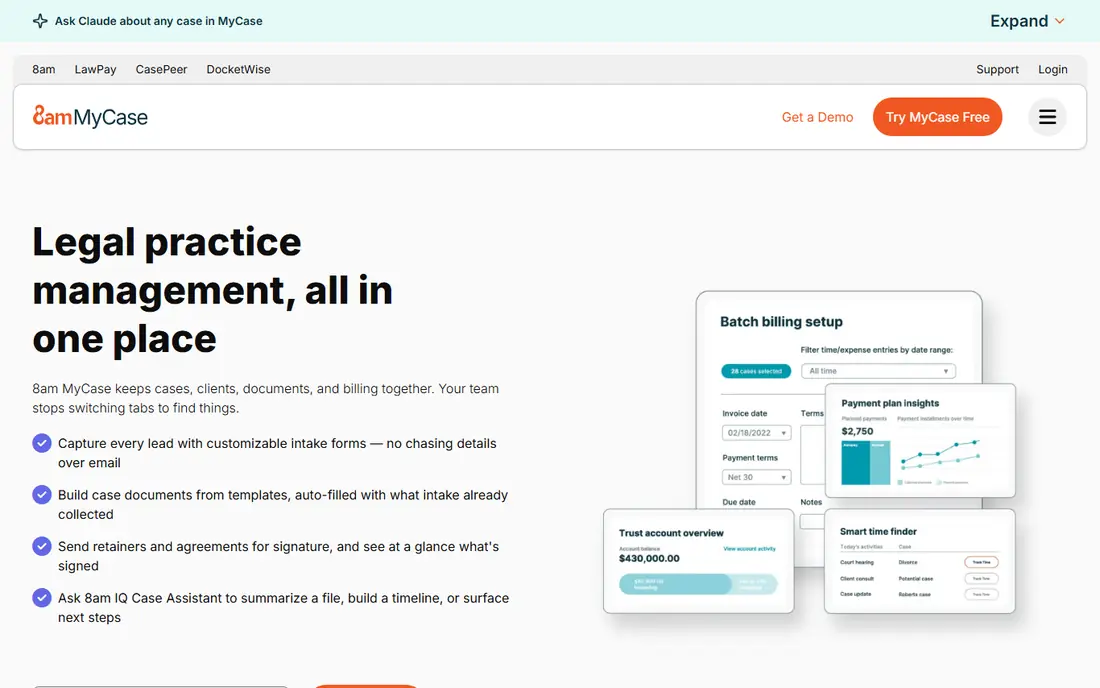
MyCase suits solo attorneys and small firms that want one predictable platform without a long setup. Cases, clients, documents, calendar, tasks, and billing sit in a clean interface, and the client portal lets clients share documents, pay invoices, and message the firm. That simplicity helps small teams that cannot spend weeks on implementation.
MyCase is less flexible than Clio or Actionstep for complex workflows, and the price jump between tiers can be steep if you need advanced features. For a small firm whose main needs are organised matters, clear client communication, and reliable billing, MyCase is a strong, low-friction choice. Trial it with your most common case type before committing.
- Clear all-in-one design
- Client portal and messaging
- Billing and online payments included
- Customisation is more limited than larger rivals
- Higher tiers jump in price

PracticePanther is built for firms that want to automate routine work without hiring a developer. You can set up workflows for intake, tasks, reminders, and billing, use intake forms and native eSignature sends, and track matters, time, and payments in one place. That automation saves time in growing firms where the same steps repeat across many cases.
Pricing is per user, so the total rises with headcount, and the fullest accounting features sit on higher plans. Firms should map which tier covers the automation they actually need, rather than paying for the top tier by default. For a growing firm that wants practical automation and a clear interface, PracticePanther is a strong shortlist entry.
- Code-free automation and workflows
- Intake forms and eSignatures
- Billing and payments
- Per-user cost grows with the team
- Advanced accounting needs higher tiers
Smokeball focuses on the work lawyers actually do in documents. It automates document creation from matter details, tracks time spent in Word and Outlook, and keeps matters, billing, and reporting in one system. For firms that produce many similar documents, such as conveyancing, family, or estate work, that automation can save hours each week.
The trade-off is scope and price. Smokeball is often quoted rather than listed at a single public price, so comparison takes a sales conversation. It may also be more than a very small firm needs if document volume is low. If your firm lives in documents and billing, ask for a demo using your own document templates to judge the time saved.
- Strong document automation
- Automatic time tracking from documents
- Microsoft Office integration
- Pricing is often by quote
- May be more than small firms need
Filevine suits litigation, personal injury, and mass tort practices that need flexible workflows for many similar cases. Teams can build task sets, deadlines, and case stages that match their practice, track documents and messages, and report across a large caseload. That structure helps firms manage volume without losing track of individual cases.
Filevine pricing is by quote, and a complex setup can take time to configure well. Smaller firms with simple matters may find Clio or MyCase faster to launch. Larger litigation teams, or firms handling high case volumes, should trial Filevine with a real case type and check reporting, deadline handling, and migration support before deciding.
- Flexible case workflows for litigation
- Task and deadline tracking
- Document and client tools
- Pricing is by quote
- Setup can take longer for complex workflows
CosmoLex is different because legal accounting is built in, not added through a separate tool. It covers matter management, billing, and trust accounting in one system, which helps firms that struggle to keep case work and trust ledgers in sync. That single view reduces duplicate entry and makes trust reconciliation easier to check.
The accounting focus means the interface feels more finance-led than some rivals, and the fullest accounting features sit on higher tiers. Firms that already use QuickBooks and are happy with it may prefer a different tool. Firms where trust compliance, billing, and accounting cause the most stress should put CosmoLex near the top of the shortlist and trial it with a real trust account.
- Built-in legal accounting and trust accounting
- Matter and billing tools
- Client portal
- Higher tiers cost more for full accounting depth
- Interface is more accounting-focused
Rocket Matter suits firms that want practice management without a steep learning curve. Matters, time, billing, documents, and client communication are covered in a clear interface, and the tool is quick to set up for a small team. That simplicity is valuable when staff time for training is limited.
Larger firms or firms with complex workflows may outgrow Rocket Matter, since automation and reporting are less deep than Clio or PracticePanther. For a solo or small firm that wants a dependable, easy system for daily matters and billing, Rocket Matter is a practical choice. Trial it for two weeks with real matters to confirm the billing flow fits your practice.
- Straightforward matter and billing tools
- Easy to learn
- Online payments and client tools
- Automation and reporting depth are less than larger rivals
- Integrations are narrower
Actionstep offers an end-to-end system for firms that want matter management, CRM, workflow automation, accounting, and document assembly in one place. Workflows can be built to match a practice area, from intake to billing, which helps firms with repeatable case types and larger teams. That depth suits firms that have outgrown simpler tools.
The depth comes with a longer setup and a steeper learning curve, so small firms should budget time for implementation and training. If your firm needs a single system for matters, accounting, and automation, and you have staff who can own the setup, Actionstep is worth a detailed demo. If you need a quick launch, start with MyCase or Rocket Matter instead.
- Strong workflow automation
- Accounting and document assembly
- CRM and billing in one system
- Setup can be complex
- Learning curve is higher for small teams
How we picked these
We compared official feature pages, pricing pages, and public reviews for case management tools that serve US small law firms in October 2026. We kept only tools that are currently offered, that cover matters, documents, time, and billing, and that fit a clear firm type, such as solo, litigation, or accounting-led practices. We left out general project tools with no legal billing or trust features, and tools with no current US offering. Prices are starting prices where published, and you should confirm current pricing and payment fees before purchase.
What to check before you choose case management software
Start with your most common case type, not with a feature list. Run a matter from intake to invoice in the trial, including documents, tasks, deadlines, time entry, billing, and a client message. That single run shows whether the tool fits your daily work or only looks good in a demo.
Next, check compliance and money handling. Confirm how trust accounting works, how payment processing fees are charged, and how data is backed up and exported. Ask about migration from your current system, since moving matters and documents is often the hardest part of a switch. Also check who can see each matter, how permissions work, and whether audit records show who changed a deadline or a bill.
Finally, price the whole firm, not one seat. Multiply the per-user price by your actual team size, add payment fees and any required add-ons, and compare annual totals. A tool that looks cheap for one user can be costly for ten. Choose the tool your team will actually use every day, since the best workflow is the one staff follow.
FAQ
What is the best case management software for small law firms?
Clio and MyCase are strong for small firms, with Clio offering a larger ecosystem and MyCase offering a simpler all-in-one design. PracticePanther suits growing firms that want automation. Trial your most common case type in each tool before choosing, since daily fit matters more than a feature list.
What are the best case management tools for solo attorneys?
MyCase and Rocket Matter suit solo attorneys who want a clear, quick setup for matters, billing, and client communication. Clio also works for solos, but its breadth may be more than a solo practice needs. Choose the tool with the billing and portal features you will use weekly.
What is the best legal software for small firms with trust accounting?
CosmoLex suits firms where trust accounting is central, since accounting and trust ledgers are built into the same system. Clio also covers trust accounting on its plans, with add-ons for fuller finance tools. Trial both with a real trust account and check reconciliation before deciding.
What is the best platform for case management in litigation?
Filevine suits litigation and personal injury firms with high case volumes and repeatable workflows. Smokeball suits document-heavy litigation where document automation saves the most time. Both need a demo with your own case stages to judge fit.
Do case management tools include billing and payments?
Most tools on this list include time tracking, billing, and online payments, but payment processing fees apply separately. Check which tier includes invoicing, trust accounting, and payment links, since those features vary by plan. Confirm the fee structure in writing before you switch.
How long does it take to switch case management software?
A small firm can often switch in a few weeks, while a larger firm with many matters and documents may need longer for migration and training. Ask each vendor about migration support, data export, and training. Plan the switch around a quiet period, and run old and new systems in parallel for a short time if possible.