Best Container Tracking Apps in 2026: 8 Apps Compared
Find the best container tracking app for your shipments. We compare 8 container tracking tools for ocean freight, port visibility, alerts and pricing.

- Editor's choice
 ShipsGo
Small shippers tracking containers
Starts atFreeVisit shipsgo.comFull review - Great alternative
 Terminal49
US importers needing milestone detail
Starts atFreeVisit terminal49.comFull review - Also consider
 Vizion
Businesses needing container data feeds
Starts atSee websiteVisit vizionapi.comFull review
TL;DR:
- The best container tracking app depends on whether you track one shipment or a full freight program, so start with how many containers you move each month.
- Container-first tools such as ShipsGo and Terminal49 are easier for small shippers than broad vessel maps, which show ships rather than cargo.
- Vessel maps such as MarineTraffic and VesselFinder still help when you want to see where a ship is between port updates.
- Check carrier coverage before you pay, because no tool covers every carrier, port and inland leg with the same depth.
- Alerts and milestone history matter more than a pretty map when a delay affects a customer delivery date.
Quick comparison
| Tool | Best for | Starts at | Free plan? | |
|---|---|---|---|---|
| ShipsGo | Small shippers tracking containers | Free | Yes | Visit |
| Terminal49 | US importers needing milestone detail | Free | Yes | Visit |
| Vizion | Businesses needing container data feeds | See website | No | Visit |
 GoComet | Freight teams managing shipments | See website | No | Visit |
 project44 | Large supply chains | See website | No | Visit |
 FourKites | Enterprise shipment visibility | See website | No | Visit |
 MarineTraffic | Vessel position checks | Free | Yes | Visit |
 VesselFinder | Simple vessel tracking | Free | Yes | Visit |
The best container tracking apps
We compared tools that track containers, vessels and ocean milestones, and we gave weight to carrier coverage, alerts, history and clear pricing.
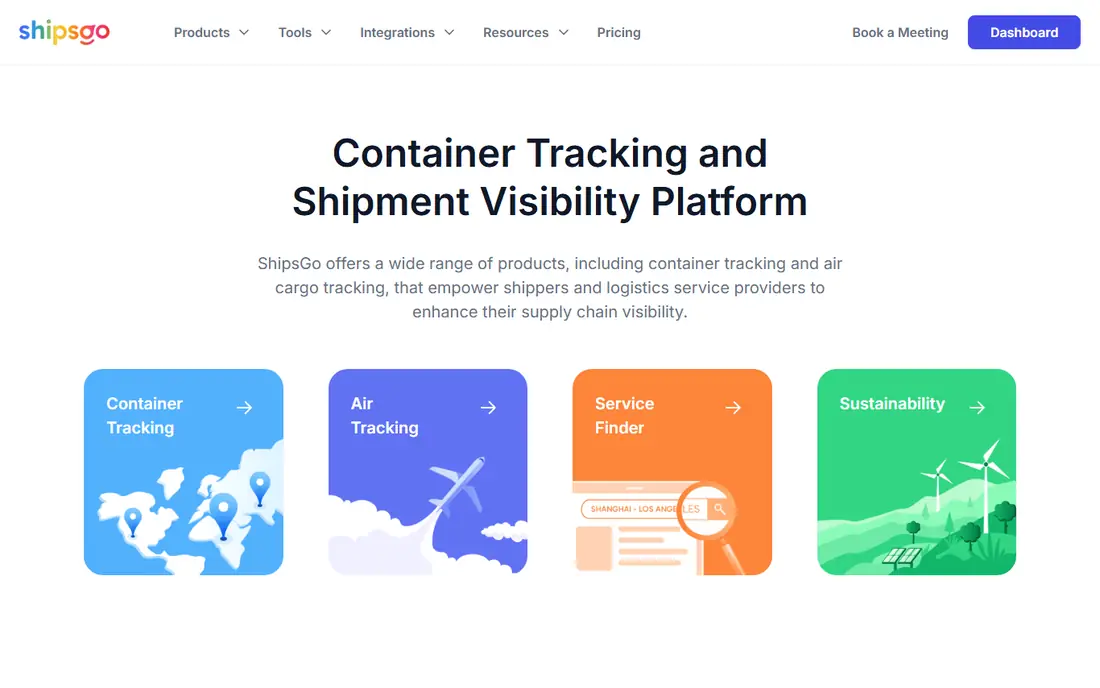
ShipsGo is our pick for most people who simply want to follow a container from loading to delivery. You can search by container number, bill of lading number or booking number, and the timeline lays out each step in plain order. That structure helps when a customer asks where a shipment is, because you can point to the last confirmed event rather than guessing from a ship position.
The free tier is useful for occasional tracking, and paid plans add more shipments, alerts and reporting. The honest catch is data quality. ShipsGo can only show what carriers and terminals report, so a quiet stretch does not always mean a problem, and it does not always mean smooth sailing either. For a small importer or exporter, that balance of simple search and clear milestones is hard to beat.
- Container, bill of lading and booking search
- Clear milestone timeline
- Email alerts for key events
- Deeper analytics sit on paid plans
- Some inland updates depend on carrier data quality
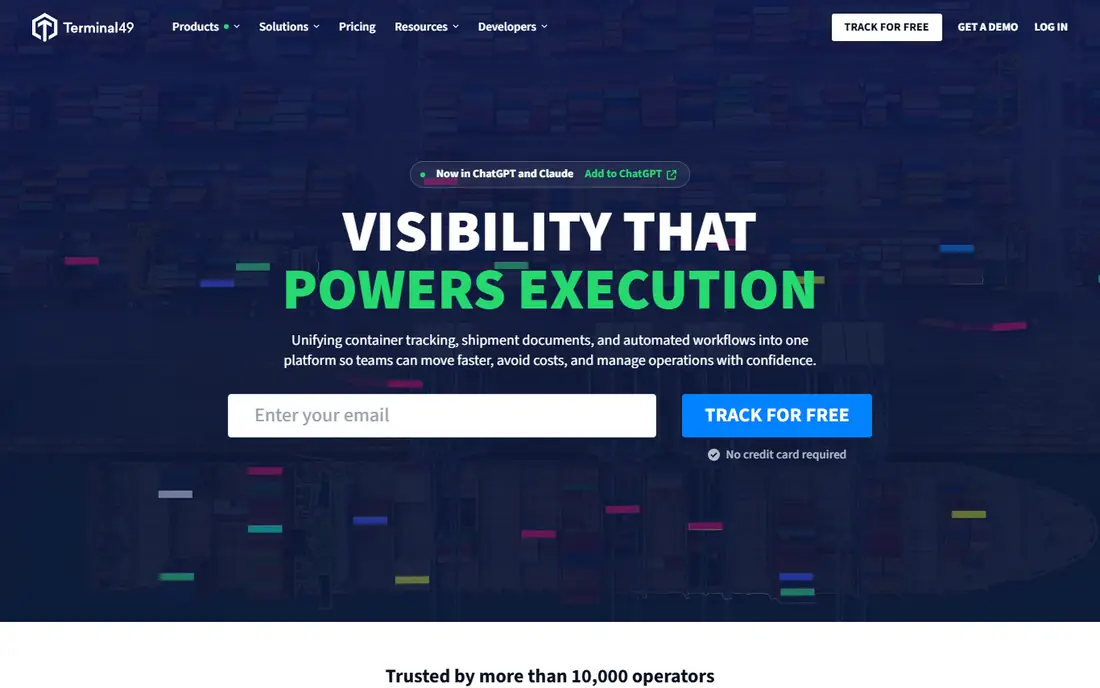
Terminal49 suits importers who live in the details. It pulls container events together and presents them as a shipment story, including terminal and vessel information where available. That level of detail helps teams plan trucking, warehouse labor and customer updates, because they can see more than a single estimated arrival date.
The tool is also useful for spotting patterns across shipments, such as repeated holds at one terminal. The main limit is focus. If your freight is mainly outside US import lanes, check coverage for your routes before you build a workflow around it. For US importers, though, the milestone depth is a real strength.
- Detailed container milestones
- Port and terminal detail
- Alert options for status changes
- Strongest fit for US imports
- Enterprise pricing is not listed in full on the public site

Vizion is a different kind of pick. It is built for companies that want container tracking data inside their own software, dashboard or customer portal. Instead of asking staff to check many carrier sites, a business can pull standardized events through Vizion and show them in one place. That approach scales well when shipment volume grows.
The trade-off is clear. This is not the best choice for a person tracking a single container by hand, because it is designed as a data service. Pricing is quote based, so budget planning needs a sales conversation. If you run a freight platform, a visibility product or a large shipper system, Vizion deserves a close look.
- Container tracking data through an API
- Wide carrier coverage
- Event data built for systems and dashboards
- Not a simple consumer app
- Setup needs technical help or a developer
GoComet fits logistics teams that want tracking plus broader freight work in one platform. Ocean container tracking sits beside tools for managing shipments, costs and supplier communication, depending on the plan you choose. That breadth can reduce the number of systems a team opens each day.
For a single shipment, GoComet will feel heavy. Its value shows up when a team handles many shipments and needs shared visibility across colleagues. Pricing is not listed as a simple monthly plan, so expect a demo and a quote. If your team already manages freight in spreadsheets and carrier portals, the consolidation may be worth that step.
- Shipment tracking across modes
- Freight management features
- Reporting for logistics teams
- Pricing is quote based
- Smaller shippers may find it larger than they need
project44 is built for large shippers and logistics providers with complex supply chains. It covers ocean, road, rail and air visibility in one platform, and it is designed to flag exceptions rather than force staff to watch every shipment. That focus on exceptions matters at scale, because most shipments move fine and only a few need action.
The catch is fit. Small shippers will find the sales process and implementation effort larger than a simple tracking app. Pricing is quote based, and the platform works best when a company commits to using it across teams. For large operations, the breadth and network depth are the reason it stays on this list.
- Broad multimodal visibility
- Large carrier network
- Analytics and exception management
- Enterprise focus and pricing
- Setup takes time and internal ownership
FourKites is another enterprise visibility platform, and it is a strong option for companies that need ocean tracking as part of a wider network. It combines shipment data with estimated arrival information and tools that help teams act on delays. For managers, the appeal is a shared view across suppliers, carriers and customers.
As with other enterprise tools, cost and setup are the limits. A small business tracking a few containers a month will get more value from a container-first app. A larger shipper that needs consistent data across regions and modes, and wants to share that view with customers, will find FourKites easier to justify.
- Real time visibility across modes
- Predictive arrival estimates
- Tools for carriers and shippers
- Enterprise pricing
- Best value at higher shipment volumes
MarineTraffic is the best known vessel tracking service, and it is useful as a companion to container tracking. When you know the vessel name, you can see its position, route and recent port calls. That context helps when a container update is slow, because you can at least confirm whether the ship is moving, waiting near a port or already under way.
Do not confuse vessel tracking with container tracking. MarineTraffic will not tell you whether your specific container was loaded, held or released. Free access covers basic checks, while paid plans add history, fleet tools and alerts. Use it to answer the question about the ship, and use a container tool to answer the question about the cargo.
- Large vessel database
- Live map and port call history
- Fleet lists and alerts on paid plans
- Tracks vessels, not individual containers
- Offshore coverage can be limited on free plans
VesselFinder is a simpler alternative for quick vessel checks. Search is fast, the map is easy to read, and you can find a ship by name or identification number without wading through enterprise features. That simplicity suits occasional users, journalists, port watchers and small teams that only need a position check.
The limits match MarineTraffic. This is a vessel tool, so it cannot confirm container level events such as customs release or terminal availability. Paid plans add satellite tracking and longer history, which help for offshore legs. Pair VesselFinder with a container tracker when the cargo itself is what matters.
- Fast vessel search
- Clean live map
- Paid tiers add satellite coverage and history
- Vessel focused, not container focused
- Deeper features need a paid plan
How we picked these
We compared official feature pages, pricing pages, app store listings and public product descriptions, and we favored tools that are live and clearly maintained. We looked for container level search, vessel position data, milestone history, alerts and coverage notes, and we separated container tools from vessel maps so readers can choose the right kind of tracking. We did not claim hands-on testing. Where pricing was not published in full, we listed it as See website rather than guessing.
What to check before you choose a container tracker
Start with your shipment type. A container tool needs a container number, bill of lading number or booking number, while a vessel tool needs a ship name or identification number. If you only have a tracking number from a seller, ask whether it is a container number or a booking reference, because entering the wrong type will return no result.
Next, check carrier and route coverage. Ask the vendor whether your carriers and ports are covered, and test with a past shipment if the tool allows it. Look at how it handles delays, transshipment and terminal holds. A good tool shows the event history, not just a single arrival estimate, so you can explain a delay to a customer with facts.
Finally, think about alerts and sharing. Email alerts, milestone notices and a shareable shipment page save time for teams that answer customer questions all day. If you need data in your own system, an API option matters more than a mobile app. If you track a few shipments a year, a free container search will serve you better than an enterprise platform.
FAQ
What is the best container tracking app for a single shipment?
ShipsGo is a strong starting point because it offers free container search and a clear milestone timeline. Terminal49 is also worth checking, especially for US imports. Test both with a real container number before you pay.
Can I track a container with just a bill of lading number?
Many container tools accept a bill of lading number or booking number in addition to a container number. If a search returns nothing, check the number format, confirm the carrier, and allow time for the carrier to publish the first event.
Why does my container show no update for days?
Ocean legs can pass with few new events, and carrier or terminal reporting can lag. A vessel map can confirm ship movement, but only a container milestone update confirms cargo events. Contact the carrier or forwarder if a key milestone passes without an update.
Is vessel tracking the same as container tracking?
No. Vessel tracking follows a ship. Container tracking follows a specific container and its milestones, such as loading, discharge and availability. Use both when you want ship context plus cargo detail.
Do I need a paid plan to track containers?
Not always. Free tiers from container tools and vessel maps cover basic checks for occasional users. Paid plans make sense when you track many containers, need alerts, history or reporting, or want data in your own system.