Consumer Video Feedback Software for Small Business in 2026: The 6 Best Options Side by Side
Best consumer video feedback software for small business, compared. 6 tools with published prices, free plans and limits. Every entry states what it lacks.
- Editor's choice
 Ziflow
Automatic review workflows across file types
Starts at$199 a month billed annuallyVisit ziflow.comFull review - Great alternativeProofHub
Combining project management with review
Starts at$45 a monthVisit proofhub.comFull review - Also consider
 Vimeo
Hosting and sharing finished video
Starts atSee websiteVisit vimeo.comFull review
Direct answer
Our first pick is Ziflow, best for automatic review workflows across file types. Listed starting prices: Ziflow from $199 a month billed annually, ProofHub from $45 a month and Loom from $18 per user a month. For a different need, ProofHub covers combining project management with review and Vimeo covers hosting and sharing finished video. The remaining 3 options are covered below with prices and limits.
TL;DR:
- Top of the list is Ziflow, which targets automatic review workflows across file types.
- Starting prices begin at $18 per user per month with Loom.
- A free plan is available from 3 of the 6 tools: Ziflow, Vimeo, Loom.
- Before buying Vimeo, weigh this: feedback is not its core focus.
Last checked November 2026. Prices and plan details were read from the vendors' own pages in November 2026; vendors change plans often, so confirm the current price on the vendor site before you buy.
Quick comparison
| Tool | Best for | Starts at | Free plan? | |
|---|---|---|---|---|
| Ziflow | Automatic review workflows across file types | $199 a month billed annually | Yes | Visit |
| ProofHub | Combining project management with review | $45 a month | Free trial | Visit |
| Vimeo | Hosting and sharing finished video | See website | Yes | Visit |
 Loom | Fast screen recordings with simple sharing | $18 per user a month | Yes | Visit |
| Dropbox Replay | Markup inside the Dropbox ecosystem | See website | Not stated | Visit |
 Frame.io | Centralized creative review and approval | See website | Not stated | Visit |
Consumer Video Feedback Software for Small Business, one by one
LinkVetted compared 6 tools for consumer video feedback software for small business. The goal is a practical shortlist: published prices, free plan facts, best-fit use cases and honest limits for every entry.
Ziflow makes the most sense for automatic review workflows across file types. Small firms handling varied creative assets can standardize how feedback is collected and approvals are recorded.
Choose Ziflow when review volume and consistency justify the setup. Worth adding: if your process is straightforward, a lighter choice for example Loom or Dropbox Replay may be simpler to adopt. Ziflow cost at the entry level: $199 per month billed annually. Free access exists with Ziflow.
Trade-offs to know: Workflow setup can add complexity.
- Automated review and approval workflows
- Supports a broad set of file types
- Feature depth may exceed entry-level needs
ProofHub
Best for: Combining project management with review
ProofHub was built for combining project management with review. ProofHub presents itself as easy-to-use project management and team collaboration software that keeps teams, work and projects in one central location. Teams whose central need is frame-accurate comments on video may prefer Frame.io or Ziflow.
As for the details, small firms that want reviews to sit alongside tasks, discussions and project tracking can benefit from that combined view. Since it is a broader project management system, its video feedback depth may not match dedicated proofing tools. On cost, ProofHub starts like this: $45 per month. Free access: Free trial.
Watch-outs: Video feedback is part of a broader suite.
- No per-user fee structure
- Central place for teams and projects
- Less specialized than dedicated proofing tools
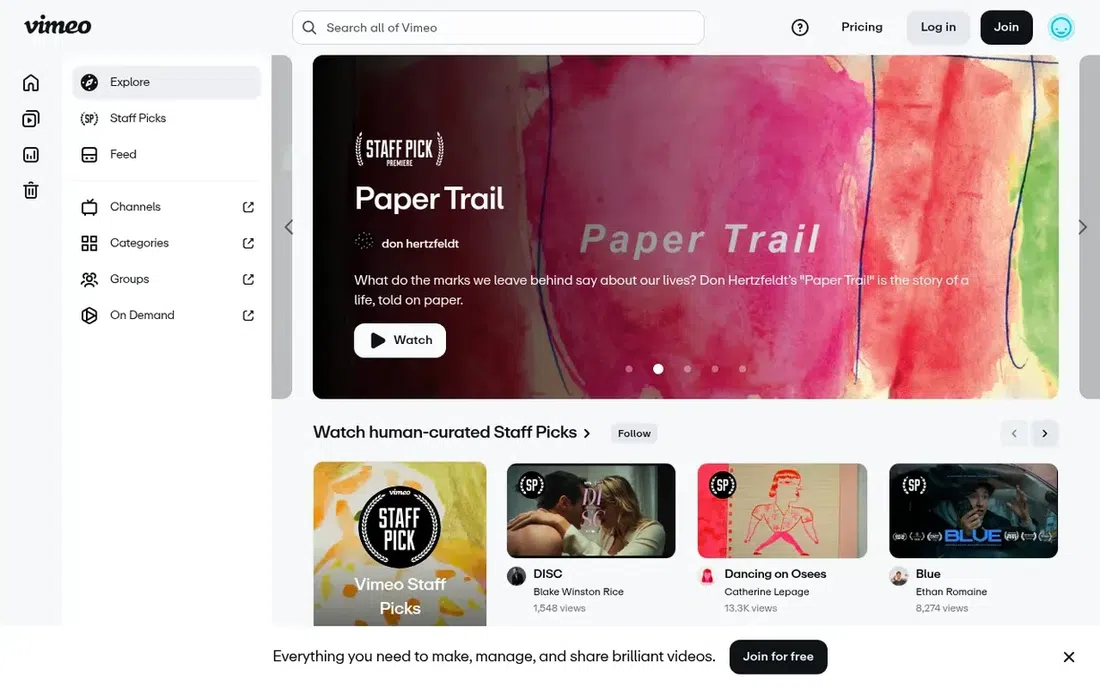
Vimeo is designed for hosting and sharing finished video. Vimeo is known as a video system for watching and sharing films, shorts, documentaries and animation in HD without ads.
Vimeo is oriented toward publishing and discovery instead of in-depth feedback and approval workflows. Check the vendor site for Vimeo pricing; none is listed in this comparison. Vimeo includes a free tier.
Points against: Feedback is not its core focus.
- Straightforward public video discovery
- Ad-free HD video streaming
- Restricted proofing workflow features
Loom is built with fast screen recordings with simple sharing in mind. It suits teams that communicate feedback verbally and visually instead of through written comment threads on a timeline.
In daily use, Loom is built around recording and sharing, so structured approval tracking and versioned proofing are not its primary strength. Entry price for Loom: $18 per user per month. Free access exists with Loom.
What to check first: Approval workflows are restricted.
- Straightforward screen recording on Mac and PC
- Simple sharing from the browser
- Concentrated on recording instead of formal proofing
Dropbox Replay
Best for: Markup inside the Dropbox ecosystem
In short, Dropbox Replay is for markup inside the Dropbox ecosystem. Small firms already storing files in Dropbox can keep review close to where the work lives, reducing handoffs between storage and feedback.
Honest limits: Most handy if you already use Dropbox.
It fits teams that want practical markup and comments without adopting a separate production suite. Dropbox Replay does not show a starting price in this comparison, so check the vendor site for current pricing. Free access: Not stated.
- Suits existing Dropbox storage habits
- Image and audio assets
- Narrower than full project systems
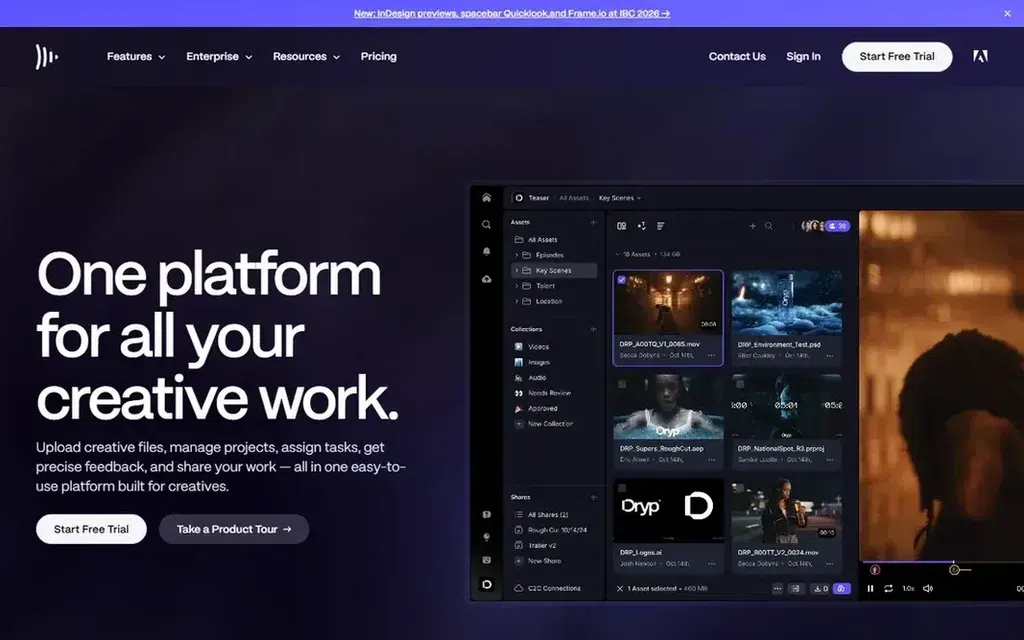
Frame.io makes the most sense for centralized creative review and approval. Frame.io positions itself as a single secure product that brings files, feedback and people together so creative work moves quicker.
Where it falls short: May be more than simple review needs need.
More specifically, small firms producing video, design or campaign assets can keep comments tied to specific versions rather than scattering notes across email and chat. Check the vendor site for Frame.io pricing; none is listed in this comparison. Trial and free access: Not stated.
- Secure sharing for creative work
- Feedback and people in one place
- Concentrated on creative workflows
Our selection method
LinkVetted looked at what each vendor publishes: pricing, plan limits, feature coverage for consumer video feedback software for small business and stated drawbacks. No hands-on testing is claimed. Treat prices as a snapshot: vendors change plans often, so check the vendor site for the figure that applies today. Position on the page reflects fit for a typical buyer first, with price clarity and free access breaking ties. Treat it as a guide, not a ruling.
A buyer's checklist
- Get a written quote from Vimeo, Dropbox Replay and Frame.io; the list shows no starting price for them.
- Read the fine print on the free plans from Ziflow, Vimeo and Loom; seat, project and feature caps differ.
- Run a trial of ProofHub with real work before paying for a year; your own workflow is the best test.
- Read the limits listed for Ziflow first: workflow setup can add complexity.
- Work out what Vimeo costs with your real seat count, add-ons and usage, not just the entry price.
- Find out whether the entry plan of Frame.io covers your must-haves or only a trimmed-down version.
FAQ
Do these tools publish their prices?
Not all of them. Vimeo, Dropbox Replay and Frame.io publish no starting price, so expect a quote request for those. The rest, Ziflow included, show a starting price, though seats and billing terms still change the final cost.
What is the cheapest option for consumer video feedback software for small business in this list?
On published monthly entry prices, Loom is the lowest here at $18 per user per month. Entry price is only part of the cost, because seats, add-ons and billing terms can change the total. For the full picture, the cards above cover all 6 entries of this consumer video feedback software for small business list, including price, free plan and limits.
What should a small business look for in video feedback software?
Focus on how comments are tied to specific versions, how approvals are recorded and whether the tool suits your existing storage and project setup.
Is Ziflow the right pick for everyone comparing consumer video feedback software for small business?
No single tool suits every team. Ziflow comes first because it fits automated review workflows across file types, while ProofHub suits combining project management with review and Vimeo suits hosting and sharing finished video. Match the tool to your own size, budget and workflow before deciding.
Which options for consumer video feedback software for small business have a free plan?
On this list, Ziflow, Vimeo and Loom include a free plan. Caps on seats, usage or features are common, so test the free plan against your real workload. One other tool offers a trial instead.
Sources
- https://www.ziflow.com
- https://www.proofhub.com
- https://vimeo.com
- https://www.loom.com
- https://www.dropbox.com/replay
- https://frame.io