Construction RFI Management Software in 2026: The 6 Best Options Side by Side
6 products for the best construction RFI management software, ranked by fit, with starting costs and free tiers. Each pick lists its main limit. Decide faster.
- Editor's choice
 CoConstruct
Custom home builders and remodelers
Starts atSee websiteVisit coConstruct.comFull review - Great alternativeTrimble Viewpoint
Contractors linking RFIs to job costing
Starts atSee websiteVisit viewpoint.comFull review - Also consider
 Fieldwire
Jobsites tracking tasks and drawings
Starts at$39 per user per monthVisit fieldwire.comFull review
Direct answer
If you need custom home builders and remodelers, CoConstruct is the first tool to look at here. Listed starting prices: Fieldwire from $39 per user per month. Trimble Viewpoint is the stronger choice for contractors linking RFIs to job costing, while Fieldwire suits Jobsites tracking tasks and drawings. The other 3 tools in the list cover narrower or pricier cases.
TL;DR:
- Number one here is CoConstruct, a fit for custom home builders and remodelers.
- For owners and agencies managing capital programs, Kahua is worth a look.
- Just one of the 6 tools, Fieldwire, has a free plan.
- The main caution on Fieldwire: RFI features are part of a field-focused tool.
- Fieldwire has the lowest monthly starting price in this list: $39 per user per month.
Last checked November 2026. Prices and plan details were read from the vendors' own pages in November 2026; vendors change plans often, so confirm the current price on the vendor site before you buy.
Quick comparison
| Tool | Best for | Starts at | Free plan? | |
|---|---|---|---|---|
| CoConstruct | Custom home builders and remodelers | See website | Not stated | Visit |
| Trimble Viewpoint | Contractors linking RFIs to job costing | See website | Not stated | Visit |
| Fieldwire | Jobsites tracking tasks and drawings | $39 per user per month | Yes | Visit |
 Autodesk Construction Cloud | Teams already using Autodesk design tools | See website | Not stated | Visit |
 Procore | Connected RFI workflow from field to office | See website | Not stated | Visit |
| Kahua | Owners and agencies managing capital programs | See website | Not stated | Visit |
The best construction RFI management software
Choosing construction RFI management software usually comes down to price, fit and limits. This LinkVetted guide sets 6 tools side by side on those three points, with the facts kept short and checkable.
CoConstruct is designed for custom home builders and remodelers. CoConstruct is construction management software for custom home builders and remodelers, and it now shares a unified brand with Buildertrend. In practice, choose CoConstruct when your RFIs are part of a residential client communication process instead of a large capital project record.
For everyday use, CoConstruct is oriented toward residential construction, so large commercial teams may find it restricted for complicated RFI workflows. Those needing enterprise-scale document control should look at other choices. CoConstruct shows no starting price here, so confirm the cost on the vendor site. Free access: Not stated.
The main drawbacks: RFI features may be lighter than enterprise tools.
- Aimed at custom builders and remodelers
- Unified brand with Buildertrend
- Less suited to large commercial projects
Trimble Viewpoint
Best for: Contractors linking RFIs to job costing
Trimble Viewpoint is built with contractors linking RFIs to job costing in mind. Viewpoint is an ERP-centered system, so teams looking only for RFI tracking may find the scope wider than needed.
Watch-outs: Implementation can involve several modules.
Also, smaller contractors may prefer a focused project management tool. Trimble Viewpoint does not show a starting price in this comparison, so check the vendor site for current pricing. As for free access: Not stated.
- Links project and financial data
- Designed for contractors
- ERP focus may overshadow pure RFI use
Fieldwire works best for Jobsites tracking tasks and drawings. Fieldwire is field-focused, so teams needing deep document control or enterprise RFI workflows may find it lighter than dedicated products.
Beyond that, choose Fieldwire when RFIs are primarily a jobsite coordination tool tied to tasks and drawings. Fieldwire pricing: $39 per user per month. Fieldwire includes a free tier.
Where it falls short: May not replace full document control systems.
- Used by owners
- GCs and subcontractors
- RFI features are part of a field-focused tool
Autodesk Construction Cloud
Best for: Teams already using Autodesk design tools
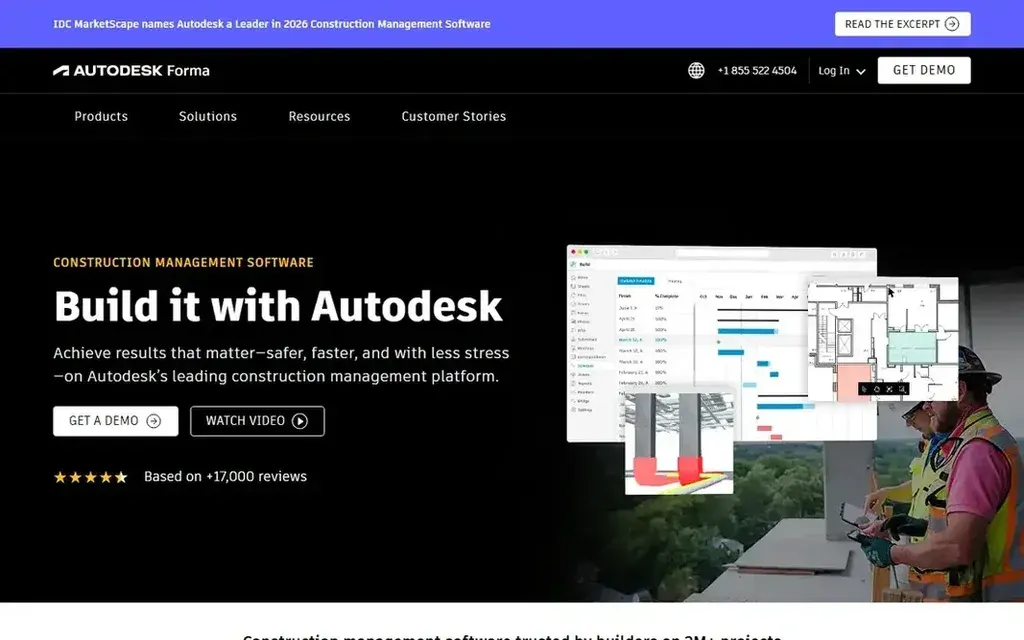
Pick Autodesk Construction Cloud if this describes you: teams already using Autodesk design tools. Autodesk Construction Cloud, now under the Autodesk Forma name, lets project teams collaborate securely and rapidly so projects can be delivered on time and on budget.
Downsides: Best value within the Autodesk ecosystem.
Pick something else if your RFI process is straightforward or if your design tools come from other vendors. For everyday use, the product includes many different construction workflows, so small projects may need only a subset. This comparison lists no price for Autodesk Construction Cloud; ask the vendor. Free plan details: Not stated.
- On-budget delivery
- Secure collaboration across project teams
- Can need coordination across numerous project roles

In short, Procore is for connected RFI workflow from field to office. Procore is a construction management product that links the site and the office, giving teams live visibility to deliver quality projects on time. Its RFI tools sit within a wider project management environment, so questions and answers stay linked to drawings, submittals and daily logs.
Drawbacks to consider: Needs setup across project roles.
From a buyer's view, since Procore spans numerous construction workflows, smaller teams may find the scope broader than their RFI needs alone. From a buyer's view, teams that only need a straightforward question-and-answer log may prefer a lighter tool. Check the vendor site for Procore pricing; none is listed in this comparison. As for free access: Not stated.
- Links site and office teams
- Wide construction management system
- Wide system may be more than small teams need
Kahua
Best for: Owners and agencies managing capital programs
Kahua is designed for owners and agencies managing capital programs. Small teams with a single project may find a program-level product more than they need.
What to check first: May be more than small teams need.
Choose Kahua when RFI control must scale across capital programs and several stakeholders. No starting price is listed for Kahua here; confirm pricing on the vendor site. As for free access: Not stated.
- Focus on capital program control
- Made for owners
- Demo request needed to evaluate
How we compared the tools
Each tool was reviewed on what its vendor publishes: price, plan limits, core features and stated drawbacks. We did not run hands-on tests. Where a vendor does not publish a price, the entry says quote. Where a price depends on seats or billing term, the entry says so. Tools are placed by general fit for construction RFI management software, with price clarity and free access as tie-breakers. A different team can reasonably rank them differently.
Pre-purchase checklist
- Confirm the entry price on the vendor page. For CoConstruct, Trimble Viewpoint, Autodesk Construction Cloud and others that means a quote rather than a fixed price.
- Test the free plan from Fieldwire against your real workload before relying on it.
- Before choosing CoConstruct, weigh its main limit: less suited to large commercial projects.
- The entry price of Autodesk Construction Cloud is only the starting point; model the full cost with seats and extras.
- Check the support hours and onboarding help Kahua offers; smaller vendors vary a lot here.
FAQ
Can field teams run RFIs without office staff?
Field-focused tools let superintendents and foremen raise and track RFIs from the jobsite, commonly tied to tasks and drawings. That said, formal responses may still need office or design review. Choose a tool that keeps field and office roles connected.
What should construction teams look for in RFI management software?
Look for clear assignment, tracking and closeout of RFIs, plus links to drawings and submittals. Reporting and a searchable project record matter for accountability. Also check how the tool suits your existing project and financial systems.
Is CoConstruct the right pick for everyone comparing construction RFI management software?
No single tool suits every team. CoConstruct comes first because it fits custom home builders and remodelers, while Trimble Viewpoint suits contractors linking RFIs to job costing and Fieldwire suits Jobsites tracking tasks and drawings. Match the tool to your own size, budget and workflow before deciding.
What is the cheapest option for construction RFI management software in this list?
On published monthly entry prices, Fieldwire is the lowest here at $39 per user per month. Entry price is only part of the cost, because seats, add-ons and billing terms can change the total. All 6 picks in this construction RFI management software comparison list a starting price, free plan details and the main limits on their cards above.
Can I try these options before paying?
Often, yes. Fieldwire has a free plan. Use your own data and a real task during the test, and check what the free tier or trial limits before you rely on it. For the full picture, the cards above cover all 6 entries of this construction RFI management software list, including price, free plan and limits.
How do RFI tools differ between commercial and residential construction?
Commercial systems commonly emphasize document control, multi-party workflows and a complete project record. Residential tools tend to focus on client communication and selections alongside RFIs.
Sources
- https://www.coConstruct.com
- https://www.viewpoint.com
- https://www.fieldwire.com
- https://construction.autodesk.com
- https://www.procore.com
- https://www.kahua.com