5 Construction Project Management Software for Home Builders Worth Shortlisting in 2026
Searching for the best construction project management software for home builders? Here are 5 options with prices and free plans. Built for quick decisions.

- Editor's choiceUDA ConstructionOnline
Construction management suite for builders
Starts atSee websiteVisit udate.comFull review - Great alternative
 Fieldwire
Live jobsite task and drawing tracking
Starts at$39 per user a monthVisit fieldwire.comFull review - Also consider
 Procore
Connecting office and jobsite teams
Starts atSee websiteVisit procore.comFull review
Direct answer
UDA ConstructionOnline comes first here, mainly for construction management suite for builders. Listed starting prices: Fieldwire from $39 per user a month and JobTread from $199 a month. Look at Fieldwire for live jobsite task and drawing tracking, and at Procore for connecting office and jobsite teams. The remaining 2 options are covered below with prices and limits.
TL;DR:
- UDA ConstructionOnline sits first on this list: construction management suite for builders.
- Buildxact suits simple estimating and project management.
- Fieldwire is the only tool of the 5 with a free plan.
- A fair warning about UDA ConstructionOnline: breadth can mean a ramp-up time.
Last checked November 2026. Prices and plan details were read from the vendors' own pages in November 2026; vendors change plans often, so confirm the current price on the vendor site before you buy.
Quick comparison
| Tool | Best for | Starts at | Free plan? | |
|---|---|---|---|---|
| UDA ConstructionOnline | Construction management suite for builders | See website | Not stated | Visit |
| Fieldwire | Live jobsite task and drawing tracking | $39 per user a month | Yes | Visit |
| Procore | Connecting office and jobsite teams | See website | Not stated | Visit |
 JobTread | Estimating and job financials | $199 a month | No | Visit |
 Buildxact | Simple estimating and project management | See website | Free trial | Visit |
Construction Project Management Software for Home Builders, one by one
LinkVetted put together this guide to construction project management software for home builders for readers who want a clear shortlist without reading every vendor page. It compares 5 tools on starting price, free plans, who each one suits and where each one falls short.
UDA ConstructionOnline
Best for: Construction management suite for builders
UDA ConstructionOnline serves construction management suite for builders. UDA ConstructionOnline is construction management software geared toward building professionals who want project and company workflows in a single suite. It tends to appeal to builders who want a dedicated construction suite instead of general business software.
Downsides: Module depth varies.
In daily use, builders who primarily need jobsite task tracking may prefer a lighter field tool. Beyond that, a wide suite frequently means a ramp-up time. Some modules are deeper than others, so map your must-have workflows before committing. No starting price is listed for UDA ConstructionOnline here; confirm pricing on the vendor site. Free options: Not stated.
- Construction-focused management suite
- Built for building professionals
- Breadth can mean a ramp-up time
Fieldwire was built for live jobsite task and drawing tracking. It is used by owners, general contractors and subcontractors, making it a fit for home builders who require solid field coordination and drawing control whereas crews are on site.
What works well: Aims to cut expensive rework.
Limits to weigh: Field-first design may not handle all admin.
Worth adding: choose Fieldwire when field coordination is the central gap. Price to start with Fieldwire: $39 per user per month. Fieldwire has a free plan.
- GCs and subcontractors
- Used by owners
- Less concentrated on office financials

Where Procore fits: connecting office and jobsite teams. Procore is a construction management system built to link the site and the office, giving teams live visibility into project progress.
From a buyer's view, if your operation is a small crew that chiefly needs estimating and straightforward scheduling, a lighter tool may be simpler to adopt. Check the vendor site for Procore pricing; none is listed in this comparison. Free access: Not stated.
What to check first: Setup may take time to configure.
- Wide construction management system
- Live visibility across projects
- Can be heavy for very small teams
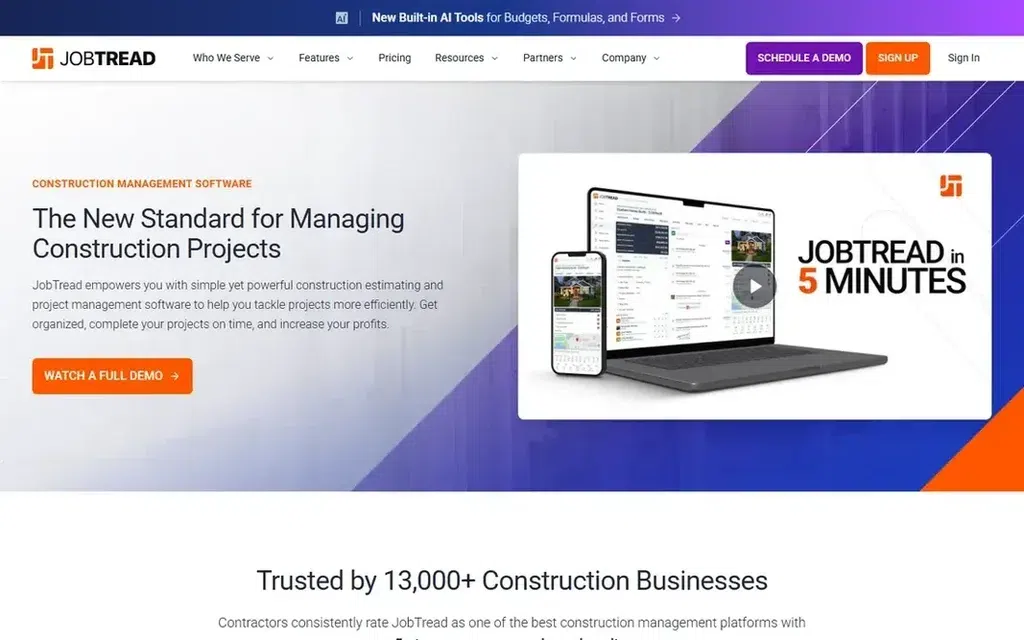
JobTread targets estimating and job financials. It suits home builders who want estimating, job budgets and scheduling under one roof without stitching multiple tools together.
Worth adding: pick JobTread when job financials and planning are the priority. Entry price for JobTread: $199 per month. JobTread does not include a free plan.
Points against: Less suited to very large enterprises.
- Manages financials and resources
- All-in-one from planning to completion
- Setup needs organizing job data
Buildxact serves simple estimating and project management. Ease of use can come with less depth in complicated enterprise controls, and builders with large multi-department operations should check that reporting and permissions meet their needs. Choose Buildxact when straightforward estimating and project tracking matter most.
Honest limits: Feature depth varies by region.
Smaller building firms and custom builders who value simplicity are the target user. In daily use, if field drawing management is central to your work, a jobsite-first product may fit better. No starting price is listed for Buildxact here; confirm pricing on the vendor site. On free options: Free trial.
- Estimating plus project management
- Made for builders and contractors
- May lack deep enterprise controls
What went into this list
Pre-purchase checklist
- Confirm the entry price on the vendor page. For UDA ConstructionOnline, Procore and Buildxact that means a quote rather than a fixed price.
- Test the free plan from Fieldwire against your real workload before relying on it.
- Use real work to test the free trial from Buildxact, rather than a demo project.
- Read the limits listed for UDA ConstructionOnline first: breadth can mean a ramp-up time.
- Before rolling out Buildxact, verify the integrations your workflow depends on.
- Pick one real project and run it in Procore first; a small pilot shows fit faster than a checklist.
FAQ
Is UDA ConstructionOnline the right pick for everyone comparing construction project management software for home builders?
No single tool suits every team. UDA ConstructionOnline comes first because it fits construction management suite for builders, while Fieldwire suits real-time jobsite task and drawing tracking and Procore suits connecting office and jobsite teams. Match the tool to your own size, budget and workflow before deciding.
Which options for construction project management software for home builders have a free plan?
Fieldwire is the only tool in this list with a free plan. Free plans usually cap users, projects or features, so check the limits on the vendor page. One other tool offers a trial instead. For the full picture, the cards above cover all 5 entries of this construction project management software for home builders list, including price, free plan and limits.
Do these tools publish their prices?
Not all of them. UDA ConstructionOnline, Procore and Buildxact publish no starting price, so expect a quote request for those. The rest, Fieldwire included, show a starting price, though seats and billing terms still change the final cost.
How are the tools for construction project management software for home builders ordered?
UDA ConstructionOnline sits first and Buildxact last because the order follows typical fit for construction project management software for home builders, then price clarity and free access. It is a judgement call, so read each profile for fit and limits.
What should a home builder look for in construction project management software?
Confirm that field updates reach the office without duplicate entry, and check that the tool suits the size of your team instead of forcing additional process.
How important is jobsite drawing management for home builders?
It matters most when plans change commonly and crews work from different drawing versions. Tools like Fieldwire emphasize live drawing updates and task tracking to cut rework.
Sources
- https://www.udate.com
- https://www.fieldwire.com
- https://www.procore.com
- https://www.jobtread.com
- https://www.buildxact.com
Related guides
- 6 Construction Scheduling Software for Custom Home Builders Worth Shortlisting in 2026
- Best AI Tools for Construction Project Management in 2026: 9 Tools Compared
- Best Construction Project Management Software in 2026: 9 Tools Compared
- Choosing Construction Project Management Software for Remote Teams in 2026: 6 Options Compared