Best Construction Permitting Software (2026): 6 Picks Checked on Vendor Pages
6 options for the best construction Permitting software, with entry costs, free tiers and the buyer each one serves. Verdicts stay brief and factual. No hype.
- Editor's choiceTyler Technologies Enterprise Permitting & Licensing
Local government agencies automating permitting processes
Starts atPricing on requestVisit tylertech.comFull review - Great alternative
 Autodesk Construction Cloud
Collaborative teams managing permits within design and construction
Starts atPricing on requestVisit construction.autodesk.comFull review - Also considerTrimble e-Builder
Owners and agencies managing capital projects and permits
Starts atPricing on requestVisit construction.trimble.comFull review
Direct answer
Tyler Technologies Enterprise Permitting & Licensing comes first here, mainly for local government agencies automating permitting processes. Autodesk Construction Cloud is the stronger choice for collaborative teams managing permits within design and construction, while Trimble e-Builder suits owners and agencies managing capital projects and permits. Free plan facts and limits for all 6 tools follow. None of these vendors publish plan prices, so pricing is on request for every option.
TL;DR:
- Tyler Technologies Enterprise Permitting & Licensing sits first on this list: local government agencies automating permitting processes.
- Tyler Technologies Enterprise Permitting & Licensing, CityGrows and the 4 others all sell by quote; expect sales conversations before you see a price.
- CityGrows suits public agencies needing quick, budget-friendly online permitting.
- Check the limits for Tyler Technologies Enterprise Permitting & Licensing before you commit: not intended for private construction businesses.
- None of the 6 tools, from Tyler Technologies Enterprise Permitting & Licensing to CityGrows, has a free plan, so budget for a subscription or use a trial.
Last checked November 2026. Pricing on request: vendors did not publish plan prices when this guide was last checked (November 2026), so ask each vendor for a written quote.
Quick comparison
| Tool | Best for | Starts at | Free plan? | |
|---|---|---|---|---|
| Tyler Technologies Enterprise Permitting & Licensing | Local government agencies automating permitting processes | Pricing on request | Not stated | Visit |
| Autodesk Construction Cloud | Collaborative teams managing permits within design and construction | Pricing on request | Not stated | Visit |
| Trimble e-Builder | Owners and agencies managing capital projects and permits | Pricing on request | Not stated | Visit |
| Clariti | Teams managing permitting relationships and communications | Pricing on request | Not stated | Visit |
 Procore | Construction businesses needing integrated project and permit management | Pricing on request | Not stated | Visit |
| CityGrows | Public agencies needing quick, budget-friendly online permitting | Pricing on request | Not stated | Visit |
Construction Permitting Software, one by one
This LinkVetted guide covers 6 options for construction Permitting software. Each profile lists a starting price, free plan details, strengths and drawbacks, so you can drop poor fits quickly.
Tyler Technologies Enterprise Permitting & Licensing
Best for: Local government agencies automating permitting processes
Tyler Technologies Enterprise Permitting & Licensing is a good fit for local government agencies automating permitting processes. Tyler Technologies Enterprise Permitting & Licensing is software designed specifically for local government.
Honest limits: Not intended for private construction businesses.
In practice, agencies seeking a full permitting system from a government-focused vendor may consider it. On top of that, choose it if you are a local government looking for an established permitting and licensing product. Tyler Technologies Enterprise Permitting & Licensing shows no starting price here, so confirm the cost on the vendor site. On free options: Not stated.
- Links agencies and automates processes
- Purpose-built for local government
- Configuration may be required for specific workflows
Autodesk Construction Cloud
Best for: Collaborative teams managing permits within design and construction
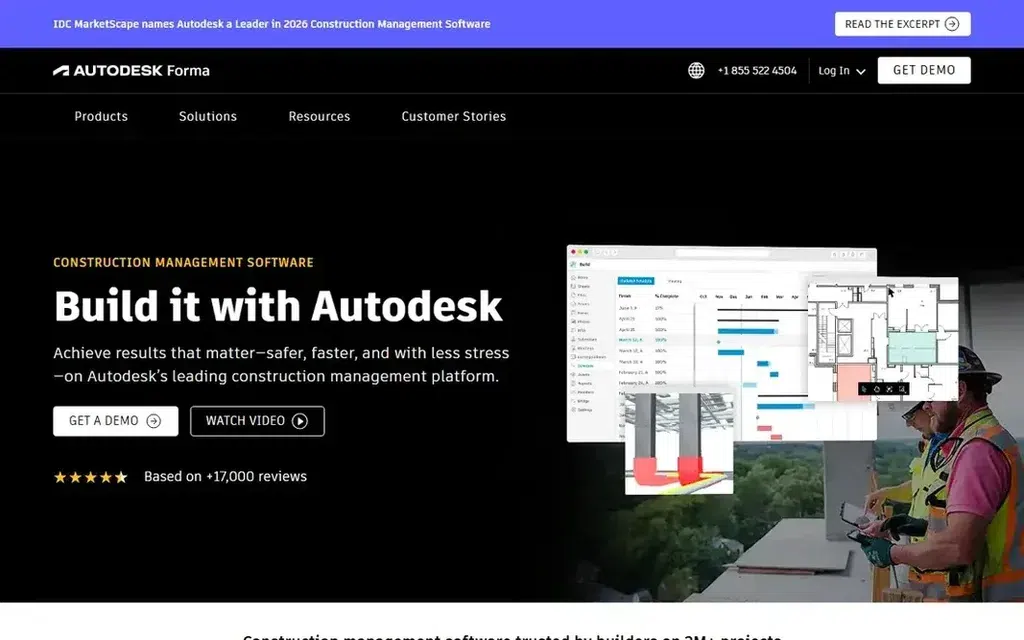
Choose Autodesk Construction Cloud for collaborative teams managing permits within design and construction. Choose it if collaboration across design and build phases is the priority.
Best features of Autodesk Construction Cloud: Links up with design workflows.
For everyday use, the focus is on keeping teams aligned from design through delivery. Autodesk Construction Cloud, now part of Autodesk Forma, is a construction management environment where project teams collaborate securely. Autodesk Construction Cloud does not show a starting price in this comparison, so check the vendor site for current pricing. Free plan details: Not stated. Where it falls short: May need adaptation for permit-specific tasks.
- On-budget delivery
- Secure collaboration across project teams
- A good match for Autodesk ecosystem users
Trimble e-Builder
Best for: Owners and agencies managing capital projects and permits
Trimble e-Builder is a good fit for owners and agencies managing capital projects and permits. It supplies wide capabilities and integrations that span the back office and the field, making it relevant for organizations that require permit and approval tracking within bigger program management.
The main drawbacks: May be heavy for small contractors.
Pricing for Trimble e-Builder is not stated here, so ask the vendor for current figures. Free access: Not stated.
- Broad construction management capabilities
- Suited to capital project oversight
- Needs configuration for permit workflows
Clariti
Best for: Teams managing permitting relationships and communications
For teams managing permitting relationships and communications, Clariti is a natural candidate. Clariti does not deal with permit processing or regulatory workflows straight. It works best alongside a dedicated permitting product.
Limits to weigh: May need integration with permit tools.
Whereas not a permitting system itself, it can help teams handle relationships and communications around permit applications and approvals. On top of that, Clariti is a CRM for teams that brings chats, emails, files, and calendar into one place. This comparison lists no price for Clariti; ask the vendor. Free options: Not stated.
- Cuts context switching
- Adaptable CRM for relationship management
- Not a dedicated permitting system
Procore
Best for: Construction businesses needing integrated project and permit management
Pick Procore if this describes you: Construction firms needing integrated project and permit management. Procore is a construction management product that links the field and office for live project visibility. It is aimed at general contractors and owners who want permitting and compliance tasks to sit alongside scheduling, documents, and communication.
Drawbacks to consider: May be complicated for small teams.
For everyday use, the system is wide, so smaller businesses may find it more than they need, and setup takes time. On top of that, teams that require a single system for project delivery and permit tracking commonly consider it. Beyond that, if you only need entry-level permit tracking, a more straightforward tool may be a better fit. Pricing for Procore is not stated here, so ask the vendor for current figures. Free access: Not stated.
- Links site and office teams
- Wide construction management capabilities
- Needs training to use completely
CityGrows
Best for: Public agencies needing quick, budget-friendly online permitting
Where CityGrows fits: public agencies needing quick, budget-friendly online permitting. CityGrows, also known as ClearForms, provides online permitting for public sector agencies. It is built to bring new and existing permitting, licensing, and internal workflows online rapidly and affordably.
Also, pick CityGrows when speed and affordability are priorities for moving permits online. For everyday use, the system is targeted at public agencies, so contractors seeking project management will need other tools. It may not have the depth of bigger enterprise systems. No starting price is listed for CityGrows here; confirm pricing on the vendor site. Free plan details: Not stated.
Where it is weaker: Restricted to public sector focus.
- Low-cost for public sector agencies
- Supports licensing and internal workflows
- May lack advanced construction features
What went into this list
Selection started from tools commonly considered for construction Permitting software, then narrowed to 6 that have clear pricing information or a clear quote process. Seat minimums, billing terms and add-ons can move the real cost, so the starting prices here are a guide and not a quote. The ranking is editorial: typical fit first, then clear pricing, then free access. If your needs are unusual, read the profiles rather than relying on position.
What to confirm before you sign up
- Ask each vendor, from Tyler Technologies Enterprise Permitting & Licensing to CityGrows, for a written quote; none of them publishes a starting price.
- Read the limits listed for Tyler Technologies Enterprise Permitting & Licensing first: not intended for private construction businesses.
- Find out what support Trimble e-Builder includes on your plan, and whether onboarding help costs extra.
- Total up the real monthly cost of Tyler Technologies Enterprise Permitting & Licensing, including add-ons, extra users and usage-based fees.
- Ask CityGrows about contract length, onboarding fees and user minimums before you sign.
FAQ
Does any tool for construction Permitting software here have a free plan?
No tool in this list, Tyler Technologies Enterprise Permitting & Licensing and CityGrows included, has a permanent free plan. Trials and quotes are the usual route, so plan a short evaluation period.
How are the tools for construction Permitting software ordered?
Tyler Technologies Enterprise Permitting & Licensing sits first and CityGrows last because the order follows typical fit for construction Permitting software, then price clarity and free access. It is a judgement call, so read each profile for fit and limits.
Is Tyler Technologies Enterprise Permitting & Licensing the right pick for everyone comparing construction Permitting software?
No single tool suits every team. Tyler Technologies Enterprise Permitting & Licensing comes first because it fits local government agencies automating permitting processes, while Autodesk Construction Cloud suits collaborative teams managing permits within design and construction and Trimble e-Builder suits owners and agencies managing capital projects and permits. Match the tool to your own size, budget and workflow before deciding.
Do these tools publish their prices?
No. None of the tools, from Tyler Technologies Enterprise Permitting & Licensing to CityGrows, shows a fixed starting price here, so budget time for quotes.
What is construction permitting software?
Construction permitting software helps contractors and agencies handle permit applications, approvals, and compliance. It can simplify workflows, track status, and link permitting with project management or government operations.
Sources
- https://www.tylertech.com/products/enterprise-permitting-licensing
- https://construction.autodesk.com
- https://construction.trimble.com/en/products/e-builder
- https://www.clariti.app
- https://www.procore.com
- https://www.citygrows.com