Best Company for Background Removal in Images in 2026: 10 Tools Compared
Best company for background removal in images: compare 10 tools for clean cutouts, batch editing, prices, and which fits product photos best for sellers.

- Editor's choice
 Canva
Removal inside design work
Starts at$15 per monthVisit canva.comFull review - Great alternative
 Adobe Express
Low-cost removal plus design
Starts at$9.99 per monthVisit adobe.comFull review - Also consider
 PhotoRoom
E-commerce product photos
Starts at$12.99 per monthVisit photoroom.comFull review
TL;DR:
- Canva and Adobe Express suit most users, because background removal sits inside design tools they already use, with Canva Pro at about $15 per month.
- PhotoRoom is our pick for online sellers, with batch editing and marketplace-ready exports, starting at $12.99 per month for Pro.
- Photoshop gives the best control for hard edges like hair and fur, but it costs $22.99 per month and needs editing skill.
- Note that remove.bg is closing its standalone site on December 1, 2026, with removal moving to Canva, so we do not list it as a long-term workflow here.
Quick comparison
| Tool | Best for | Starts at | Free plan? | |
|---|---|---|---|---|
| Canva | Removal inside design work | $15 per month | Yes | Visit |
| Adobe Express | Low-cost removal plus design | $9.99 per month | Yes | Visit |
| PhotoRoom | E-commerce product photos | $12.99 per month | Yes | Visit |
 Adobe Photoshop | Precise professional cutouts | $22.99 per month | Free trial | Visit |
 Fotor | Budget all-in-one editing | $8.99 per month | Yes | Visit |
 Pixlr | Browser editing with AI cutout | $9.99 per month | Yes | Visit |
 Slazzer | High-volume API removal | See website | Free trial | Visit |
 Clipping Magic | Manual precision touch-ups | See website | Free trial | Visit |
 Pixelcut | Mobile sellers | $10 per month | Yes | Visit |
 PicWish | High-volume catalog work | See website | Yes | Visit |
The best companies for background removal in images
These tools export transparent cutouts for listings, ads, and presentations, with options for bulk and precision work.
These tools remove backgrounds from photos and export transparent PNG files for listings, ads, and presentations. Test each one on your hardest photo, such as hair, glass, or a busy background, before committing.

Canva Background Remover sits inside a design suite most teams already know. Remove the background, drop the cutout into a social post, ad, or presentation, and export without switching tools. Pro is listed at about $15 per month, or $180 per year for one person, and it adds brand kits and premium assets.
The catch is that removal is one feature inside a large platform, so high-volume sellers may want a batch tool instead. For design-led teams, though, Canva is the most convenient route, and it is now the home for remove.bg technology after the December 2026 closure.
- Background remover plus templates
- Brand kits
- Easy sharing
- Remover needs a Pro plan
- One image at a time for most workflows

Adobe Express offers background removal on its free plan, with Premium at $9.99 per month adding more assets and features. The interface is simple: upload, remove, place the cutout on a new background or export it transparent, then resize for each channel.
The limit is volume. Express suits occasional edits and small teams, not a catalog of thousands of images. If you already use Adobe tools, Express is a low-cost way to handle removal without a second subscription.
- Free removal with an Adobe account
- No watermark on free exports in recent guides
- Templates and resizing
- No batch removal for most users
- Less product-focused than PhotoRoom
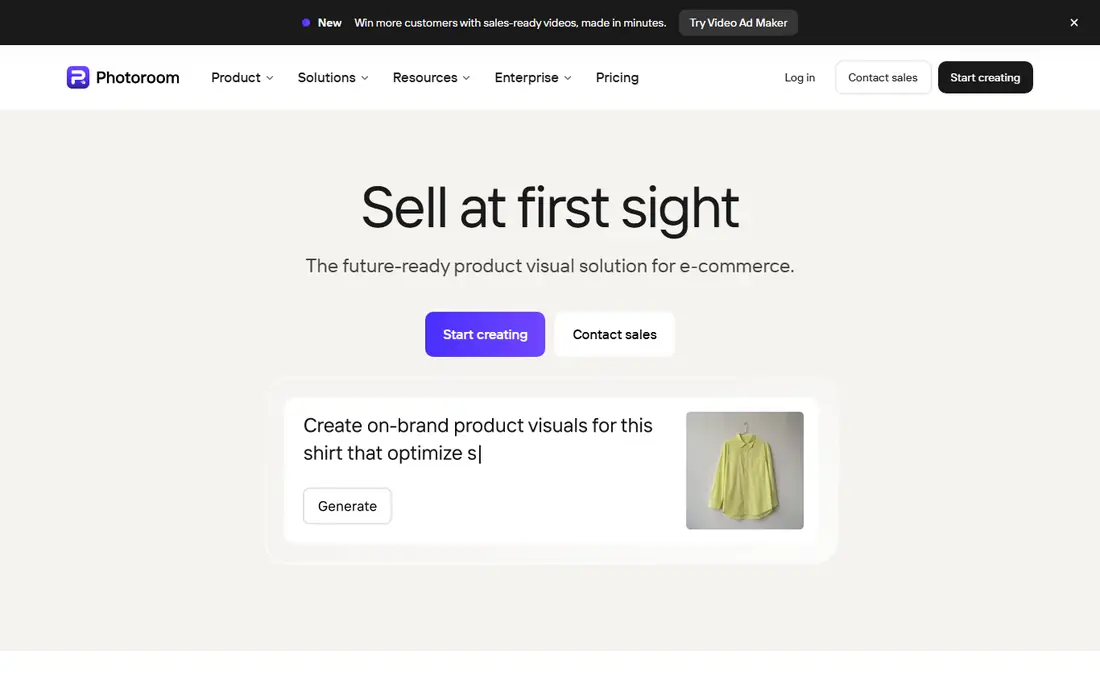
PhotoRoom is built for sellers. Its remover works with batch editing, retouching, AI backgrounds, and listing-ready exports, so a product photo can go from camera to marketplace in one flow. Pro starts at $12.99 per month, or $7.50 per month billed annually in some listings, with higher tiers adding more exports and features.
The downside is cost at scale. Export limits and AI features push larger sellers to higher tiers, so check monthly export counts against your catalog size. For a seller with steady listings, PhotoRoom is still our pick for speed.
- Batch editing
- AI backgrounds
- Marketplace-ready exports
- Shopify link on higher tiers
- Free exports are watermarked
- Price rises with volume and AI use
Photoshop Remove Background gives a strong automatic start, then lets you refine masks, fix hair and fur edges, and clean tricky areas by hand. No automatic tool matches that control on hard photos, which is why professionals still use Photoshop for hero images and print work.
The catch is price and learning time. At $22.99 per month on an annual plan, with a 7-day trial, Photoshop is overkill for simple product shots. Use it for your best images, and use a faster tool for bulk work.
- Best edge control
- Mask refinement
- Remove Background plus manual tools
- $22.99 per month for a single app
- Needs skill and time
Fotor combines background removal with photo editing, design templates, and batch tools, with Pro at $8.99 per month. That mix suits marketers who need removal plus quick edits, collages, and social graphics in one low-cost tool.
The trade is precision. Fotor handles clean product shots well, but hair, fur, and transparent objects may need manual cleanup. For budget teams with standard photos, Fotor is a solid value.
- Removal plus general editing
- Batch tools
- Low Pro price
- Free exports are watermarked
- Edge quality trails Photoshop
Pixlr runs in the browser, so you can remove a background and edit the result without installing software. Its AI cutout tool handles most portraits and products, and Premium plans add more AI credits and features, with recent guides listing Premium from $9.99 per month.
The downside is free-tier limits. Ads and credit caps make the free plan best for testing, not for daily work. For occasional browser edits, Pixlr is convenient and cheap.
- Full browser editor
- AI cutout
- No install needed
- Low entry price in some listings
- Free plan has ads and limited AI credits
- Batch work is limited
Slazzer targets developers and teams that need to remove backgrounds at volume through an API or bulk upload. Credit plans start from about $11 per month for 100 credits in recent guides, with free preview credits to test quality before paying.
The catch is that Slazzer is a removal engine, not a design suite. You get clean cutouts and an API, but you still need another tool for templates and listings. For a catalog pipeline, that focus is a strength.
- Credit-based API
- Bulk processing
- Preview credits for testing
- Credit pricing needs careful budgeting
- Less design tooling than Canva
Clipping Magic lets you mark foreground and background with brushes, then refines the edge in real time. That manual control helps when automatic tools leave rough edges on hair, jewelry, or plants. Plans are credit-based, starting from about $3.99 per month in recent guides, with a free trial.
The trade is speed. Clipping Magic is slower than one-click removal, so it suits single important images, not thousands of listings. Keep it as a cleanup tool alongside a batch remover.
- Precise manual brushes
- Good for hair and edges
- Instant previews
- Credit-based plans
- Slower than one-click tools for bulk work
Pixelcut is built for sellers who shoot on a phone. Remove a background, add a clean studio background, and export a listing image without a desktop editor. Pro is listed at $10 per month, or about $8 per month billed annually, with a free plan for testing.
The limit is depth. Pixelcut excels at mobile product shots, but it does not replace Canva or Photoshop for complex design work. For a phone-based seller, it is one of the fastest options here.
- Mobile-first workflow
- Watermark-free Pro exports
- Product studio tools
- Pro needed for full features
- Desktop editing is thinner than Canva
PicWish offers background removal plus batch processing and photo enhancement at a low entry price, with Pro listed from about $4.99 per month billed annually in recent guides. That makes it attractive for catalog work on a tight budget.
The catch is consistency. PicWish handles clean products well, but complex edges may need a second pass in Clipping Magic or Photoshop. For high-volume standard photos, the price is hard to beat.
- Low-cost Pro from about $4.99 per month billed annually
- Batch tools
- Photo enhancement
- Edge quality varies on hard photos
- Pricing is credit-based on some plans
How we picked these
We compared official pricing pages, product docs, and October 2026 background remover comparisons, focusing on tools that export transparent PNG files and work today. We left out remove.bg as a long-term pick because its standalone site closes on December 1, 2026, even though it still works in October 2026, because readers building a workflow now need a tool that will last.
How to get clean cutouts every time
Start with a good source photo. Even lighting, a plain background that contrasts with the subject, and a sharp focus make automatic removal far more reliable. A dark product on a white or gray backdrop, or a light product on a dark backdrop, gives the AI a clear edge to find.
Test on your hardest photos
Run the same five hard photos through each shortlisted tool: a person with curly hair, a pet, a glass bottle, a plant, and a product on a busy background. Score edge quality, not just speed, because a fast tool that leaves halos will cost time in cleanup. Keep the tool that wins on your photos, not on a demo image.
Check export terms before you scale
Free tiers often cap resolution, add watermarks, or limit commercial use. Check export size, file type, and commercial rights before building listings on a free plan. A paid plan that allows full-resolution transparent PNG exports for commercial use is usually cheaper than redoing a catalog later.
Build a batch workflow
For catalogs, use a batch tool such as PhotoRoom, Slazzer, or PicWish for the bulk, and a precision tool such as Photoshop or Clipping Magic for hero images. Set a naming rule, a standard export size, and a white-background version for marketplaces that require it, so every listing looks consistent.
FAQ
What is the best company for background removal in images?
Canva suits most design teams, PhotoRoom suits online sellers, and Photoshop suits professionals who need precise edges. Test each tool on your hardest photos before choosing.
Is there a free background remover without a watermark?
Adobe Express offers free removal with no watermark in recent guides, while Canva and PhotoRoom free plans have limits. Check current free-tier terms, because they change often.
What file type should I export?
Export a transparent PNG for listings, ads, and design work, because it keeps the cutout edge clean on any background. Keep a white-background JPG version for marketplaces that require a pure white background.
Can AI removal handle hair and fur well?
It handles simple hair and fur fairly well, but curly hair, fine fur, and transparent objects still need manual cleanup in Photoshop or Clipping Magic. Test your hardest photos, not just clean product shots.
Is remove.bg still available?
Remove.bg still works in October 2026, but its standalone website closes on December 1, 2026, with removal moving to Canva, which owns it. Do not build a new long-term workflow on the standalone site.
How much does background removal cost at volume?
Credit and subscription costs vary, from about $5 to $23 per month for most tools here, plus API credits for high volume. Model your monthly image count, because credit pricing can rise fast at catalog scale.