Clipping Software for Five M in 2026: The 5 Best Options Side by Side
Weighing the best clipping software for five m? We lined up 5 products by cost, free access and fit. Each tool gets a one-line verdict. See the full list.
- Editor's choice
 Medal
Fast recording, editing and sharing of game clips
Starts atPricing on requestVisit medal.tvFull review - Great alternative
 NVIDIA ShadowPlay
Driver-level capture for NVIDIA graphics cards
Starts atPricing on requestVisit nvidia.comFull review - Also considerAMD Radeon ReLive
Capture built into AMD graphics software
Starts atPricing on requestVisit amd.comFull review
Direct answer
Medal leads the list, best for fast recording, editing and sharing of game clips. NVIDIA ShadowPlay is better for driver-level capture for NVIDIA graphics cards, and AMD Radeon ReLive is better for capture built into AMD graphics software. All 5 tools are compared below on fit, free plan and limits. None of these vendors publish plan prices, so pricing is on request for every option.
TL;DR:
- Medal sits first on this list: fast recording, editing and sharing of game clips.
- What to know about AMD Radeon ReLive first: restricted to AMD hardware.
- Every tool from Medal to OBS Studio works by quote, with no list price shown.
- OBS Studio is the one to check for adaptable open source recording and streaming.
Last checked November 2026. Pricing on request: vendors did not publish plan prices when this guide was last checked (November 2026), so ask each vendor for a written quote.
Quick comparison
| Tool | Best for | Starts at | Free plan? | |
|---|---|---|---|---|
| Medal | Fast recording, editing and sharing of game clips | Pricing on request | Not stated | Visit |
| NVIDIA ShadowPlay | Driver-level capture for NVIDIA graphics cards | Pricing on request | Not stated | Visit |
| AMD Radeon ReLive | Capture built into AMD graphics software | Pricing on request | Not stated | Visit |
| Action | Dedicated gameplay and screen recording on PC | Pricing on request | Not stated | Visit |
 OBS Studio | Adaptable open source recording and streaming | Pricing on request | Not stated | Visit |
Our 5 picks for clipping software for five m
If you are comparing clipping software for five m, this page covers 5 tools in one place: what each is best for, what it costs to start, whether it has a free plan, and the main limit to know about.
Medal targets fast recording, editing and sharing of game clips. Medal is made for recording, editing and sharing gaming clips and videos on PC.
Where it falls short: Needs an account-based workflow.
For FiveM, that means capturing a moment, trimming it in the app and passing it to friends or a community without exporting through a separate editor. Choose a general recorder instead if you need full control over encoding and output files. This comparison lists no price for Medal; ask the vendor. On free options: Not stated.
- Sharing is part of the workflow
- Built around gaming clips
- Centred on clips rather than full productions

In short, NVIDIA ShadowPlay is for driver-level capture for NVIDIA graphics cards. NVIDIA ShadowPlay is the capture feature within NVIDIA's app for gamers and creators, which also keeps drivers and related technology up to date.
The main drawbacks: Requires NVIDIA hardware.
Its editing and sharing features are thinner than those of dedicated clipping apps, which matters if you publish refined content. Pick it for convenience on NVIDIA systems, and look elsewhere when editing is a core part of your workflow. This comparison lists no price for NVIDIA ShadowPlay; ask the vendor. Trial and free access: Not stated.
- Instant replay style capture
- Keeps drivers and tools together
- Fewer editing choices than dedicated apps
AMD Radeon ReLive
Best for: Capture built into AMD graphics software
AMD Radeon ReLive serves capture built into AMD graphics software. AMD Radeon ReLive is the recording and capture capability offered through AMD's software for Radeon graphics.
FiveM players on AMD cards can record gameplay and capture flags without adding another program, keeping their capture workflow inside the driver software they already maintain. AMD Radeon ReLive shows no starting price here, so confirm the cost on the vendor site. As for free access: Not stated.
What to check first: Restricted to AMD hardware.
- Convenient for Radeon owners
- No separate recorder needed
- Feature depth varies by setup
Action
Best for: Dedicated gameplay and screen recording on PC
Action is a good fit for dedicated gameplay and screen recording on PC. FiveM players can use it to record sessions, and its gameplay orientation means it is designed around the kind of continuous capture that roleplay and racing servers produce. On top of that, Action is a desktop application with its own interface, so new users should expect a short adjustment period.
Watch-outs: Windows-focused desktop tool.
Its editing is lighter than a full video editor. If you only need occasional clips, a more straightforward game-focused tool may be enough. This comparison lists no price for Action; ask the vendor. As for free access: Not stated.
- Made for gameplay recording
- Screen recording focus
- Interface takes adjustment
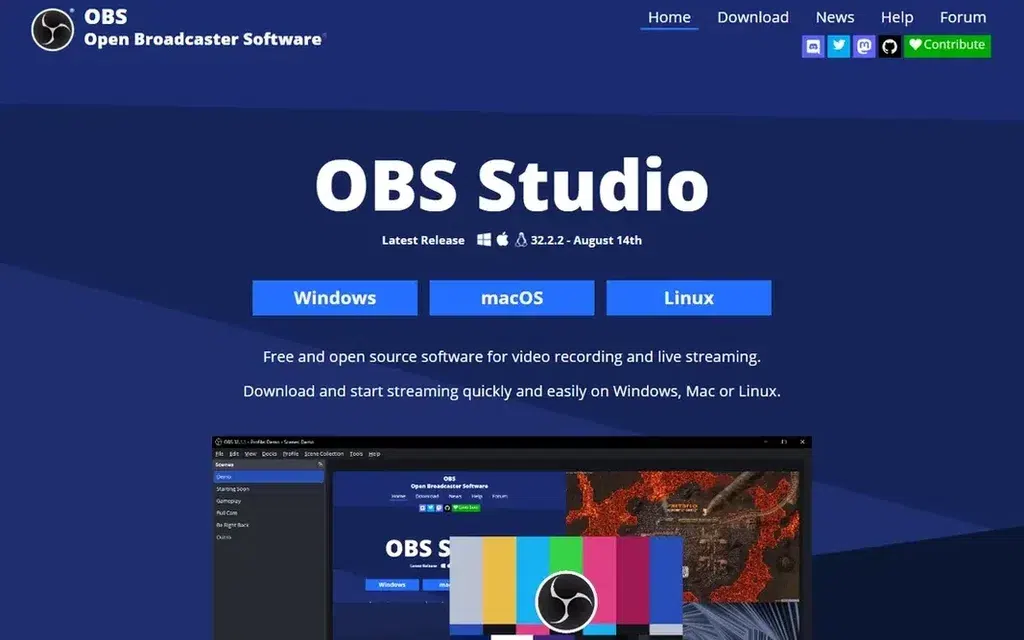
Choose OBS Studio for adaptable open source recording and streaming. OBS Studio is open source software for video recording and live streaming, with support for streaming to Twitch, YouTube and plenty of other providers. It records locally with high quality H264 and AAC encoding, which fits FiveM players who want clean footage of long sessions and who are willing to configure scenes, sources and hotkeys once.
What to check first: No built-in clip sharing feed.
For everyday use, pick OBS Studio when control over encoding and output matters more than convenience. On top of that, if you want one-click flags pushed to a community page, a game-focused recorder is a better fit. OBS Studio shows no starting price here, so confirm the cost on the vendor site. Free plan details: Not stated.
- Free and open source
- Streams to plenty of providers
- Setup takes some learning
How these tools were picked
We compared the tools on published pricing, free plan or trial availability, feature coverage for clipping software for five m, and the limits each vendor documents. Prices and plan limits come from vendor pages and can change, so confirm them on the vendor site before you buy. Position on the page reflects fit for a typical buyer first, with price clarity and free access breaking ties. Treat it as a guide, not a ruling.
Pre-purchase checklist
- Request quotes from Medal, OBS Studio and the others; the list shows no fixed prices.
- Read the limits listed for Medal first: concentrated on clips instead of full productions.
- Look at the renewal terms for OBS Studio: auto-renewal, notice periods and price changes can matter more than the first-year price.
- Involve the people who will use AMD Radeon ReLive daily; a short pilot beats a long feature checklist.
- Ask whether NVIDIA ShadowPlay integrates with your current software, and whether that comes standard or as an add-on.
FAQ
Do these tools publish their prices?
No. None of the tools, from Medal to OBS Studio, shows a fixed starting price here, so budget time for quotes.
How are the tools for clipping software for five m ordered?
Medal sits first and OBS Studio last because the order follows typical fit for clipping software for five m, then price clarity and free access. It is a judgement call, so read each profile for fit and limits.
Is Medal the right pick for everyone comparing clipping software for five m?
No single tool suits every team. Medal comes first because it fits quick recording, editing and sharing of game clips, while NVIDIA ShadowPlay suits driver-level capture for NVIDIA graphics cards and AMD Radeon ReLive suits capture built into AMD graphics software. Match the tool to your own size, budget and workflow before deciding.
What is the best clipping software for FiveM overall?
Medal is the pick this page puts first, mainly for fast recording, editing and sharing of game clips. If your situation differs, NVIDIA ShadowPlay suits driver-level capture for NVIDIA graphics cards, and AMD Radeon ReLive suits capture built into AMD graphics software. Compare price and limits before you decide.
Can I record FiveM with free software?
Yes. Check each vendor page for the current feature set and any limitations before you depend on a tool for regular capture.
Can I try these tools before paying?
Not by default. None of the tools, from Medal to OBS Studio, lists a free plan or a free trial here, so ask each vendor for a demo before committing.
Sources
- https://medal.tv
- https://www.nvidia.com/en-us/geforce/geforce-experience/shadowplay
- https://www.amd.com/en/technologies/software
- https://mirillis.com/en/products/action.html
- https://obsproject.com