Best Clipping App in 2026: 8 Apps Compared
Compare the best clipping apps for capturing game and stream highlights, with free options, auto highlights, editing tools and sharing for PC players.
- Editor's choice
 Medal
Sharing game clips quickly
Starts atFreeVisit medal.tvFull review - Great alternative
 Outplayed
Automatic highlights on PC
Starts atFreeVisit outplayed.tvFull review - Also consider
 SteelSeries Moments
Simple clips inside SteelSeries GG
Starts atFreeVisit steelseries.comFull review
TL;DR:
- In this article, a clipping app means a game and stream clip capture app: software that records recent gameplay so you can save and share a highlight after it happens.
- Medal is our pick for most PC players, because it combines a replay buffer, automatic highlights in supported games and easy sharing links.
- Outplayed and SteelSeries Moments are strong free options for automatic highlights, though each one works best inside its own platform or hardware setup.
- NVIDIA App, Xbox Game Bar and OBS Studio suit players who want capture without a social feed, with OBS offering the most control and the most setup.
- Eklipse and Gazoom add AI highlight help and sharing, which suits creators who post clips regularly rather than saving one moment now and then.
Quick comparison
| Tool | Best for | Starts at | Free plan? | |
|---|---|---|---|---|
| Medal | Sharing game clips quickly | Free | Yes | Visit |
| Outplayed | Automatic highlights on PC | Free | Yes | Visit |
| SteelSeries Moments | Simple clips inside SteelSeries GG | Free | Yes | Visit |
 NVIDIA App | NVIDIA GPU owners | Free | Yes | Visit |
 Xbox Game Bar | Built-in Windows capture | Free | Yes | Visit |
 OBS Studio | Full control over recording | Free | Yes | Visit |
 Eklipse | AI highlights for creators | Free | Yes | Visit |
 Gazoom | Clips with community sharing | Free | Yes | Visit |
The best clipping apps
A good clipping app runs quietly in the background, keeps the last minutes of gameplay in a buffer, and lets you save a moment with one hotkey. We compared buffer length, automatic highlight detection, editing, sharing, performance cost and price across eight apps for PC players.

Medal is the most complete clipping app for players who want to go from a great play to a shared clip in under a minute. A replay buffer runs while you play, so pressing a hotkey after the moment saves the recent gameplay instead of requiring you to record the whole session. In supported games, highlights such as kills and wins can be saved automatically, which helps when you forget to press the key in the heat of a match. The built-in editor covers trimming, text, slow motion and separate audio tracks for game, voice and chat.
Sharing is where Medal stands out. Clips get a link that plays inline in Discord, and formats for short-form video make it easy to post the same moment elsewhere. The free tier covers core clipping well, while a paid Premium option raises quality limits and removes ads and branding limits. The main drawback is that Medal is also a social app, so players who want only local files may find the feed and community features unnecessary. For most players who share clips with friends, that trade-off is worth it.
- Replay buffer from short clips to longer sessions
- Automatic highlights in supported games
- Built-in editor and share links that play in Discord
- Account required for cloud features
- Free tier limits some sharing and quality options
- Social feed may be more than a player who only wants local files needs

Outplayed is built around one idea: the app should notice the highlight so you do not have to. In games with event detection, it bookmarks kills, wins and other key moments on a timeline, and each clip can cover time before and after the event. That timeline view makes review faster than scrubbing through a long recording, because you can jump straight to the moments that matter. Uploads to Discord, YouTube and TikTok are handled with a few clicks, which suits players who post regularly.
The catch is the platform. Outplayed runs on Overwolf, so you install and manage it through that client, which some players dislike as an extra layer. Free tier uploads are hosted for a limited period, so clips you want to keep long term should be downloaded or moved elsewhere. Within those limits, Outplayed is one of the easiest free ways to build a library of automatic highlights without pressing a key for every play.
- Automatic event detection in supported games
- Timeline bookmarks for each event
- One-click uploads to major platforms
- Runs inside the Overwolf platform
- Free uploads have a hosting time limit
- No mobile app for browsing on the go
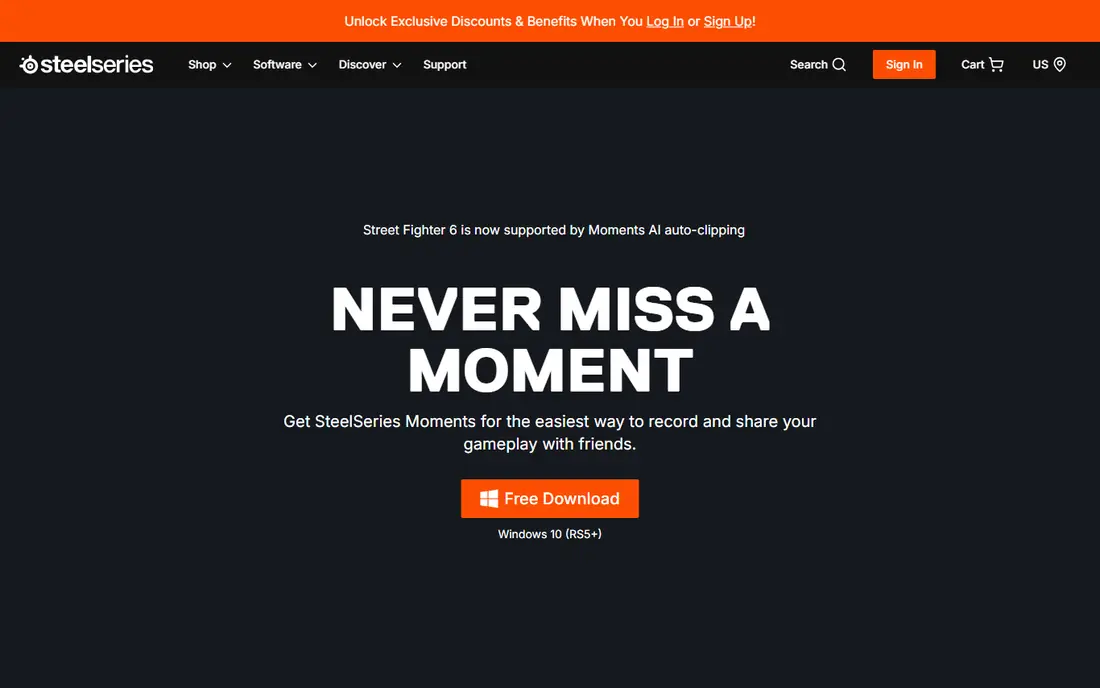
SteelSeries Moments is the clipping tool inside SteelSeries GG, the software many players already install for SteelSeries headsets, mice and keyboards. If GG is already running, Moments adds clip capture without another separate app to learn. You can capture recent gameplay, trim the clip and share it from the same place, which keeps the workflow short for casual players who only save a few highlights a week.
It is not as deep as the dedicated clipping leaders. Automatic highlight coverage is narrower, and editing stops at the basics, so creators who need layered edits will still export to a video editor. Performance is generally light, though results vary by PC and game. For a SteelSeries user who wants simple, free clipping without new accounts or platforms, Moments is a sensible default that is hard to beat on convenience.
- Free and easy to start
- Captures and trims clips in one app
- Share links for friends and social posts
- Works best for players already using SteelSeries GG
- Fewer automatic highlight games than Medal or Outplayed
- Editing tools are basic
For players with an NVIDIA graphics card, the NVIDIA App (which includes the capture features formerly known as ShadowPlay) is the lowest-friction free option. Instant Replay keeps a rolling buffer of recent gameplay, so you save a moment after it happens, and hardware encoding keeps the performance cost low in most games. Clips are saved as local files, which appeals to players who want full control over storage and editing rather than a cloud library.
The trade-off is polish. There is no automatic highlight detection comparable to Medal or Outplayed, and sharing means uploading the file yourself to Discord, YouTube or another platform. Editing is also minimal, so most creators will pair it with a separate editor. If you already own NVIDIA hardware and prefer local files and low overhead, this is the clipping tool to try first, and it costs nothing beyond the card you already have.
- Instant Replay buffers recent gameplay with low performance cost
- No extra subscription
- High quality capture on supported hardware
- Requires an NVIDIA graphics card
- Sharing and editing are more manual than Medal
- Some features need an NVIDIA account
Xbox Game Bar is already on most Windows gaming PCs, which makes it the easiest clipping app to try. Turn on background recording in Windows settings, press the capture shortcut after a good play, and the clip is saved locally. Widgets for performance, audio and friends sit in the same overlay, so you can check frame rate or adjust volume without leaving the game. For a player who clips rarely and does not want another account, that simplicity is a real advantage.
Limits are clear. Quality is capped at 1080p and 60 frames per second in typical use, below the 4K options some rivals offer, and there is no automatic highlight detection. Sharing requires finding the local file and uploading it yourself, and the trim tool covers only basic edits. Game Bar is best as a free starting point: if you find yourself clipping every session, a dedicated app will soon feel worth the install.
- Built into Windows with no install
- Background recording for recent gameplay
- Simple trim tool included
- Capture quality capped below some rivals
- No automatic highlights
- Sharing is manual from local files
OBS Studio is not a clipping app in the one-hotkey sense, but it belongs on this list because many streamers and creators use it as the backbone of their capture setup. Its Replay Buffer can save recent gameplay once configured, and its scene system lets you combine game capture, webcam, overlays and multiple audio sources in one recording. Encoding control is unmatched at this price, which is free, and the plugin community adds features the core app does not include.
Setup is the price of that control. A new user must configure the buffer, hotkeys, output folder and encoding settings before clipping feels effortless, and there is no automatic highlight detection or cloud sharing. OBS suits players who also stream or record full sessions and who are willing to spend time tuning settings. For pure, instant clipping, Medal or Outplayed will feel faster, but for a creator building a full production setup, OBS remains the standard free tool.
- Free and open source
- Full control over scenes, sources and encoding
- Works on Windows, Mac and Linux
- Replay Buffer needs manual setup
- No automatic highlights
- No built-in sharing or clip library
Eklipse takes a different route to clips: instead of only capturing live gameplay, it can analyze streams and recordings and suggest highlights for you. That suits creators who stream for hours and want short clips without watching the whole broadcast back. Its editor and sharing tools are built for posting to short-form platforms, so a streamer can turn a session into several clips in one sitting. The free tier lets you test the workflow before paying for higher limits.
The main limit is that AI suggestions are only as good as the source material and the game. A quiet, tactical match may produce fewer clear highlights than a fast action game, and you should still review picks before posting. Eklipse also works best as part of a creator workflow, paired with a capture tool or a stream, rather than as a simple background recorder. For streamers who post clips daily, that extra step can save a lot of review time.
- AI help finding highlights in streams and recordings
- Clip editing and sharing tools
- Works with streamed content as well as local capture
- Best results need streamed or recorded source material
- Free tier limits apply
- Quality of AI picks varies by game and content type
Gazoom is another free clipping app that pairs automatic capture with a community layer. In supported games it can save highlights without constant manual clipping, and the built-in editor lets you trim and prepare clips for sharing. The community side lets players follow others, discover clips and share moments with friends, which suits players who enjoy the social side of gaming as much as the capture itself.
Its community is smaller than Medal's, so discovery and audience reach will be lower, and game support should be checked for the titles you actually play. Performance and capture quality are generally solid on a typical gaming PC, but as with any background recorder, results depend on hardware and settings. Gazoom is worth trying if you like the idea of automatic clips plus a social feed but want an alternative to the largest platforms.
- Automatic clip capture for supported games
- Built-in editor
- Community features for sharing and discovery
- Smaller community than Medal
- Game support varies
- Some features depend on account and platform setup
How we picked these
We compared official feature pages, pricing pages and public user reviews, focusing on what matters for clipping: buffer length, automatic highlight support, editing, sharing, performance cost and price. We favored apps that are actively maintained and that work on current Windows PCs, and we noted where an app requires specific hardware, such as an NVIDIA or AMD graphics card, or a host platform such as Overwolf or SteelSeries GG. Prices were checked on vendor pages where available, and free apps are listed as free where their core clipping features cost nothing.
How to choose a clipping app
Start with your hardware and your habits. If you have an NVIDIA card and only clip now and then, the NVIDIA App or Xbox Game Bar may be all you need. If you share clips with friends every week, Medal or Outplayed will save time with automatic highlights and one-click links. Streamers should think about the full workflow: OBS Studio for capture and production, plus Eklipse for turning long streams into short clips, is a common combination.
Check performance on your own PC before settling. Background recording uses CPU, GPU and storage, and the cost varies by game, resolution and encoder settings. Lower the capture resolution or buffer length if you notice frame drops, and keep an eye on disk space, because high quality clips fill drives quickly. Finally, decide how you want clips stored: local files give you control and no hosting expiry, while cloud links are easier to share but may expire on free tiers. Download any clip you want to keep long term, whatever app you choose.
FAQ
What is the best clipping app?
For most PC players, Medal is our pick, because it combines a replay buffer, automatic highlights in supported games, editing and easy sharing in one free app. Players who want only local capture without a social feed may prefer the NVIDIA App or Xbox Game Bar instead.
What is the best free clipping software?
Medal, Outplayed, SteelSeries Moments, NVIDIA App, Xbox Game Bar and OBS Studio all offer free core clipping. The best free choice depends on your hardware: NVIDIA owners get a strong free option in the NVIDIA App, while players who want automatic highlights should try Medal or Outplayed first.
What are the best clipping apps for PC gaming?
The strongest PC options are Medal, Outplayed, SteelSeries Moments, NVIDIA App, Xbox Game Bar, OBS Studio, Eklipse and Gazoom. Medal leads for sharing, Outplayed for automatic highlights, OBS Studio for control, and Xbox Game Bar for players who want nothing extra to install.
Do clipping apps slow down games?
Background recording can cost some performance, but hardware encoding on modern graphics cards keeps the impact small in most games. If you notice drops, lower capture resolution, shorten the buffer or close other heavy apps. Players on older or low-memory PCs should test with their most demanding game before relying on a clipper in competitive play.
How long can a clip be?
Buffer and clip limits vary by app and plan. Medal's free instant replay covers a range from short clips up to several minutes, while full session recording in OBS Studio can run much longer, limited mainly by disk space. Check the buffer setting in your chosen app, because a buffer set too short will miss the start of a long play.
Can I clip on console or mobile?
This list focuses on PC clipping apps, though some apps also offer mobile browsing or recording. Console players can use built-in console capture and share tools, and then edit clips on PC or mobile if needed. Check each app's platform page for current console and mobile support before choosing.