Best Car Design Software for 2026: Our 5 Vetted Picks
Best car design software: 5 tools compared on price, free plans and fit. For live rendering and visual collaboration, begin with KeyShot. Easy to scan.
- Editor's choice
 KeyShot
Live rendering and visual collaboration
Starts at$7.92 per monthVisit keyshot.comFull review - Great alternative
 Cinema 4D
Motion graphics and product visualization
Starts atSee websiteVisit maxon.netFull review - Also considerPTC Creo
Parametric CAD and production surfacing
Starts atSee websiteVisit ptc.comFull review
Direct answer
KeyShot comes first here, mainly for live rendering and visual collaboration. Listed starting prices: KeyShot from $7.92 per month. Look at Cinema 4D for motion graphics and product visualization, and at PTC Creo for Parametric CAD and production surfacing. The full list of 5 tools follows, with prices and free plan facts.
TL;DR:
- The list opens with KeyShot, aimed at live rendering and visual collaboration.
- Autodesk Maya fits animation and visual effects storytelling.
- Before buying Ansys, weigh this: expertise required to set up studies.
- Starting prices begin at $7.92 per month with KeyShot.
Last checked November 2026. Prices and plan details were read from the vendors' own pages in November 2026; vendors change plans often, so confirm the current price on the vendor site before you buy.
Quick comparison
| Tool | Best for | Starts at | Free plan? | |
|---|---|---|---|---|
| KeyShot | Live rendering and visual collaboration | $7.92 per month | Free trial | Visit |
| Cinema 4D | Motion graphics and product visualization | See website | Not stated | Visit |
| PTC Creo | Parametric CAD and production surfacing | See website | Not stated | Visit |
| Ansys | Multiphysics engineering simulation | See website | Not stated | Visit |
 Autodesk Maya | Animation and visual effects storytelling | See website | Not stated | Visit |
Car Design Software profiles
If you are comparing car design software, this page covers 5 tools in one place: what each is best for, what it costs to start, whether it has a free plan, and the main limit to know about.
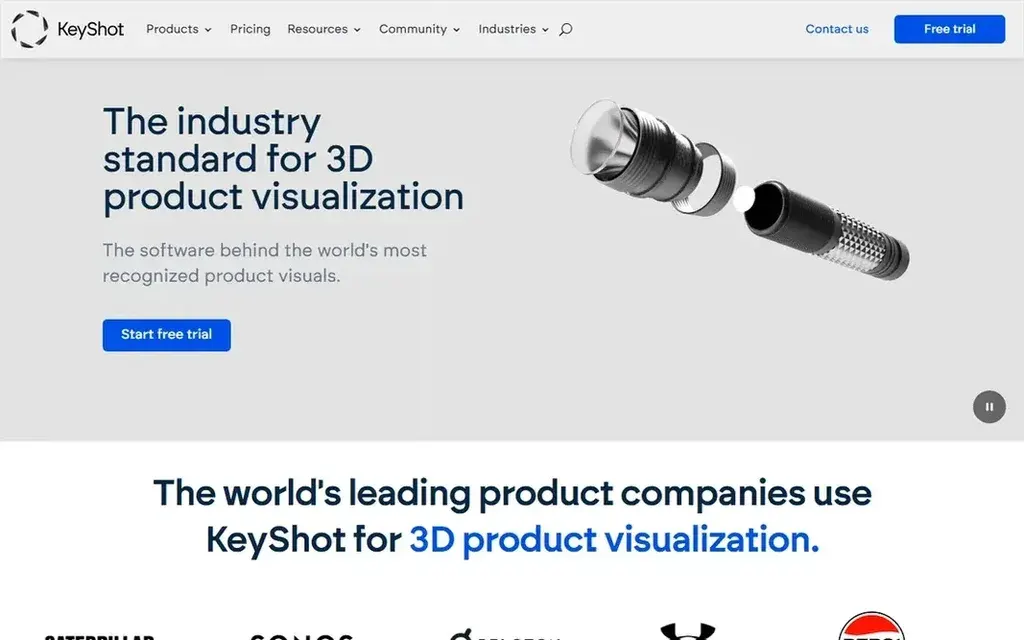
Where KeyShot fits: live rendering and visual collaboration. KeyShot is 3D rendering and visualization software whose real-time technology supports collaboration from concept through product launch. Worth adding: if your team still needs to author precise surfaces or run structural checks, pair KeyShot with a CAD or simulation tool instead of relying on it alone.
Where KeyShot stands out: Decent fit for product design presentations.
Where it is weaker: Limited as a modeling environment. On top of that, rendering tools do not replace a modeling package, and output quality tracks the geometry you import. For car design it is the stage where materials, paint, lighting and camera angles get evaluated rapidly, which helps studios review color and trim choices with stakeholders. On cost, KeyShot starts like this: $7.92 per month. Trial and free access: Free trial.
- Live rendering accelerates review cycles
- Supports collaboration from concept to launch
- Relies on imported geometry quality
Cinema 4D is aimed squarely at motion graphics and product visualization. Cinema 4D is a widely used 3D modeling, animation and rendering application from Maxon, known for a friendly workflow and solid motion graphics capabilities. From a buyer's view, pick it for presentation and motion work, and look to CAD for the technical definition of the car itself.
In practice, for car design it suits advertising visuals, animated reveals and stylized product shots where speed of iteration matters more than engineering precision. It is a general 3D package, not a surfacing system for production body geometry, and complicated vehicle models normally arrive from elsewhere. No starting price is listed for Cinema 4D here; confirm pricing on the vendor site. On free options: Not stated.
What to check first: Best results need supporting plugins or pipeline tools.
- Well suited to product and broadcast visuals
- Solid motion graphics integration
- Not intended for precision CAD work
PTC Creo
Best for: Parametric CAD and production surfacing

PTC Creo serves Parametric CAD and production surfacing. Teams use it for body panels, interior parts and assemblies that require controlled, editable definitions.
Limits to weigh: Steep learning curve for newcomers.
Beyond that, Creo is a 3D CAD system built around parametric design, which makes it a natural fit for car programs where surface form must stay linked to engineering structure. For everyday use, if your goal is animation, presentation visuals or sculpted concept forms, a dedicated visualization or sculpting tool will serve you better alongside it. PTC Creo shows no starting price here, so confirm the cost on the vendor site. Free plan details: Not stated.
- Surfacing tools suited to body panels
- Links design intent to downstream engineering
- Heavy for pure styling sketches
Ansys
Best for: Multiphysics engineering simulation
In short, Ansys is for Multiphysics engineering simulation. Simulation demands correct inputs, boundary conditions and interpretation, so it is not a casual add-on.
Trade-offs to know: Expertise required to set up studies.
As for the details, Ansys offers engineering simulation and 3D design software with product modeling options and a multiphysics foundation. As for the details, if your need is form development or marketing imagery, a modeling or rendering tool is the better starting point, with simulation layered in later. No starting price is listed for Ansys here; confirm pricing on the vendor site. Free options: Not stated.
- Scalable for product modeling workflows
- Handy for validating design decisions
- Not a styling or surfacing tool

Autodesk Maya is designed for animation and visual effects storytelling. It appeals to visualization studios and marketing teams that require cinematic output instead of engineering data.
Watch-outs: Interface is dense for beginners.
Worth adding: choose a parametric CAD tool when the model must feed tooling or engineering review, and treat Maya as the presentation layer. Maya is not made for tolerance-driven surface definition, so it should not be the source of truth for production geometry. No starting price is listed for Autodesk Maya here; confirm pricing on the vendor site. Free access: Not stated.
- Takes care of complicated characters and environments
- Deep animation and effects toolset
- Not a precision CAD modeler
How we built this list
LinkVetted used vendor pricing pages and product documentation as the base, then compared plans, free access and documented limits for 5 tools. Where a price is missing, the vendor does not list one publicly or ties it to a quote. Always confirm before budgeting. The ranking is editorial: typical fit first, then clear pricing, then free access. If your needs are unusual, read the profiles rather than relying on position.
What to check before you buy
- Confirm the entry price on the vendor page. For Cinema 4D, PTC Creo, Ansys and Autodesk Maya that means a quote rather than a fixed price.
- Run a trial of KeyShot with real work before paying for a year; your own workflow is the best test.
- Before choosing KeyShot, weigh its main limit: restricted as a modeling environment.
- List the apps you already depend on and check that KeyShot supports each one on the plan you would buy.
- A short pilot of Ansys with your real workflow tells you more than a feature table.
FAQ
Do these tools publish their prices?
Not all of them. Cinema 4D, PTC Creo, Ansys and Autodesk Maya publish no starting price, so expect a quote request for those. The rest, KeyShot included, show a starting price, though seats and billing terms still change the final cost.
How are the tools for car design software ordered?
The order follows typical fit for car design software, with KeyShot first and Autodesk Maya last, then price clarity and free access. It is editorial judgement, not a score, so another team could rank the tools differently.
Does any tool for car design software here have a free plan?
No tool in this list, KeyShot and Autodesk Maya included, has a permanent free plan. KeyShot offer a trial. Trials and quotes are the usual route, so plan a short evaluation period.
Can I render a car model without a CAD package?
Rendering tools for example KeyShot work with imported geometry, so a model built elsewhere can be visualized with materials, lighting and camera setups. The main limit is that output quality relies on the geometry you bring in, so clean models matter.
Is CAD or 3D modeling better for car design?
General 3D modeling and sculpting packages suit concept exploration, animation and presentation visuals. Plenty of studios use both, handing geometry between them as the design matures.
What software do professional car designers use?
Concept work frequently starts in a sculpting application, moves into parametric CAD for surface definition, and finishes in a rendering package for review. Simulation software then validates engineering behavior before production decisions.
Sources
- https://www.keyshot.com
- https://www.maxon.net/en/cinema-4d
- https://www.ptc.com/en/products/creo
- https://www.ansys.com
- https://www.autodesk.com/products/maya/overview