Choosing CAD Software for Woodworking in 2026: 6 Options Compared
Need the best CAD software for woodworking? We compare 6 tools on cost, free access and who each suits. Each entry gets a plain verdict. Jump to the table.

- Editor's choiceTurboCAD
Budget-friendly perpetual licensing
Starts atPricing on requestVisit turbocad.comFull review - Great alternativeWoodwork for Inventor
Furniture design and manufacturing
Starts atPricing on requestVisit woodworkforinventor.comFull review - Also consider
 Fusion 360
Integrated CAD and CAM for woodworking
Starts atPricing on requestVisit autodesk.comFull review
Direct answer
If you need low-cost perpetual licensing, TurboCAD is the first tool to look at here. If your case is different, Woodwork for Inventor suits furniture design and manufacturing and Fusion 360 suits integrated CAD and CAM for woodworking. The remaining 3 options are covered below with pricing notes and limits. None of these vendors publish plan prices, so pricing is on request for every option.
TL;DR:
- TurboCAD takes the first slot, best suited to low-cost perpetual licensing.
- TurboCAD, AutoCAD and the 4 others all need a premium plan or a trial, since no free plan is listed.
- For precise 2D drafting and documentation, AutoCAD is worth a look.
- Pricing across the list, from TurboCAD to AutoCAD, is by quote only.
Last checked November 2026. Pricing on request: vendors did not publish plan prices when this guide was last checked (November 2026), so ask each vendor for a written quote.
Quick comparison
| Tool | Best for | Starts at | Free plan? | |
|---|---|---|---|---|
| TurboCAD | Budget-friendly perpetual licensing | Pricing on request | Not stated | Visit |
| Woodwork for Inventor | Furniture design and manufacturing | Pricing on request | Not stated | Visit |
| Fusion 360 | Integrated CAD and CAM for woodworking | Pricing on request | Not stated | Visit |
| Microvellum | Cabinet design and CNC automation | Pricing on request | Not stated | Visit |
 Vectorworks | 3D modeling for architecture and woodworking | Pricing on request | Not stated | Visit |
 AutoCAD | Precise 2D drafting and documentation | Pricing on request | Not stated | Visit |
The best CAD software for woodworking
Short on time? The summary and table above give the quick view of 6 tools for CAD software for woodworking, and the profiles that follow give the detail behind each entry.
TurboCAD
Best for: Budget-friendly perpetual licensing
Where TurboCAD fits: budget-friendly perpetual licensing. TurboCAD is a professional 2D drafting and 3D modeling software available for Windows and Mac. It gives you a perpetual license, allowing users to own the software outright, which appeals to budget-conscious woodworkers.
Where it falls short: Interface can feel dated.
For cabinet-specific workflows, dedicated tools like Woodwork for Inventor are more tailored. For everyday use, the interface might feel less modern compared with cloud-based options. This comparison lists no price for TurboCAD; ask the vendor. Free access: Not stated.
- Perpetual license choice
- 2D and 3D modeling
- Less advanced CAM
Woodwork for Inventor
Best for: Furniture design and manufacturing
Woodwork for Inventor works best for furniture design and manufacturing. It links up with Autodesk Inventor to offer specialized tools for woodworking, like cabinet and furniture design. It is a strong match for professional furniture makers looking to simplify their workflow.
This software needs an existing Inventor license, making it less accessible for those not already in the Autodesk ecosystem. For standalone cabinet design, Microvellum or Mozaik are alternatives. Woodwork for Inventor shows no starting price here, so confirm the cost on the vendor site. On free options: Not stated.
Drawbacks to consider: Needs Inventor.
- Links up with Inventor
- Specialized for furniture industry
- Niche focus

Fusion 360 serves integrated CAD and CAM for woodworking. Fusion 360, now branded Autodesk Fusion, is a cloud-based system that integrates 3D CAD, CAM, and CAE. The software supports parametric modeling, allowing for simple design iterations, and provides collaboration features for teams.
The subscription model may be a drawback for hobbyists, and the deep feature set can be overwhelming at first. In daily use, for those needing only entry-level 2D drafting, more straightforward alternatives might suffice. That said, for woodworkers looking to combine design and manufacturing, Fusion 360 is a solid contender. Check the vendor site for Fusion 360 pricing; none is listed in this comparison. Free options: Not stated.
Where it falls short: Needs subscription.
- Supports parametric design
- Cloud-based collaboration
- Steeper ramp-up time for beginners
Microvellum
Best for: Cabinet design and CNC automation
Microvellum was built for cabinet design and CNC automation. It is meant to optimize workflow from design to manufacturing, with a focus on custom cabinet shops.
Downsides: High cost.
For everyday use, Hobbyists may find it overwhelming. This comparison lists no price for Microvellum; ask the vendor. Trial and free access: Not stated.
- Thorough cabinet tools
- Configurable
- Steep ramp-up time
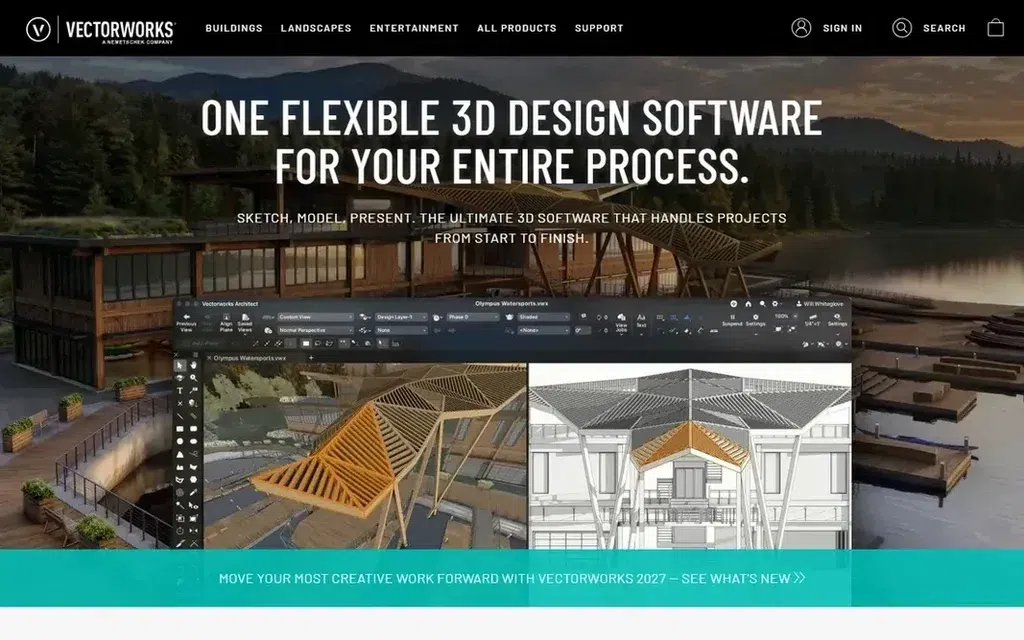
Vectorworks targets 3D modeling for architecture and woodworking. Vectorworks is a 3D design software that gives you BIM and CAD capabilities, right for architecture, landscaping, and entertainment.
On top of that, the ramp-up time is steeper compared with entry-level CAD tools. From a buyer's view, Vectorworks may be overkill for straightforward woodworking tasks, and its pricing is geared toward professionals. Check the vendor site for Vectorworks pricing; none is listed in this comparison. Free access: Not stated.
The main drawbacks: Subscription-based pricing.
- Capable rendering capabilities
- Adaptable 3D modeling
- Higher ramp-up time
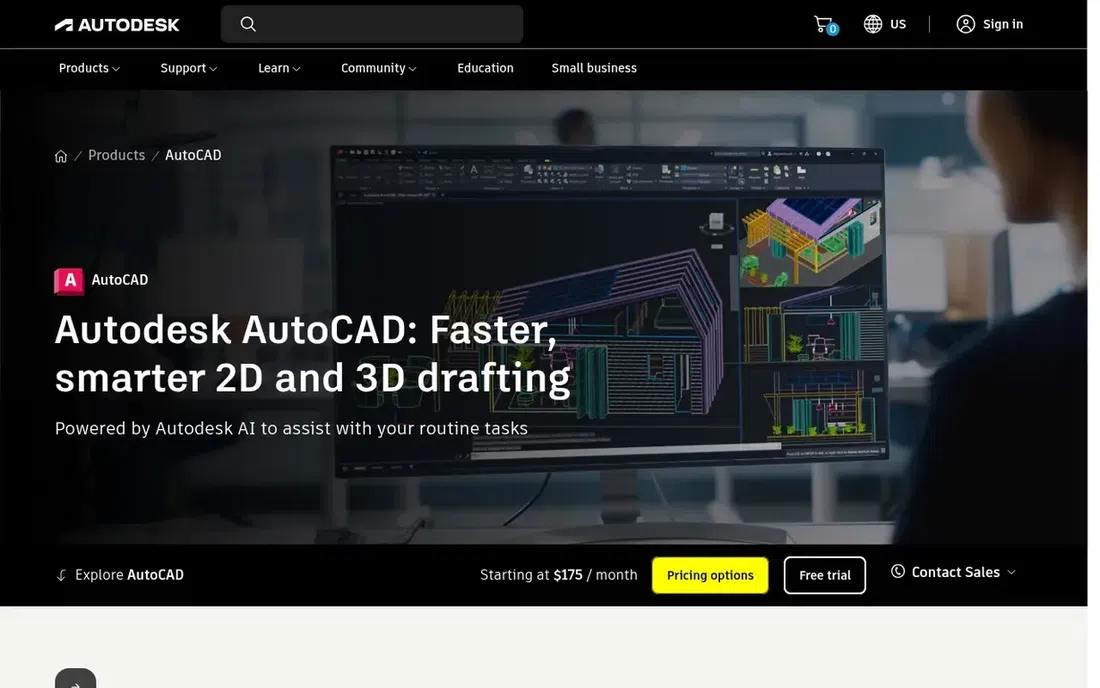
For precise 2D drafting and documentation, AutoCAD is a natural candidate. The cost may also be prohibitive for casual users. As for the details, for 3D modeling and CAM, Fusion 360 might be a better fit.
Where it is weaker: Restricted CAM capabilities.
In daily use, Whereas AutoCAD excels at 2D documentation, it lacks built-in CAM functionality, so you would need separate software for CNC machining. The software supports DWG files, ensuring compatibility with other industry tools, and comes with AI-driven automation to accelerate repetitive tasks. More specifically, AutoCAD is a widely used CAD software known for its solid 2D drafting capabilities. It is a strong match for woodworkers who require to produce in-depth shop drawings and plans. Check the vendor site for AutoCAD pricing; none is listed in this comparison. Free plan details: Not stated.
- Deep drafting tools
- AI automation features
- Pricey for hobbyists
Selection criteria
For each of the 6 tools we noted price, free plan or trial, fit for CAD software for woodworking and the main limit, using vendor pages and documentation. Treat prices as a snapshot: vendors change plans often, so check the vendor site for the figure that applies today. Position on the page reflects fit for a typical buyer first, with price clarity and free access breaking ties. Treat it as a guide, not a ruling.
Pre-purchase checklist
- Ask each vendor, from TurboCAD to AutoCAD, for a written quote; none of them publishes a starting price.
- Read the limits listed for TurboCAD first: less advanced CAM.
- Confirm that Vectorworks connects to the apps your team already uses, on the plan you would actually buy.
- Look at the help docs and support options for Woodwork for Inventor before you commit.
- Run a one or two week pilot of Fusion 360 with the people who will use it every day.
FAQ
Does any tool for CAD software for woodworking here have a free plan?
No tool in this list, TurboCAD and AutoCAD included, has a permanent free plan. Trials and quotes are the usual route, so plan a short evaluation period.
Is TurboCAD the right pick for everyone comparing CAD software for woodworking?
No single tool suits every team. TurboCAD comes first because it fits affordable perpetual licensing, while Woodwork for Inventor suits furniture design and manufacturing and Fusion 360 suits integrated CAD and CAM for woodworking. Match the tool to your own size, budget and workflow before deciding.
What software is a good match for cabinet design and CNC?
TurboCAD is the pick this page puts first, mainly for low-cost perpetual licensing. If your situation differs, Woodwork for Inventor suits furniture design and manufacturing, and Fusion 360 suits integrated CAD and CAM for woodworking. Compare price and limits before you decide.
Do these tools publish their prices?
No. None of the tools, from TurboCAD to AutoCAD, shows a fixed starting price here, so budget time for quotes.
How are the tools for CAD software for woodworking ordered?
The order follows typical fit for CAD software for woodworking, with TurboCAD first and AutoCAD last, then price clarity and free access. It is editorial judgement, not a score, so another team could rank the tools differently.
Sources
- https://www.turbocad.com
- https://woodworkforinventor.com
- https://www.autodesk.com/products/fusion-360
- https://www.microvellum.com
- https://www.vectorworks.net
- https://www.autodesk.com/products/autocad