9 Best Apps for Pokemon Card Prices in 2026
Compare the best app for pokemon card prices, from scanners to sold-price guides, so you can check a single card, a binder, or a graded set with confidence.
- Editor's choice
 PriceCharting
Sold-price history for Pokemon cards
Starts atFreeVisit pricecharting.comFull review - Great alternative
 Collectr
Tracking a whole Pokemon collection
Starts atFreeVisit collectr.coFull review - Also consider
 TCGplayer
Marketplace prices and buying or selling
Starts atFreeVisit tcgplayer.comFull review
TL;DR:
- A scan gives an identity and an estimate, while sold listings give the price buyers actually paid.
- Printing, language, and grade change value sharply, so confirm those details before trusting any number.
- Collectr and PriceCharting suit different jobs: full collection tracking versus sold-price history.
- Free scanners work well for a binder check, but graded and high-value cards deserve extra verification.
- Track condition honestly, since a raw near-mint card and a played card are not priced the same.
Quick comparison
| Tool | Best for | Starts at | Free plan? | |
|---|---|---|---|---|
| PriceCharting | Sold-price history for Pokemon cards | Free | Yes | Visit |
| Collectr | Tracking a whole Pokemon collection | Free | Yes | Visit |
| TCGplayer | Marketplace prices and buying or selling | Free | Yes | Visit |
 Rare Candy | Free scanning with daily updated values | Free | Yes | Visit |
 Ludex | Collectors with Pokemon plus sports cards | Free | Yes | Visit |
 CollX | Free scanning with a built-in marketplace | Free | Yes | Visit |
 Dragon Shield | Pokemon scanning from a trusted card brand | Free | Yes | Visit |
 BindeX | iPhone collectors who want fast scanning | Free | Yes | Visit |
 Cardmarket | European Pokemon prices in euros | Free | Yes | Visit |
The best apps for Pokemon card prices
Pokemon pricing is tricky because the same artwork can exist in many printings, languages, and grades. The apps below help at different stages: quick scan, collection total, sold history, and marketplace check. Use at least two sources before acting on a valuable card.
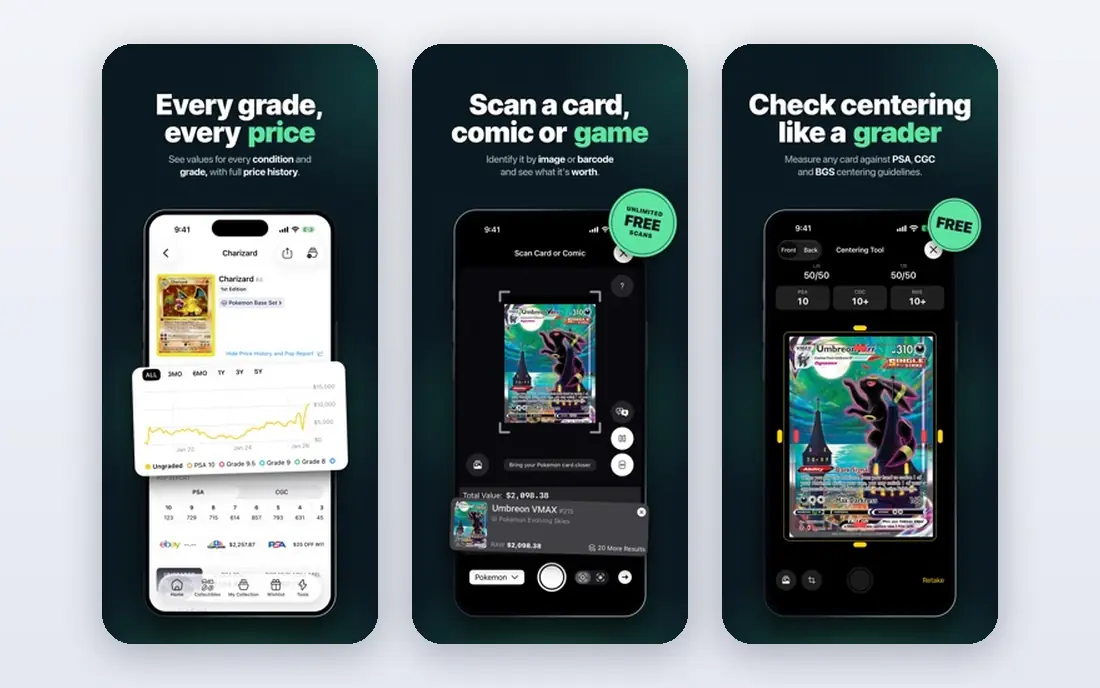
PriceCharting is the reference many collectors use when they want to see what a card actually sold for over time, rather than what sellers are asking. It covers grades and printings, with monthly charts that show whether a price is rising, flat, or falling. That history helps a collector decide whether to sell now, hold, or wait for a better moment. PriceCharting is less of a phone scanner experience than Collectr or Rare Candy, so it suits a desk check or a careful verification step. A paid Collector tier adds extra features, but the free sold-price view already answers the core question for most cards. For any card worth real money, PriceCharting is a strong second check.
- Completed-sale history
- Grade-level prices
- Long history on English cards
- Interface is data-first, not a slick scanner
- Some features sit behind a paid tier
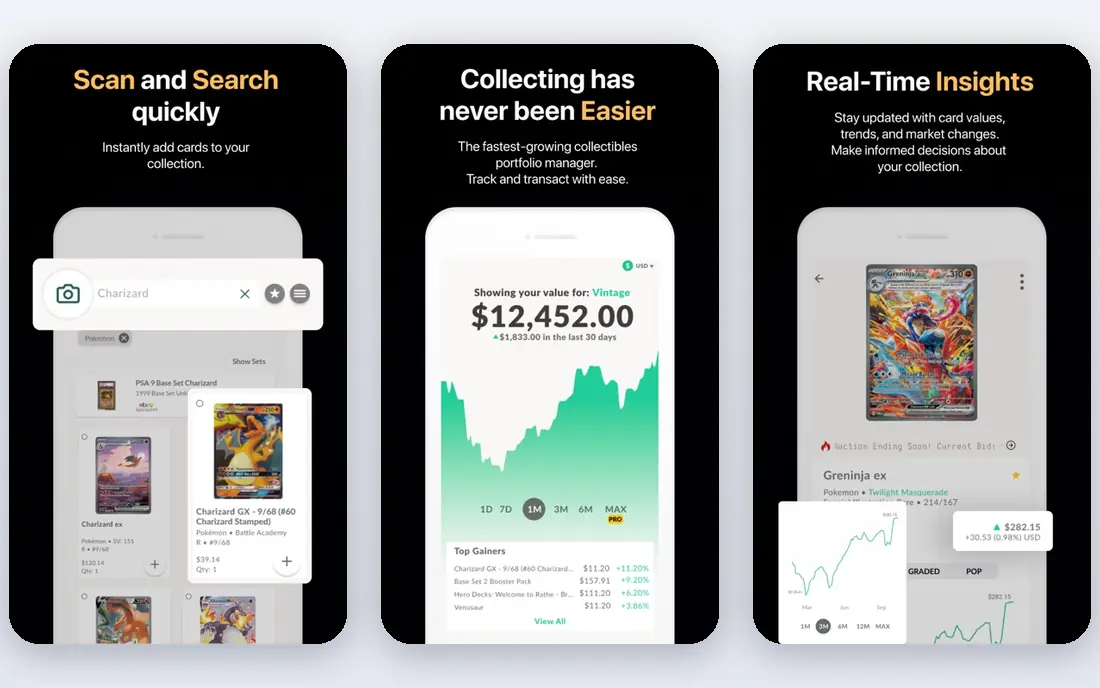
Collectr is built to hold an entire collection, not just price one card. You can scan cards, add raw, graded, and sealed items, and watch a total over time. That scope suits collectors with binders, graded slabs, and sealed product who want one inventory rather than several lists. Its scanner speeds up entry for a large collection. Collectr prices track closely to marketplace prices in independent tests, but the source of its prices is less transparent than a sold-listing site. Paid Pro, listed at $7.99 per month or $59.99 per year in recent comparisons, adds unlimited scanning, longer history, and export. Use Collectr for inventory, and verify high-value cards on PriceCharting or sold listings.
- Scanner plus raw, graded, and sealed tracking
- Collection totals
- Broad game coverage
- Free scan limits are not always published clearly
- Paid Pro needed for full history and export features
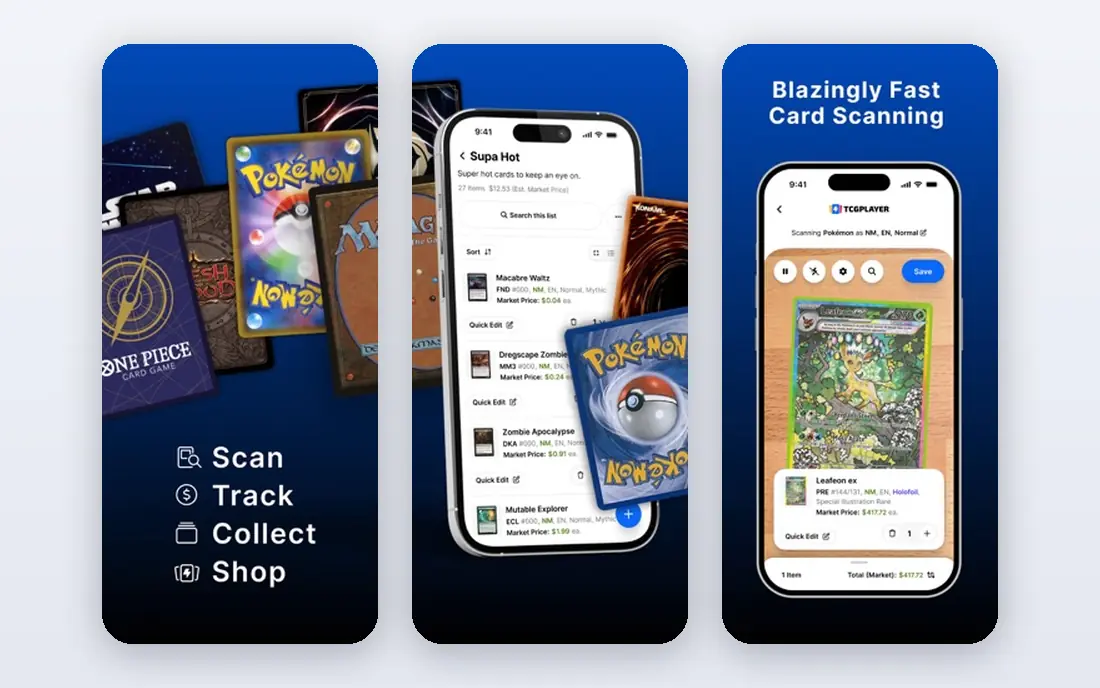
TCGplayer is the largest US marketplace for trading cards, and its app lets you scan, track, and check market prices in one place. For a collector who also plays or sells, TCGplayer connects pricing to action: you can see listings, compare conditions, and buy or sell without switching tools. Its market price is a useful benchmark for common cards. Market price is not the same as a completed sale price, so a card with thin trading volume can look firmer than it is. Always check the printing, condition, and recent sales behind the number for expensive cards. TCGplayer fits best as a daily price and trading tool, paired with sold history for big decisions.
- Large US marketplace
- Market price data
- App for scanning and collection
- Market price reflects listings as well as sales
- Condition and printing must be checked carefully
Rare Candy focuses on a fast scan-to-value flow for Pokemon cards, with support for raw, graded, and Japanese cards. You scan, confirm printing and condition, and the app shows an estimated value that updates daily. That speed suits a binder check or a show purchase, where you need a number in seconds. Rare Candy values come from its own blend of market data, so they are estimates, not a direct sold-listing record. Entering the wrong printing or grade will change the result, so confirm those details, especially for Base Set variants where Unlimited, Shadowless, and 1st Edition prices differ sharply. For free scanning, Rare Candy is a strong pick.
- Free scanning
- Raw, graded, and Japanese card support
- Collection tracker built in
- Values are estimates from its own market blend
- Graded accuracy depends on correct grade entry
Ludex works well for collectors who do not collect Pokemon alone. If your shelves hold Pokemon, sports cards, and other trading cards, one scanner that covers them all saves time. Ludex identifies cards from a photo, shows market values, and can speed up eBay listings from a scan. That breadth is its main advantage over Pokemon-only apps. Ludex free access is limited, and its Pokemon depth is not always as detailed as a Pokemon-first price guide. For a Pokemon-only collector with a large binder, Collectr or PriceCharting may give deeper data. For a mixed collector, Ludex is a practical all-in-one scanner.
- Scanner across sports and trading cards
- EBay listing tool
- Trend tracking
- Free tier limits scans
- Pokemon pricing depth varies by set
CollX covers Pokemon alongside sports and other trading cards, with free scanning, collection tracking, and a marketplace. That combination suits a casual collector who wants to scan a binder, see a rough value, and trade or sell without a separate marketplace account. The app is easy to start with and works on both major phone platforms. As with other scanner apps, CollX values are estimates and can differ from sold prices, especially on variants. Use CollX for inventory and trading, and check sold listings for valuable cards before setting a sale price. For casual Pokemon collecting, the free tier is a good entry point.
- Free tier with scanning
- Marketplace for trading and selling
- Large database
- Price estimates can differ from sold prices
- Paid tier needed for full features
Dragon Shield, known for card sleeves and accessories, also offers a Pokemon card app with scanning and collection tracking. That brand familiarity helps players who already use Dragon Shield products and want a scanner from a name they know. The app identifies cards from a photo and shows current market prices for tracked items. Dragon Shield pricing should still be treated as an estimate, and collectors in Europe and the US may see different price sources. It fits players and casual collectors who want a simple scan-and-track tool, with deeper sold-price checks reserved for expensive cards. Test it with cards you know well before relying on it for a full collection.
- Scanner for Pokemon cards
- Collection management
- Brand familiarity for players
- Pricing is estimate-based
- Feature set varies by region and app version
BindeX is an iPhone-focused Pokemon scanner with collection tracking, price checks, and an AI assistant in some versions. It recognizes Japanese and international cards, which matters for collectors who buy Japanese product. The scan flow is built for volume, so working through a binder is faster than manual entry. BindeX free access includes a daily scan limit, commonly listed as five scans per day, so large collections need a paid plan or patience. Graded tracking is also more limited on the free tier. BindeX suits iPhone collectors who scan in short bursts and want Japanese card support without a complex setup.
- Fast iPhone scanning
- Japanese and graded card support
- Collection value tracking
- Free tier limits daily scans
- Graded tracking sits behind premium features in some versions
Cardmarket is the main marketplace for trading cards in Europe, and its prices in euros reflect European supply and demand. That matters because a card can sell for a different amount in Europe than in the US, and language also affects price. Cardmarket shows condition and language detail, which helps collectors avoid comparing unlike copies. US collectors should treat Cardmarket as a secondary check, since TCGplayer and eBay US sold data better reflect their market. European collectors, by contrast, should check Cardmarket before trusting a US-only price. For a complete picture on an international card, compare Cardmarket with a US source.
- European marketplace prices
- Condition and language detail
- Large trading card marketplace
- US collectors will find US prices more relevant
- Interface is marketplace-first
How we picked these
We compared official app and pricing pages, store listings, and public comparisons from October 2026, with a focus on Pokemon coverage, price basis, graded and Japanese support, and collection tools. We favored apps that still scan and track on current phones and that state, or clearly imply, how prices are formed. We flagged estimate-based values wherever they differ from sold-listing data.
How to price a Pokemon card without getting fooled
Confirm the exact card first: set, number, printing, language, and condition. A 1st Edition, Shadowless, and Unlimited copy of the same Base Set card can sit in different price ranges, and a played copy is not priced like a near-mint copy. Photograph the front and back in good light, and check holo patterns and set symbols when variants look alike.
A two-source check for valuable cards
Scan the card in your chosen app, then check PriceCharting or eBay sold listings for that exact printing and grade. If the two numbers differ widely, look at recent sales, condition, and listing quality to explain the gap. For graded cards, search by grader and grade, not just by card name. That two-source habit prevents most pricing mistakes.
Tracking a collection over time
Log purchase price and date where the app allows, so you can see gains and losses honestly. Update totals monthly rather than daily, since Pokemon prices move with sets, tournaments, and hype cycles. Export a backup regularly, and keep graded cert numbers in your records for insurance and resale.
FAQ
What is the best free Pokemon card price app?
For free scanning, Rare Candy, CollX, and TCGplayer are strong starting points, while PriceCharting is strong for free sold-price history. The best free choice depends on whether you need a scanner, a collection tracker, or a price history tool.
Why do apps show different prices for the same card?
Apps use different data: listings, marketplace blends, or completed sales, over different time windows. Printing, language, condition, and grade also change the number, so two apps may be pricing slightly different versions of the same card.
Are scanner app values accurate?
Scanners are good at identifying a card and giving a ballpark value, but they can misread variants, holo patterns, and condition. Verify expensive cards with sold listings and, for graded cards, with grade-specific sales.
How do I price Japanese Pokemon cards?
Use an app that supports Japanese printings, such as Rare Candy or BindeX, and check Japanese or international sales where possible. Do not assume a Japanese copy matches the English price, since supply and demand differ by language.
Should I pay for Collectr Pro or PriceCharting Collector?
Pay when you hit a clear limit: scan volume, price history length, or export needs. Casual collectors can usually manage on free tiers, while large collections and frequent sellers benefit from paid history and export.
What about sealed Pokemon product prices?
Sealed prices move with set demand and reprints, so check recent sold listings for the exact product and condition. Collection apps that support sealed tracking, such as Collectr, help, but sold data remains the best check for a sale.