Best App for Group Communication in 2026: 9 Apps Compared
Compare the best app for group communication, from Slack and Teams to Discord and Signal, with channels, voice, privacy, history, and pricing explained.

- Editor's choice
 Slack
Work teams and integrations
Starts atFreeVisit slack.comFull review - Great alternative
 Microsoft Teams
Microsoft 365 organizations
Starts atFreeVisit microsoft.comFull review - Also consider
 Discord
Communities and voice groups
Starts atFreeVisit discord.comFull review
TL;DR:
- The best group communication app depends on whether your group is a work team, a community, or a private circle.
- Slack leads for work teams that need channels and integrations, while Microsoft Teams leads for Microsoft 365 shops.
- Discord leads for large communities and voice-first groups, while Signal leads for private, encrypted chats.
- Free plans differ most on message history, file storage, and admin controls, so check those limits first.
- A group tool only works when everyone actually uses it, so pick the app your group will open daily.
Quick comparison
| Tool | Best for | Starts at | Free plan? | |
|---|---|---|---|---|
| Slack | Work teams and integrations | Free | Yes | Visit |
| Microsoft Teams | Microsoft 365 organizations | Free | Yes | Visit |
| Discord | Communities and voice groups | Free | Yes | Visit |
 WhatsApp | Everyday group chats | Free | Yes | Visit |
 Telegram | Large public and private groups | Free | Yes | Visit |
 Signal | Private encrypted group chats | Free | Yes | Visit |
 Google Chat | Google Workspace teams | Free | Yes | Visit |
 Zoho Cliq | Zoho users and small teams | Free | Yes | Visit |
 Pumble | Budget Slack-style team chat | Free | Yes | Visit |
The best apps for group communication
Group communication covers very different groups: a work team with channels and files, a community with hundreds of members, and a family chat that just needs to stay simple. The apps below handle those cases differently. We compared them on group size, channels and threads, voice and video, search and history, admin controls, privacy, and price.
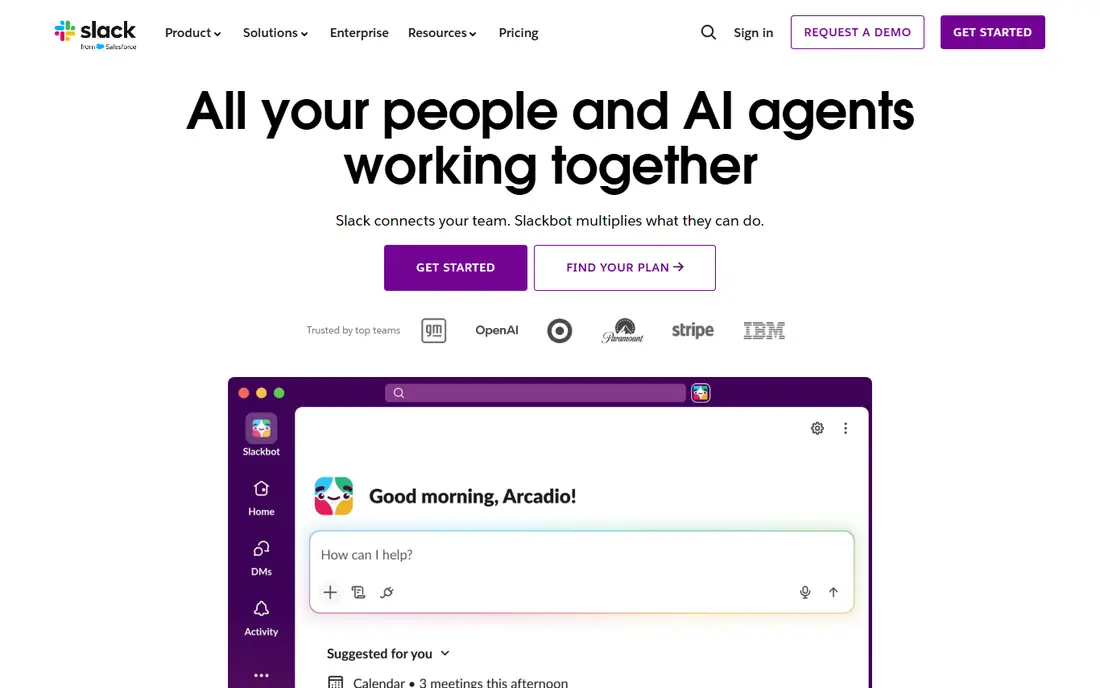
Slack remains the standard for work team chat. Channels organize topics, threads keep replies tidy, huddles offer quick audio rooms, and integrations connect Slack to project tools, docs, and calendars. Most office workers already know it, which lowers the training cost for a new team.
The free plan limits searchable message history to 90 days and limits app integrations, which is the first wall growing teams hit. Paid plans start at a per-user monthly price and add unlimited history and admin controls. For a work team that needs structure and integrations, Slack is our pick for most people.
- Channels, threads, and huddles
- Thousands of app integrations
- Strong search on paid plans
- Free plan limits searchable history to 90 days
- Per-seat paid pricing adds up for large teams
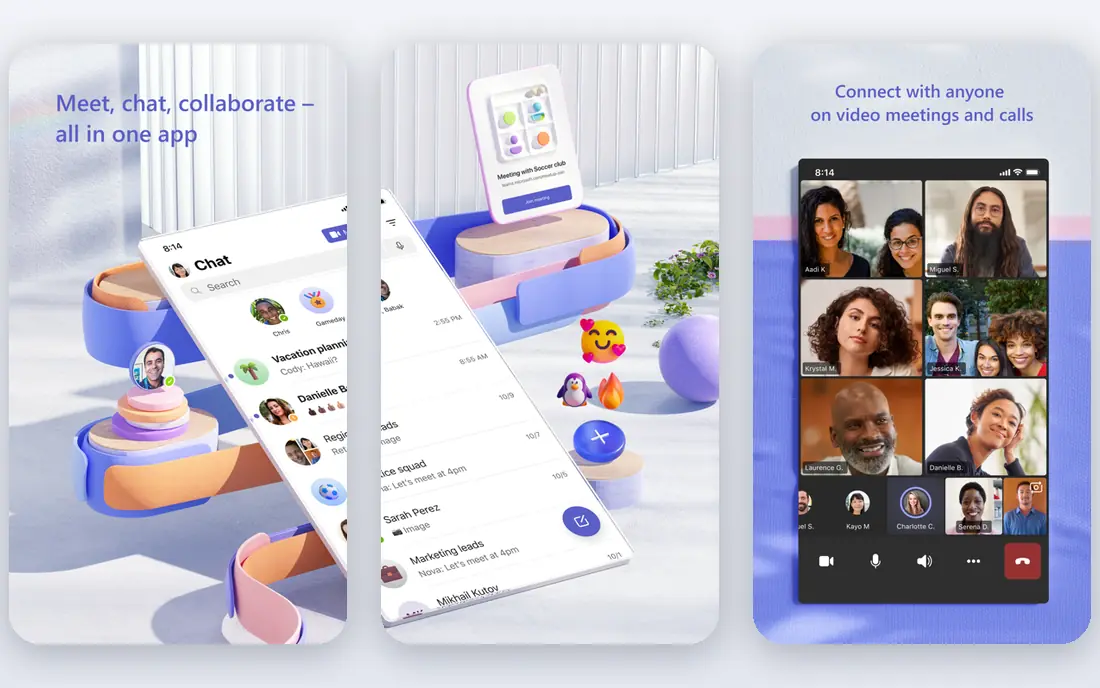
Microsoft Teams suits organizations already using Microsoft 365, since chat, video meetings, file storage, and Office apps sit in one system. Teams, channels, and meetings cover daily work, while admin controls and compliance tools suit larger organizations with formal requirements.
The interface can feel busy, and the standalone value is weaker if you do not use Microsoft 365. For a company already paying for that suite, Teams is the sensible default, since it adds little extra cost. For a small team without Microsoft 365, Slack or Pumble may feel lighter.
- Bundled with Microsoft 365
- Chat, meetings, and files in one place
- Strong admin and compliance tools
- Interface can feel heavy
- Best value only when you already pay for Microsoft 365

Discord started for gamers, but it now hosts study groups, creator communities, and small teams. Servers organize channels by topic, voice channels let people drop in and talk without a scheduled call, and the free plan includes unlimited message history, which beats Slack free on that point. Roles and moderation tools help large communities stay orderly.
Formal work features such as compliance exports and enterprise admin controls are thinner than in Teams or Slack paid plans. For a community, a club, or a voice-first group, Discord is hard to beat at no cost. For regulated work, a business tool fits better.
- Free with unlimited message history
- Excellent voice channels
- Large servers and roles
- Less suited to formal work compliance
- Permission setup gets complex at scale
WhatsApp is the group chat most people already use. Groups are easy to start, messages are end-to-end encrypted, and voice and video calls work well on a phone. For family groups, clubs, and small teams, that familiarity beats a more powerful tool nobody opens.
Organization is the limit. There are no Slack-style channels, threads are basic, and large work discussions get messy fast. For everyday groups where simplicity and reach matter most, WhatsApp is the obvious pick. For structured work, choose a team chat app instead.
- Almost everyone already has it
- End-to-end encrypted chats
- Simple groups, voice, and video
- Limited organization for large work teams
- No channels and threads like Slack
Telegram handles scale well, with very large groups, broadcast channels, and bots that automate announcements, polls, and files. Messages sync across phone and desktop, and file sharing limits are generous compared with many rivals. That makes it popular for public communities and interest groups.
Default group chats use cloud encryption rather than end-to-end encryption, with end-to-end encryption reserved for secret chats. Large public groups also need active moderation. For a large community that needs channels and bots at no cost, Telegram is a strong choice.
- Very large groups and channels
- Cloud-synced messages across devices
- Bots and file sharing
- Default chats are not end-to-end encrypted
- Moderation in large public groups takes work
Signal is the privacy-first pick for group chats. Messages are end-to-end encrypted by default, the nonprofit behind it does not sell data or show ads, and group chats stay simple and focused. For a private circle, a journalist group, or a team handling sensitive topics, that privacy stance matters.
Work features are basic compared with Slack or Teams: no channels, limited integrations, and simpler admin tools. Signal is not a work platform, it is a private messenger done well. For a group where privacy comes first, it is our pick.
- End-to-end encryption by default
- No ads and no data selling
- Simple, private group chats
- Fewer work features than Slack or Teams
- Group size and admin tools are basic
Google Chat suits teams already in Google Workspace. Spaces organize group topics, Drive files and Meet calls sit beside the chat, and Gmail integration keeps work in one ecosystem. Setup is simple for a Workspace organization, and personal Gmail users can also use basic Chat for free.
Integration depth and admin retention controls lag Slack for complex teams, and advanced features need higher Workspace tiers. For a Google-centered team that wants simple, integrated group chat, Google Chat is a clean fit. For integration-heavy work, Slack still leads.
- Spaces for team topics
- Tight Gmail, Drive, and Meet integration
- Simple setup for Workspace users
- Less depth than Slack for integrations
- Advanced retention needs a higher Workspace tier
Zoho Cliq gives Zoho users a team chat that fits the rest of the suite. Channels, direct messages, audio and video calls, and integrations with Zoho Projects, People, and other Zoho apps cover daily team work. Message history is generous on many plans, which avoids the Slack free history wall.
Outside the Zoho ecosystem, adoption is smaller and third-party integrations are fewer. For a team already using Zoho, Cliq is a natural, low-cost choice. For a team with no Zoho ties, Slack or Pumble will feel more familiar to new members.
- Channels and audio and video calls
- Zoho app integrations
- Unlimited message history on many plans
- Smaller user base outside Zoho
- Fewer third-party integrations than Slack
Pumble is the budget answer to Slack pricing. It offers channels, threads, direct messages, and file sharing in a familiar layout, with unlimited message history on the free plan. That single difference makes it attractive for small teams that cannot justify per-seat Slack pricing just to keep old messages searchable.
The integration library is smaller than Slack, and frontline features are thinner than in some specialized tools. For a small team that mainly needs reliable group chat with full history at low cost, Pumble is a smart pick. Test it with your real channels before you migrate a large team.
- Unlimited message history on the free plan
- Slack-style channels and threads
- Low-cost paid plans
- Smaller integration library than Slack
- Fewer frontline team tools than some rivals
How we picked these
We compared official pricing pages, feature pages, and app listings for group communication tools that still work in October 2026. We favored tools with real group support, not just one-to-one messaging, and we mixed work chat, community chat, and private messaging so readers can match a tool to their group type. Tools that are only video meeting apps or only email were left out.
Choosing the right group app
Start with the group, not the feature list. A work team needs channels, search, and admin controls. A community needs roles, moderation, and voice. A private circle needs encryption and simplicity. The app that fits the group type will get used, while a powerful app that feels wrong for the group will sit idle.
History, storage, and admin controls
Check message history limits, file storage, and who can add members, delete messages, and manage permissions. Free Slack history ends at 90 days, while Discord and Pumble offer unlimited history on free plans. For a team that needs to find old decisions, history matters more than a long integration list.
Privacy and moderation
Private groups should prefer end-to-end encryption and clear data policies, while public communities need moderation tools, roles, and reporting. Tell members how a group will be moderated, who can invite others, and what happens to messages when someone leaves. A few clear rules prevent most group chat problems.
FAQ
What is the best app for group communication?
Slack is best for work teams, Microsoft Teams is best for Microsoft 365 organizations, Discord is best for communities, and Signal is best for private groups. WhatsApp is best for everyday groups where everyone already has the app. Match the app to the group type first.
What is the best group communication app for work?
Slack leads for work teams that need channels, threads, and integrations, while Microsoft Teams leads for organizations already paying for Microsoft 365. Google Chat suits Google Workspace teams, and Pumble suits small teams that want Slack-style chat with unlimited free history. Check history limits and per-seat pricing before you choose.
Is Discord good for group communication outside gaming?
Yes, for communities, study groups, and creator groups. Discord offers free unlimited message history, voice channels, roles, and moderation tools that work well beyond gaming. For formal, regulated work, Slack or Teams offer stronger compliance and admin controls.
Is WhatsApp safe for group chats?
WhatsApp group chats are end-to-end encrypted, which protects message content in transit and storage from outside readers. Safety also depends on group membership: anyone added to a group can see past messages and forward content. Keep sensitive work in a dedicated work tool, and limit group membership to people who need access.
Can I use a free group chat app for a large team?
Yes, with limits. Discord and Pumble offer generous free plans for larger groups, while Slack free limits history and integrations. Microsoft Teams and Google Chat free tiers also suit small to mid-size teams. For a large team, test admin controls, permission setup, and search on the free plan before you commit.
How do I move a group to a new app without losing people?
Announce the move early, explain why the new app helps, and keep the old group open for a transition period. Pin a welcome message with channel guides in the new app, and invite members in batches so questions get answered. Most moves fail from confusion, not from the app itself, so a short guide matters more than a feature list.