Best Algorithmic Trading Software for Beginners in 2026: 8 Tools Compared
Compare the best algorithmic trading software for beginners, with coding and no-code options, pricing and risks for 8 platforms. Compare. Read more. See prices.
- Editor's choice
 TradingView
Chart strategies with Pine Script
Starts at$14.95 per month for EssentialVisit tradingview.comFull review - Great alternative
 MetaTrader 5
Forex and multi-asset automation
Starts atFree through brokersVisit metatrader5.comFull review - Also consider
 QuantConnect
Code-based research and backtesting
Starts atFree for researchVisit quantconnect.comFull review
TL;DR:
- Beginners should start with paper trading and a simple strategy, since automation can lose money as fast as it can make it.
- Coding platforms suit beginners who code, while no-code and Pine Script tools suit beginners who think in charts.
- Free platforms are common, but broker commissions, data fees and bridge tools still add cost.
- Trading carries risk and this is not financial advice, so only risk money you can afford to lose and test every strategy first.
Quick comparison
| Tool | Best for | Starts at | Free plan? | |
|---|---|---|---|---|
| TradingView | Chart strategies with Pine Script | $14.95 per month for Essential | Yes | Visit |
| MetaTrader 5 | Forex and multi-asset automation | Free through brokers | Yes | Visit |
| QuantConnect | Code-based research and backtesting | Free for research | Yes | Visit |
 Alpaca | API-first stock and crypto trading | Free API and paper trading; $0 stock commissions for retail | Yes | Visit |
 Interactive Brokers | Global multi-asset API trading | Free platform; IBKR Lite with $0 stock commissions | Yes | Visit |
 NinjaTrader | Futures automation and backtesting | Free for charting, backtesting and simulation | Yes | Visit |
 TradeStation | Plain-English strategy scripting | Free platform; $0 stock and ETF commissions on TS SELECT | Yes | Visit |
 TrendSpider | No-code technical automation | $82 per month for Standard | No | Visit |
The best algorithmic trading software for beginners
We compared official feature pages, pricing pages, app store listings and public documentation for each option below, and we kept only products that are available now and fit the topic directly. Trading carries risk and this is not financial advice. Read the shortlist first, then use the buying guide to match one product to your budget and workflow.
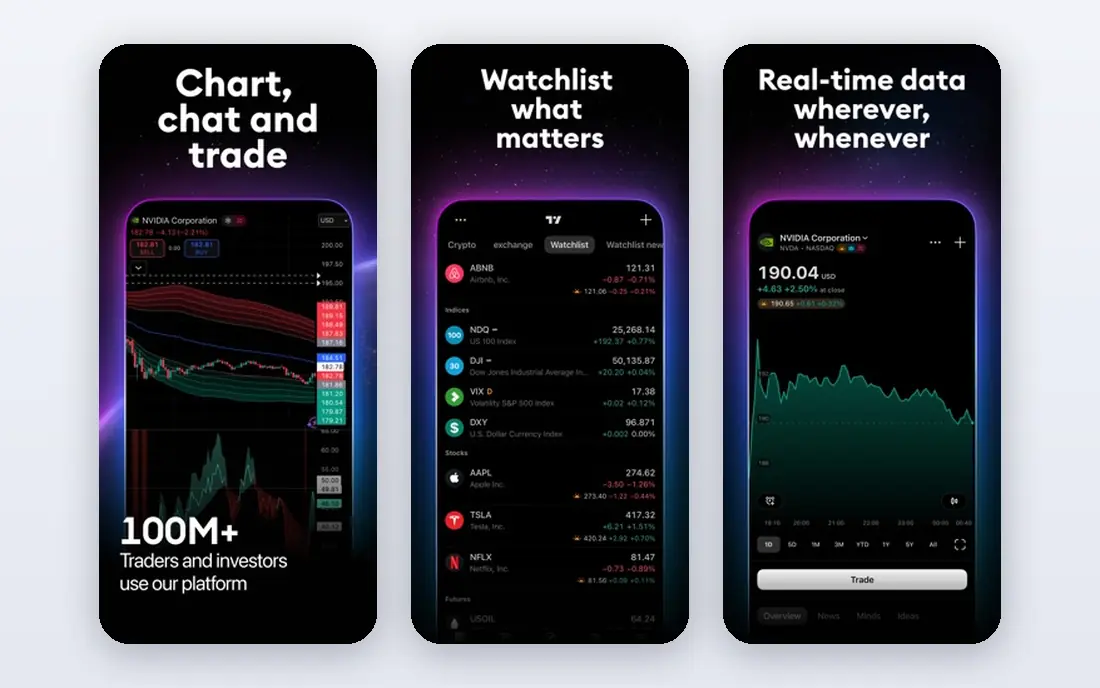
For teams that want chart strategies with pine script without a long setup, TradingView is a practical first look. TradingView fits beginners who want to learn strategy ideas on real charts before risking money. Pine Script lets a beginner code a simple strategy, backtest it on historical charts and see results visually, which makes the learning curve gentler than a full coding platform.
TradingView alone does not place every order at every broker, so check whether your broker supports direct execution or whether you need a bridge tool. That trade-off does not rule it out, but it does mean you should test it against your own data and team before you sign a longer contract. A short trial or demo with a real use case will tell you more than a sales page can.
- Charts and Pine Script strategies
- Alerts
- Large indicator library
- Paid tiers needed for more alerts and charts
- Execution needs a broker or bridge
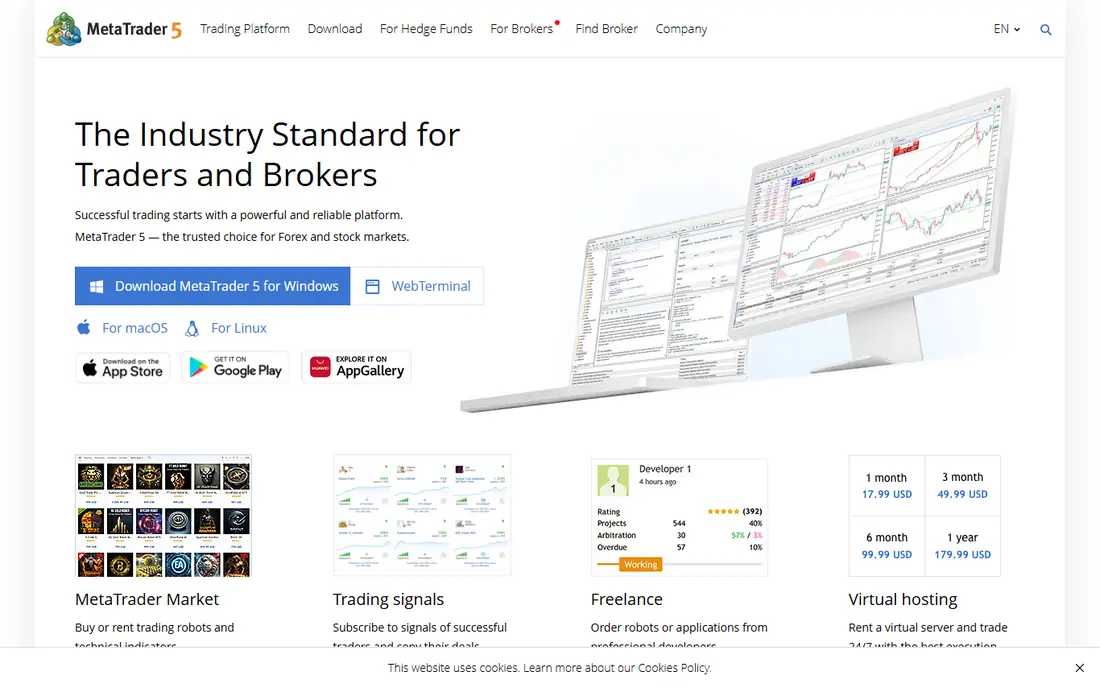
Start with MetaTrader 5 if forex and multi-asset automation is the main job on your list. MetaTrader 5 fits beginners focused on forex or multi-asset markets who want a free platform through a broker. Expert Advisors automate rules once coded, and the large library of indicators and robots gives beginners examples to study before writing their own.
Broker quality varies widely, so choose a regulated broker, test on a demo account first, and treat any bought robot with caution. That trade-off does not rule it out, but it does mean you should test it against your own data and team before you sign a longer contract. A short trial or demo with a real use case will tell you more than a sales page can.
- Expert Advisors for automation
- Large indicator and robot library
- Backtesting
- Interface feels dated
- Broker quality varies
- Learning curve for coding

QuantConnect stands out for buyers who care most about code-based research and backtesting. QuantConnect fits beginners who already code and want serious research tools. Its cloud research environment and data library let a coder test ideas across equities, futures, forex and crypto without building data infrastructure.
Live trading needs paid resources and a broker, and the platform assumes coding skill, so non-coders should start with a no-code tool instead. That trade-off does not rule it out, but it does mean you should test it against your own data and team before you sign a longer contract. A short trial or demo with a real use case will tell you more than a sales page can.
- Python and C# research
- Large data library
- Backtesting and live trading nodes on paid tiers
- Coding required
- Live trading needs a paid tier and a broker account
If your shortlist is built around api-first stock and crypto trading, Alpaca deserves a close read. Alpaca fits beginners who code and want a simple API to build and test a first algorithm. Paper trading lets a coder test an algorithm without real money, and the API is simpler to learn than many broker APIs.
Because it is API first, there is no full charting and research suite built in, so pair it with a charting tool for strategy design. That trade-off does not rule it out, but it does mean you should test it against your own data and team before you sign a longer contract. A short trial or demo with a real use case will tell you more than a sales page can.
- Simple trading API
- Paper trading
- Stock, ETF, option and crypto access
- API focus needs coding
- Support and tools are lighter than full brokers
Buyers who put global multi-asset api trading first will find Interactive Brokers easy to justify. Interactive Brokers fits ambitious beginners who want global markets and API access in one account. Its range covers stocks, options, futures, forex and more, and paper trading lets a beginner test an algorithm before funding a live account.
The platform is dense, so beginners should start with the paper account and a simple strategy, and read the fee schedule for their exact market. That trade-off does not rule it out, but it does mean you should test it against your own data and team before you sign a longer contract. A short trial or demo with a real use case will tell you more than a sales page can.
- Global markets
- API access
- Paper trading
- Wide asset range
- Platform complexity can overwhelm beginners
- Fee schedules need care
NinjaTrader is the option we point to when futures automation and backtesting keeps coming up in a brief. NinjaTrader fits beginners focused on futures who want a professional platform free for practice. Charting, backtesting and simulated trading are free, so a beginner can learn futures mechanics and strategy testing without a monthly platform fee.
Futures can move fast and losses can grow quickly, so use simulation until a strategy is understood, and confirm commission and margin terms before live trading. That trade-off does not rule it out, but it does mean you should test it against your own data and team before you sign a longer contract. A short trial or demo with a real use case will tell you more than a sales page can.
- Futures charting and strategy tools
- NinjaScript in C#
- Simulation trading
- Futures focus
- Live commissions apply
- Advanced tools need a funded account
When plain-english strategy scripting matters more than a long feature list, TradeStation fits well. TradeStation fits beginners who want strategy coding in plainer language than Python or C#. EasyLanguage reads closer to plain English than many coding languages, which lowers the barrier to writing and backtesting a first strategy.
Advanced data and some features add cost, so check the plan that matches your markets before assuming the free platform covers everything. That trade-off does not rule it out, but it does mean you should test it against your own data and team before you sign a longer contract. A short trial or demo with a real use case will tell you more than a sales page can.
- EasyLanguage scripting
- Strategy backtesting
- Stocks, options and futures
- Some data and advanced features add cost
- Platform depth takes time to learn
Consider TrendSpider early if no-code technical automation is where your current tool falls short. TrendSpider fits beginners who want automation without writing code. Its no-code tools let a trader build alerts and automated analysis from chart conditions, which suits a beginner who understands technical levels but does not code.
It cannot send orders by itself, so live automation needs a bridge tool and a supported broker, and the monthly price is high for a first tool. That trade-off does not rule it out, but it does mean you should test it against your own data and team before you sign a longer contract. A short trial or demo with a real use case will tell you more than a sales page can.
- No-code alerts and automation
- Multi-timeframe analysis
- Backtesting
- No free plan
- Cannot send orders alone, needs a bridge
- Monthly cost is high for beginners
How we picked these
We compared official product and pricing pages, coding and no-code options, backtesting, paper trading and broker access for algorithmic trading software. We kept platforms that let a beginner build, backtest or automate a strategy and that are available today. We favoured tools with paper trading, clear fee schedules and a realistic path from learning to live trading, and we marked quote or broker-dependent pricing plainly.
How to start algorithmic trading safely
Start on paper, then go small
Build a strategy, backtest it, then run it on paper trading with live data. Only move to real money with a small amount once you understand drawdowns, fees and how the strategy behaves in different markets.
Keep the first strategy simple
A simple rule with few conditions is easier to test and trust than a complex model with many inputs. Complex strategies often fit past data well and fail on new data, so favour clarity over cleverness at the start.
Count every cost before you judge results
Add commissions, spreads, data fees, platform fees and any bridge cost to your results. A strategy that looks profitable before fees can lose money after them, especially for frequent trading.
FAQ
What is algorithmic trading software?
It lets traders build rules that place orders automatically, or test those rules on past and live data. Some tools use code, while others use chart conditions or plain-English scripting.
What is the best platform for algorithmic trading for beginners?
TradingView suits chart-based beginners, MetaTrader 5 suits forex beginners, and Alpaca or QuantConnect suit beginners who code. The best choice follows whether you code and which markets you want to trade.
Do I need to code to use algorithmic trading software?
No, TrendSpider and TradeStation EasyLanguage lower the coding barrier, and TradingView Pine Script is simpler than a general coding language. Full API platforms such as Alpaca and QuantConnect do need coding.
Can algorithmic trading lose money?
Yes, automation does not remove market risk, and a flawed strategy, a data error or a fast market move can cause losses. Paper trading, position limits and stop controls help, but they do not remove risk.
How much money do I need to start?
Many platforms offer free paper trading, so learning costs little. Live trading needs a broker account and enough capital to cover fees and margin, and beginners should start small and only with money they can afford to lose.