Best AI Stock Trading Apps for Beginners in 2026: 8 Apps Compared
Compare the best ai stock trading app for beginners in 2026, with research scores, plain-language tools, prices, and risk notes for investors. Check our guide.
- Editor's choice
 Danelfin
Simple AI stock scores for research
Starts atFreeVisit danelfin.comFull review - Great alternative
 Magnifi
Plain-language stock questions
Starts atSee websiteVisit magnifi.comFull review - Also consider
 Composer
Building a rules-based plan without code
Starts atSee websiteVisit composer.tradeFull review
TL;DR:
- Danelfin and Magnifi are the easiest research-first starting points, because they explain a score or an answer in plain terms.
- Composer suits beginners who want to build and test a rules-based plan without writing code.
- Trade Ideas and Tickeron offer more signals and scanning, but their cost and pace suit active traders more than first-time investors.
- Robinhood suits existing Robinhood users who want AI summaries inside a broker app, not a separate research tool.
Quick comparison
| Tool | Best for | Starts at | Free plan? | |
|---|---|---|---|---|
| Danelfin | Simple AI stock scores for research | Free | Yes | Visit |
| Magnifi | Plain-language stock questions | See website | Free trial | Visit |
| Composer | Building a rules-based plan without code | See website | Free trial | Visit |
 Tickeron | AI pattern alerts and ideas | See website | Yes | Visit |
 Trade Ideas | Active scanning and AI signals | See website | Free trial | Visit |
 Robinhood | AI summaries inside a broker app | See website | Yes | Visit |
 Prospero.ai | Free AI research signals to study | Free | Yes | Visit |
 Intellectia AI | Conversational stock research | See website | Free trial | Visit |
The best AI stock trading apps for beginners
We compared research tools, plain-language explanations, and beginner controls, and we kept the focus on learning and risk control rather than promises of returns. This is not financial advice; trading carries risk, and you can lose money.
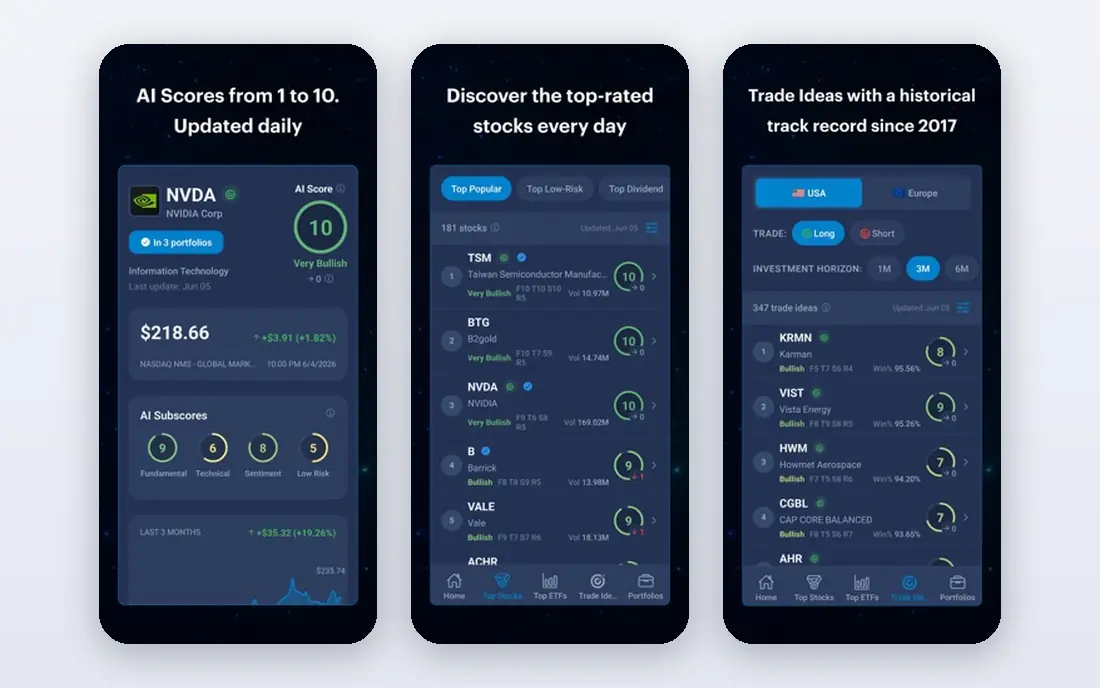
Danelfin is a calm first step because it reduces a large set of indicators into one score that you can read in seconds. If you need simple ai stock scores for research, Danelfin keeps the core workflow close at hand, with a layout that is easy to learn on a first session and clear enough to return to after a break. Its main strength is how directly it serves that use case. The score page explains which factors helped or hurt, so you learn why a stock scored well instead of just seeing a buy or sell label. That focus also explains its main trade-off, because a tool built for one job will not cover every related job as well as a wider platform can. Check the free plan limits and the starting price on the vendor site before you commit, and test it on a real task from your own routine, such as a shop, a project, or a session with friends, to see if the limits matter to you.
- Clear 1 to 10 AI score
- Explanations for score drivers
- Free tier to try
- Research only, no trade execution
- Paid tiers needed for full coverage
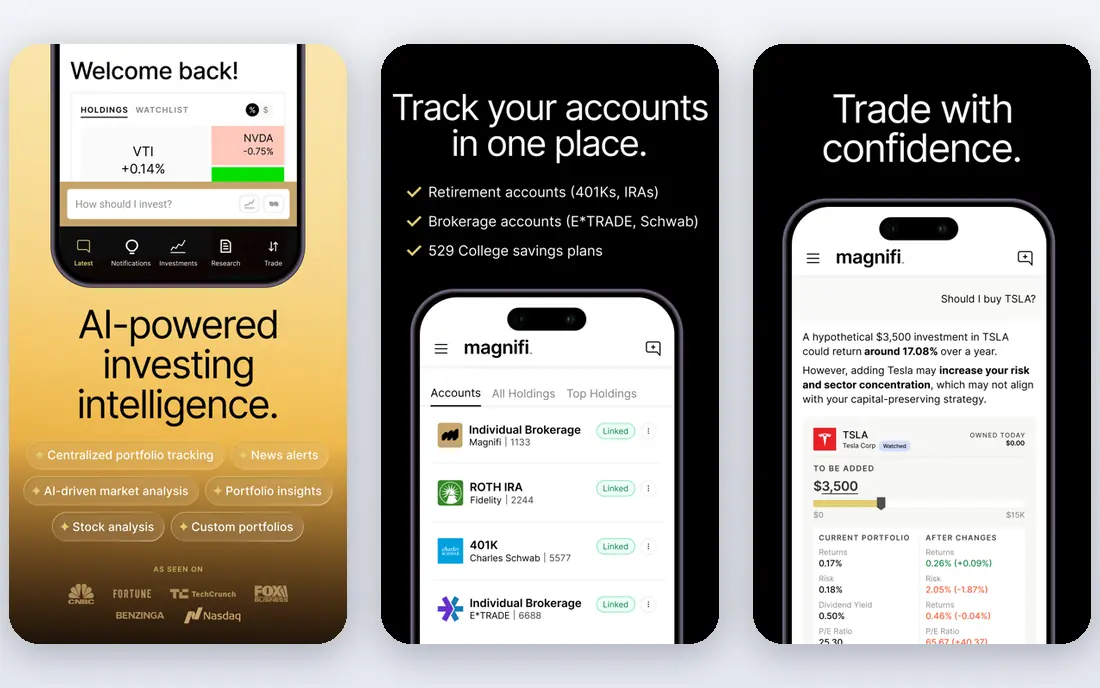
Magnifi fits beginners who would rather ask a question than learn a full dashboard first. This one suits plain-language stock questions, Magnifi keeps the core workflow close at hand, with a layout that is easy to learn on a first session and clear enough to return to after a break. Its main strength is how directly it serves that use case. You can ask about a stock, a theme, or your portfolio, then follow the answer back to the underlying data before you decide anything. That focus also explains its main trade-off, because a tool built for one job will not cover every related job as well as a wider platform can. Check the free plan limits and the starting price on the vendor site before you commit, and test it on a real task from your own routine, such as a shop, a project, or a session with friends, to see if the limits matter to you.
- Ask questions in plain English
- Portfolio analysis
- Brokerage links
- Full features need a subscription
- Less control for advanced traders
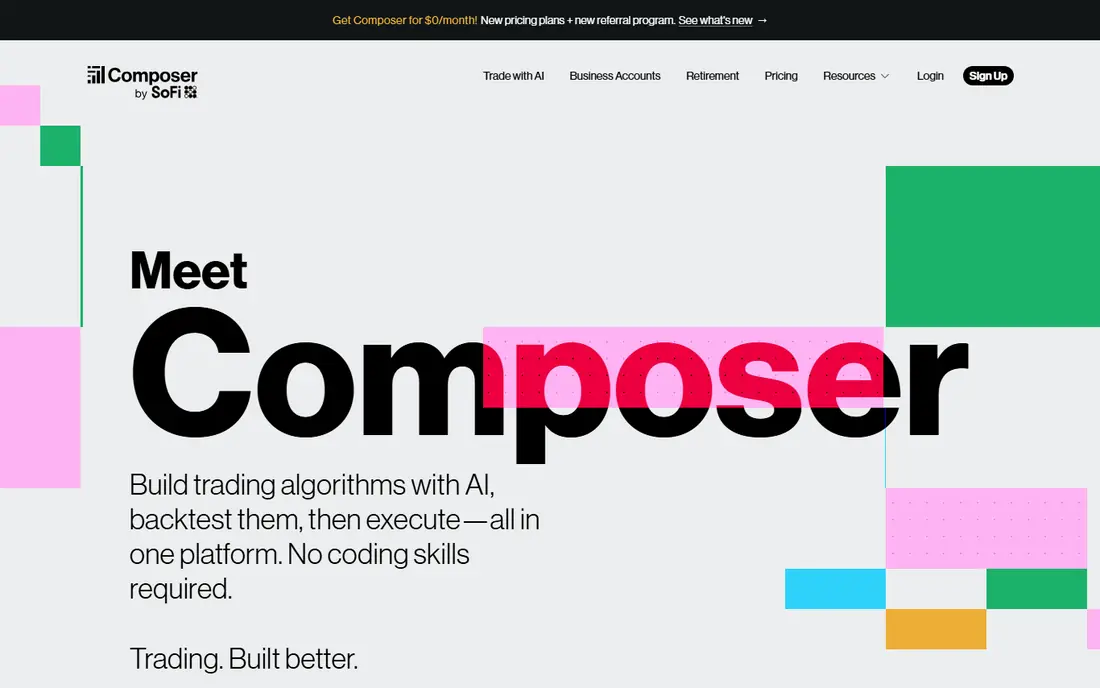
Composer suits beginners who want to understand a plan before they fund it, because you build the rules visually. We found building a rules-based plan without code, Composer keeps the core workflow close at hand, with a layout that is easy to learn on a first session and clear enough to return to after a break. Its main strength is how directly it serves that use case. Backtesting shows how a plan would have performed in past periods, though past results do not predict future returns, so treat it as a learning tool. That focus also explains its main trade-off, because a tool built for one job will not cover every related job as well as a wider platform can. Check the free plan limits and the starting price on the vendor site before you commit, and test it on a real task from your own routine, such as a shop, a project, or a session with friends, to see if the limits matter to you.
- Visual strategy builder
- Backtesting
- Automated investing on paid tier
- Paid plan needed for automated trading
- US markets focus
Tickeron is useful for beginners who are curious about chart patterns and want ideas to study, not orders to copy blindly. For users who prefer ai pattern alerts and ideas, Tickeron keeps the core workflow close at hand, with a layout that is easy to learn on a first session and clear enough to return to after a break. Its main strength is how directly it serves that use case. Its pattern alerts can teach you what traders watch, but you should still check fundamentals, position size, and your own risk tolerance first. That focus also explains its main trade-off, because a tool built for one job will not cover every related job as well as a wider platform can. Check the free plan limits and the starting price on the vendor site before you commit, and test it on a real task from your own routine, such as a shop, a project, or a session with friends, to see if the limits matter to you.
- Pattern recognition
- AI trading ideas
- Wide market coverage
- Paid tiers are costly
- Signals need your own risk checks
Trade Ideas is a strong tool for active traders, and beginners should use it mainly to learn how scanning and signals work. When you want active scanning and ai signals, Trade Ideas keeps the core workflow close at hand, with a layout that is easy to learn on a first session and clear enough to return to after a break. Its main strength is how directly it serves that use case. The free or trial access lets you see the layout before paying, and the platform is best paired with a paper trading account at first. That focus also explains its main trade-off, because a tool built for one job will not cover every related job as well as a wider platform can. Check the free plan limits and the starting price on the vendor site before you commit, and test it on a real task from your own routine, such as a shop, a project, or a session with friends, to see if the limits matter to you.
- Real-time scanning
- AI engine signals
- Backtesting tools
- High monthly cost
- Pace and depth can overwhelm beginners
Robinhood suits beginners who already use the broker and want AI summaries without a second app. A good fit for ai summaries inside a broker app, Robinhood keeps the core workflow close at hand, with a layout that is easy to learn on a first session and clear enough to return to after a break. Its main strength is how directly it serves that use case. The simple interface lowers the barrier to placing a trade, which is why we suggest setting limits, learning order types, and starting small. That focus also explains its main trade-off, because a tool built for one job will not cover every related job as well as a wider platform can. Check the free plan limits and the starting price on the vendor site before you commit, and test it on a real task from your own routine, such as a shop, a project, or a session with friends, to see if the limits matter to you.
- Commission-free stock trading
- AI news and portfolio summaries for Gold users
- Simple mobile app
- AI features sit behind Gold for some users
- Trading can encourage frequent trades
Prospero.ai is a low-risk way to see what an AI signal looks like before you spend money on a subscription. If your priority is free ai research signals to study, Prospero.ai keeps the core workflow close at hand, with a layout that is easy to learn on a first session and clear enough to return to after a break. Its main strength is how directly it serves that use case. Because it does not execute trades, you can compare its signals with your own research and decide slowly, which is a good habit for beginners. That focus also explains its main trade-off, because a tool built for one job will not cover every related job as well as a wider platform can. Check the free plan limits and the starting price on the vendor site before you commit, and test it on a real task from your own routine, such as a shop, a project, or a session with friends, to see if the limits matter to you.
- Free research signals
- No trade execution pressure
- Simple layout
- Research only
- Fewer portfolio tools than paid platforms
Intellectia AI fits beginners who learn by asking follow-up questions about a stock or sector. For shoppers who want conversational stock research, Intellectia AI keeps the core workflow close at hand, with a layout that is easy to learn on a first session and clear enough to return to after a break. Its main strength is how directly it serves that use case. Its conversational style makes earnings, trends, and technical points easier to follow, but you should still verify key numbers on a primary source. That focus also explains its main trade-off, because a tool built for one job will not cover every related job as well as a wider platform can. Check the free plan limits and the starting price on the vendor site before you commit, and test it on a real task from your own routine, such as a shop, a project, or a session with friends, to see if the limits matter to you.
- AI stock picker and chat research
- Technical summaries
- Stock and ETF coverage
- Paid tiers needed for full access
- AI answers need fact checking
How we picked these
We compared official feature pages, pricing pages, app store listings, and privacy pages for each product, and we focused on whether the product exists and works today, in October 2026. We checked free plans, starting prices, and the main limits that affect everyday use, rather than relying on marketing claims alone. We also compared products against each other on the same points: who it fits, what it does well, and where it falls short. That side-by-side view helps you see trade-offs clearly, such as a simple app with fewer features versus a detailed app with a steeper learning curve. Prices can vary by region and plan, so check the vendor site before you subscribe.
How to choose an AI trading app without taking on too much risk
Start with the job you need done most often, then check the free limits that affect that job. A tool that is free for occasional use can become costly if you need it daily, so test the free tier for a week before paying. Next, check device support, export options, and how your data is handled, because those details matter more than a feature list. Read the pricing page and privacy page on the vendor site before you sign up. Our pick for most people is the tool that covers the core job well on the free tier, with a paid plan that adds clear value rather than removing basic features. If two tools tie, keep the one with the simpler layout, because you will use it more often.
FAQ
What is the best ai stock trading app for beginners?
For research, Danelfin or Magnifi are good starting points because they are easier to read than active trading platforms. For building a plan, Composer is a useful next step once you understand the basics. Start with research and paper trading before risking real money.
Are the best ai stock trading apps for beginners free?
Some research tools, including Danelfin and Prospero.ai, offer a free tier, while others offer a trial or a paid plan only. Free tiers are enough to learn the layout and the type of signals offered. Do not pay for a costly plan until you know you will use it each week.
Can AI guarantee trading profits?
No, AI cannot guarantee profits, and any tool that promises returns should be treated with caution. AI scores and signals are based on past data and models that can be wrong, especially in changing markets. This is not financial advice; trading carries risk, and you can lose money.
Should beginners use automated trading?
Automated trading can be useful once you understand the strategy, the risks, and the position size involved. Beginners should start with paper trading, small amounts, and clear loss limits. If you cannot explain a strategy in plain terms, do not automate it yet.
Do I need a broker account to use these apps?
Research-only apps do not need a broker account, while broker apps such as Robinhood do. Some research tools link to brokers, but linking is optional in most cases. Keep your broker login and API access private, and use two-factor authentication where offered.