Best AI Stock Trading App in 2026: 9 Apps Compared
Compare the best AI stock trading apps in 2026, from scanners and chart AI to stock scoring, with prices, risks and honest limits for traders. in detail.
- Editor's choice
 Trade Ideas
AI scanning and Holly signals
Starts at$127 per monthVisit trade-ideas.comFull review - Great alternative
 TrendSpider
AI chart automation and backtesting
Starts at$59 per monthVisit trendspider.comFull review - Also consider
 Tickeron
AI robots and pattern signals
Starts atSee websiteVisit tickeron.comFull review
TL;DR:
- Trade Ideas and TrendSpider suit active traders who want AI scanning and chart automation, but both cost real money each month.
- Danelfin, Magnifi, and Tickeron suit investors who want AI scores and ideas, rather than day trading tools.
- This is not financial advice. Trading carries risk, and AI signals can be wrong, especially in fast or unusual markets.
- No AI app guarantees returns, and any tool that promises them should be treated with caution.
Quick comparison
| Tool | Best for | Starts at | Free plan? | |
|---|---|---|---|---|
| Trade Ideas | AI scanning and Holly signals | $127 per month | Yes | Visit |
| TrendSpider | AI chart automation and backtesting | $59 per month | No | Visit |
| Tickeron | AI robots and pattern signals | See website | Yes | Visit |
 Danelfin | AI stock scoring for investors | See website | Yes | Visit |
 Composer | No code strategy automation | See website | No | Visit |
 Magnifi | AI assisted investing for everyday investors | See website | Free trial | Visit |
 StockHero | Automated trading bots for beginners | See website | Yes | Visit |
 Kavout | AI stock signals for professionals | See website | No | Visit |
 TradingView | Charts with AI screening for most traders | Free | Yes | Visit |
The best AI stock trading app
AI stock trading apps range from scanners that find setups, to scoring tools that rate stocks, to bots that trade automatically. The right tool depends on whether you trade actively, invest for the long term, or just want research help. None of them remove risk, and all of them need human judgment.
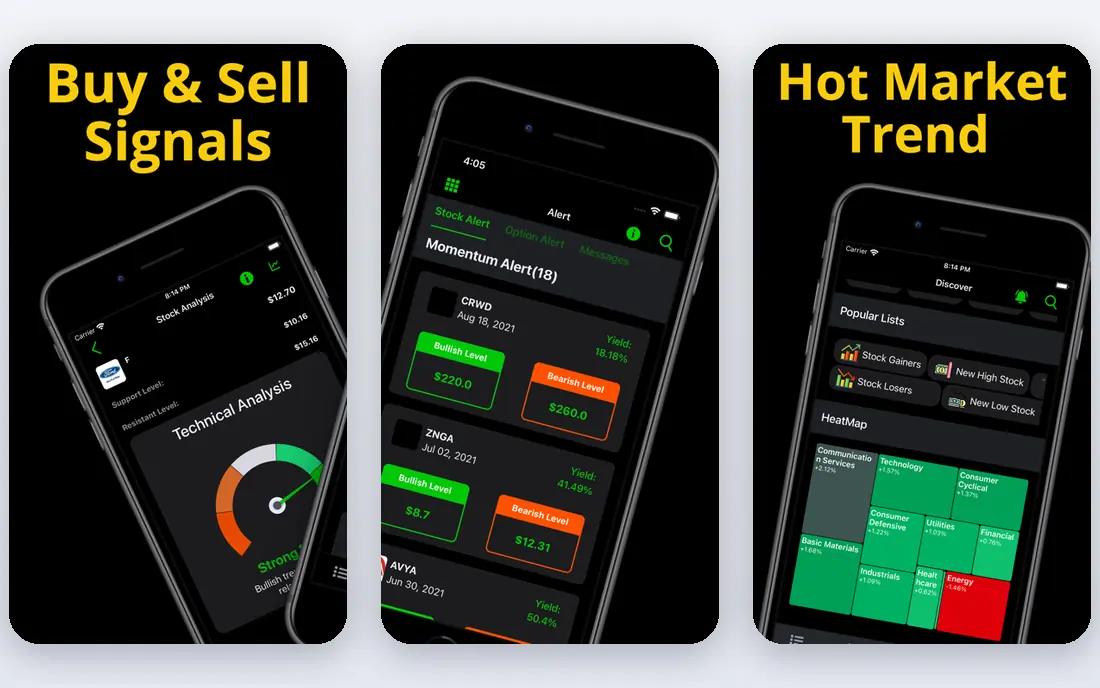
Trade Ideas has been part of the AI trading conversation longer than most rivals, and its Holly AI engine is the centerpiece. Holly runs millions of simulated trades overnight and presents the strategies with the best recent performance each morning, with entry, stop, and target levels on the Premium plan. That gives active traders a structured starting list, rather than a blank screener.
The Standard plan costs 127 dollars a month, or about 89 dollars a month on annual billing, while Premium costs 254 dollars a month, or about 178 dollars on annual billing. Premium adds Holly signals, OddsMaker backtesting, and automated trading features, while an AI assistant is included in TI Pro plans. A limited free account lets you look around before paying.
The honest catch is that Holly ideas are starting points, not instructions. Traders who research each idea, check risk, and use stops tend to do better than traders who follow signals blindly. For casual traders who trade a few times a month, the price is hard to justify.
- Holly AI generates trade ideas from overnight simulations
- Real time scanning
- Long track record with active traders
- Expensive for casual traders
- Interface feels dense for beginners
- Signals need independent research
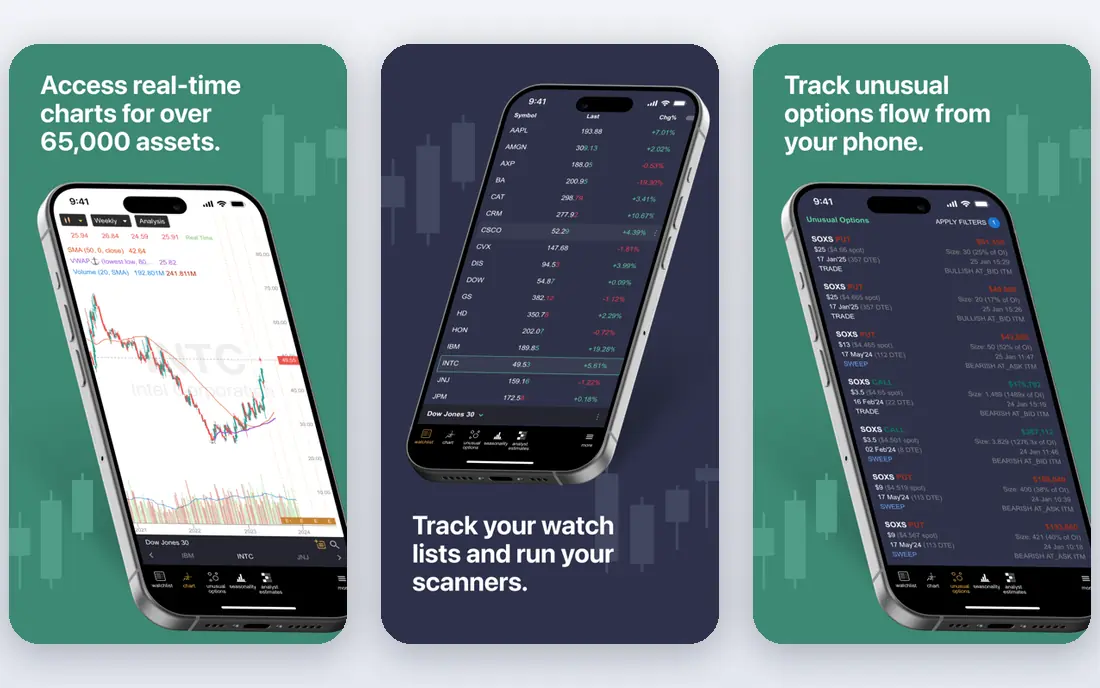
TrendSpider automates the most tedious part of technical trading, which is drawing trendlines, finding patterns, and testing whether they worked in the past. Its AI tools detect trendlines, Fibonacci levels, and candlestick patterns automatically, then scan watchlists for setups that match your rules. Sidekick, its AI assistant, can answer chart questions and help build scans in plain language.
Pricing starts at 59 dollars a month on annual billing for Standard, with Premium, Enhanced, and Advanced tiers above it. Real time US stock data is included for non professionals, and a 14 day trial is available at a reduced cost, rather than free. That trial is worth using, because TrendSpider takes time to learn.
TrendSpider is a technician's tool. If your decisions come from fundamentals, earnings, or news, it adds less value. For active technical traders who spend hours on charts, the automation and alerts can save real time each day.
- Automatic trendlines and pattern detection
- Multi timeframe analysis
- Strong alerts and backtesting
- No free plan, only a paid trial
- Steep learning curve
- Best for technical traders
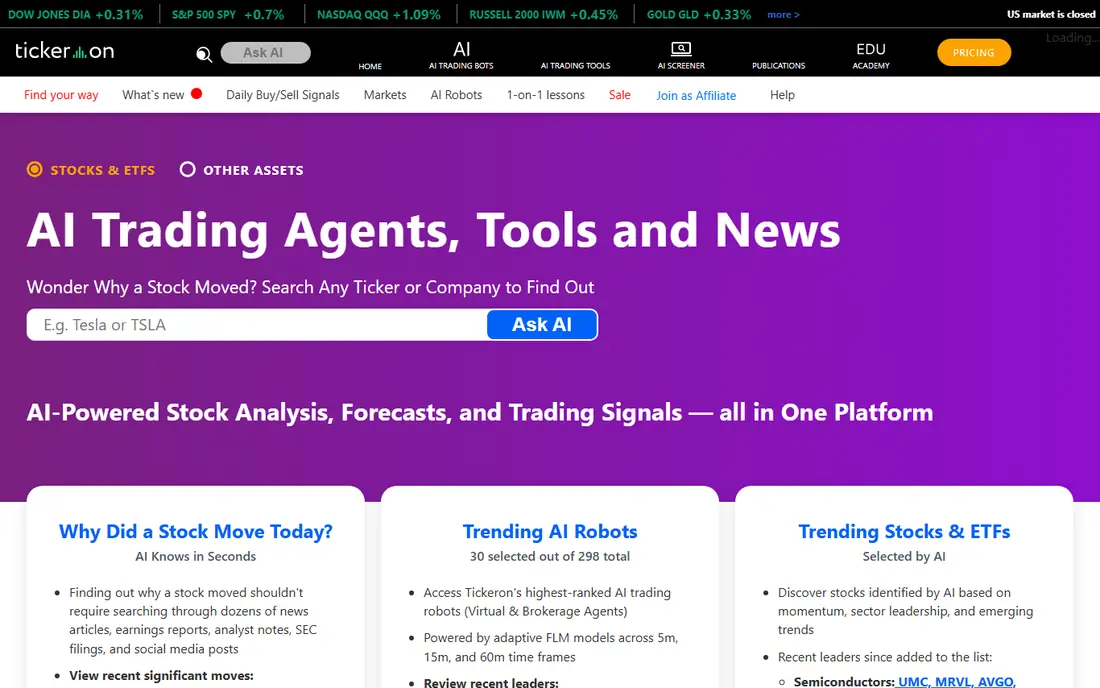
Tickeron offers one of the widest AI trading toolsets in this list, including AI robots, a pattern search engine, a trend prediction engine, and daily buy and sell signals for stocks, ETFs, forex, and crypto. The AI robots apply machine learning signals to different strategies, which appeals to traders who want automated ideas without building their own models.
Entry tiers are more accessible than Trade Ideas or TrendSpider, with plans reported from around 35 dollars a month for basic access, though current pricing should be confirmed on the vendor site. A free tier lets you explore some tools before paying, which helps new users judge the interface.
The caution is performance marketing. Some robot strategies show very high historical returns, but those figures often reflect volatile, borrowed money approaches and past conditions that may not repeat. This is not financial advice, and you should test any robot on paper, check drawdowns, and never risk money you cannot afford to lose.
- Wide range of AI robots and pattern tools
- Trend prediction and daily signals
- Accessible entry tiers
- Performance claims need careful reading
- Many tools can overwhelm new users
- Subscription costs add up
Danelfin uses AI to score stocks and ETFs based on technical, fundamental, and sentiment data, giving each a single score that aims to reflect its probability of beating the market. That score helps investors compare ideas quickly, without reading dozens of separate indicators. Explanations show which factors drive the score, which makes the tool easier to trust than a black box rating.
The platform covers hundreds of US stocks and ETFs, with watchlists, alerts, and screening tools built around the score. A free plan lets you explore basic scores, while premium plans add more stocks, deeper data, and advanced screening. That structure suits investors who want research help, not a day trading terminal.
Danelfin scores are not buy or sell orders, and a high score does not guarantee a gain. Use the score as one input alongside valuation, risk, and your own plan. For research focused investors, it is a clear, accessible AI tool.
- AI score for hundreds of stocks and ETFs
- Clear explanations of score drivers
- Useful for research
- Scores are not buy or sell instructions
- Full features need a paid plan
- US stock focus
Composer lets investors build trading strategies visually, without writing code, then automates rebalancing and execution through a brokerage account. You combine building blocks such as stocks, ETFs, and rules, test the strategy against historical data, and let Composer run it on a schedule. That no code approach opens strategy automation to people who do not program.
Backtesting helps you see how a strategy behaved in past markets, including drawdowns and volatility, before you commit real money. Composer also supports community shared strategies, though copying someone else's strategy without understanding it is risky. Check fees, minimums, and brokerage requirements on the vendor site before signing up.
Automation does not remove risk. A strategy that backtested well can still lose money in a new market regime, and automated trades can compound a bad rule faster than manual trading. This is not financial advice, and you should start small and monitor any automated strategy closely.
- Visual strategy builder with no coding
- Automated rebalancing
- Backtesting for strategies
- Automated trading still carries market risk
- Pricing and account requirements need a direct check
Magnifi is an AI assisted investing platform for everyday investors, rather than active day traders. Its AI assistant answers research questions in plain language, helps you search for stocks and ETFs by theme or criteria, and offers portfolio ideas based on your goals. That conversational approach suits investors who want help researching, without learning a complex terminal.
Magnifi connects to brokerage accounts for trading and portfolio tracking, so research and holdings sit in one place. A free trial lets you test the assistant and screening tools before paying for a full plan. Pricing should be confirmed on the vendor site, since plans have changed over time.
Magnifi is not built for fast intraday trading, and its AI suggestions are research aids, not guarantees. Check any idea against fundamentals, fees, and your risk tolerance before buying. For long term investors who want AI research help, it is a friendly option.
- AI assistant for research and portfolio ideas
- Natural language search for investments
- Brokerage integration
- Not a day trading tool
- AI suggestions need independent checks
- Subscription cost for full features
StockHero offers a marketplace of automated trading bots that users can run, customize, or copy, with paper trading to test a bot before risking real money. That paper trading feature is important, because it lets you see how a bot behaves in live market conditions without a real loss. Bots cover stocks and crypto, with different risk profiles and strategies.
The free plan lets you explore the platform and run limited bots, while paid plans add more bots, faster execution, and advanced features. StockHero connects to major exchanges and brokers, which makes it accessible for traders who already have an account elsewhere.
Bot results vary widely, and a bot that performed well last month can lose money this month. Past performance in a marketplace is not a promise of future returns. This is not financial advice, and you should paper trade any bot, check its drawdown history, and limit capital until you understand its behavior.
- Bot marketplace with ready made strategies
- Paper trading to test bots
- Connects to major exchanges and brokers
- Bot performance varies widely
- Crypto focus may not suit stock only traders
- Fees stack with exchange costs
Kavout provides AI driven stock signals through its Kai Score, which combines fundamental and technical data into a rating for stocks. That score is aimed at professional and serious investors who want a systematic way to compare many stocks at once, rather than a single tip or news headline.
The platform also offers data and API access for professional users, which suits funds, advisers, and research teams that want to feed signals into their own systems. That professional focus means the interface and pricing are less casual friendly than Danelfin or Magnifi, and some plans are not published publicly.
Kavout signals are inputs, not decisions. A high Kai Score does not mean a stock fits your portfolio, your time horizon, or your risk tolerance. For professional style research, it is a credible tool. For a beginner, start with a simpler scoring app first.
- Kai Score rates stocks on fundamentals and technicals
- Institutional style signals
- API for professional users
- Pricing is not published for all plans
- Less friendly for casual investors
- Signals need context
TradingView is the charting platform most traders already know, and it belongs in this list because its screening, Pine Script strategies, and AI assisted features help many traders more than a dedicated bot. The free plan covers core charting, indicators, and community scripts, while paid plans add more indicators, alerts, and AI screener requests.
The community is a major strength. Traders share indicators, strategies, and ideas, which helps new users learn technical analysis faster. Backtesting with Pine Script lets you test a rule before trading it, and alerts can notify you when a setup triggers, without watching charts all day.
TradingView is not an automated trading bot on its own, and broker integration varies by region and account. Advanced features, including more alerts and faster data, need a paid plan. For most traders, TradingView plus a dedicated AI screener is a better combination than a bot alone.
- Excellent charts and community scripts
- Free plan covers core charting
- AI screener requests on paid plans
- Not a dedicated AI trading bot
- Advanced features need a paid plan
- Data fees can apply for some markets
How we picked these
We compared official feature pages, pricing pages, and public reviews for AI trading tools available in the United States in October 2026. We favored tools with a clear AI function, such as scanning, scoring, chart automation, or strategy automation, and we included both active trading tools and research tools. We left out tools that promise guaranteed returns or that lack a public product page.
How to use AI trading tools without losing control
Start with research, not automation. Use an AI scanner or scorer to find ideas, then check the fundamentals, the chart, and the risk before you trade. Paper trade any bot or strategy for at least a few weeks, and track drawdowns, not just wins.
Set risk rules before you start
Decide your maximum loss per trade, your position size, and when you will stop a strategy. Write those rules down, and do not let an AI signal override them in the moment. A good tool supports your rules, it does not replace them.
Check costs and data carefully
Subscription fees, data fees, spreads, and brokerage commissions all reduce returns. A tool that costs 127 dollars a month needs to add at least that much value, after fees, to be worth it. For small accounts, a free or low cost tool often makes more sense.
Treat backtests with caution
A backtest shows how a strategy behaved in the past, not how it will behave next. Look for long backtest periods, realistic fees, and drawdown figures, not just total return. If a backtest looks too smooth, ask what assumptions were left out.
FAQ
What is the best AI stock trading app?
Trade Ideas suits active traders who want AI scanning, TrendSpider suits technical traders who want chart automation, and Danelfin suits investors who want AI stock scores. TradingView is the best all round charting choice, while Composer suits no code strategy automation.
What are the best AI tools for stock trading?
The best tools depend on your style. For scanning, Trade Ideas and Tickeron lead. For chart AI, TrendSpider leads. For stock scoring, Danelfin and Kavout lead. For automated strategies, Composer and StockHero lead, with paper trading before real money.
Is AI stock trading safe?
No trading is safe, and AI does not remove market risk. AI tools can help with research and speed, but signals can be wrong, backtests can mislead, and automated strategies can lose money fast. This is not financial advice, and you should only risk money you can afford to lose.
Can AI trading apps make money automatically?
Some bots and strategies can automate trades, but none guarantee profits. Past bot performance does not predict future results, and market conditions change. Paper trade first, start small, and monitor any automated strategy closely.
Do I need a broker to use an AI trading app?
Most AI tools are research or signal platforms, so you still need a brokerage account to place trades. Some, such as Composer and StockHero, connect to brokers or exchanges for execution. Check which brokers are supported before you subscribe.
What is the best AI trading app for beginners?
TradingView free plan and Danelfin free plan are good beginner starting points, because they focus on charts and research rather than automation. Avoid expensive day trading tools and automated bots until you understand risk, position sizing, and basic market mechanics.