Best Stock Trading App in 2026: 7 Apps Compared
Find the best stock trading app in 2026, from simple beginner apps to full broker platforms, with costs, accounts, and tools compared and how to choose safely.
- Editor's choice
 Fidelity
All-round investing and retirement
Starts atSee websiteVisit fidelity.comFull review - Great alternative
 Charles Schwab
Full-service broker with strong support
Starts atSee websiteVisit schwab.comFull review - Also consider
 Robinhood
Simple mobile stock trading
Starts atSee websiteVisit robinhood.comFull review
TL;DR:
- This is not financial advice; trading carries risk, and you can lose money, so only invest money you can afford to leave invested for the long term.
- Fidelity and Schwab suit investors who want research, retirement accounts, and support in one place.
- Robinhood, Webull, and SoFi suit beginners and mobile-first traders who want a simple app and fractional shares.
- Interactive Brokers suits active and advanced traders who need broad markets and detailed order tools, not a simple starter app.
Quick comparison
| Tool | Best for | Starts at | Free plan? | |
|---|---|---|---|---|
| Fidelity | All-round investing and retirement | See website | Yes | Visit |
| Charles Schwab | Full-service broker with strong support | See website | Yes | Visit |
| Robinhood | Simple mobile stock trading | See website | Yes | Visit |
 Webull | Active traders who want charts and data | See website | Yes | Visit |
 E*TRADE | Balanced trading and retirement in one app | See website | Yes | Visit |
 Interactive Brokers | Advanced and global traders | See website | Yes | Visit |
 SoFi | Beginner investing alongside banking | See website | Yes | Visit |
The best best stock trading app
Choosing a trading app is less about the flashiest chart and more about fees, account types, and how much help you need. The seven apps below range from simple mobile trading to full broker platforms, and all of them are established US brokers with live apps in 2026. Check fees and account rules on the broker site before you open an account, because promotions and fee schedules change.
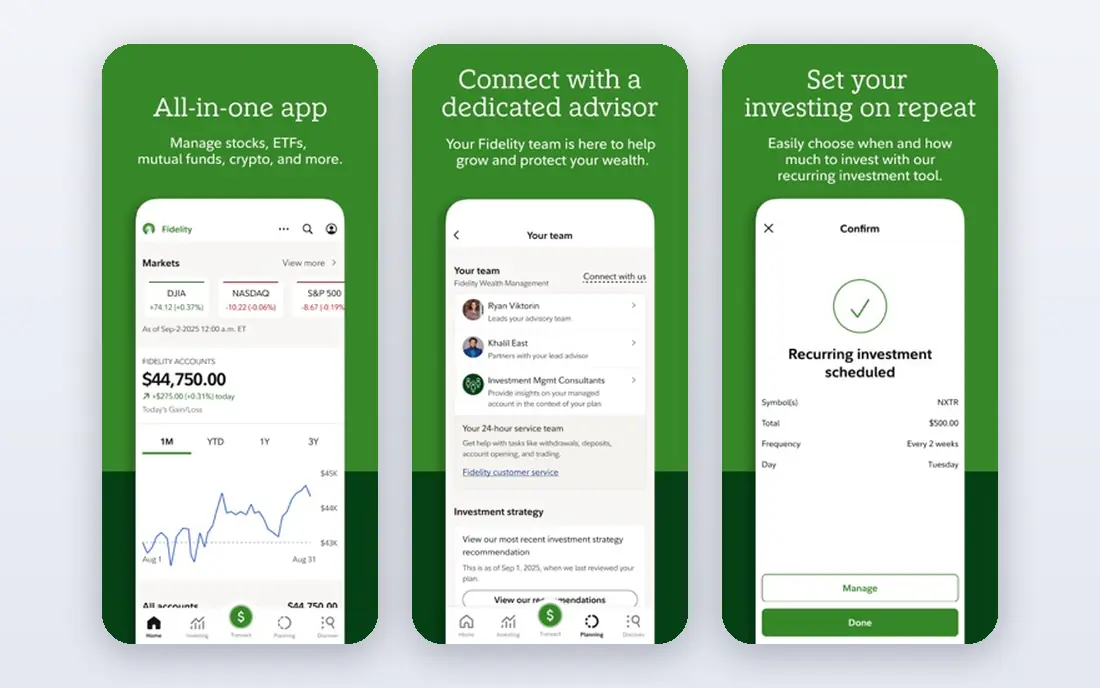
Fidelity is our pick for most people in this list, because it covers the full range of investing without pushing you toward frequent trading. You can open brokerage, IRA, and other accounts, buy fractional shares, and use research, screeners, and planning tools in the same app. Customer support is also a real strength, with phone, chat, and branch help for questions that matter, such as rollovers and tax forms.
The breadth that makes Fidelity strong can also make the first week feel busy. There are many menus, account types, and research reports, and new investors may need time to find the few screens they use most. That learning curve is worth it if you plan to invest for years and want retirement accounts alongside a taxable account, but if you only want to buy a few stocks quickly, a simpler app may feel easier at first.
- Wide account choice
- Research and planning tools
- Fractional shares
- App can feel busy for absolute beginners
- Some advanced tools take time to learn
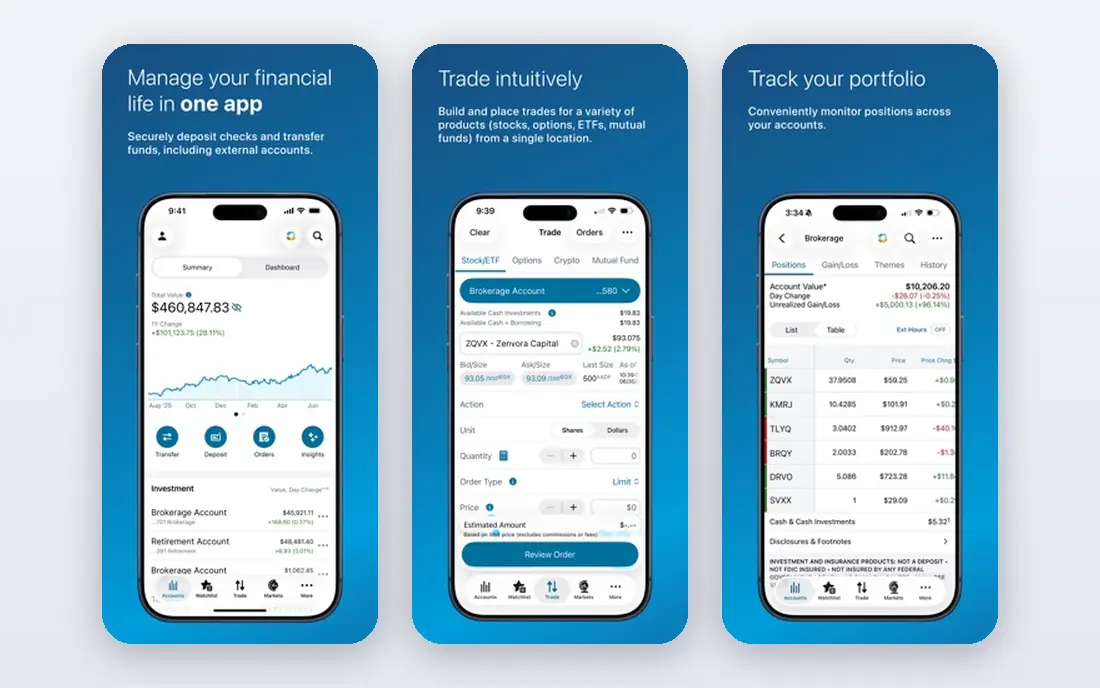
Schwab suits investors who want a traditional broker with modern mobile trading. The app covers stocks, ETFs, mutual funds, and retirement accounts, and the research library helps you compare funds and stocks before you buy. Support through branches and phone lines also helps when an account question is complex, such as a transfer, an inherited account, or a business account.
Schwab is not the slickest app in this list, and some users find the layout less intuitive than newer mobile-first apps. Certain tools also require extra steps or separate logins, which can slow a quick trade. If you value a large, established broker and human help over the fastest mobile design, Schwab is a solid, long-term choice.
- Broad accounts
- Research
- Branch and phone support
- App layout can feel dated
- Some features sit behind extra logins
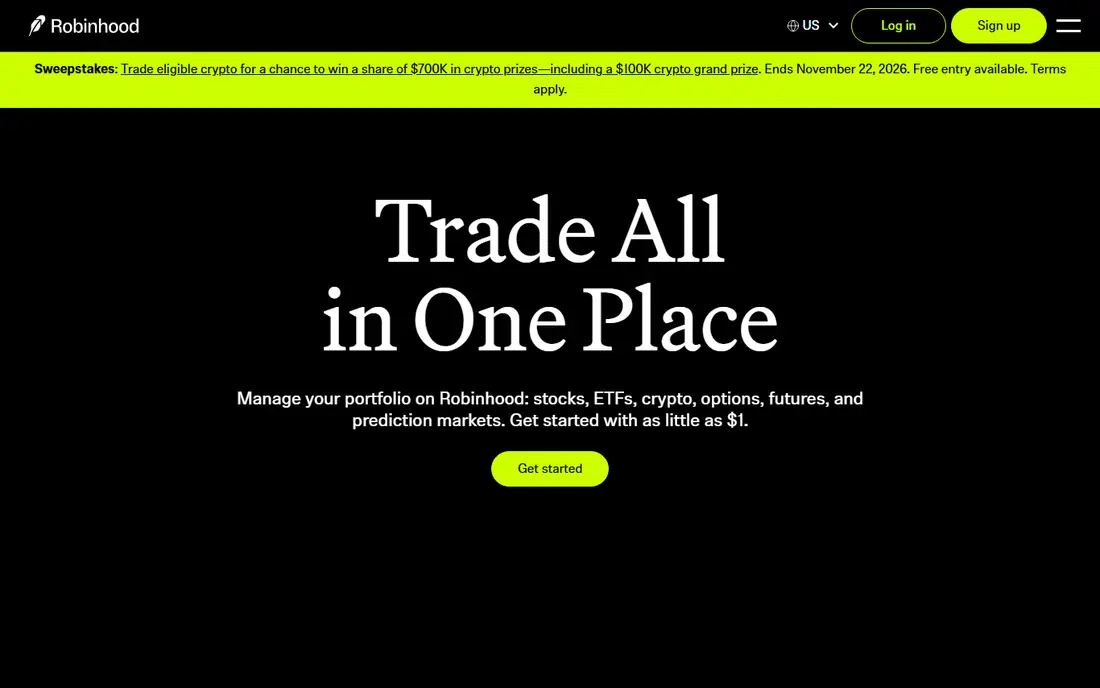
Robinhood is the easiest app here for a first trade. The design is clean, fractional shares let you start with small amounts, and buying a stock or ETF takes only a few taps. For new investors who want to learn by doing with small positions, that simplicity lowers the barrier and keeps the focus on the investment itself, not on navigating menus.
The simplicity comes with limits. Research tools are thinner than at Fidelity or Schwab, and support is mainly digital, which can frustrate users with account problems. Robinhood also makes trading feel easy, and that ease can encourage frequent trades, which is rarely a good long-term plan. Use it for simple, long-term positions, set a clear investing plan, and avoid treating the app like a game.
- Clean mobile design
- Fractional shares
- Low barrier to start
- Limited research depth
- Customer support is mainly digital
Webull suits traders who want more data than Robinhood offers without paying for a professional terminal. Charts, indicators, level data options, and extended-hours trading are built into the app, and paper trading lets you practice strategies without risking real money. For people who study price action and want to test ideas, Webull gives them room to work.
That depth can overwhelm a new investor. The screens are dense, the terminology assumes some market knowledge, and the focus on active trading can pull attention away from long-term investing. Beginners should start with paper trading, learn the chart tools slowly, and keep real positions small until they understand order types and risk. Webull is a strong active-trading app, not a simple set-and-forget retirement app.
- Detailed charts
- Extended hours trading
- Paper trading
- Interface can overwhelm beginners
- Research is market-focused
E*TRADE, from Morgan Stanley, offers a useful middle ground between simple apps and full professional platforms. You can trade stocks and ETFs, open retirement accounts, and use research and screeners, with a streamlined mobile app for everyday trades and a more advanced app for deeper work. That split helps investors who start simple and later want more tools without switching brokers.
The two-app setup is also the main drawback, because advanced features do not all live in the main app. Users may need to learn which app holds which tool, and that adds friction at first. Pricing also varies by product, so check fees for options, futures, and other products before trading them. For a balanced investor who wants both simplicity and depth, E*TRADE is a dependable choice.
- Two app experiences
- Research
- Retirement accounts
- Some advanced features live in a separate app
- Pricing varies by product
Interactive Brokers is the professional-grade option in this list, and it is aimed at traders who need more than US stocks. You can trade across many global markets and asset types, use advanced order types, and access detailed market data. For active traders, portfolio managers, and investors with international holdings, that breadth is hard to match in a consumer app.
Interactive Brokers is not a beginner app, and the interface reflects that. Setup, funding, and order entry assume market knowledge, and new users can feel lost without a guide. Fees and margin rules also need careful reading, because margin trading can amplify losses. If you are an experienced trader who needs global access and precise control, it is excellent, but most long-term investors will be happier with Fidelity or Schwab.
- Broad global markets
- Advanced order types
- Low margin rates for eligible users
- Steep learning curve
- Not built for first-time investors
SoFi suits people who want investing, banking, and other money products in one place. The investing app is simple, fractional shares keep starting amounts low, and you can see cash, loans, and investments without switching apps. For a beginner who already uses SoFi for banking, adding a small investing account is a natural next step.
SoFi is not the best choice for deep research or advanced trading, because investing is only one part of a wider finance app. Traders who want detailed charts, screeners, and analyst reports will find more at Fidelity, Schwab, or Webull. If your goal is to start investing regularly, automate contributions, and keep your money life simple, SoFi covers that job well, and you can move to a fuller broker later if your needs grow.
- Simple investing
- Fractional shares
- Banking and other finance products in one app
- Research depth is limited
- Investing is one part of a wider finance app
How we picked these
We compared official broker pages, account types, fees, and app features, and we favored established brokers with live US apps in October 2026. We did not rank by promotions or by trading volume, because a bonus or a busy chart does not make a broker right for a long-term investor. We also noted where an app suits beginners, active traders, or advanced users, because that fit matters more than a single feature list. This article is general information only and is not financial advice.
How to choose a stock trading app without taking on extra risk
Start with the account, not the app design. Check whether the broker offers the account you need, such as a taxable account, a traditional IRA, or a Roth IRA, and whether fractional shares and automatic contributions are available. A pretty app that lacks the right account type will push you to switch later, which wastes time and creates tax paperwork.
Read the fee schedule for your actual trades. Many brokers offer commission-free stock and ETF trades, but options, futures, margin interest, and account transfers can still carry fees. If you plan to trade options or use margin, compare those costs directly, because they vary far more than stock commissions do.
Set a plan before you fund the account. Decide how much you will invest, how often, and what mix of broad funds or individual stocks fits your goals and time horizon. Automatic contributions to diversified funds suit most long-term investors better than frequent stock picking, and a written plan helps you avoid reacting to daily price moves.
Be careful with margin, options, and borrowed money. These tools can amplify losses as well as gains, and they are not suitable for money you need soon. If you do not fully understand an order type or product, do not trade it with real money, and use paper trading or educational material from the broker first.
FAQ
What is the best stock trading app for beginners?
Fidelity is a strong all-round pick for beginners who want research and retirement accounts, while Robinhood and SoFi are simpler if you only want mobile stock trading. Choose the one whose account types and support match your goals, not just the cleanest home screen.
Is stock trading free on these apps?
Many stock and ETF trades are commission-free at these brokers, but other products and services can still carry fees. Check the broker fee schedule for options, margin, transfers, and account services before you trade.
Can I lose money with a trading app?
Yes. Stock prices can fall, and trading carries risk, including the risk of losing part or all of an investment. Margin and geared products can increase losses, so only invest money you can afford to leave invested and consider diversified funds for long-term goals.
Do I need a lot of money to start?
No, because fractional shares let you buy part of a stock or ETF with a small amount at several brokers here. Automatic contributions also help you build a position over time, even if each contribution is modest.
Should I use one broker or several?
One broker is simpler for most people, because it keeps tax forms, accounts, and support in one place. Some advanced traders use a second broker for specific markets or tools, but beginners should start with one and add another only for a clear reason.