Best AI Stock Analysis Tools in 2026: 8 Tools Compared
Compare the best AI stock analysis tools in 2026, from TrendSpider and Trade Ideas to Tickeron, Danelfin, TradingView, Stock Rover and Finviz for traders.
- Editor's choice
 TrendSpider
Automated charting and backtesting
Starts at$82 per monthVisit trendspider.comFull review - Great alternative
 Trade Ideas
Live scanning and AI signals
Starts at$127 per monthVisit trade-ideas.comFull review - Also consider
 Tickeron
AI pattern forecasts
Starts atSee websiteVisit tickeron.comFull review
TL;DR:
- TrendSpider is best for automated charting and backtesting, while Trade Ideas is best for live scanning and AI signals.
- Tickeron and Danelfin focus on AI scores and pattern forecasts, which need careful backtesting before you trust them.
- TradingView is the best low-cost starting point for charts, screeners, and community ideas.
- AI tools can surface ideas and test rules, but they cannot predict markets, and past backtests do not guarantee future results.
- This is not financial advice, and trading carries risk, including the risk of losing money you invest.
Quick comparison
| Tool | Best for | Starts at | Free plan? | |
|---|---|---|---|---|
| TrendSpider | Automated charting and backtesting | $82 per month | No | Visit |
| Trade Ideas | Live scanning and AI signals | $127 per month | No | Visit |
| Tickeron | AI pattern forecasts | See website | Yes | Visit |
 Danelfin | AI stock scores | See website | Yes | Visit |
 TradingView | Charts and screeners | Free | Yes | Visit |
 Stock Rover | Research and screening | See website | Yes | Visit |
 Finviz Elite | Fast web screening | $39.50 per month | Yes | Visit |
 VectorVest | Buy, sell, and hold ratings | See website | No | Visit |
The best AI stock analysis tools
AI stock tools promise to scan thousands of stocks, spot patterns, and score ideas faster than a human can. Some do that well, especially for chart automation and screening. Others sell scores and signals that look precise but fall apart once fees, slippage, and changing markets are counted. Our pick for most traders is TrendSpider for chart work, with Trade Ideas as the best scanner, and TradingView as the low-cost base for charts and screening.
A plain disclaimer first: this is not financial advice, and trading carries risk. AI signals are opinions from a model, not guarantees, and a tool that worked in one market regime can fail in the next. Never trade with money you cannot afford to lose, and paper trade a new signal for weeks before you risk real capital.

TrendSpider automates the tedious parts of technical analysis. It draws trendlines, plots Fibonacci levels, and tracks indicators as prices change, so you spend less time redrawing charts and more time judging setups. The Strategy Tester lets you backtest rules without code, and Sidekick, its AI assistant, can help build scans and explain chart setups.
Pricing is the main hurdle. Standard starts around $82 per month, with Premium, Enhanced, and Advanced tiers rising to $321 per month, and plans differ mainly by limits such as workspaces, bots, and alerts. A 14-day trial is paid, not free, so read trial and refund terms before you start. For active chart traders, the automation can justify the cost. For occasional investors, TradingView will cover most needs at a lower price.
- Automated trendlines and indicators
- No-code strategy testing
- Sidekick AI assistant for chart and scan building
- High price for casual users
- No free plan, only a paid trial
- Add-ons and data fees can stack up
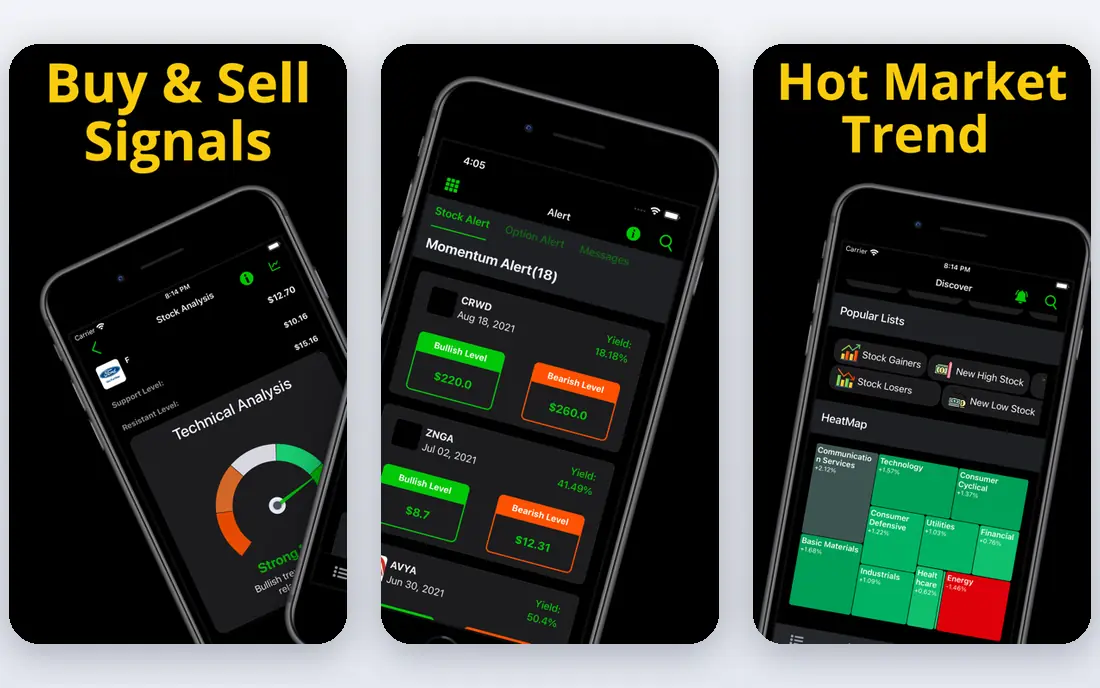
Trade Ideas is a scanner first and a charting tool second. It scans the market live against your filters and alerts you when a stock meets your rules, rather than making you refresh a screener by hand. Holly, its AI engine, issues intraday signals based on strategies that are backtested overnight, with entry, stop, and target levels on Premium plans.
Standard costs $127 per month, while Premium costs $254 per month, with annual billing lowering the monthly equivalent. That price only makes sense if you trade actively and use live signals daily. Casual investors will get little value from a real-time scanner, and Holly signals still need your own risk rules, position sizing, and exit discipline to work in live trading.
- Real-time scanning across hundreds of filters
- Holly AI signals with entry, stop, and target levels
- Backtesting tools
- High monthly cost
- US stocks and ETFs only
- Learning curve for scan building
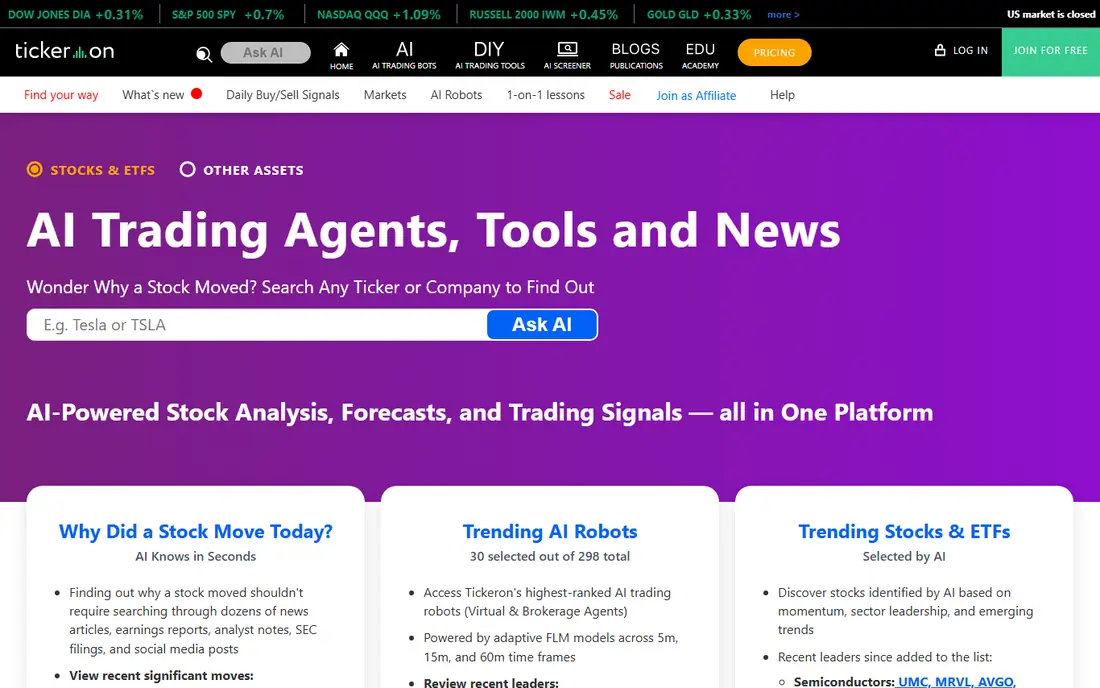
Tickeron uses AI to spot chart patterns, trend changes, and price forecasts, then scores them with confidence levels. That can help you narrow a watchlist from thousands of stocks to a handful of setups worth a closer look. The platform also offers screeners, portfolio tracking, and educational content for users who want context around each signal.
Treat every forecast as a hypothesis, not a prediction. Backtest a Tickeron pattern on your own timeframe and market before you trade it, and check how it performs after fees and in down markets, not only in the examples shown on the site. Tickeron offers a free tier with limited features, with paid plans for full pattern access and alerts. Check current pricing on the site, since tiers vary by asset and feature set.
- AI pattern recognition across stocks and ETFs
- Trend and confidence scores
- Screener and portfolio tools
- Forecast accuracy varies by market
- Interface can feel crowded
- Premium tiers needed for full features
Danelfin distills many data points into one AI Score for each stock or ETF, with a breakdown of the factors driving that score. That simplicity suits investors who want a quick ranking step before deeper research, rather than a wall of indicators. You can screen by score, sector, and other factors, then read filings, earnings, and valuation yourself before deciding.
The risk is over-trusting a single number. A high score does not mean a stock is cheap, safe, or right for your portfolio, and scores can shift as new earnings or price data arrive. Danelfin offers a free tier, with Plus and Pro plans for full screening, score history, and alerts. Use the score as a starting filter, not as a buy or sell order.
- Single AI Score for stocks and ETFs
- Explainable factors behind each score
- US and European coverage
- Scores can change fast with new data
- Not a trading platform
- Premium needed for full history and screening
TradingView is the best base layer for most stock analysis, even if it is not the most AI-heavy tool here. Charts are fast and flexible, Pine Script lets you build custom indicators and strategies, and the screener covers stocks, ETFs, crypto, and forex with many filters. Community ideas and earnings calendars add context without leaving the chart.
AI features on TradingView are more modest than TrendSpider Sidekick or Trade Ideas Holly, focusing on screener requests and assisted analysis rather than full signal generation. The free Basic plan covers core charting, with paid plans starting around $12.95 per month billed annually for more indicators, alerts, and data. Start here, then add a specialist AI tool only if you have a clear gap it fills.
- Excellent charts and Pine Script
- Strong screener and community ideas
- Free plan for basic use
- AI features are limited compared with dedicated tools
- Advanced data and alerts need paid plans
- Ads on free plan
Stock Rover suits investors who care more about fundamentals than intraday signals. You can screen by valuation, growth, dividends, and quality factors, build watchlists, and compare companies side by side with detailed financial data. Portfolio tools help you track allocation, income, and performance in one place.
Stock Rover does not promise AI predictions in the same way as Tickeron or Danelfin, which can be a strength if you prefer transparent factors over black-box scores. The free plan covers basic screening and research, with Premium and Premium Plus plans for advanced screeners, historical data, and portfolio analytics. Check current pricing on the site, since plans are billed annually in many cases.
- Deep fundamental screening
- Portfolio and dividend tools
- Detailed company research pages
- Less AI signal marketing than rivals
- Charting is solid but not leading
- Premium needed for full screening
Finviz is a favorite for traders who want to scan the whole market in seconds from a browser. The free screener covers price, volume, fundamentals, and technical filters, while heat maps show sector movement at a glance. News, insider trading, and earnings data sit alongside the screener, so you can move from a scan to a story fast.
Finviz Elite, at $39.50 per month or $299.50 per year, adds real-time data, advanced charts, and faster updates. It does not offer an AI signal engine like Trade Ideas, so pair it with your own rules or a charting tool if you need automated signals. For a low-cost, fast screening layer, Finviz is hard to beat.
- Very fast web screener
- Heat maps and news integration
- Real-time data on Elite
- No AI signal engine
- Interface is dense for beginners
- Elite is a subscription, not a free tool
VectorVest gives each stock a set of ratings for value, safety, and timing, plus an overall buy, sell, or hold signal. Market timing tools aim to tell you when the broader market favors buying or caution, which some investors use as a risk filter before adding positions. The platform also offers advisory content and portfolio tools for subscribers.
As with any rating system, the model can be wrong, and timing signals can lag fast market turns. VectorVest offers a trial in many cases, with plans ranging from a basic advisory tier around $19.99 per month to higher tiers for full platform access. Paper trade its signals and check how they perform in your timeframe before you use them with real money.
- Clear value, safety, and timing ratings
- Market timing signals
- Stock advisory content
- US focus in many plans
- Pricing varies by tier
- Ratings are model outputs, not guarantees
How we picked these
We compared official pricing pages, feature pages, and public reviews for AI stock tools that are live in the United States in October 2026. We favored tools with working screeners, backtesting, or live scanning, clear pricing, and a real user base, and we mixed chart automation, live scanning, AI scores, and fundamental research so readers can match the tool to their trading style. We left out tools that only sell signals with no transparent method or backtest.
How to test an AI signal before you trust it
Define the rule in writing: entry, stop, target, position size, and market conditions where you will not trade it. Backtest it on out-of-sample data, not only on the period shown in marketing, and count fees, spreads, and slippage. Then paper trade it for at least a few weeks across different market days before you risk real capital.
Keep risk rules separate from signals
A signal tells you what to look at, while your risk rules tell you how much to risk and when to exit. Set a maximum loss per trade and per day, avoid averaging down into a losing AI signal, and review losing trades for pattern errors rather than blaming the tool alone. If a tool cannot explain its signal in terms you understand, do not trade it.
FAQ
What is the best AI tool for stock analysis?
TrendSpider is best for automated charting and backtesting, Trade Ideas is best for live scanning and AI signals, and Danelfin is best for a simple AI score. TradingView is the best low-cost base for charts and screening.
What is the best AI app for stock analysis for beginners?
TradingView is best for beginners, because the free plan covers charts and screening without a high monthly cost. Danelfin and Stock Rover are also beginner-friendly for research, while TrendSpider and Trade Ideas suit more active traders.
Can AI predict stock prices?
No AI tool can predict stock prices reliably. AI can spot patterns, score stocks, and test rules faster than a human, but markets change, and past patterns often fail. Use AI as a research aid, not as a prediction machine.
Is TrendSpider or Trade Ideas better?
TrendSpider is better if your main job is charting and backtesting a setup you already have. Trade Ideas is better if your main job is finding new setups live during the trading day. Many active traders use both for different jobs.
How much do AI stock tools cost?
Costs range from free on TradingView and Finviz basic plans to $39.50 per month for Finviz Elite, $82 per month for TrendSpider Standard, and $127 per month for Trade Ideas Standard. Higher tiers and data add-ons can raise the total well above the entry price.
Are AI stock signals worth paying for?
They can be, if you test them, use strict risk rules, and trade actively enough to cover the subscription. For long-term investors, a research tool such as Stock Rover or Danelfin often gives more value than a real-time signal feed.