Best AI Stock Apps in 2026: 8 Tools Compared
Compare the best AI stock apps in 2026 for screening, scores and research, with pricing and limits today. This is research help only, not financial advice.
- Editor's choice
 Danelfin
Explainable AI stock scores
Starts atFrom $22 per monthVisit danelfin.comFull review - Great alternative
 TrendSpider
Chart automation and scanning
Starts atFrom $59 per monthVisit trendspider.comFull review - Also consider
 Trade Ideas
Real-time AI trade signals
Starts atFrom $89 per monthVisit trade-ideas.comFull review
TL;DR:
- Danelfin suits investors who want an explainable score across fundamentals, technicals and sentiment.
- TrendSpider and Trade Ideas suit active traders who scan, backtest and automate chart-based ideas.
- Tickeron and Magnifi cover broad screening and portfolio ideas, while Incite AI focuses on faster research summaries.
- AI scores and signals are research inputs, not guarantees, and they should never replace your own checks.
- Start with a free tier or trial, and compare a tool on stocks you already understand before paying.
Quick comparison
| Tool | Best for | Starts at | Free plan? | |
|---|---|---|---|---|
| Danelfin | Explainable AI stock scores | From $22 per month | Yes | Visit |
| TrendSpider | Chart automation and scanning | From $59 per month | No | Visit |
| Trade Ideas | Real-time AI trade signals | From $89 per month | No | Visit |
 Tickeron | Broad AI screening tools | From $20 per month | No | Visit |
 Magnifi | AI-assisted portfolio research | See website | No | Visit |
 Incite AI | Fast stock research summaries | See website | Yes | Visit |
 StockHero | Automated trading bots | See website | No | Visit |
 LevelFields | Event-driven stock alerts | See website | No | Visit |
The best AI stock apps
We focused on apps that use AI for screening, scoring, scanning or research, and that are currently available to retail investors or traders. Prices below reflect published plans where available, and See website where pricing varies or is not published clearly. This article is for research only, and it is not financial advice. Trading and investing carry risk, including possible loss of money, so check any idea against fundamentals, risk tolerance and, where needed, a qualified adviser.
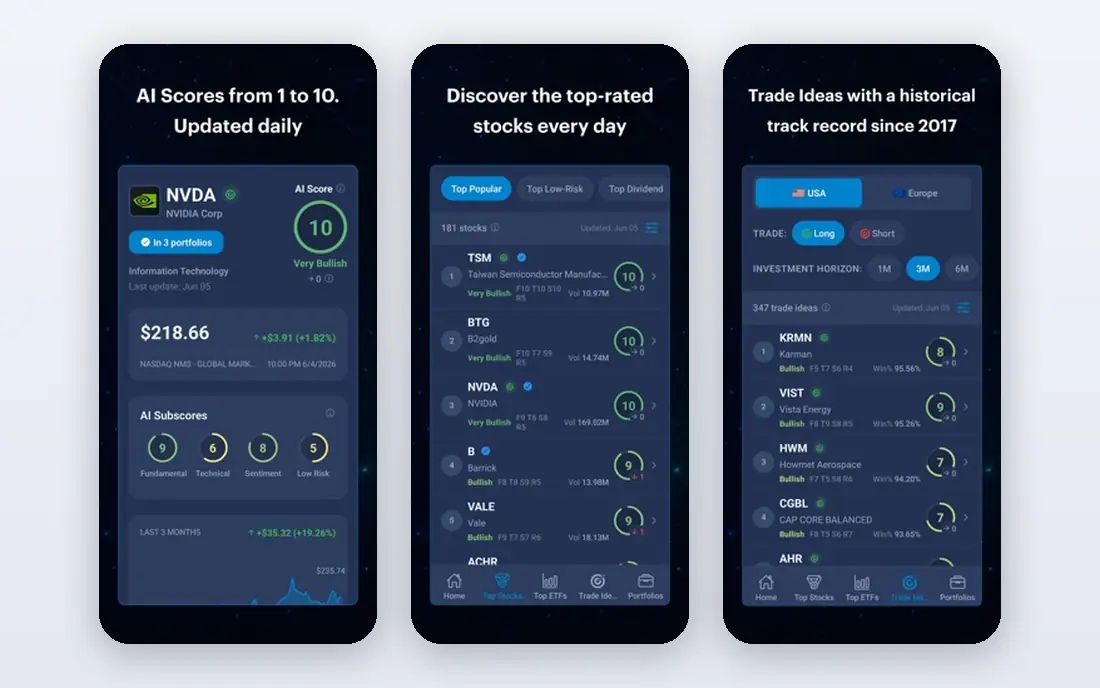
Danelfin gives each stock and ETF an AI Score that combines fundamental, technical and sentiment signals. The appeal is explanation, because users can see subscores and related signals rather than a single opaque number. That structure helps investors compare candidates before deeper research. The free plan offers limited reports and rankings, while paid plans add unlimited reports, portfolio sync and more signals. Annual pricing for Plus starts around $22 per month, with higher tiers for traders who need more portfolio capacity and data. Investors should still check earnings, valuation and company news alongside any score. Danelfin suits longer-term research more than intraday trading, because scores update on a research cycle rather than tick by tick. It is not a promise of future returns, and a high score does not mean a stock is safe. Used as a screening layer, it can save time.
- Clear AI Score breakdown, broad stock and ETF coverage, portfolio tools
- Scores are probabilistic, higher tiers needed for full features
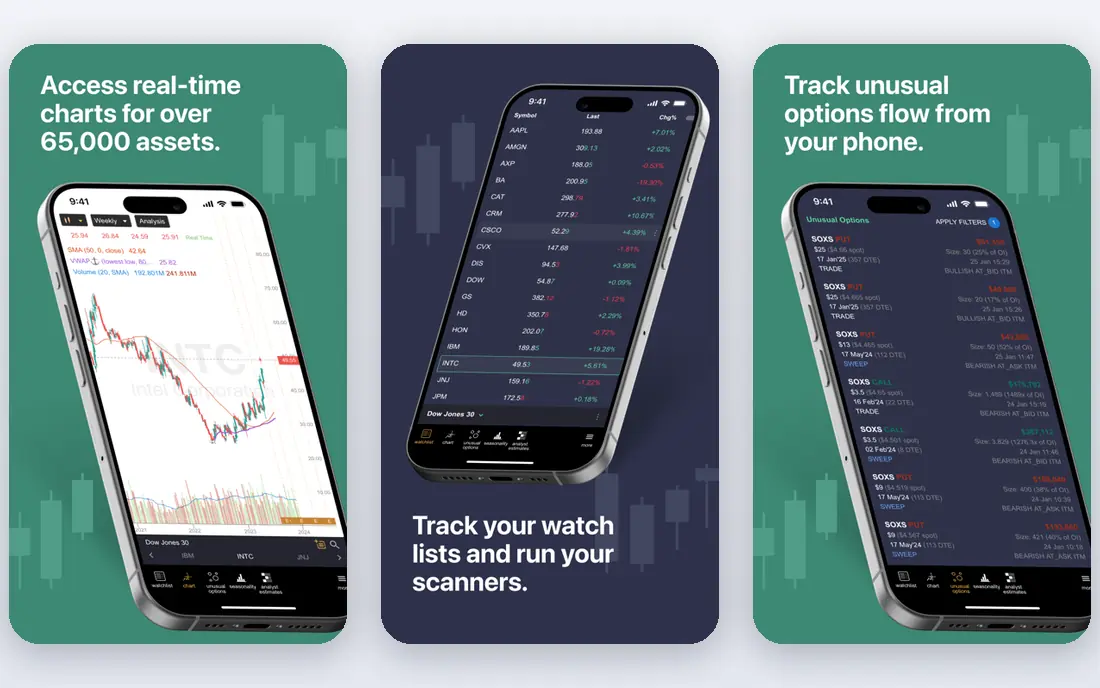
TrendSpider is built for traders who want charts to do more of the routine work. It can draw trendlines, detect patterns, scan markets and test strategies without manual chart watching. Its Sidekick assistant can answer questions and help build scans in plain language. Standard pricing starts around $59 per month depending on billing term, with higher plans for more alerts, backtests and data. Real-time United States stock data is included for non-professionals on standard plans, while futures data costs more. A paid trial lets traders test the workflow before a full commitment. The platform suits systematic traders with watchlists and rules, not casual investors checking a few stocks each month. The cost and feature depth can feel heavy for beginners. For active technical traders, it is one of the most complete chart automation tools.
- Automated chart analysis, natural language scanning, backtesting tools
- Higher cost, learning curve for advanced automation
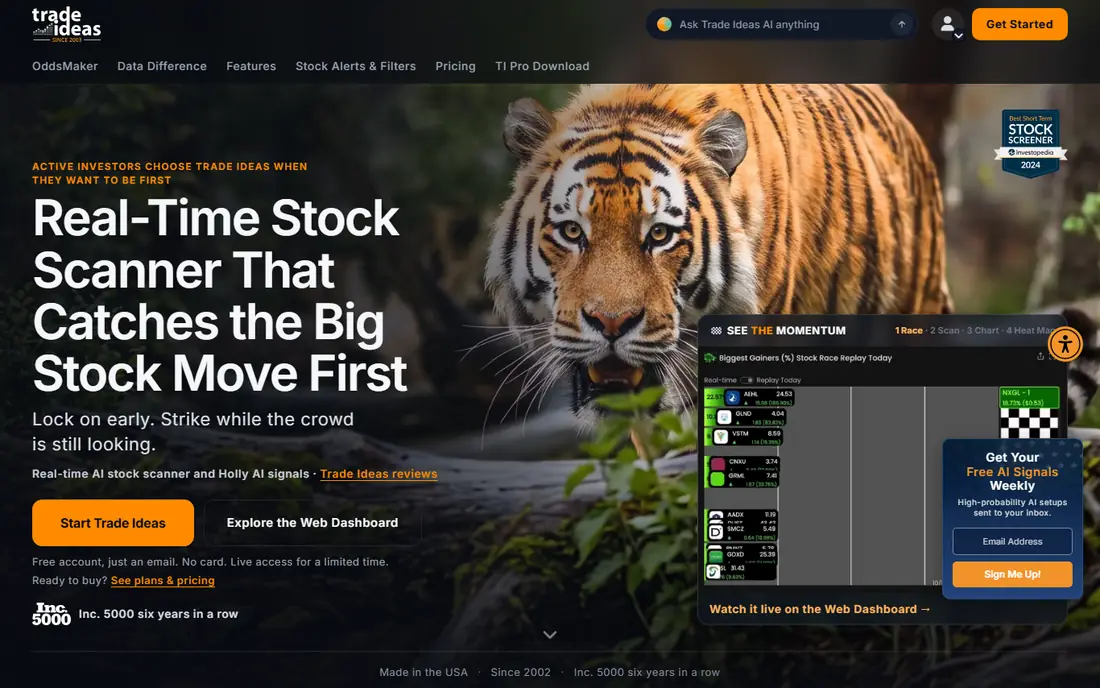
Trade Ideas centers on live market scanning and its Holly AI system, which generates trade signals during the trading day. Traders can watch scans update in real time, filter by price, volume and pattern, and review signal history. The higher plan adds OddsMaker backtesting and automation features. Pricing starts around $89 per month on annual billing for Standard, with Premium around $178 per month on annual billing. Monthly rates are higher. That cost only makes sense for traders who use live scans daily and have a clear risk plan. Trade Ideas is not a set-and-forget investing app, and signals do not remove market risk. Beginners may find the interface and speed overwhelming. For active traders who want AI-assisted intraday ideas, it is a leading option.
- Live scanning, Holly AI signals, strong backtesting on higher plan
- Expensive, best for active traders rather than long-term investors
Tickeron offers a broad set of AI tools rather than a single score or scanner. Users can explore AI screeners, trend predictions, pattern searches and trading agents across stocks and other markets. That breadth helps traders who want to test different styles without buying several separate tools. Individual tools start around $20 per month for the AI Screener, with broader plans costing more depending on access. Because Tickeron sells tools and bundles, shoppers should confirm exactly which features sit on the plan they choose. A trial or lower tier can help clarify value before upgrading. The breadth is also a weakness, because the interface can feel busy and some tools overlap. Tickeron suits curious traders who enjoy exploring signals and patterns. It is less ideal for investors who want one simple score and a short research workflow.
- Wide tool set, pattern and trend tools, many markets covered
- Tool pricing can be confusing, interface feels busy at first
Magnifi lets users ask investing questions in plain language and get stock, ETF and portfolio ideas in return. That approach suits investors who start with a theme, such as dividends or clean energy, rather than a ticker list. The tool can help narrow a large market into a smaller research set. Portfolio features help users compare ideas, check allocations and explore related holdings. The interface is more research-friendly than a fast trading terminal, which makes it easier for part-time investors. Pricing varies by plan and region, so check the current Magnifi pricing page before buying. Magnifi does not replace fundamental research, and its suggestions are not personal financial advice. It works best as a first step, followed by checks on valuation, earnings and risk. For theme-based research, it is a useful starting point.
- Natural language investing questions, portfolio ideas, broad coverage
- Pricing varies, less focused on intraday scanning
Incite AI focuses on faster research, turning market questions into summaries that highlight key points, risks and related stocks. That speed helps investors who want a first read on a company before opening filings or earnings reports. The tool is easier to use than a full trading terminal. Free access lets users test the format, while paid access expands usage and features. Because summaries are generated, users should verify figures against primary sources such as company filings and exchange data. AI summaries can miss context, especially around guidance, debt or one-off items. Incite AI suits investors who need a quick research briefing, not traders who need live scans every minute. It is a complement to deeper research, not a replacement for it. For fast idea generation, it earns a place on this list.
- Quick research summaries, broad market coverage, simple starting point
- Free access is limited, depth varies by query
StockHero is aimed at traders who want to automate strategies without coding. Users can build bots from indicators and rules, backtest ideas and run them through supported brokers or paper trading. A marketplace lets users explore bots built by others, though results vary and past performance does not predict future results. Automation can help traders follow rules consistently, but it can also compound losses if a strategy is poorly tested or market conditions change. Users should start with paper trading, set loss limits and monitor bots rather than leaving them unchecked. Broker support and fees vary, so confirm compatibility before paying. StockHero is not suitable for investors who want a simple buy-and-hold research app. It suits systematic traders who understand indicators and risk controls. For no-code automation, it is one of the more accessible options.
- No-code bot building, backtesting, marketplace bots
- Automation adds risk, broker and market support varies
LevelFields focuses on events that can move stocks, such as earnings, insider trades, leadership changes and regulatory filings. Instead of scanning only price patterns, it alerts users when a meaningful event appears for stocks on their watchlist. That angle helps investors who follow catalysts rather than charts alone. Event alerts can surface ideas quickly, but an event does not tell you whether a stock is fairly valued. Users should still check financials, guidance and position size before acting. The tool works best as part of a research routine that combines events with valuation and risk checks. Pricing varies by plan, so check the current LevelFields page for the tier that fits your watchlist size. For event-driven investors, it offers a distinct lens that price-only screeners miss. It is a research aid, not a trading guarantee.
- Event-based alerts, useful for earnings and insider activity, clear event context
- Pricing by plan, event signals still need fundamental checks
How we picked these
We looked for AI stock apps that are currently available, clearly use AI for screening, scoring, scanning or research, and serve retail investors or traders. We favored tools with transparent pricing or a usable free tier, and we avoided apps that promised guaranteed returns. Prices were taken from vendor pages and recent published comparisons where vendor pages were unclear, and See website is used where pricing varies.
What to check before you buy
Treat every signal as a hypothesis
AI scores, signals and summaries are starting points for research, not conclusions. Check earnings, balance sheet strength, valuation and recent news before acting. A tool that cannot explain its inputs should be treated with extra caution.
Match the tool to your time horizon
Long-term investors need scores, fundamentals and portfolio tools, while active traders need live scans and backtesting. Buying a trading terminal for buy-and-hold research wastes money. Buying a research app for intraday trading leaves you without live data.
Test on stocks you already know
Run any new tool on companies you understand well, and compare its output with your own research. That test reveals whether the tool adds insight or just repackages price data. If it adds little on familiar names, it is unlikely to help on unfamiliar ones.
Control risk before you automate
Set position limits, loss limits and review times before using bots or auto-trading features. Paper trade first, and monitor live bots closely. Automation should enforce a plan you already trust, not replace planning altogether. Remember, this article is not financial advice, and trading carries risk.
FAQ
Are AI stock apps accurate?
AI stock apps can surface patterns and summarize data quickly, but accuracy varies by market, time horizon and data quality. No app can predict prices reliably, and strong past signals do not guarantee future results. Use AI output as one research input alongside fundamentals and risk checks.
Can an AI stock app pick stocks for me?
Some apps suggest stocks based on scores, themes or events, but those suggestions are not personal financial advice. Your goals, time horizon and risk tolerance matter more than a generic score. Always review suggestions yourself or with a qualified adviser before investing.
Do I need to pay for an AI stock app?
Free tiers and trials can be enough for basic screening and research. Paid plans usually add more data, alerts, backtests or automation. Start free, track whether the tool changes your decisions, and only pay when the extra features prove useful.
What is the difference between Danelfin and Trade Ideas?
Danelfin focuses on research scores for stocks and ETFs, with an emphasis on explanation and longer horizons. Trade Ideas focuses on live scanning and intraday AI signals for active traders. The right choice depends on whether you invest over weeks and months or trade during the day.
Are automated trading bots safe?
Bots can follow rules consistently, but they can also lose money quickly if a strategy fails or market conditions shift. Paper trading, loss limits and regular monitoring reduce risk, but they do not remove it. Never automate with money you cannot afford to lose.
Should beginners use AI stock apps?
Beginners can use research apps to learn screening and portfolio basics, but they should avoid expensive trading terminals and automation at first. Start with a free research tool, learn fundamentals and risk management, and treat AI signals as study material rather than instructions.
Sources
https://www.danelfin.com https://www.trendspider.com https://www.trade-ideas.com https://www.tickeron.com https://www.magnifi.com https://www.inciteai.com https://www.stockhero.ai https://www.levelfields.com