Best AI Tools for Financial Analysis in 2026: 8 Tools Compared
Compare the best ai tools for financial analysis in 2026, from AlphaSense and FinChat to Daloopa and TrendSpider, with pricing, strengths and honest limits.
- Editor's choice
 AlphaSense
Professional equity research
Starts atSee websiteVisit alpha-sense.comFull review - Great alternative
 FinChat
Individual investors
Starts at$29 per monthVisit finchat.ioFull review - Also consider
 Daloopa
Clean fundamental data
Starts atSee websiteVisit daloopa.comFull review
TL;DR:
- AlphaSense is the strongest choice for professional research teams that need filings, transcripts, broker research and AI search in one place, but its pricing is quote based and high.
- FinChat is the most approachable starting point for individual investors, with a free tier and a Plus plan that is easy to understand.
- Daloopa, Kavout and YCharts each solve a different slice of analysis, from clean financial data to AI scores and visual comparisons.
- TrendSpider and Tickeron focus on charting, patterns and trading signals, which is a different job from fundamental research, so do not judge them on the same criteria.
- Every AI output in finance needs a source check, because an AI summary is not a substitute for reading the filing or checking the number.
Quick comparison
| Tool | Best for | Starts at | Free plan? | |
|---|---|---|---|---|
| AlphaSense | Professional equity research | See website | Free trial | Visit |
| FinChat | Individual investors | $29 per month | Yes | Visit |
| Daloopa | Clean fundamental data | See website | Free trial | Visit |
 Kavout | AI stock scores and signals | See website | Free trial | Visit |
 TrendSpider | Automated chart analysis | See website | Free trial | Visit |
 Tickeron | AI trading patterns | See website | Free trial | Visit |
 Composer | AI-assisted portfolio building | See website | Free trial | Visit |
 YCharts | Visual financial comparisons | See website | Free trial | Visit |
The best AI tools for financial analysis
AI tools for financial analysis now cover a wide range, from reading earnings calls to scanning charts for patterns. We compared official feature pages, pricing pages and public documentation, and we kept tools that are actively sold and used in October 2026. This is not financial advice, and trading and investing carry risk, including the risk of loss.
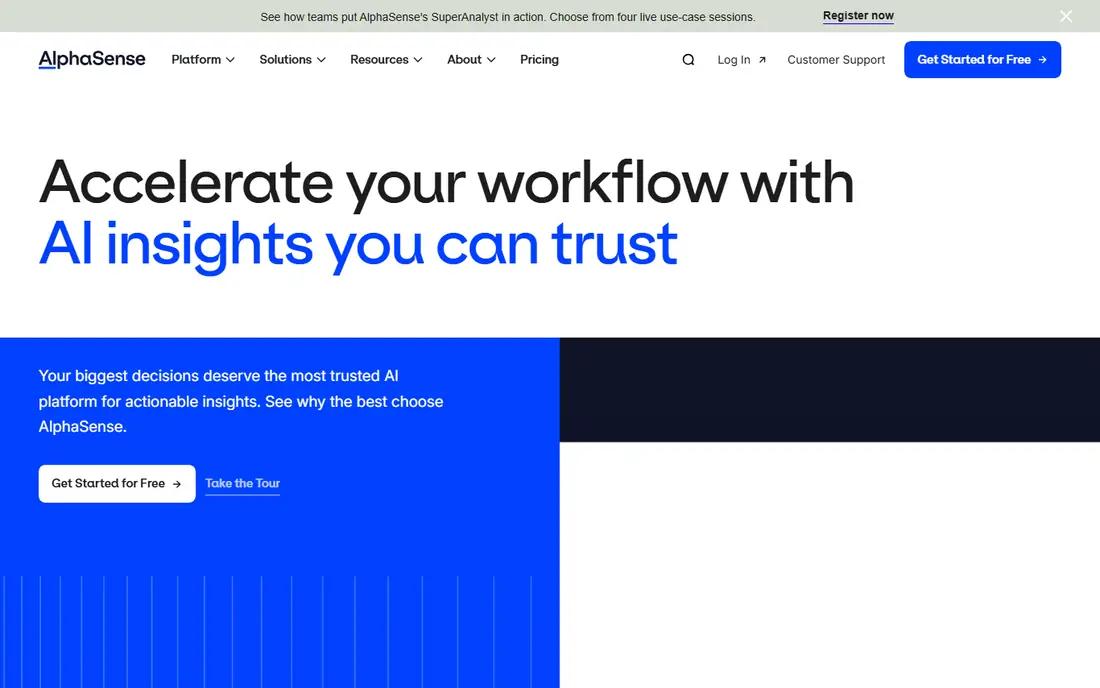
AlphaSense is built for analysts who spend their days inside company documents. Its AI search can find an answer inside filings, earnings transcripts, press releases and broker research, and it can compare what several companies said about the same topic. Newer features for structured answers and multi-step research help turn a broad question into a table you can check, rather than a pile of documents to read one by one.
The cost is the main barrier. AlphaSense does not publish a list price, and deals are quoted by seat count and content packages, with reported per-seat annual costs often in five figures. That makes it a strong fit for funds, banks and corporate strategy teams, and a poor fit for a solo investor who only needs basic data. Ask for a written quote for your exact seat count and content needs before you judge it.
- Deep content library including filings, transcripts and broker research
- AI search across documents
- Tools for summarising and comparing companies
- Pricing is quote based and high for small teams
- No self-serve free tier
- Annual contracts are the norm
FinChat gives individual investors a terminal-style view without a terminal price. You can build dashboards around the metrics you care about, screen companies, read transcripts and filings, and ask its AI assistant questions in context. The free tier is enough to test whether the workflow suits you, and the Plus plan at $29 per month suits active individual investors who want more depth.
The limit is depth for professional work. It does not replace licensed broker research or expert call libraries, and smaller companies may have less segment detail than large caps. For most personal research, though, that trade is fair, because you get verified financial statements, estimates and documents at a price a single investor can justify.
- Free tier for casual research
- Plus at $29 per month
- Covers many global public companies
- AI chat tied to financial data
- Coverage is thinner for small companies
- Pro at $79 per month is a jump for casual users
- Not a broker research replacement

Daloopa focuses on a problem that is easy to overlook, which is getting clean numbers out of messy filings. Its AI reads filings, investor presentations and other documents and turns them into structured financial data that analysts can use in models. If you build company models in Excel, that extraction step can save hours of manual copying and checking.
Because it is sold mainly to professional teams, pricing is quote based and you should expect a sales conversation. It is also not a general research terminal, so pair it with a research tool if you also need news, transcripts and broker research. For a modelling-heavy team, though, the time saved on data cleaning is the whole point.
- AI-extracted data from filings and presentations
- Structured models for analysts
- Excel integration for existing workflows
- Pricing is quote based
- Aimed at professionals, not casual investors
- Value depends on your modelling workflow
Kavout uses machine learning to score stocks and surface patterns, which appeals to investors who want a shortlist to investigate further. Its tools combine price, fundamental and technical signals into a view that is easier to scan than a raw screener. That can help you spot candidates you might have missed, especially in a large US universe.
Treat any score as a starting point, not a decision. Scores change as data changes, and they do not know your risk tolerance, time horizon or tax position. Use Kavout to build a watchlist, then check the underlying financials, news and filings yourself before you act. That discipline matters more than any single score.
- AI-generated stock scores
- Pattern and signal tools
- Data coverage for US stocks
- Scores are not predictions and need independent checks
- Pricing and plan details need confirmation on the vendor site
- Limited appeal for pure fundamental analysts
TrendSpider is for investors and traders who work from charts. It draws trendlines automatically, detects common patterns, and lets you test ideas across timeframes without drawing every line by hand. That automation removes some of the subjectivity from chart reading, and its backtesting tools let you check whether an idea would have worked in the past, with all the limits that backtests carry.
It is not a fundamental research tool. You will still need a separate source for earnings, balance sheets and company news if you want to know why a price moved. Also, a pattern that worked in a backtest can fail in live markets, so position sizing and stop rules matter more than the pattern itself.
- Automated trendlines and pattern detection
- Multi-timeframe analysis
- Backtesting tools for strategy checks
- Charting strength does not cover fundamentals well
- Pricing tiers need checking on the vendor site
- Signals still need risk controls
Tickeron applies AI pattern recognition to stocks and other markets, and it pairs those signals with screeners that help you filter by pattern, trend or momentum. For traders who like a systematic way to find setups, that combination is more useful than a single indicator. It also offers learning material, which helps newer traders understand what a pattern is actually claiming.
The honest catch is that patterns are probabilities, not certainties. A high-confidence pattern can still fail, and performance in one market regime does not guarantee performance in another. Use Tickeron to find ideas, then confirm them with your own rules on entry, exit and risk before you place a trade.
- AI pattern recognition across stocks and other assets
- Screener tools
- Educational material for newer traders
- Signal quality varies by market conditions
- Subscription tiers can be confusing
- Not a substitute for fundamental research
Composer lets you build a portfolio strategy visually, using rules and AI assistance, rather than writing code. You can combine assets, set weights, add conditions and let the platform rebalance on a schedule. That makes it appealing for investors who have a clear idea about allocation but do not want to manage each trade by hand.
Backtests deserve caution. A strategy that looks strong in a backtest may have been fitted to past data, and live trading adds costs, taxes and market moves that a backtest may not capture fully. Check which brokerages are supported, what fees apply, and how rebalancing is taxed in your account before you fund a strategy.
- Visual, no-code portfolio strategies
- AI-assisted strategy creation
- Automated rebalancing for supported accounts
- US-focused brokerage setup
- Strategy backtests are not future results
- Fees and account limits need checking on the vendor site
YCharts is strong at the visual side of analysis, which is charts, peer comparisons and economic data presented in a way you can share. Advisers and analysts use it to compare companies side by side, track margins, growth and valuation, and build visuals for reports and client meetings. That clarity is valuable when you need to explain a decision, not just make it.
It is priced for professional use, so individual investors may find it expensive compared with FinChat or a broker platform. Its AI features are also narrower than a full research terminal such as AlphaSense. Pick YCharts when visual comparison and presentation are central to your work, and pair it with a research source if you need deep document search.
- Clear charts and peer comparisons
- Broad fundamental and economic data
- Useful for client-ready visuals
- Pricing is aimed at professionals and advisers
- Free access is limited
- AI features are narrower than research terminals
How we picked these
We compared official feature pages, pricing pages and public documentation, and we kept tools that exist and work in October 2026 and truly fit financial analysis, rather than general chatbots with no financial data. We looked for a real data source behind the AI, a clear audience, and a price or quote path you can actually follow. We did not include tools that only promise returns, and we treated every AI score, summary and signal as something to verify against primary data.
How to choose without overpaying
Start by naming the job. If the job is reading filings and transcripts for professional research, you need a research terminal. If the job is screening and tracking your own portfolio, a tool such as FinChat or YCharts will cover it for far less. If the job is chart patterns, pick a charting tool and judge it on charting, not on fundamentals it was never built to cover.
Next, check the data behind the AI. Ask which filings, exchanges and time periods are covered, how often data is updated, and whether you can click through from an AI answer to its source. A tool that hides its sources is hard to trust with money decisions. Finally, trial two tools on the same company and the same question, and compare the answers against the filing itself. That short test tells you more than a feature list.
FAQ
Which AI tool is best for financial analysis?
The best tool depends on the job. AlphaSense is strongest for professional research across documents, FinChat is the best value start for individual investors, and Daloopa is best when clean fundamental data for modelling is the priority. Define the job first, then pick the tool that does that job well.
Is there a free AI tool for financial analysis?
FinChat offers a free tier for casual research, and most tools on this list offer a free trial. Free tiers usually limit data depth, history or AI usage, so they are good for testing, but a serious research workflow usually needs a paid plan. Check the limits on the vendor site before you rely on a free tier.
Can AI replace a financial analyst?
AI can speed up reading, screening and summarising, but it cannot replace judgment about risk, valuation and context. Analysts still need to check sources, understand accounting choices, and weigh information the AI may have missed. Use AI to do more analysis, not to skip analysis.
Are AI stock scores reliable?
AI scores are a summary of past patterns and data, not a forecast you can rely on alone. They can help you build a shortlist, but they change with new data and they do not account for your goals or risk tolerance. Always check the underlying financials and news before acting on a score.
What should I check before paying for AlphaSense?
Ask for a written quote for your seat count, content packages and contract length, and ask what is included versus what is an add-on. Check whether expert transcripts and broker research are in your package, and trial the search on your own research questions. That prevents a costly surprise at renewal.
Is this financial advice?
No. This guide compares software tools, and it is not financial advice. Investing and trading carry risk, including the risk of loss, and you should consider your own situation and, if needed, advice from a qualified professional before making investment decisions.