Best AI Trading Apps for Beginners in 2026: 8 Free Apps Compared
Searching for the best ai trading app for beginners free? We compare 8 free trading apps with AI tools, paper trading and education for new investors.
- Editor's choice
 Fidelity
Best overall free beginner app
Starts atFree; $0 stock and ETF commissionVisit fidelity.comFull review - Great alternative
 Charles Schwab
Education and practice trading
Starts atFree; $0 stock and ETF commissionVisit schwab.comFull review - Also consider
 Robinhood
Simplest first trades
Starts atFree; $0 stock and ETF commissionVisit robinhood.comFull review
TL;DR:
- Fidelity and Charles Schwab offer the strongest free education and research for beginners.
- Robinhood is the simplest free first app, with fractional shares from $1.
- Webull and Moomoo add free paper trading and deeper charts for beginners who want to practise.
- Every app here has a free account, but options, margin and crypto carry extra risk and fees to check.
Quick comparison
| Tool | Best for | Starts at | Free plan? | |
|---|---|---|---|---|
| Fidelity | Best overall free beginner app | Free; $0 stock and ETF commission | Yes | Visit |
| Charles Schwab | Education and practice trading | Free; $0 stock and ETF commission | Yes | Visit |
| Robinhood | Simplest first trades | Free; $0 stock and ETF commission | Yes | Visit |
 Webull | Charts and paper trading | Free; $0 stock and ETF commission | Yes | Visit |
 Moomoo | Data-rich free trading | Free; $0 stock and ETF commission | Yes | Visit |
 SoFi Invest | Simple plus automated investing | Free; $0 stock and ETF commission | Yes | Visit |
 Public | Simple multi-asset investing | Free; $0 stock and ETF commission | Yes | Visit |
 E*TRADE | Balanced research and tools | Free; $0 stock and ETF commission | Yes | Visit |
The best AI trading apps for beginners
This article is not financial advice, and trading carries risk, including the risk of losing money you invest. The apps below all offer a genuine free account for US stocks and ETFs, with AI-assisted screeners, insights or education on top. We focus on tools that help a beginner learn and practise, not on promises about returns.
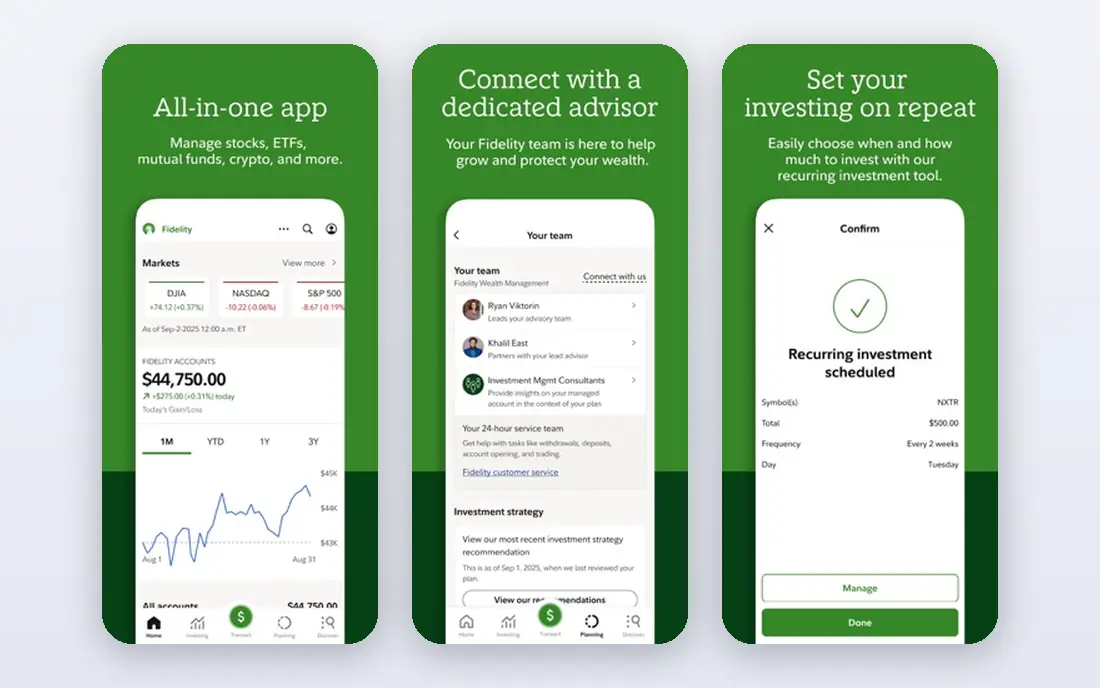
Fidelity is our overall pick for beginners. Its main strengths are $0 stock and ETF commissions, fractional shares from $1, strong research and education. In daily use, that makes it a practical choice for best overall free beginner app.
The main catch is app can feel busy at first; some advanced tools take time to learn. It fits best for best overall free beginner app, so check that fit against your own routine before you commit, and test the free tier or trial with a real task first.
Before you choose Fidelity, compare it with one other option in this list on the task you do most, and check the official pricing page again, because plans and limits can change.
- $0 stock and ETF commissions
- Fractional shares from $1
- Strong research and education
- App can feel busy at first
- Some advanced tools take time to learn
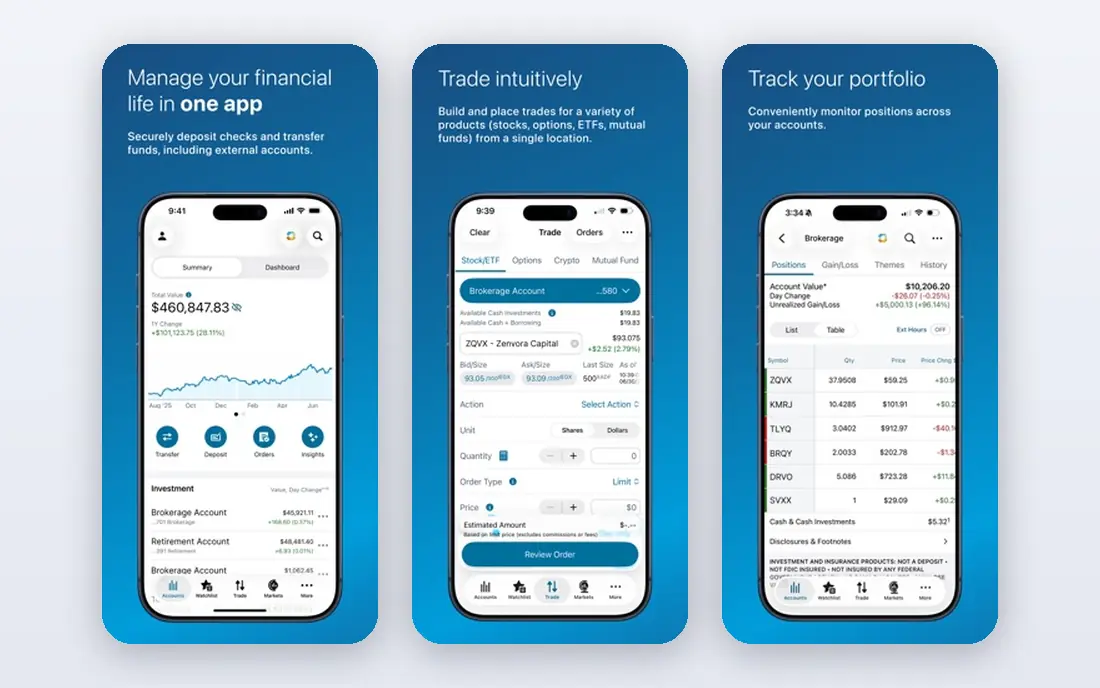
Charles Schwab suits beginners who want to learn first. The strengths that stand out are $0 commissions, thinkorswim paper trading, extensive beginner education. For education and practice trading, that combination covers the core job well.
The honest catch is platform choice can confuse new users; some tools suit active traders more. For education and practice trading, that trade-off is usually acceptable, but confirm it on a trial with the exact task you do most often.
For Charles Schwab, the best test is a real task from your own routine, not a demo account, because a demo can hide the friction of daily use.
- $0 commissions
- Thinkorswim paper trading
- Extensive beginner education
- Platform choice can confuse new users
- Some tools suit active traders more
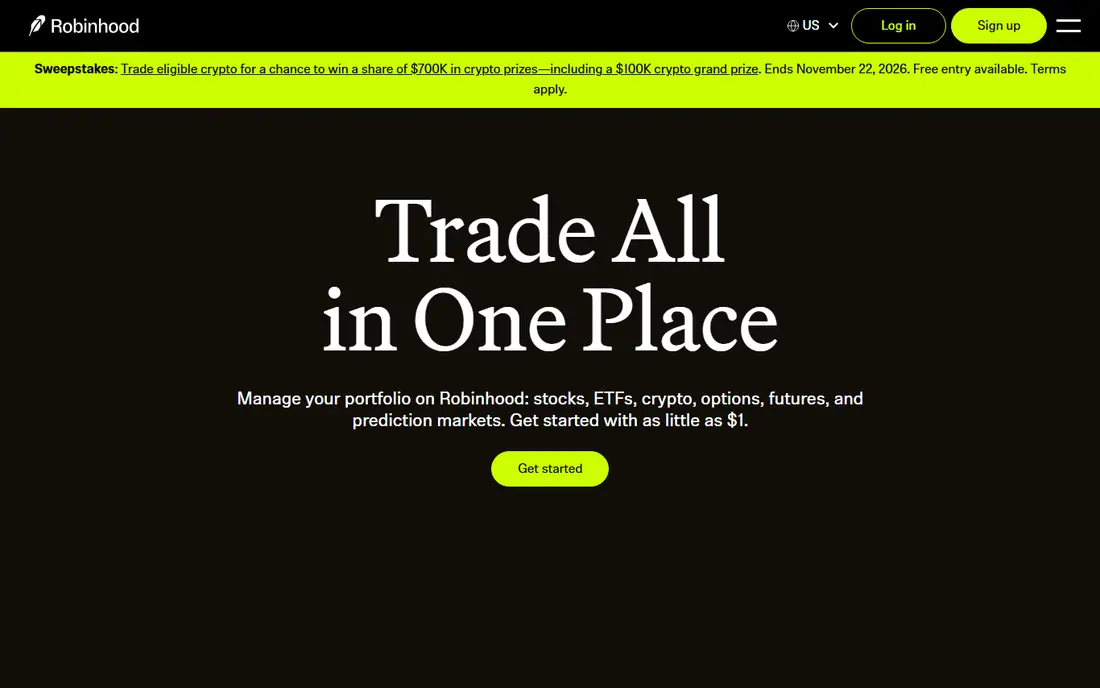
Robinhood is the simplest first app. What stands out most are simple mobile app, fractional shares from $1, recurring investments. That mix suits simplest first trades better than a generic tool would.
Watch out for this: research is lighter than Fidelity or Schwab; no mutual funds. Still, for simplest first trades, the overall value holds up, as long as you check the paid limits before you rely on it daily.
If Robinhood is on your shortlist, check support hours, export options and any limit on users, projects or messages before you move your data across.
- Simple mobile app
- Fractional shares from $1
- Recurring investments
- Research is lighter than Fidelity or Schwab
- No mutual funds
Webull suits beginners who want to learn charting. Its key strengths are free paper trading, advanced charts and screeners, extended hours trading. If you need charts and paper trading, those strengths line up with the daily work.
The downside to weigh is interface can feel busy; no mutual funds or automated investing. If you are choosing for charts and paper trading, test that downside early, because it is the part most likely to frustrate you later.
Before you choose Webull, compare it with one other option in this list on the task you do most, and check the official pricing page again, because plans and limits can change.
- Free paper trading
- Advanced charts and screeners
- Extended hours trading
- Interface can feel busy
- No mutual funds or automated investing
Moomoo gives beginners a surprising amount of professional data for free. Its main strengths are free Level 2 data, paper trading, earnings transcripts and screeners. In daily use, that makes it a practical choice for data-rich free trading.
The main catch is interface can feel crowded; retirement account options are limited. It fits best for data-rich free trading, so check that fit against your own routine before you commit, and test the free tier or trial with a real task first.
For Moomoo, the best test is a real task from your own routine, not a demo account, because a demo can hide the friction of daily use.
- Free Level 2 data
- Paper trading
- Earnings transcripts and screeners
- Interface can feel crowded
- Retirement account options are limited
SoFi Invest suits beginners who want to automate. The strengths that stand out are simple app, automated investing option, fractional shares. For simple plus automated investing, that combination covers the core job well.
The honest catch is research tools are lighter than rivals; crypto options vary. For simple plus automated investing, that trade-off is usually acceptable, but confirm it on a trial with the exact task you do most often.
If SoFi Invest is on your shortlist, check support hours, export options and any limit on users, projects or messages before you move your data across.
- Simple app
- Automated investing option
- Fractional shares
- Research tools are lighter than rivals
- Crypto options vary
Public keeps multi-asset investing simple. What stands out most are simple app, stocks, ETFs and crypto in one place, community insights. That mix suits simple multi-asset investing better than a generic tool would.
Watch out for this: advanced trading tools are limited; some assets carry extra risk. Still, for simple multi-asset investing, the overall value holds up, as long as you check the paid limits before you rely on it daily.
Before you choose Public, compare it with one other option in this list on the task you do most, and check the official pricing page again, because plans and limits can change.
- Simple app
- Stocks, ETFs and crypto in one place
- Community insights
- Advanced trading tools are limited
- Some assets carry extra risk
ETRADE balances research and usability. Its key strengths are $0 commissions, solid research, paper trading on Power ETRADE. If you need balanced research and tools, those strengths line up with the daily work.
The downside to weigh is two platforms can confuse beginners; options fees apply. If you are choosing for balanced research and tools, test that downside early, because it is the part most likely to frustrate you later.
For E*TRADE, the best test is a real task from your own routine, not a demo account, because a demo can hide the friction of daily use.
- $0 commissions
- Solid research
- Paper trading on Power E*TRADE
- Two platforms can confuse beginners
- Options fees apply
How we picked these
We compared official pricing pages, feature pages and app listings for each product in this list, and we checked whether the core job, the free tier and the paid limits matched the topic. We favoured products that exist and work today, with a clear official homepage and published pricing or a clear free tier. We did not claim hands-on testing that did not happen, and we did not invent ratings, user counts or features. We left out products that do not truly fit the topic, even when they are well known in a nearby category.
What to check before you choose
Start with the job you do most often, not with the longest feature list. For best ai trading app for beginners free, that job should guide the shortlist, because a tool that excels at a nearby job can still disappoint on the daily task. Check the free tier or trial with a real task, and note what is locked behind a paid plan, because the limit that matters is usually the one you hit in week two, not on day one. Check the total cost too, including any per-user, per-project or export fee, and check whether the tool works on the devices you actually use. Finally, check support, export and privacy terms before you move important data across, and keep a backup of anything you cannot afford to lose.
FAQ
What is the best option for best ai trading app for beginners free?
For most people, the top pick in this list is a safe starting point, because it balances features, price and ease of use for best ai trading app for beginners free. The right choice still depends on your budget, your device and how often you will use it. Try the free tier or trial with a real task before you pay.
Are there good best free ai trading app for beginners with a free plan?
Yes, several options in this list offer a free plan or free tier, and we state the free plan for each product in the table above. Free plans usually limit some features, exports or usage, so check those limits against your routine. A free plan is often enough to test a tool, and sometimes enough for long-term use.
How much should I expect to pay?
Prices in this list range from free to paid plans, and we list the starting price for each product from vendor pages where available. If a price says See website, the vendor does not publish a simple starting price, so ask for a quote. Always check the checkout page, because taxes, billing terms and add-ons can change the total.
How do I choose between the top two options?
Compare them on the task you do most, not on the total feature count. Use each free tier or trial for the same real task, and note which one felt faster and clearer. If the prices are close, pick the tool with the clearer support, export and privacy terms.
Can I switch later if I pick the wrong one?
Yes, in most cases you can switch, but switching is easier if you keep your data exportable from the start. Check export options before you commit, and avoid storing the only copy of important work inside one app. A short trial with real data will show whether switching costs are likely to be high.