Best Day Trading Platform for Beginners in 2026: 9 Platforms Compared
Looking for the best day trading platform for beginners in 2026? We compared 9 brokers on fees, paper trading, charts, and learning tools for new traders.
- Editor's choice
 Webull
Charts and paper trading
Starts atFreeVisit webull.comFull review - Great alternative
 Fidelity
All-round learning and research
Starts atFreeVisit fidelity.comFull review - Also consider
 Charles Schwab
Paper trading with thinkorswim
Starts atFreeVisit schwab.comFull review
TL;DR:
- Webull and Fidelity are our top starting points for beginners, because they combine low costs with useful charts, research, and learning material.
- Charles Schwab, through thinkorswim, suits beginners who want a strong paper trading simulator and deep charting as they learn.
- Robinhood is the simplest app for a first trade, but it offers less research and no paper trading mode.
- Day trading carries risk, and most beginners lose money at first. Start with paper trading, use small position sizes, and never trade money you cannot afford to lose.
- This article is for education only. It is not financial advice, and you should consider speaking to a qualified adviser before you trade.
Quick comparison
| Tool | Best for | Starts at | Free plan? | |
|---|---|---|---|---|
| Webull | Charts and paper trading | Free | Yes | Visit |
| Fidelity | All-round learning and research | Free | Yes | Visit |
| Charles Schwab | Paper trading with thinkorswim | Free | Yes | Visit |
 Robinhood | Simplest first trades | Free | Yes | Visit |
 E*TRADE | Options and active trading tools | Free | Yes | Visit |
 Interactive Brokers | Advanced tools as you grow | Free | Yes | Visit |
 SoFi Invest | Simple investing alongside trading | Free | Yes | Visit |
 moomoo | Mobile charts and community | Free | Yes | Visit |
 Public | Simple trading with social context | Free | Yes | Visit |
The best day trading platforms for beginners
We compared official fee schedules, platform pages, and app store listings for brokers that accept US beginners. Trading carries risk, and day trading in particular can lead to rapid losses. This is not financial advice. If you day trade, learn the pattern day trader rule, check margin rules, and start with paper trading before you risk real money.
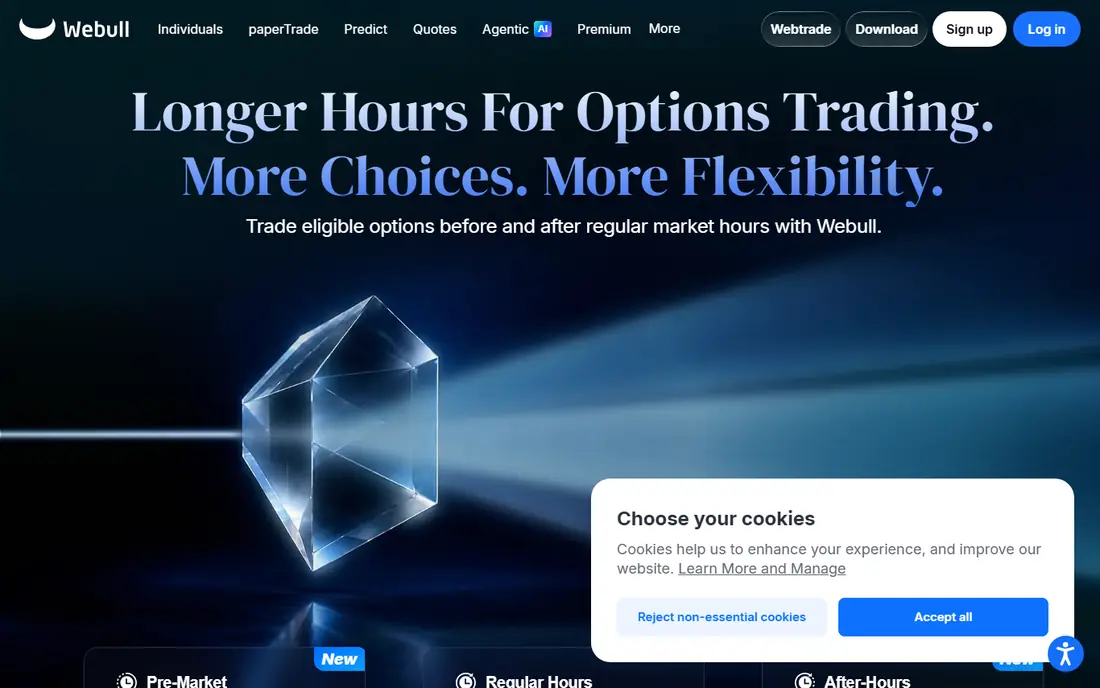
Webull is our pick for beginners who want to learn charting without paying commissions on US stocks and ETFs. The mobile app is clean, charts are detailed, and you can add indicators, watchlists, and alerts without a steep learning curve. That combination helps a new trader move from watching prices to understanding trends.
Paper trading is the key feature for beginners. You can practise buying and selling with virtual money, test a simple plan, and see how fast a trade can move against you, all without risking real cash. Webull also offers extended hours trading and fractional shares, which help if you want to start small.
The catch is scope. Webull does not offer mutual funds, and its retirement and long-term research tools are thinner than Fidelity. If you plan to day trade and also build a long-term portfolio in one account, Fidelity may suit you better. For learning to trade, Webull is hard to beat.
- Commission-free US stock and ETF trades, according to its fee schedule
- Paper trading for practice
- Strong mobile charts and Level 2 data options
- No mutual funds
- Research depth is thinner than Fidelity for long-term investors
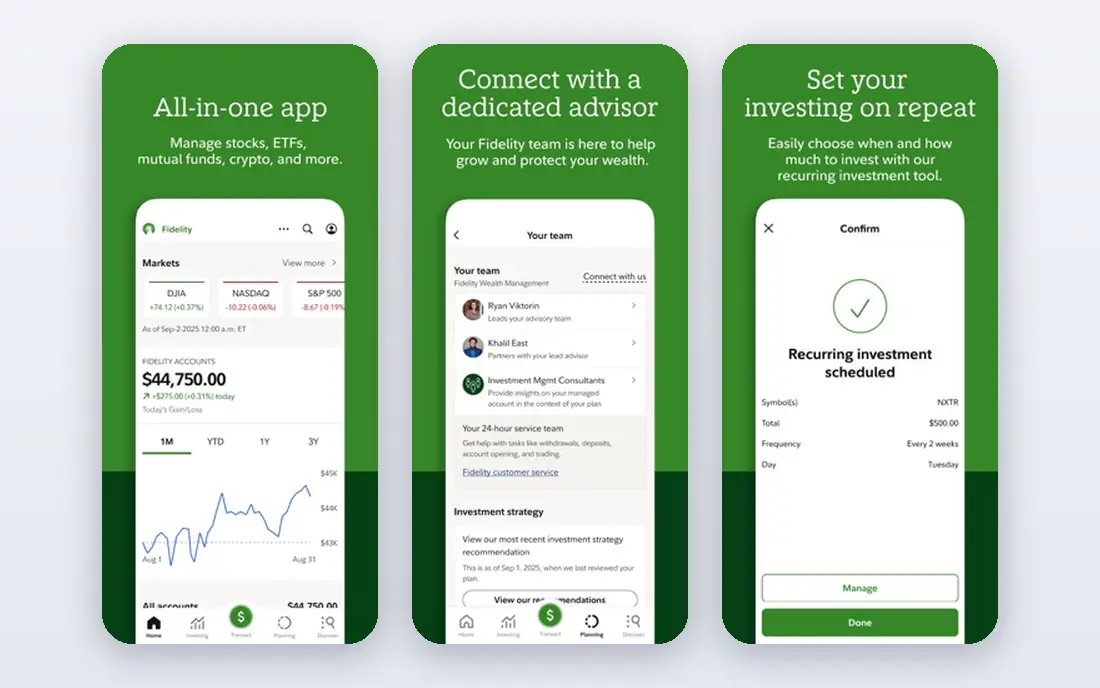
Fidelity is the safest all-round starting point for a beginner who wants to learn properly. It offers commission-free US stock and ETF trades, strong research from several providers, and a large library of articles, videos, and courses. Customer support is also strong, which matters when you are unsure about an order type or a fee.
The platform works for both learning and long-term investing. You can hold stocks, ETFs, and retirement accounts in one place, and fractional shares let you start with small amounts. Active Trader Pro, its desktop platform, adds charts and streaming data for more active traders, although its design feels older than Webull or thinkorswim.
The main gap for day traders is paper trading. Fidelity does not offer a full practice simulator in the same way Webull or Schwab do, so new traders may need to practise with very small real trades or use a second app for simulation. For education, research, and low costs, Fidelity still leads.
- Commission-free US stock and ETF trades
- Strong research, education, and customer support
- Fractional shares from $1, according to its site
- Active Trader Pro feels dated to some users
- No dedicated paper trading simulator in the main app
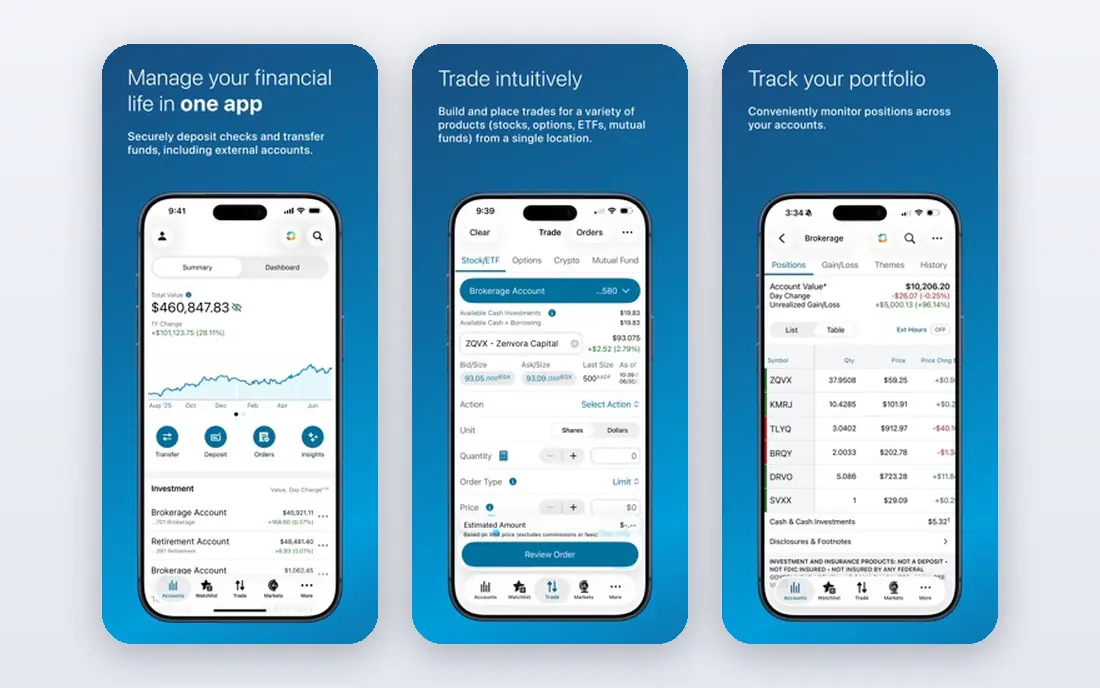
Charles Schwab suits beginners who want room to grow. The main Schwab app is simple for basic trades, while thinkorswim, its advanced platform, offers deep charting, custom studies, and a paper trading simulator called paperMoney. That simulator lets you practise day trading strategies without risking money, which is exactly what a beginner needs.
Education is another strength. Schwab offers courses, articles, and webinars that explain order types, risk, and market basics in plain language. Support is available by phone and in branches in many areas, which helps when a platform problem arises during market hours.
The trade-off is complexity. Having two platforms can feel confusing at first, and thinkorswim takes time to learn.That path gives you a long runway.
- Thinkorswim offers deep charting and paperMoney practice trading
- Commission-free US stock and ETF trades
- Strong education and support
- Two platforms can confuse new users at first
- Thinkorswim has a steep learning curve
Robinhood is the easiest app on this list for a first trade. Signing up, funding an account, and placing a simple buy order takes only a few steps, and the app explains the basics without jargon. For a beginner who wants to buy a first fractional share and learn how an order works, that simplicity is a real advantage.
The app also offers commission-free US stock and ETF trades, fractional shares, and crypto trading in the same app, although crypto carries its own risks and rules. The interface stays calm during normal use, which helps new traders avoid feeling overwhelmed by data.
The limits matter for day trading. Robinhood has no paper trading mode, so you cannot practise with virtual money inside the app. Research tools are also thinner than Fidelity or Schwab. If you use Robinhood, learn the pattern day trader rule first: in a margin account, four or more day trades in five business days can trigger a $25,000 equity requirement and trading limits.
- Very simple mobile app
- Commission-free US stock and ETF trades
- Fractional shares and a clean order flow
- No paper trading mode
- Research and charting are thinner than rivals
- Pattern day trader rule applies to margin accounts
ETRADE, now part of Morgan Stanley, suits beginners who want to move into options and active trading later. The main app covers simple stock and ETF trades, while Power ETRADE adds streaming charts, options chains, and risk tools for more active users.Education is solid, with articles and videos on trading basics, options, and risk. The platform also offers commission-free US stock and ETF trades, which keeps costs low while you learn. For a beginner who is curious about options, E*TRADE gives you tools to learn without switching brokers later.
The drawback is polish. Some screens feel older than Webull or Robinhood, and a few advanced features are aimed at active traders rather than absolute beginners. If you only want simple stock trades, Fidelity or Robinhood may feel cleaner. If options are on your horizon, E*TRADE is a strong choice.
- Commission-free US stock and ETF trades
- Power E*TRADE for active traders
- Solid education and options tools
- Interface can feel dated in places
- Some advanced data features need higher activity or paid add-ons
Interactive Brokers is best for a beginner who knows they will want advanced tools soon, and who is willing to learn a complex platform. IBKR Lite offers commission-free US stock and ETF trades, while IBKR Pro adds lower margin rates and more order types for active traders. Global market access is broader than most rivals.
Trader Workstation, its desktop platform, is powerful but dense. It offers advanced charting, order types, and risk tools that professional traders use. That power is useful once you understand the basics, but it can confuse a first-time trader. Start with the mobile app or web platform for simple trades, and explore Trader Workstation slowly.
The catch is the learning curve. Interactive Brokers assumes more knowledge than Robinhood or SoFi, and its help pages can feel technical. If you want the simplest start, choose Fidelity or Webull first. If you want a broker you will not outgrow quickly, Interactive Brokers is worth the effort.
- IBKR Lite offers commission-free US stock and ETF trades
- Broad global market access
- Powerful Trader Workstation platform
- Steep learning curve
- Interface can overwhelm beginners
- Some features need IBKR Pro
SoFi Invest suits beginners who want trading to sit alongside other money tools, such as banking and automated investing. The app is clean, it offers commission-free US stock and ETF trades, and it lets you buy fractional shares. For a new investor who also wants to try a few active trades, that simplicity helps.
Automated investing is a useful fallback. If you decide day trading is not for you, you can switch to a diversified, automated portfolio in the same account without opening a new broker.The limit is trading depth. Charts, indicators, and order types are basic compared with Webull, thinkorswim, or Interactive Brokers. SoFi is fine for occasional trades and learning the basics, but serious day traders will quickly want a more powerful platform. Use it as a first step, not as a long-term day trading home.
- Simple app with commission-free US stock and ETF trades
- Automated investing option
- Fractional shares
- Charting and day trading tools are basic
- Fewer advanced order types than Webull or Schwab
moomoo is a mobile-first broker that suits beginners who like charts and community learning. It offers commission-free US stock and ETF trades, detailed mobile charts, and a paper trading mode for practice. The app also includes community posts, earnings calendars, and market news, which can help you learn how traders talk about stocks.
Paper trading is a key plus. You can test ideas with virtual money, track results, and learn from mistakes without losing real cash. The charting tools are stronger than Robinhood and SoFi, which makes moomoo a good middle step for a mobile trader.
The caution is community content. Posts from other users are opinions, not advice, and they can encourage risky trades. Treat community ideas as starting points for your own research, not as tips to follow. For mobile charting and practice, moomoo is a strong, low-cost choice.
- Commission-free US stock and ETF trades
- Strong mobile charts and paper trading
- Community features for learning from other traders
- Research for long-term investing is thinner than Fidelity
- Community posts are not financial advice and need careful reading
Public suits beginners who want a calm, simple trading app with context about companies. It offers commission-free US stock and ETF trades, fractional shares, and a feed that shows company news and discussion alongside prices. That context can help a new trader understand why a stock moved, rather than just seeing a price change.
The app design is clean and less noisy than a full trading terminal. For a first account, that calm matters. You can place simple orders, track a watchlist, and learn at your own pace without a wall of indicators.
The limit is trading power. Public is not built for fast, high-frequency day trading, and its charting is basic compared with Webull or thinkorswim. If you want to day trade seriously, use Public for learning and simple trades, and pair it with a paper trading platform before you risk larger amounts.
- Simple app with commission-free US stock and ETF trades
- Fractional shares
- Social context and company information in the app
- Day trading tools and charting are basic
- No full paper trading simulator
How we picked these
We compared official fee schedules, platform pages, and app store listings, and we checked that each homepage loads and belongs to the product named. We favoured brokers that offer commission-free US stock and ETF trades, that accept beginners, and that offer paper trading, education, or strong charting. We also looked at order types, fractional shares, and whether the platform would still suit a trader as they gain experience.
We did not claim hands-on trading results, and we did not rely on a single review site. Fees for options, margin, and data can vary, so check the current fee schedule on the broker site before you trade. This article is for education only and is not financial advice.
How to start day trading safely
Start with paper trading for at least a few weeks, and track every practice trade with a simple plan: entry reason, exit plan, and maximum loss. When you move to real money, use small position sizes and a loss limit per trade and per day. Stop trading for the day if you hit that limit, and review your trades before you trade again.
Learn the rules before you trade
Learn the pattern day trader rule, margin requirements, and settlement rules for your account type. In a margin account, four or more day trades in five business days can trigger a $25,000 equity requirement. Check your broker's help pages for the exact rule, and ask support if you are unsure. A cash account has different rules, but it also has settlement delays that affect how often you can trade.
Keep costs and taxes in mind
Even with commission-free stock trades, you may pay options contract fees, margin interest, and data fees. Frequent trading can also create a complex tax return, with many small gains and losses to report. Keep records of every trade, and consider speaking to a tax adviser if you trade often.
FAQ
What is the best day trading platform for beginners?
Webull and Fidelity are our top picks for most beginners. Webull offers paper trading and strong mobile charts, while Fidelity offers research, education, and support. Charles Schwab is best if you want the thinkorswim paper trading simulator.
Can beginners day trade with a small amount of money?
Yes, but the pattern day trader rule can limit you in a margin account if you make four or more day trades in five business days. Many beginners start with paper trading, then use small real trades in a cash account or a margin account with care. Never trade money you need for rent, bills, or emergencies.
Is day trading risky?
Yes. Day trading carries risk, and prices can move quickly against you. Many beginners lose money, especially when they trade without a plan, use margin, or chase tips. Use paper trading first, set loss limits, and treat trading as education, not as a guaranteed income.
Do I need paper trading before I start?
We strongly suggest it. Paper trading lets you learn order types, charting, and risk control without losing money. Webull, Charles Schwab through paperMoney, and moomoo all offer paper trading modes. Practise for a few weeks and review your results before you risk real cash.
What fees should beginners check?
Check stock and ETF commissions, options contract fees, margin interest, and data fees. Most brokers on this list offer commission-free US stock and ETF trades, but options, margin, and advanced data can still cost money. Read the fee schedule on the broker site before you open an account.
Is this article financial advice?
No. This article is for education only and is not financial advice. Trading decisions are yours, and they carry risk. Consider speaking to a qualified financial adviser, and only trade with money you can afford to lose.