Best AI Video Transcription Tools (2026): 6 Picks Checked on Vendor Pages
6 best AI video transcription tools, with entry costs, free tiers and the buyer each one serves. With pricing notes and limits. A comparison table is included.
- Editor's choice
 Trint
Media production and collaboration
Starts atSee websiteVisit trint.comFull review - Great alternative
 Descript
Text-based video and audio editing
Starts at$16 per person per monthVisit descript.comFull review - Also consider
 Fireflies.ai
Meeting summaries across video systems
Starts at$10 per seat per month, billed yearlyVisit fireflies.aiFull review
Direct answer
Trint comes first here, mainly for media production and collaboration. Listed starting prices: Descript from $16 per person per month, Fireflies.ai from $10 per seat per month, billed yearly and Sonix from $10 per hour. Descript is better for text-based video and audio editing, and Fireflies.ai is better for meeting summaries across video systems. The full list of 6 tools follows, with prices and free plan facts.
TL;DR:
- Trint is the opening pick, best for media production and collaboration.
- For live meeting transcription and notes, Otter.ai is worth a look.
- The cheapest monthly starting price in the list is $8.33 per user per month, offered by Otter.ai.
- A free plan is available from 4 of the 6 tools: Descript, Fireflies.ai, Happy Scribe, Otter.ai.
- One limit worth knowing about Descript: editing focus may not suit pure transcription needs.
Last checked November 2026. Prices and plan details were read from the vendors' own pages in November 2026; vendors change plans often, so confirm the current price on the vendor site before you buy.
Quick comparison
| Tool | Best for | Starts at | Free plan? | |
|---|---|---|---|---|
| Trint | Media production and collaboration | See website | Not stated | Visit |
| Descript | Text-based video and audio editing | $16 per person per month | Yes | Visit |
| Fireflies.ai | Meeting summaries across video systems | $10 per seat per month, billed yearly | Yes | Visit |
 Sonix | Quick multilingual transcription | $10 per hour | Free trial | Visit |
 Happy Scribe | Multilingual transcription with compliance | $17 a month | Yes | Visit |
 Otter.ai | Live meeting transcription and notes | $8.33 per user a month | Yes | Visit |
AI Video Transcription Tools compared in detail
LinkVetted compared 6 AI video transcription tools. The goal is a practical shortlist: published prices, free plan facts, best-fit use cases and honest limits for every entry.
Trint was built for media production and collaboration. Trint is an AI transcription and media production workflow tool that helps fast-track a first draft. It supports transcription, translation, and collaboration in more than fifty languages and is used by newsrooms worldwide.
More specifically, Trint is aimed at production workflows, so individuals who only need occasional transcription may find it heavier than necessary. As for the details, Trint suits journalists, producers, and media teams that require to move from raw recordings to collaborative drafts rapidly. Pricing for Trint is not stated here, so ask the vendor for current figures. As for free access: Not stated.
Downsides: May be more than needed for straightforward transcription.
- AI-connected media production workflow
- Transcribe and translate in many languages
- Workflow features need onboarding
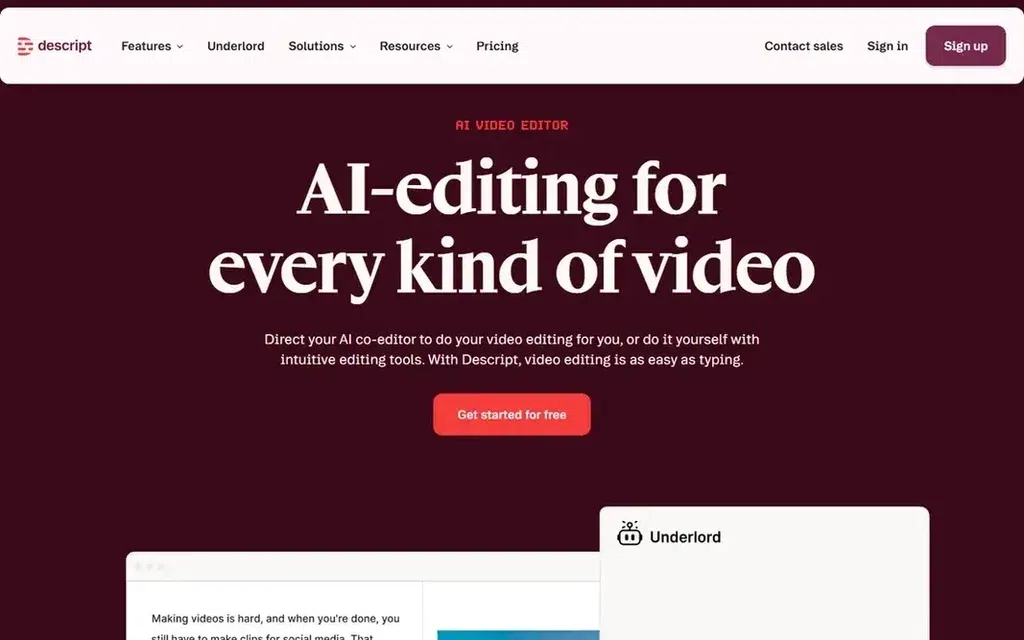
Descript targets text-based video and audio editing. Descript is an AI video and audio editor that makes editing as simple as editing text.
On top of that, if you need live meeting summaries, Otter.ai or Fireflies.ai are better aligned. Descript starts at: $16 per person per month. A free plan is available with Descript.
Watch-outs: Advanced production features may need higher levels.
- Straightforward workflow for creators
- Edit video by editing text
- Editing focus may not suit pure transcription needs
Think of Fireflies.ai for meeting summaries across video products. Confirm which platforms and languages are supported on the vendor site before rolling it out.
Strengths: Microsoft Teams, Webex.
The main drawbacks: Summary quality relies on audio clarity.
Starting cost for Fireflies.ai: $10 per seat per month, billed annually. Fireflies.ai has a free plan.
- Generative AI for meeting notes
- Produces transcripts and smart summaries
- Meeting-centric instead of media production
Think of Sonix for quick multilingual transcription. Sonix is AI transcription software that turns audio and video into text in minutes. It advertises high accuracy, support for more than fifty languages, AI summaries, and speaker detection.
Trade-offs to know: Accuracy may vary by language and audio quality.
This makes Sonix a solid fit for researchers, journalists, and teams that require fast transcripts across multilingual recordings without a meeting-centric workflow. Beyond that, check language coverage and export choices on the vendor site before committing. Sonix is primarily a transcription service, so it may not replace a full video editor or a live meeting assistant. Entry price for Sonix: $10 per hour. As for free access: Free trial.
- AI summaries and speaker detection
- Supports numerous languages
- Less concentrated on live meeting notes
Happy Scribe targets multilingual transcription with compliance. Happy Scribe is an AI transcription and notetaker service that turns meetings into notes and decisions you can act on. It supports transcription in numerous languages and states SOC 2 and GDPR alignment, with an European base.
Strengths: Transcription in numerous languages.
Points against: Language quality may vary.
Check language coverage, data residency, and export formats on the vendor site before standardizing on it. For everyday use, Happy Scribe includes both transcription and meeting notes. But its meeting insights may be less specialized than dedicated assistants like Otter.ai or Fireflies.ai. On cost, Happy Scribe starts like this: $17 per month. Free access exists with Happy Scribe.
- SOC 2 and GDPR alignment
- AI notetaker for meetings
- Meeting notes may be less deep than dedicated assistants
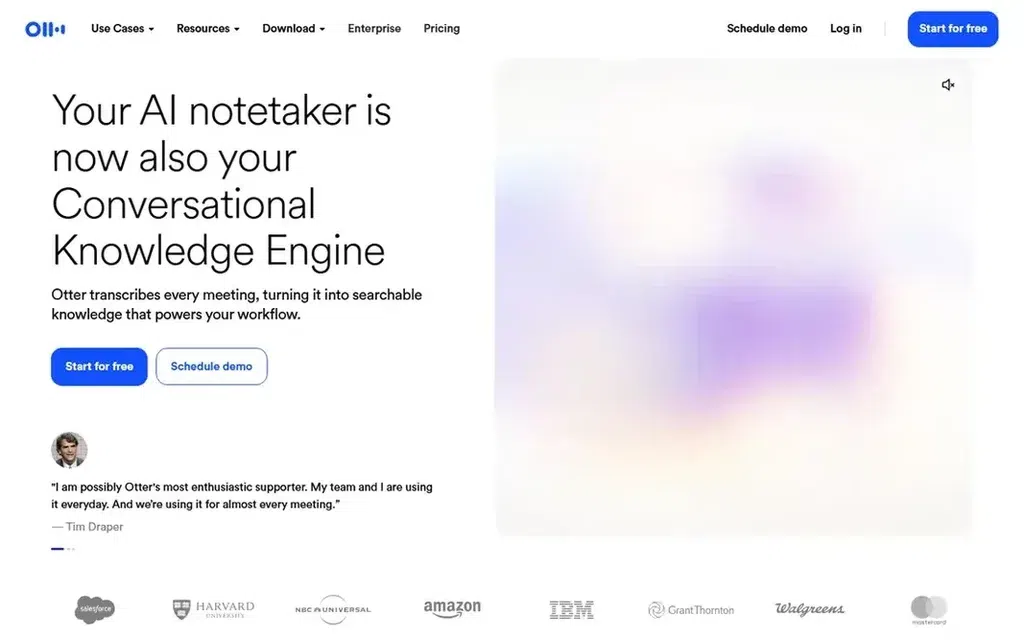
Otter.ai was built for live meeting transcription and notes. Since Otter.ai centers on meetings, it may not be the best fit for editing long-form video or producing broadcast-ready transcripts.
As for the details, Otter.ai is an AI meeting agent that supports live transcription, live chat, automatic summaries, insights, and action items. Otter.ai cost at the entry level: $8.33 per user per month. You can start on Otter.ai without paying.
The main drawbacks: Concentrated on meetings instead of media editing.
- Live chat and insights
- Automatic summaries and action items
- Advanced features may need higher levels
What went into this list
Questions to settle before buying
- Ask Trint for a written quote, since no starting price is shown.
- Read the fine print on the free plans from Descript, Fireflies.ai, Happy Scribe and Otter.ai; seat, project and feature caps differ.
- Take the trial from Sonix and push a live task through it before you pay.
- Before choosing Trint, weigh its main limit: may be more than needed for straightforward transcription.
- Before you load data into Descript, check what an export looks like and who can run it.
- Let daily users try Otter.ai on real work; their feedback beats any feature checklist.
FAQ
What is the cheapest option for AI video transcription tools in this list?
On published monthly entry prices, Otter.ai is the lowest here at $8.33 per user per month. Entry price is only part of the cost, because seats, add-ons and billing terms can change the total. Each of the 6 options in this AI video transcription tools guide has its own card above with the price, free plan and limits.
What is the best AI video transcription tool for meetings?
This list starts with Trint, which fits media production and collaboration. For other needs, Descript is aimed at text-based video and audio editing, and Fireflies.ai at meeting summaries across video systems. Check each tool's price and main limit first.
Can I try these options before paying?
Often, yes. Descript, Fireflies.ai, Happy Scribe and Otter.ai have a free plan and Sonix offers a free trial. Use your own data and a real task during the test, and check what the free tier or trial limits before you rely on it.
Is Trint the right pick for everyone comparing AI video transcription tools?
No single tool suits every team. Trint comes first because it fits media production and collaboration, while Descript suits text-based video and audio editing and Fireflies.ai suits meeting summaries across video platforms. Match the tool to your own size, budget and workflow before deciding.
How are the tools for AI video transcription tools ordered?
Trint sits first and Otter.ai last because the order follows typical fit for AI video transcription tools, then price clarity and free access. It is a judgement call, so read each profile for fit and limits.
Sources
- https://trint.com
- https://www.descript.com
- https://fireflies.ai
- https://sonix.ai
- https://www.happyscribe.com
- https://otter.ai