Best AI Video Generation Tools in 2026: 10 Tools Compared
Compare the best ai video generation tools march picks for 2026, with Veo, Runway, Kling, Pika, Luma, Hailuo, and avatar video tools compared here today.
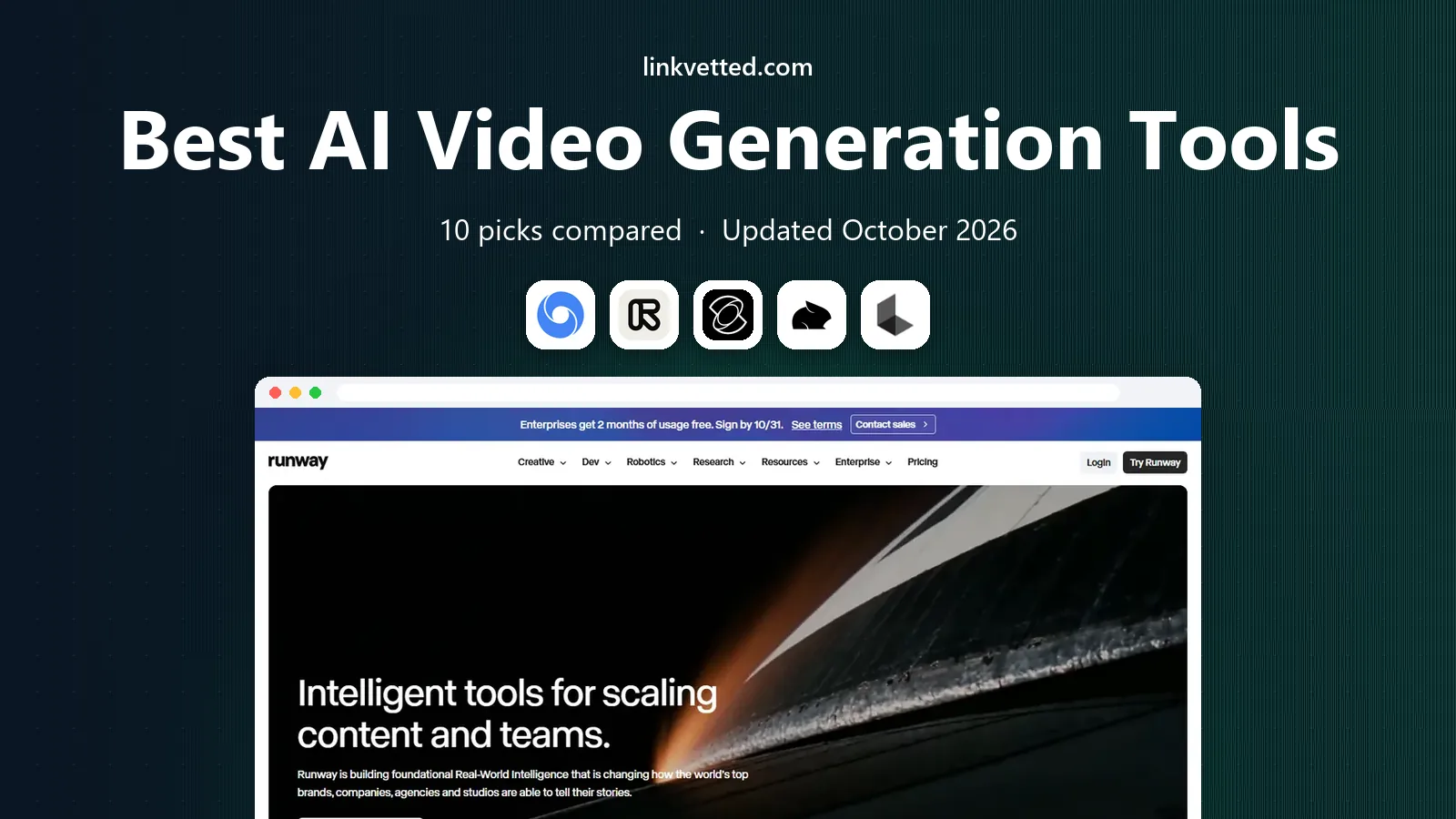
- Editor's choice
 Google Veo
Realistic clips with native audio
Starts at$19.99 per monthVisit deepmind.googleFull review - Great alternative
 Runway
Directed cinematic shots
Starts at$12 per monthVisit runwayml.comFull review - Also consider
 Kling
Longer scenes at low cost
Starts at$6.99 per monthVisit klingai.comFull review
TL;DR:
- Google Veo 3.1 is the strongest all round model for realism and native audio, reached through Gemini, Flow, and Google AI plans.
- Runway Gen-4.5 is best for directed, editable shots, with camera controls, references, and 4K upscaling.
- Kling 3.0 offers the best value for longer scenes and volume, while Pika is cheapest for quick social clips.
- Sora is excluded from this list, because OpenAI discontinued the Sora web and app experience in April 2026, with the API ending in September 2026.
- Credits burn fast on every tool, so test with a free tier and compare cost per finished clip, not just monthly price.
Quick comparison
| Tool | Best for | Starts at | Free plan? | |
|---|---|---|---|---|
| Google Veo | Realistic clips with native audio | $19.99 per month | Yes | Visit |
| Runway | Directed cinematic shots | $12 per month | Yes | Visit |
| Kling | Longer scenes at low cost | $6.99 per month | Yes | Visit |
 Pika | Quick social clips | $8 per month | Yes | Visit |
 Luma Dream Machine | Natural motion and HDR look | $30 per month | Yes | Visit |
 Hailuo MiniMax | Expressive motion on a budget | $10 per month | Yes | Visit |
 Adobe Firefly Video | Commercially safer brand video | $10 per month | Yes | Visit |
 Synthesia | Avatar training videos | $18 per month | No | Visit |
 HeyGen | Avatar marketing videos | $24 per month | Yes | Visit |
 InVideo AI | Fast text to video for social | See website | Yes | Visit |
The best ai video generation tools
AI video generation tools turn text or images into short video clips, and in 2026 most leading models also generate dialogue, sound effects, and ambience. This list focuses on tools that exist and work in October 2026. We excluded OpenAI Sora, because search results in October 2026 report that its web and app experiences ended in April 2026 and its API was scheduled to end in September 2026. Prices below are starting paid prices from vendor and guide pages where verified, otherwise See website, and free plans normally mean limited credits or watermarked output.
Google Veo 3.1 is our pick for most users who want the best single model for realistic short scenes. It was among the first models to generate dialogue, sound effects, and ambience together with video, and 3.1 refined that audio sync. You reach Veo through the Gemini app, Google Flow filmmaking tool, Google AI Studio, and Vertex AI, with text to video, image to video, and reference image consistency.
The catch is cost at scale. A free Veo Lite tier offers limited daily generations, Google AI Pro at around $20 per month raises limits, and Google AI Ultra at around $250 per month adds 4K and higher limits. API pricing runs roughly $0.15 per second and more with audio, so a long project can become expensive quickly. If you need a few high quality clips, Veo is the default. If you need volume, Kling below is cheaper.
- Strong realism and prompt following
- Native dialogue and sound
- 1080p and 4K options
- Credits burn fast at scale
- API pricing is high per second
- Clips carry SynthID watermarking

Runway Gen-4.5 is best when you want to direct a shot, not just prompt it. Camera controls for dolly, pan, tilt, and orbit, reference based character consistency, and an editor for assembling shots give Runway a production workflow that simple prompt tools lack. Paid plans also include 4K upscaling, which helps for delivery on larger screens.
The trade-off is length and credits. Single clips are short, normally around 10 seconds before extension, and credit use rises with resolution and length. A free tier with one time credits lets you test the model, and Standard at around $12 to $15 per month is the entry paid plan depending on billing. For hero shots, trailers, and music videos, Runway is the strongest directed tool on this list.
- Gen-4.5 model with strong motion
- Camera controls and references
- Editor and 4K upscale
- Clips are short, normally around 10 seconds
- Credit costs add up
- Learning curve for full editor
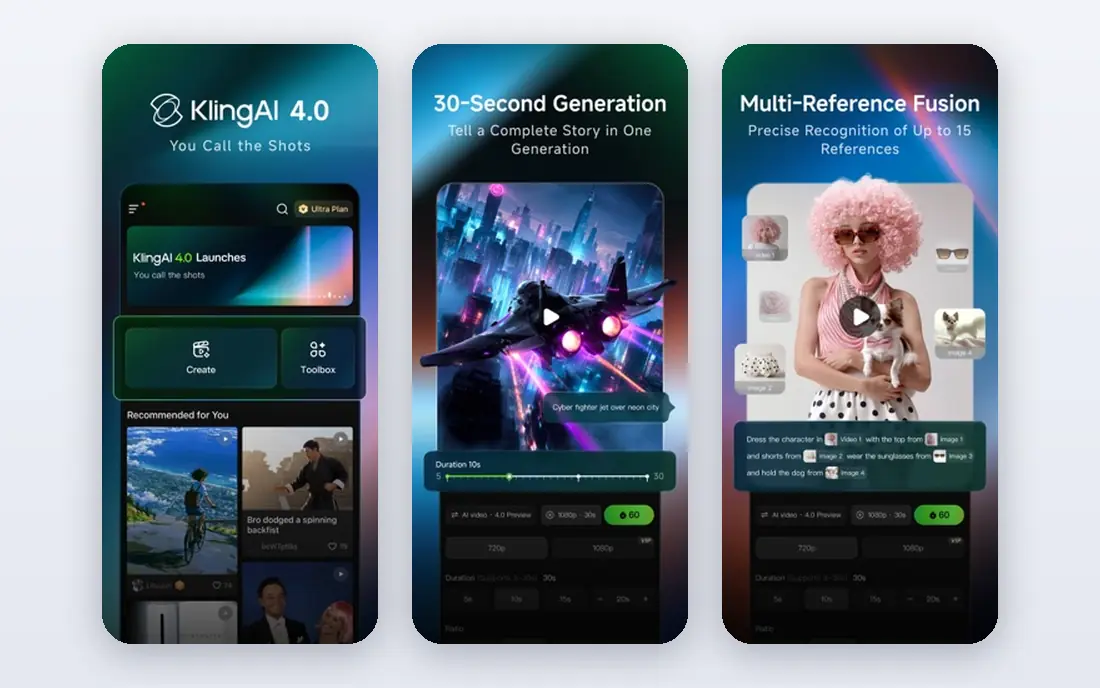
Kling 3.0 is the value pick for creators who need longer scenes or many clips. It supports dialogue, native audio, and multi shot scenes, with some guides reporting clips up to minutes long when scenes are assembled, compared with 8 to 10 seconds for many rivals. Entry paid pricing from around $7 per month makes it the cheapest premium model per second in several comparisons.
The honest catch is review time. Longer, more complex scenes still need checking for hand, face, and motion errors, and character consistency can slip across a long sequence. That is true of every model here, but it matters more on Kling because you will generate more footage. For volume, social series, and storyboards, Kling offers the best minutes per dollar.
- Kling 3.0 with native audio
- Up to longer multi shot scenes
- Low cost per second
- Complex scenes still need review
- Consistency can slip across long sequences
- Interface is dense
Pika 2.5 suits creators who want fast, playful social clips rather than cinematic short films. Its effects, swaps, and short video tools are quick to learn, and the free tier with watermarked output lets you test ideas before paying. Paid plans from around $8 per month raise limits and remove some watermark restrictions.
The limit is ambition. Pika clips are shorter and less suited to serious long form work than Runway, Veo, or Kling, and audio support is more limited. If your goal is TikTok, Reels, and trailer tests, Pika is an excellent low cost starting point. If you need a directed narrative scene, start with Runway or Veo instead.
- Fast social clips and effects
- Low entry paid price
- Playful tools for swaps and effects
- Less suited to long form cinematic work
- Shorter clips
- Audio is more limited than Veo or Kling
Luma Dream Machine, now on its Ray 3 model family, is known for natural motion and a cinematic, HDR style look. Camera flow feels smooth, and continuity across a shot holds up well when prompts are planned carefully. Free 720p generations let you test the model, with paid plans from around $30 per month for higher quality and limits.
The drawback is price. Luma entry paid pricing is higher than Pika, Kling, or Runway Standard, so it suits creators who specifically value its motion style. If natural movement and camera flow matter most for your project, Luma is worth the premium. If budget matters more, Kling gives similar length at a lower price.
- Ray 3 model with natural motion
- HDR photoreal look
- Strong camera flow
- Paid entry is higher than rivals
- Free tier is watermarked and limited
- Best results need careful planning
Hailuo, from MiniMax, is a strong budget option for expressive motion and unusual prompts. It handles creative movement well for social clips, and entry pricing from around $10 per month, with daily free credits, makes it easy to test. For creators who generate many short ideas, Hailuo offers good value per clip.
The catch is brand use. Commercial rights, consistency, and model version need checking before you use Hailuo for client work, since terms and output quality vary by plan and region. For personal and social projects, Hailuo is a fun, low cost tool. For brand campaigns, Adobe Firefly below offers clearer commercial safety.
- Strong motion and physics for social clips
- Low cost
- Daily free credits on some plans
- Commercial rights need checking for brand use
- Consistency varies
- Interface can feel busy
Adobe Firefly Video suits brands and agencies that need clearer commercial safety for generated video. Firefly models are positioned as commercially safe, and integration with Adobe Express and Premiere Pro helps teams move a generated clip into an edit without switching ecosystems. Free credits let you test the model before paying.
The trade-off is raw cinematic depth. For some narrative scenes, Veo or Runway still lead on realism and motion, and Firefly credits can burn quickly on longer clips. If commercial rights and Adobe workflow matter more than winning a benchmark, Firefly is the sensible choice. If you need the most realistic single clip, Veo remains stronger.
- Trained with commercial safety in mind
- Integrates with Adobe Express and Premiere
- Credits based
- Audio and motion depth trails Veo for some scenes
- Credits burn on longer clips
- Best inside Adobe workflow
Synthesia is a different kind of video tool: it creates presenter led videos with AI avatars, rather than cinematic scenes from a text prompt. That makes it ideal for training, onboarding, internal updates, and learning content, where a clear presenter and script matter more than camera movement. Avatars speak many languages, and scripts can be updated without reshooting.
The limit is scope. Synthesia will not make a cinematic short film or a product hero shot like Runway or Veo, and free use is trial only, with paid plans from around $18 per month. If you need training videos at scale, Synthesia saves studio time. If you need cinematic footage, choose a model above.
- Avatar presenters in many languages
- Good for training and internal videos
- No camera needed
- Not a cinematic text to video tool
- Trial only for free use
- Avatar look can feel corporate
HeyGen is similar to Synthesia, but with a stronger focus on marketing, sales, and translated videos. Avatars can present a script, translate it into other languages with lip sync, and fit into ad and social templates. That makes HeyGen useful for product explainers, personalised outreach, and multilingual campaigns without a studio shoot.
The catch is cost and naturalness. Full quality avatar videos need paid plans from around $24 per month, and even good avatars can feel less natural than a real presenter for sensitive or emotional messages. Use HeyGen for clear, repeatable marketing messages, and use a real presenter for stories where human warmth matters most.
- Avatar marketing and translation
- Voice cloning and lip sync
- Templates for ads and social
- Paid plans needed for full quality
- Avatar videos can feel less natural than real presenters
- Credit limits
InVideo AI turns a text prompt or script into a finished social video quickly, using templates, stock media, voiceover, and text overlays. It suits marketers and small businesses who need a video in minutes, not a directed cinematic shot. The free plan lets you test the workflow, with paid plans removing watermark and raising limits.
The trade-off is control. InVideo AI does not offer the same camera, reference, and motion control as Runway, Veo, or Kling, and output quality depends heavily on templates and stock footage. For fast social and marketing videos, InVideo is practical. For original AI generated scenes, use a model tool above and edit the result in InVideo or Premiere if needed.
- Fast text to video workflow
- Templates and stock media
- Good for social and marketing clips
- Less control than Runway or Veo
- Free exports carry watermark
- Quality depends on stock and templates
How we picked these
We compared official model pages, pricing pages, and October 2026 guides for AI video tools, and we checked whether each tool still works in October 2026. We favoured models with current versions, such as Veo 3.1, Runway Gen-4.5, Kling 3.0, Pika 2.5, and Luma Ray 3, plus avatar and fast social tools that serve different jobs. We excluded Sora because its web and app experiences ended in April 2026 and its API was scheduled to end in September 2026.
How to choose and budget credits
Match the tool to the job
Use Veo or Runway for hero shots, Kling for volume and longer scenes, Pika for quick social tests, and Synthesia or HeyGen for presenter videos. A single tool rarely covers every job well, so many creators use two: a model tool for footage and an editor for assembly.
Test cost per finished clip
Monthly price misleads, because credits burn at different rates by resolution, length, and audio. Generate the same test prompt on two tools, count credits used, and calculate cost per usable clip. A cheaper monthly plan that burns credits faster can cost more in practice.
Plan for errors and retries
AI video still produces failed hands, faces, and motion, especially on complex prompts. Budget for two to three generations per finished clip, keep prompts short and specific, and use image to video with a reference image when consistency matters.
FAQ
What is the best ai video generation tool?
Google Veo 3.1 is best overall for realism and native audio, Runway Gen-4.5 is best for directed shots, and Kling 3.0 is best value for longer scenes. Choose Veo for quality, Runway for control, and Kling for volume.
Is Sora still available in October 2026?
No, according to October 2026 guides, OpenAI discontinued the Sora web and app experiences on 26 April 2026, with the Sora API scheduled to end on 24 September 2026. We excluded Sora from this list for that reason, and we recommend Veo, Runway, or Kling instead.
How much does AI video generation cost?
Entry paid plans range from around $7 per month for Kling to around $30 per month for Luma, with Veo through Google AI Pro at around $20 per month. Credits, resolution, length, and audio change the real cost per clip, so test before committing.
Can AI video tools generate audio?
Yes, Veo 3.1, Kling 3.0, and some other current models generate dialogue, sound effects, and ambience with video. Pika and Runway offer more limited audio, so check audio support if dialogue matters for your project.
How long can AI video clips be?
Most single model clips are 5 to 15 seconds, with Veo around 8 seconds, Runway around 10 seconds, and Pika shorter. Kling supports longer multi shot scenes, and all tools can be extended or assembled into longer videos in an editor.
Are AI generated videos safe for commercial use?
It depends on the tool and plan. Adobe Firefly is positioned for commercial safety, while other tools require checking terms, training data, and commercial rights for your plan. Read the licence for your specific plan before using generated video in paid advertising.