Best AI Video Generation Tools From Image in 2026: 9 Tools Compared
Compare the best AI video generation tools from image, with image-to-video features, pricing, clip lengths and commercial use compared in 2026 for creators.
- Editor's choice
 Runway
Control and editing for creators
Starts at$12 per monthVisit runwayml.comFull review - Great alternative
 Kling
Longer clips at a low price
Starts at$8 per monthVisit klingai.comFull review - Also consider
 Hailuo
Budget image-to-video clips
Starts at$9.99 per monthVisit hailuoai.videoFull review
TL;DR:
- Runway is our pick for creators who want control, editing tools and reliable image-to-video results in one workspace.
- Kling offers longer clips at a low entry price, from around $8 per month, which suits social and product videos.
- Pika is the budget pick, from $8 per month, with fast social clips and a free starting allowance.
- Luma now works as a multi-model platform, from $25 per month billed yearly, so you can compare models on one bill.
- Only use images you own or have rights to use, and never use these tools to create non-consensual imagery of real people.
Quick comparison
| Tool | Best for | Starts at | Free plan? | |
|---|---|---|---|---|
| Runway | Control and editing for creators | $12 per month | Free trial | Visit |
| Kling | Longer clips at a low price | $8 per month | Yes | Visit |
| Hailuo | Budget image-to-video clips | $9.99 per month | Yes | Visit |
 Luma | Multi-model video platform | $25 per month | Free trial | Visit |
 Pika | Fast, cheap social clips | $8 per month | Yes | Visit |
 Google Flow | Veo-powered image-to-video | See website | Free trial | Visit |
 Kaiber | Music and style-driven videos | See website | Free trial | Visit |
 Vidu | Fast clips with strong motion | See website | Free trial | Visit |
 Haiper | Simple image-to-video for beginners | See website | Free trial | Visit |
The best AI video generation tools from image
Image-to-video tools animate a still photo: a product shot that turns, a portrait that blinks, a scene that pans like a camera move. Quality varies by model, and credits burn fast, so compare clip length, motion control and commercial rights before you pay. Note on scope: Sora is excluded here because consumer access ended in April 2026, and we list only legitimate tools for use with images you own or have permission to animate.
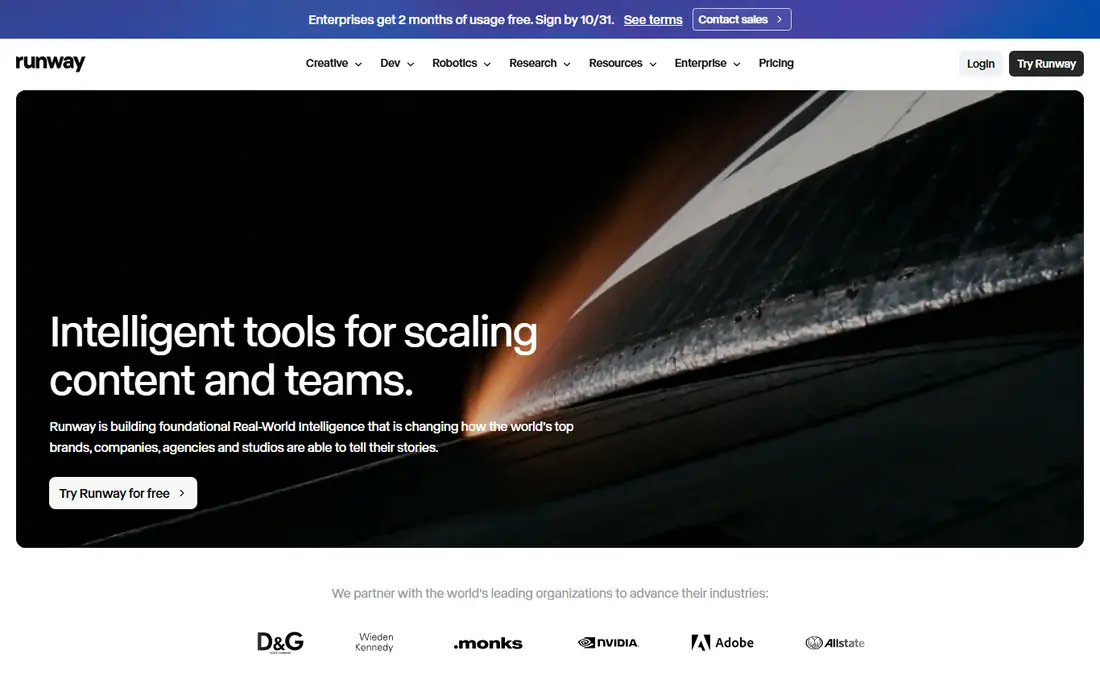
Runway Gen-4 turns an uploaded image into a short clip with controllable motion, and its editing suite lets you adjust parts of a scene rather than accepting the first result. The Standard plan starts at $12 per month billed annually with 625 credits, and new accounts get 125 one-time free credits to test the model. That combination suits creators who iterate on product shots, ads and short social videos.
The limits are clip length and credit maths. Most generations are short, and high-quality renders consume more credits, so heavy users need a higher tier. If you want the most control in a single workspace and you work in short clips, Runway is the strongest all-round pick.
- Strong image-to-video control with motion brush
- Editing tools for inpainting and style
- 125 free credits to start
- Credits needed for higher-quality output
- Clip lengths are short
- Higher tiers cost more for heavy use
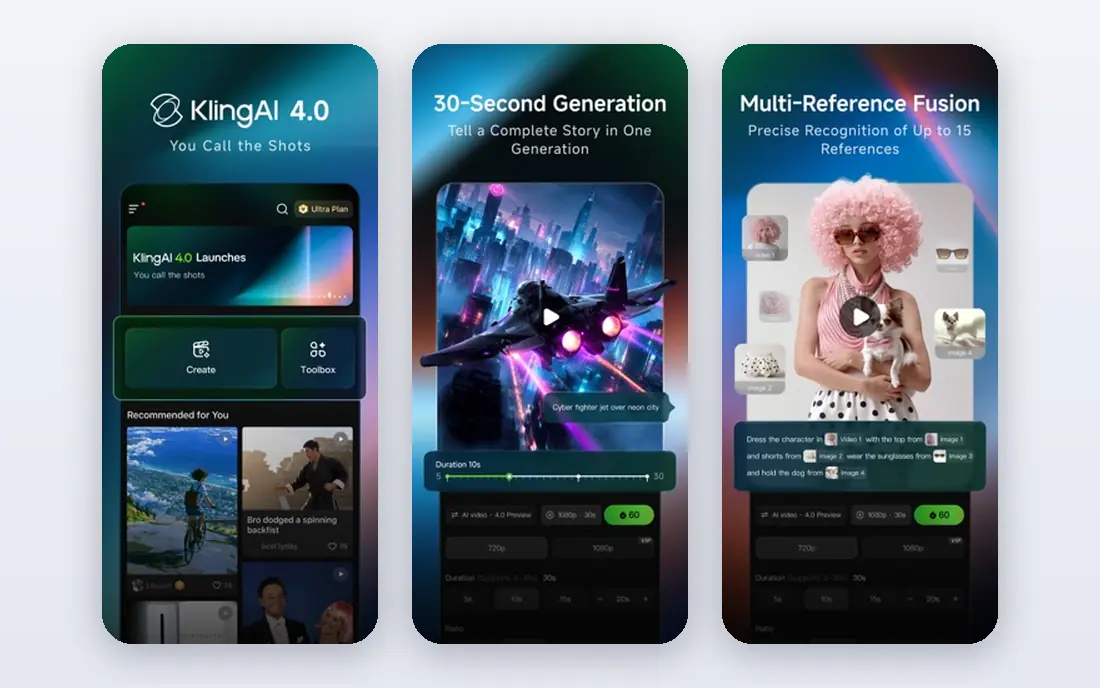
Kling, from Kuaishou, stands out on duration. Where many tools cap clips at five to ten seconds, Kling can produce much longer sequences, which helps product demos, explainers and social stories that need more than a blink. The entry plan starts around $8 per month, with a free allowance to test image-to-video before paying.
Longer does not always mean better, and prompt quality still matters: vague prompts give drifting motion, while a clear subject and camera direction give cleaner results. For creators who need length on a budget, Kling is the best value on this list.
- Longer clips than most rivals, up to two minutes in some modes
- Low entry price
- Native audio in newer models
- Quality varies by prompt
- Interface can be busy
- Some features are region-dependent
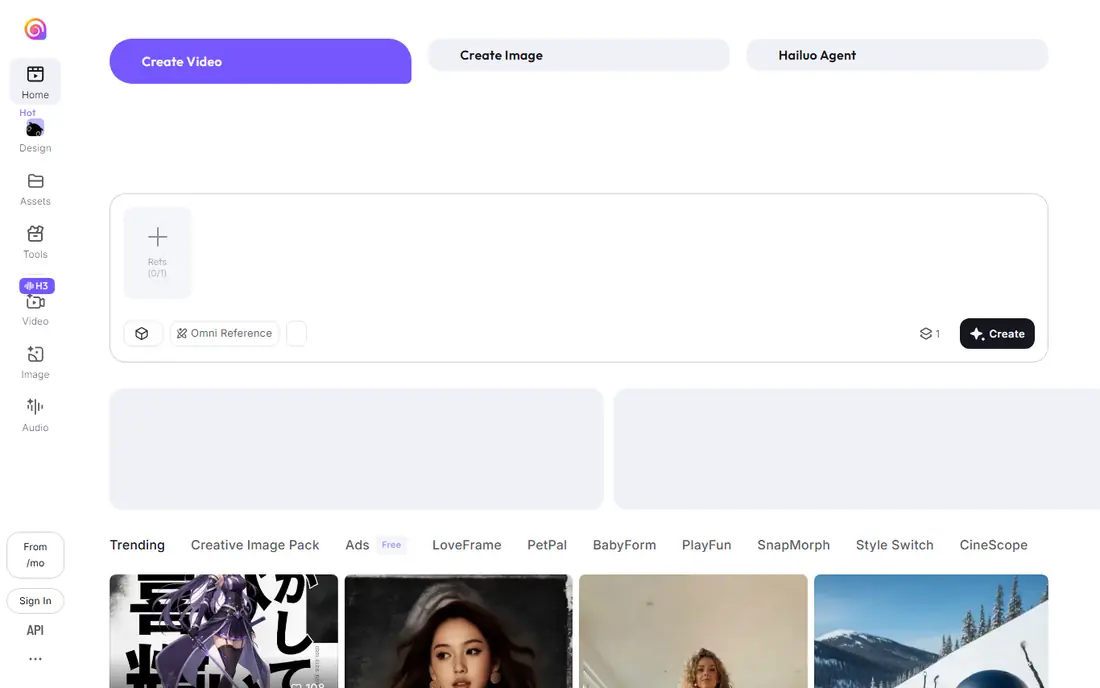
Hailuo, from MiniMax, is the budget and speed option for image-to-video. It turns a photo into a short clip quickly, at $9.99 per month for the entry paid plan, with a free tier that offers daily limits. That makes it a good choice for high-volume social content, internal mockups and quick tests of an idea.
It will not match Runway on control or Kling on length, and the output suits social feeds more than broadcast work. If you need many short clips cheaply and you can accept social-grade polish, Hailuo delivers good value.
- Low entry price
- Fast generation
- Daily free allowance on the free tier
- Shorter clips than Kling
- Quality is social-grade rather than cinematic
- Some advanced controls are limited
Luma has changed from a single-model tool into a multi-model platform, where one subscription reaches its own Ray models plus third-party image and video models, including Veo and Kling. The Plus plan costs $25 per month billed yearly with 10,000 credits, and commercial use starts on Plus. That breadth helps creators who want to compare models on the same prompt without holding several accounts.
The homepage still offers a try-for-free action, but no free allowance is published on the pricing page, so treat free entry as unconfirmed. If you regularly compare models or need varied styles, Luma earns its higher price. If you only use one model, going direct is usually cheaper.
- Access to Luma models plus Veo, Kling and others on one bill
- Strong spatial coherence
- Commercial use from Plus
- No published free plan allowance
- Plus at $25 per month billed yearly
- Credit costs vary by model
Pika is built for speed and social content. Upload an image, pick a motion or effect, and get a short clip in seconds, with free credits on signup and a Standard plan at $8 per month billed yearly. Commercial rights apply even on the free plan in published comparisons, which is unusually generous for a free tier.
Clips are short, and the quality ceiling sits below Runway for realistic motion. Pika shines for memes, product teasers and quick social posts where speed matters more than cinematic realism. For a first image-to-video tool on a tight budget, it is an easy start.
- Low entry price at $8 per month billed yearly
- Free credits on signup
- Fast social clips and effects
- Short clips
- Quality ceiling below Runway and Kling
- Effects can look gimmicky if overused
Google Flow is the consumer-facing home for Veo-powered video creation, including image-to-video with native audio. It lets you start from an image, build scenes and extend clips, with the polish and realism that made Veo a benchmark model. Access and pricing depend on the Google plan and region, so check the current offer before you commit.
Flow is less of a standalone editing suite than Runway, and clips remain short. For creators already in the Google ecosystem who want Veo quality without a separate professional tool, Flow is the simplest route to that model.
- Veo model quality with audio
- Image-to-video plus scene building
- Google account integration
- Pricing and availability vary by plan and region
- Clip lengths are short
- Needs a Google subscription for full use
Kaiber made its name on music videos and stylised animation, turning images into flowing, artistic clips that suit musicians, brands and social creators. Its image-to-video workflow emphasises style, camera movement and mood over literal realism, which gives music and art content a distinct look.
That stylisation is the trade-off. A product shot that must stay faithful to the real item may drift in Kaiber, while an artistic promo will benefit. Check current pricing on its site, since plans change, and trial it with your own images before using it for client work.
- Strong style and music-video workflows
- Image-to-video with artistic control
- Good for creators and musicians
- Pricing varies by plan
- Less suited to realistic product video
- Output can be stylised rather than literal
Vidu, from Shengshu Technology, offers fast image-to-video with strong motion, including reference-based generation that keeps a subject consistent across clips. That consistency helps creators who animate the same product or character repeatedly. A free trial lets you test motion quality on your own images before paying.
As a newer platform, documentation and pricing change more often than established rivals, so confirm limits on its site. For creators who value speed and motion, and who test prompts carefully, Vidu is a promising alternative to the bigger names.
- Fast generation
- Strong motion from a single image
- Reference-to-video features
- Pricing and limits change often
- Interface is newer and less documented
- Quality varies by prompt
Haiper keeps image-to-video simple: upload a photo, describe the motion, and get a short clip without learning a complex editor. That simplicity suits beginners, educators and small businesses that need a quick animated post rather than a production pipeline. A free trial lets you judge motion quality before paying.
It will not match Runway on control or Kling on length, and realistic motion can be modest. If you want a low-friction first tool and you accept short, simple clips, Haiper is a friendly entry point.
- Simple image-to-video workflow
- Beginner-friendly interface
- Free trial to test
- Smaller feature set than Runway
- Clip quality is modest
- Pricing needs checking on its site
How we picked these
We compared official feature pages, pricing pages and public reviews for image-to-video tools available in October 2026. We included only tools that accept an uploaded image as the starting point, offer legitimate commercial or creator use, and are currently available. We excluded Sora because consumer access ended in April 2026, and we excluded any tool marketed for non-consensual imagery. Prices are starting paid rates where published, otherwise See website.
What to check before you pay
Test with your own images, not stock demos, and judge motion, face handling and text rendering, since AI video still struggles with hands, text and fast movement. Check clip length, resolution, watermark rules and commercial rights for your plan, and count credits per clip at your chosen quality. Most importantly, only animate images you own or have rights to use, and get consent from any identifiable person in a photo before animating them.
FAQ
What are the best AI video generation tools from images?
Runway, Kling and Pika are the strongest all-round picks. Runway wins on control, Kling on clip length and value, and Pika on low cost and speed. Luma suits creators who want several models on one bill.
What is the best AI video generation tool from image for free?
Pika, Kling and Hailuo all offer free starting allowances, with Pika offering free credits on signup and Kling and Hailuo offering daily or trial credits. Free tiers usually limit resolution, length and watermark rules, so check commercial use before publishing.
How long can image-to-video clips be?
Most tools produce five to ten second clips, while Kling can reach much longer durations in some modes. For longer videos, generate several clips and edit them together in a video editor rather than expecting one long generation.
Can I use AI image-to-video commercially?
Yes, on paid plans that grant commercial rights, including Runway, Luma Plus and Pika. Free tiers vary, so confirm the licence for your plan and keep proof of your rights to the source image.
Do I need a powerful computer for image-to-video?
No. These tools run in the cloud, so a normal laptop and a stable internet connection are enough. Generation time depends on the model and queue, not your local hardware.
Why do faces and hands look wrong in AI video?
AI video models still struggle with fine detail in motion, especially hands, faces in profile and small text. Shorter clips, clearer prompts, a sharp source image and a lower motion setting usually give cleaner results.