Best AI Remodeling App for 2026: Our 6 Vetted Picks
Best AI remodeling app in 2026: 6 tools with starting prices, free plans and limits. Costs and caveats sit beside each pick. A comparison table is included.

- Editor's choice
 Cedreo
Quick 2D and 3D floor plans
Starts atSee websiteVisit cedreo.comFull review - Great alternative
 RoomSketcher
In-depth 2D and 3D floor plans
Starts at$12 per monthVisit roomsketcher.comFull review - Also consider
 Reimagine Home
AI restyling and virtual staging from photos
Starts at$14 a monthVisit reimaginehome.aiFull review
Direct answer
For quick 2D and 3D floor plans, Cedreo is where this list starts. Listed starting prices: RoomSketcher from $12 per month, Reimagine Home from $14 a month and Planner 5D from $19.99 per month. Look at RoomSketcher for in-depth 2D and 3D floor plans, and at Reimagine Home for AI restyling and virtual staging from photos. The other 3 tools in the list cover narrower or pricier cases.
TL;DR:
- Cedreo sits first on this list: quick 2D and 3D floor plans.
- Check the limits for Planner 5D before you commit: less oriented to contractor workflows.
- RoomSketcher is the lowest-priced starter here at $12 per month.
- Houzz Pro fits all-in-one AI system for remodelers.
- Cedreo, RoomSketcher, Planner 5D, Coohom: these are the 4 tools out of 6 that offer a free plan.
Last checked November 2026. Prices and plan details were read from the vendors' own pages in November 2026; vendors change plans often, so confirm the current price on the vendor site before you buy.
Quick comparison
| Tool | Best for | Starts at | Free plan? | |
|---|---|---|---|---|
| Cedreo | Quick 2D and 3D floor plans | See website | Yes | Visit |
| RoomSketcher | In-depth 2D and 3D floor plans | $12 per month | Yes | Visit |
| Reimagine Home | AI restyling and virtual staging from photos | $14 a month | Free trial | Visit |
 Planner 5D | Simple 2D and 3D home design | $19.99 per month | Yes | Visit |
 Coohom | Online 3D design and room planning | See website | Yes | Visit |
 Houzz Pro | All-in-one AI product for remodelers | See website | Not stated | Visit |
The best AI remodeling app
LinkVetted compared 6 tools for AI remodeling app. The goal is a practical shortlist: published prices, free plan facts, best-fit use cases and honest limits for every entry.
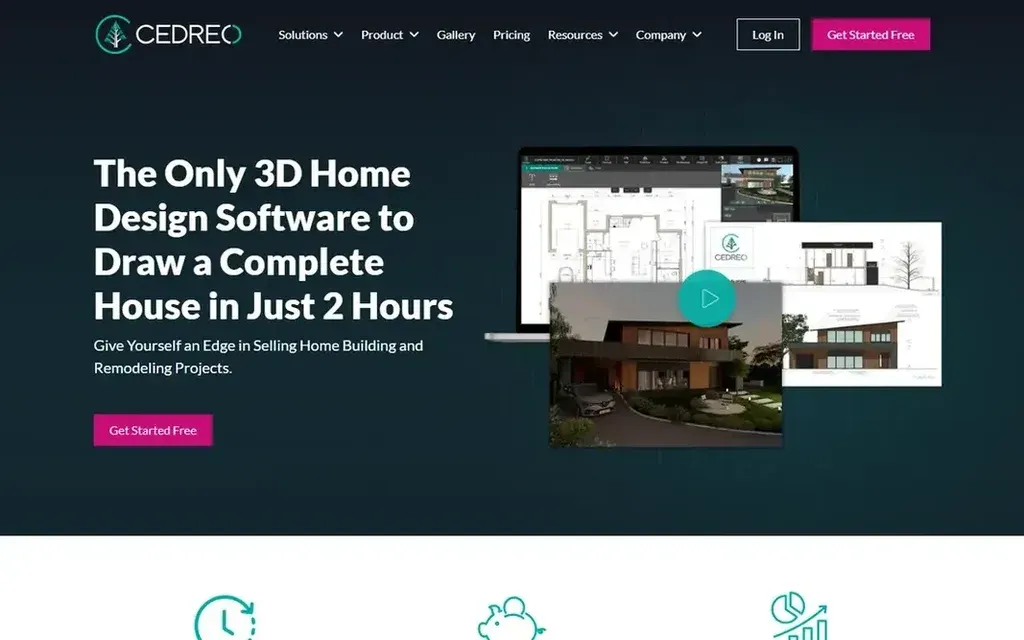
In short, Cedreo is for quick 2D and 3D floor plans. Cedreo offers 3D home design software for building both 2D and 3D floor plans and realistic interior and exterior renderings, with a stated emphasis on speed. It is targeted at home builders, remodelers, architects and home designers who require presentable plans and visuals without a long setup.
Its strength is plan and rendering creation, so teams that also need estimating, scheduling or client portals may pair it with other software. As for the details, homeowners wanting only a fast style refresh may prefer a photo-based AI app. No starting price is listed for Cedreo here; confirm pricing on the vendor site. You can start on Cedreo without paying.
Drawbacks to consider: In-depth documentation may need another tool.
- Realistic interior and exterior renderings
- Markets a quick path to finished plans
- Centered on plans instead of full project management
RoomSketcher makes the most sense for in-depth 2D and 3D floor plans. RoomSketcher presents itself as the easiest way to produce, edit and visualize in-depth 2D and 3D floor plans.
Worth adding: choose RoomSketcher when plan accuracy and visualization are the central goal. For everyday use, if you need shoppable design ideas from a single room photo, Reimagine Home is more direct. Starting cost for RoomSketcher: $12 per month. RoomSketcher has a free plan.
Trade-offs to know: Concentrated on floor plans instead of full remodeling management.
- Markets a fast path to professional plans
- Visualizes plans in 2D and 3D
- Photo-based AI restyling is not its core
Reimagine Home was built for AI restyling and virtual staging from photos. It fits homeowners and agents who want quick visual direction without drawing a plan from scratch.
Points against: Not a full floor-plan or project tool.
Entry price for Reimagine Home: $14 per month. Free plan details: Free trial.
- Supplies virtual staging
- Turns a room photo into design ideas
- Output relies on the photo provided
Planner 5D is built with simple 2D and 3D home design in mind. Pick Planner 5D when simplicity and fast 3D visualization matter more than business management.
Trade-offs to know: Less oriented to contractor workflows.
On top of that, Planner 5D is described as an advanced yet easy-to-use 2D and 3D house design tool for creating home designs in 3D. Planner 5D cost at the entry level: $19.99 per month. Planner 5D has a free plan.
- Easy-to-use 2D and 3D design
- Suited to visualizing a dream home layout
- May lack deep construction documentation
For online 3D design and room planning, Coohom is a natural candidate. Coohom gives you 3D home design software with AI assistance for creating 2D and 3D floor plans, customizing layouts and previewing interiors online. Its breadth can feel like a lot for someone with a single small room in mind, and it is not primarily a contractor business system.
Honest limits: Wide feature set may overwhelm new users.
If you need estimates and client management, Houzz Pro includes more of that ground. As for the details, choose Coohom for adaptable online design and room planning. This comparison lists no price for Coohom; ask the vendor. Coohom offers a free plan.
- Produces 2D and 3D floor plans online
- Previews interiors in 3D
- Less centred on contractor business tools

In short, Houzz Pro is for all-in-one AI platform for remodelers. Houzz Pro describes itself as an all-in-one AI system and software for builders, remodelers and designers. Its stated focus is construction and design software with AI trained on the industry, aiming to accelerate each part of the business.
Highlights: Made for builders.
Since it spans the entire business, the system carries more depth than a straightforward design app, which can be more than a homeowner or occasional user needs. If your goal is only a fast room concept, a lighter visual tool may be easier. Choose Houzz Pro when you run remodeling projects end to end. Pricing for Houzz Pro is not stated here, so ask the vendor for current figures. On free options: Not stated.
Downsides: Wide scope may feel heavy for small jobs.
- AI trained on the construction and design industry
- Remodelers and designers
- Less suited to casual DIY planning
Our selection method
For each of the 6 tools we noted price, free plan or trial, fit for AI remodeling app and the main limit, using vendor pages and documentation. Treat prices as a snapshot: vendors change plans often, so check the vendor site for the figure that applies today. The ranking is editorial: typical fit first, then clear pricing, then free access. If your needs are unusual, read the profiles rather than relying on position.
Things to verify first
- Get a written quote from Cedreo, Coohom and Houzz Pro; the list shows no starting price for them.
- Look at free plan limits closely: Cedreo, RoomSketcher, Planner 5D and Coohom have one, and the caps decide whether it is usable for real work.
- Run a trial of Reimagine Home with real work before paying for a year; your own workflow is the best test.
- Before choosing Cedreo, weigh its main limit: centered on plans instead of full project management.
- Pick one real project and run it in RoomSketcher first; a small pilot shows fit faster than a checklist.
- Map your must-have features to a specific Houzz Pro plan before you compare prices.
FAQ
Do these tools publish their prices?
Not all of them. Cedreo, Coohom and Houzz Pro publish no starting price, so expect a quote request for those. The rest, RoomSketcher included, show a starting price, though seats and billing terms still change the final cost.
What should an AI remodeling app do for a contractor?
A contractor-focused app should support design and planning whereas helping run client communication and project details. Houzz Pro is positioned around that broader business scope, whereas tools like Cedreo and RoomSketcher concentrate on plans and renderings.
What is the cheapest option for AI remodeling app in this list?
On published monthly entry prices, RoomSketcher is the lowest here at $12 per month. Entry price is only part of the cost, because seats, add-ons and billing terms can change the total.
How are the tools for AI remodeling app ordered?
The order follows typical fit for AI remodeling app, with Cedreo first and Houzz Pro last, then price clarity and free access. It is editorial judgement, not a score, so another team could rank the tools differently.
Which options for AI remodeling app have a free plan?
Cedreo, RoomSketcher, Planner 5D and Coohom offer a free plan in this list. Free plans usually cap users, projects or features, so check the limits on the vendor page. One other tool offers a trial instead.
Sources
- https://cedreo.com
- https://www.roomsketcher.com
- https://www.reimaginehome.ai
- https://planner5d.com
- https://www.coohom.com
- https://www.houzz.com/pro