Best AI Remodel Apps in 2026: 9 Apps Compared
Compare the best AI remodel app tools for 2026, with photo redesigns, exterior ideas, finish changes, and pricing for homes and rentals. See our top pick.

- Editor's choice
 REimagineHome
Conversational remodel ideas
Starts at$19 per monthVisit reimaginehome.aiFull review - Great alternative
 Remodel AI
Quick photo makeovers
Starts at$29 per monthVisit remodelai.appFull review - Also consider
 HomeDesignsAI
Interior and exterior ideas
Starts at$22 per monthVisit homedesigns.aiFull review
TL;DR:
- REimagineHome is our pick for most homeowners, because it offers conversational edits, real product ideas, and strong interior and exterior redesigns.
- Remodel AI and HomeDesignsAI suit quick photo makeovers, with style, finish, and garden options from a single room photo.
- RoomGPT and RoomStaging suit fast experiments and property photos, while Homestyler and Planner 5D suit users who want editable floor plans.
- AI images are ideas, not construction plans, so check measurements, materials, and local codes before you buy or build anything.
- Compare credit costs by output, not by credit count alone, since one credit can mean one image in one tool and a partial render in another.
Quick comparison
| Tool | Best for | Starts at | Free plan? | |
|---|---|---|---|---|
| REimagineHome | Conversational remodel ideas | $19 per month | Yes | Visit |
| Remodel AI | Quick photo makeovers | $29 per month | Yes | Visit |
| HomeDesignsAI | Interior and exterior ideas | $22 per month | Free trial | Visit |
 RoomGPT | Fast room experiments | See website | Yes | Visit |
 RoomStaging | Property staging and redesign | $19 per month | Yes | Visit |
 Homestyler | Editable layouts | See website | Yes | Visit |
 Planner 5D | Floor plans and 3D rooms | $59.99 per year | Yes | Visit |
 Spacely AI | Targeted room edits | $25 per month | Yes | Visit |
 MNML AI | Architectural concepts | $29 per month | Yes | Visit |
The best AI remodel apps
An AI remodel app should take a photo of your room or house exterior, apply a style or finish change, and return a believable image you can show a contractor, partner, or buyer. These nine cover interior, exterior, staging, and floor plan needs, with different credit systems and strengths.
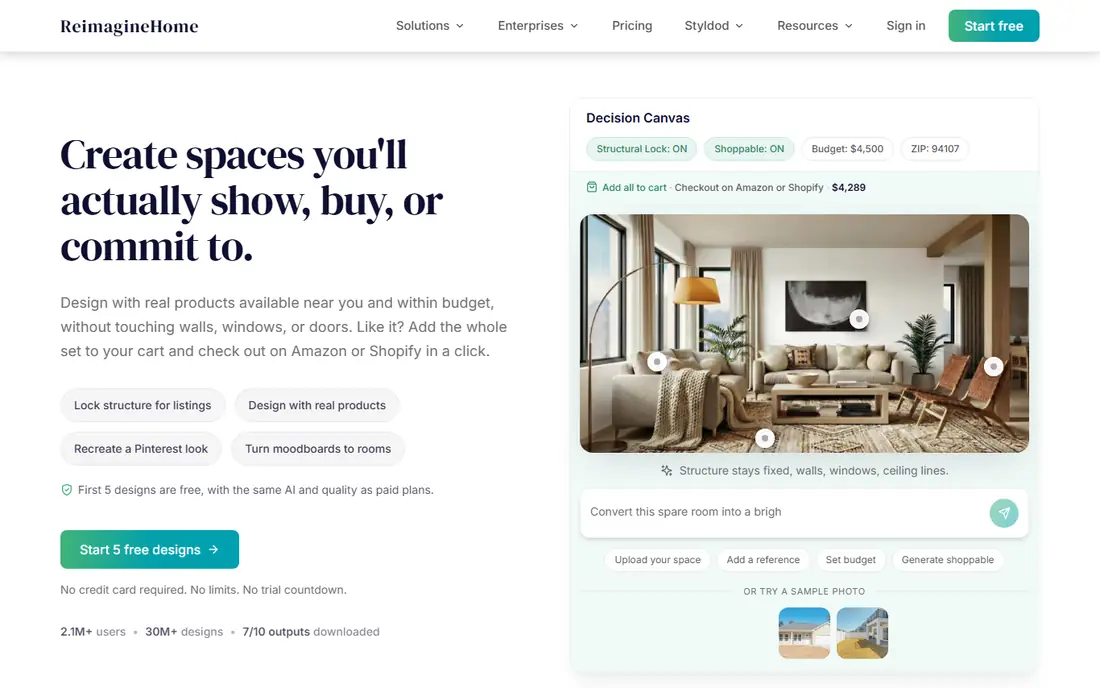
REimagineHome stands out for conversational editing. You can describe a change in plain words, such as lighter floors, a different kitchen style, or a new facade color, and refine the result without starting over. New users get five free designs in recent listings, and the Essential plan is listed at $19 per month for 30 credits.
The catch is plan tiers. Conversational flow, reference photos, and real product discovery sit on Pro and higher plans, so check what your plan includes before a large project. For homeowners weighing a remodel, REimagineHome offers the most useful idea-to-decision workflow in this list.
- Conversational edits
- Interior and exterior redesign
- Product-linked ideas on higher plans
- Chat and real product features need higher plans
- Credits limit heavy use

Remodel AI focuses on fast photo makeovers. Upload a room or exterior photo, pick a style, and get a redesigned image in seconds. It suits homeowners who want to test a kitchen, bathroom, living room, or facade idea before talking to a contractor. Recent listings show three free standard designs and a Pro plan around $29 per month.
Photo quality matters a lot. A bright, straight, uncluttered photo gives a far better result than a dark, angled shot. Use Remodel AI for ideas and mood, not for exact measurements, cabinet sizes, or material specs.
- Fast interior and exterior makeovers
- Style and finish options
- Simple photo upload
- Credits and commercial terms need checking
- Results vary by photo quality
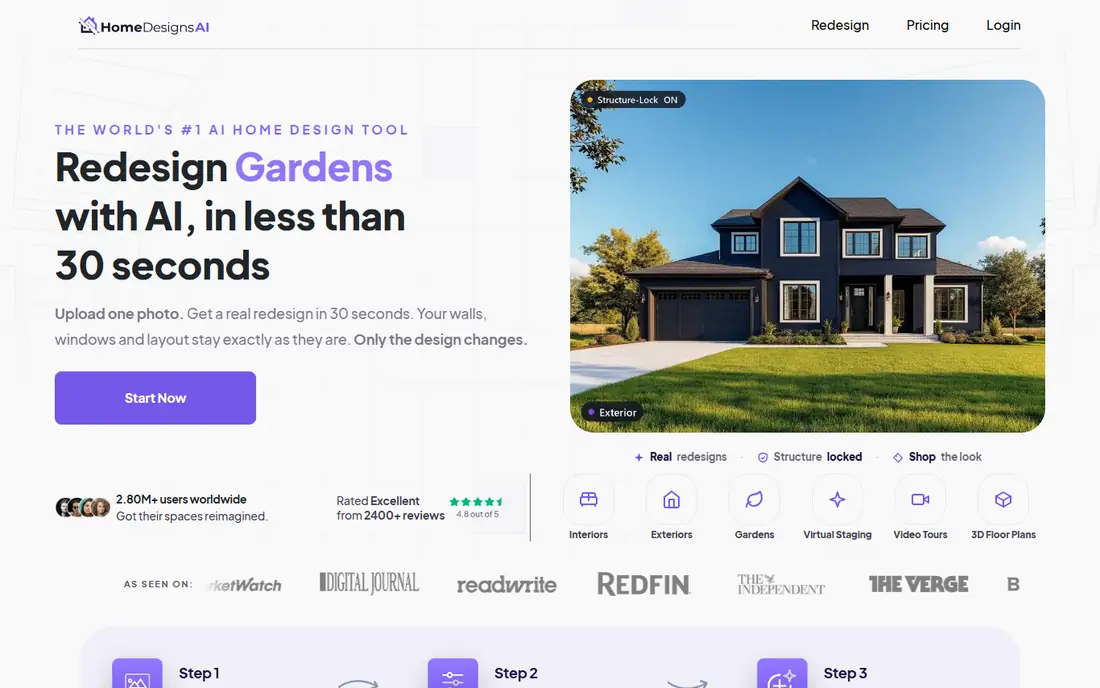
HomeDesignsAI covers interiors, exteriors, and gardens in one tool, with many style presets and custom prompts. That breadth helps a homeowner planning both inside and outside work, or a real estate professional preparing listing photos. Recent listings show a Standard plan around $22 per month for 100 credits, with higher plans for commercial output.
Trial terms have varied, with some offers requiring payment details, so read the current trial page carefully. For a broad remodel brainstorm, HomeDesignsAI offers more scope than a room-only tool.
- Interior, exterior, and garden concepts
- Many styles
- Commercial options on higher plans
- Trial terms vary
- Credit use differs by tool and output
RoomGPT is the simplest tool in this list for a quick experiment. Upload a room photo, pick a style, and see a new version. It suits renters, buyers, and homeowners who want to test ten ideas in an evening without learning a design app. Recent listings show a small free credit allowance and a $9 pack for 30 credits.
It is not a planning tool. You cannot edit a floor plan, move walls precisely, or get a material list. Use RoomGPT to find a direction you like, then move to Homestyler, Planner 5D, or a designer for a workable plan.
- Very fast room style experiments
- Simple upload and style pick
- Low-friction start
- Limited editing control
- No editable floor plan
- Credit packs vary
RoomStaging suits real estate professionals and homeowners preparing a sale. It can furnish empty rooms, clean up property photos, redesign interiors and exteriors, and produce before and after images for listings. Recent listings show three free credits and a Basic plan at $19 per month for 100 credits, or $12 per month billed annually.
Higher resolutions and some tools use extra credits, so check the cost for your intended output. For a homeowner who only needs one room idea, a simpler tool may be cheaper. For listings and staging, RoomStaging is well focused.
- Staging, redesign, and photo cleanup
- Property-focused tools
- Shareable before and after images
- Credit costs vary by resolution
- Property focus may be more than a homeowner needs
Homestyler bridges AI images and real planning. You can build or import a floor plan, place furniture, and generate AI renders of the same room, so ideas stay tied to a layout you can actually use. The free Basic plan offers unlimited 1K renders in recent listings, with a small AI credit allowance, while paid plans start around $6.80 per month in some listings.
AI credits run out fast for high-quality staging images, so plan which renders matter most. For a remodel that needs both a look and a layout, Homestyler is a stronger choice than a photo-only tool.
- Editable 2D and 3D layouts
- AI renders
- Large furniture library
- Free AI credits are limited
- Advanced renders need a paid plan
Planner 5D is best when the plan matters more than a single AI photo. You can draw a floor plan, add walls, doors, and furniture, and view the room in 2D and 3D. That helps you test whether a new kitchen layout, a larger bathroom, or a different furniture arrangement actually fits. Premium is listed at $59.99 per year or $19.99 per month in recent listings.
AI redesign is lighter here than in REimagineHome or Remodel AI, so use Planner 5D after you have a style direction, to test it in a real layout. For DIY planning and contractor discussions, a clear floor plan is often more useful than a pretty render alone.
- Unlimited projects on free plan
- Editable floor plans
- 2D and 3D views
- Full furniture catalog and advanced rendering need Premium
- AI features are lighter than photo tools
Spacely AI suits users who want to iterate on a room rather than accept one render. You can refine a design, target specific changes, and build variations for a client or partner. Recent listings show 40 trial credits and a Personal plan at $25 per month for 500 credits, with Studio plans for teams.
Exports are restricted on trial, so test with a real project before paying. For designers and homeowners who need several versions of the same room, Spacely AI offers more control than a one-shot photo tool.
- Iterative renders
- Targeted edits
- Design team workflows
- Trial credits restrict exports
- Credit cost varies by generation type
MNML AI, also listed as Mnml AI, focuses on architectural and interior concepts from sketches, models, and photos. It suits architects, designers, and homeowners planning structural or style-led changes, where a clean, realistic render matters. Recent listings show 100 starter credits and a Lite plan at $29 per month for 1,000 credits.
Credit cost varies by rendering engine, so a complex render can cost more than a simple one. For a quick furniture swap, a simpler tool is faster. For a concept that needs architectural quality, MNML AI is a strong pick.
- Architectural and sketch-based concepts
- High-quality renders
- 100 starter credits in recent listings
- Credit cost varies by engine
- Less suited to simple furniture swaps
How we picked these
We compared official pricing pages, free credit offers, and feature pages for AI remodel tools that work in October 2026 and offer real photo or plan-based redesign. We favored tools with a free start or trial, interior and exterior options, and clear credit terms, and we left out tools with no working product or no remodel focus. Prices shown are vendor-listed where stable, and See website where credit packs or plan terms vary.
How to use AI remodel images without costly mistakes
Take a good photo and test several styles
Shoot in daylight, from a corner that shows the whole room, with clutter removed and vertical lines straight. Test three to five styles for the same room, and save the best two. A single AI image can mislead, while a set shows which style holds up across angles and light.
Turn an idea into a real plan before you spend
Take your favorite image to a contractor or designer with measurements, photos of existing wiring, plumbing, and structure, and a budget range. Ask what the image gets wrong, such as wall removals, window sizes, or material costs. AI tools do not know load-bearing walls, local codes, or lead times, so a professional check protects your budget.
Budget by output, not by credit headline
Compare the cost of ten finished images at the resolution you need, including any extra charge for high resolution or commercial use. A tool with cheap credits but high per-image costs can be more expensive than a tool with a higher monthly price. For a one-room project, a credit pack may beat a subscription. For a whole house, a monthly plan usually wins.
FAQ
What is the best remodel AI app?
REimagineHome is our pick for most homeowners, because conversational edits and product-linked ideas help move from an image to a decision. Remodel AI is better for quick photo makeovers, and Homestyler and Planner 5D are better when you need an editable floor plan. Pick based on whether you need an idea, a layout, or both.
Can AI remodel apps design a kitchen or bathroom accurately?
AI apps can show style, color, and layout ideas, but they cannot guarantee measurements, plumbing, electrical, or structural accuracy. Use them for inspiration and discussion, then confirm dimensions, materials, and codes with a contractor or designer before you order cabinets, tiles, or fixtures.
Are AI remodel apps free?
Most offer a small free allowance, such as three to five designs or a limited credit pack, with paid plans for more images. REimagineHome, Remodel AI, RoomGPT, RoomStaging, Homestyler, Planner 5D, Spacely AI, and MNML AI all offer a free start in recent listings, while HomeDesignsAI is trial-led. Check current free terms, since they change often.
Do I need a contractor if I use an AI remodel app?
For painting, furniture, and decor, you may not. For structural work, electrical, plumbing, kitchens, and bathrooms, you should consult a licensed professional. AI images do not replace permits, inspections, or safety checks, and a contractor can spot issues an image hides.
Can AI remodel apps help sell a house?
Yes, staging and redesign tools such as RoomStaging and REimagineHome can help buyers picture a furnished or updated home. Use realistic styles, disclose that images are AI visualizations where required, and keep original photos available. Overly altered images that hide defects can harm trust and create legal risk.