Best AI Project Management Tools in 2026: 8 Tools Compared
Best AI project management tools for 2026: we compare 8 tools on AI planning, task automation, timelines, and fit for small and growing teams. before you buy
- Editor's choice
 Asana
teams that want AI status and workflow help
Starts atSee websiteVisit asana.comFull review - Great alternative
 ClickUp
teams that want tasks, docs, and AI in one place
Starts atSee websiteVisit clickup.comFull review - Also consider
 Monday Work Management
teams that want visual planning with AI help
Starts atSee websiteVisit monday.comFull review
TL;DR:
- Asana, ClickUp, and Monday Work Management offer the broadest AI features for established teams.
- Motion and Reclaim suit people who want AI to plan the day, not just summarize tasks.
- AI summaries and task creation help most when tasks already have clear owners and dates.
- Pick by workflow first, then check AI limits, pricing, and how AI handles your data.
Quick comparison
| Tool | Best for | Starts at | Free plan? | |
|---|---|---|---|---|
| Asana | teams that want AI status and workflow help | See website | Yes | Visit |
| ClickUp | teams that want tasks, docs, and AI in one place | See website | Yes | Visit |
| Monday Work Management | teams that want visual planning with AI help | See website | Free trial | Visit |
 Notion | teams that want docs, wikis, and tasks together | See website | Yes | Visit |
 Motion | people who want AI to plan each day | See website | Free trial | Visit |
 Reclaim | people who want AI time blocking for habits and tasks | See website | Yes | Visit |
 Todoist | individuals and small teams that want simple AI help | See website | Yes | Visit |
 Taskade | small teams that want AI outlines and mind maps | See website | Yes | Visit |
The best AI project management tools
We compared project tools on task planning, timelines, automation, AI summaries, AI task creation, workload views, pricing, and integrations, with a focus on AI features that save time rather than add noise.
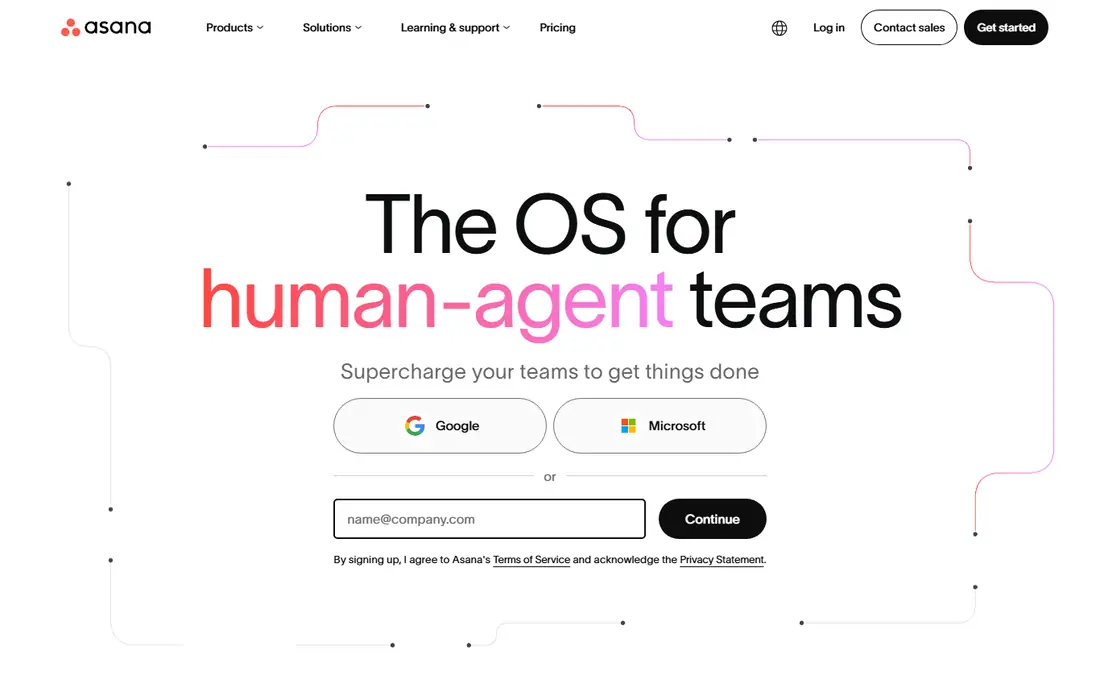
For readers who want teams that want AI status and workflow help, Asana is a strong place to start. Asana uses AI to summarize work, draft tasks, and surface risks, alongside timelines, boards, and workload views. It suits teams that already run projects in Asana and want AI to cut status work.
In daily use, the layout stays clear and the core tasks are easy to find. Asana also offers automation rules and a large integration range, which helps connect project work with email, docs, and chat. Check which plan includes the AI features you want, since AI access differs across tiers. Before you commit, check the plan limits, the add-on costs, and how well it connects with the tools you already use, because those details decide the real monthly cost.
- AI summaries and smart fields
- Strong timelines
- Wide integrations
- AI features vary by plan
- Costs rise for larger teams
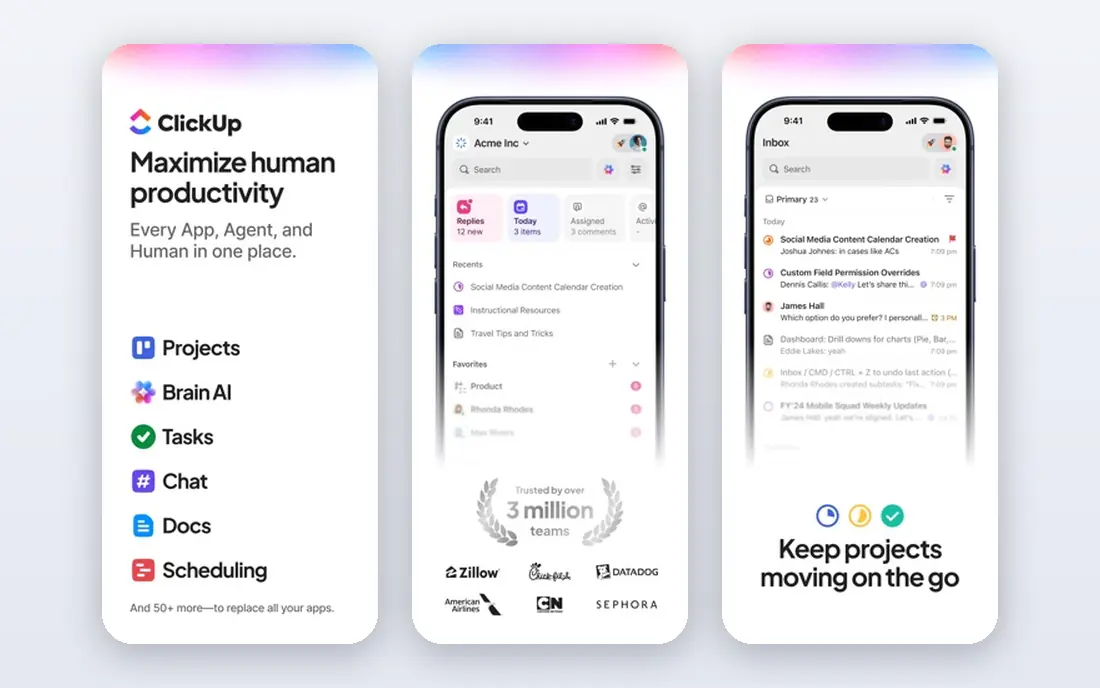
ClickUp stands out for teams that want tasks, docs, and AI in one place. ClickUp combines tasks, docs, goals, and chat, with AI that can draft, summarize, and answer questions from workspace content. It suits teams that want fewer separate tools.
Day to day, the value comes from fewer manual steps and clearer records. ClickUp also offers many views, from lists to Gantt charts, so teams can plan the same work in different ways. The depth is a strength for power users, but new teams should start with a simple setup and add views only as needed. It is worth running a trial with your real data and your real workflow, rather than judging it from a demo, so you can see where it helps and where it adds friction.
- All-in-one tasks and docs
- AI writing and summaries
- Flexible views
- Feature depth can overwhelm new users
- AI limits vary by plan

If teams that want visual planning with AI help is your main need, Monday Work Management deserves a close look. Monday Work Management turns projects into boards, timelines, and dashboards, with AI tools that help draft items, summarize updates, and categorize work. It suits visual planners who like to see work at a glance.
The practical test is simple: can your team use it without constant help. Monday Work Management also offers automation recipes that move items, notify owners, and update status without manual steps. Keep board design simple at first, and confirm AI availability on the plan you intend to buy. We suggest you list the features you need on day one, then compare that list with what each plan actually includes, since entry plans often leave out reporting or automation.
- Visual boards and timelines
- AI task and summary tools
- Automation
- Per-seat costs grow
- AI access depends on plan
We rate Notion highly for teams that want docs, wikis, and tasks together. Notion pairs docs, wikis, and databases with task tracking, and its AI can draft, summarize, and search across pages. It suits teams that live in docs and want project notes close to the work.
What matters most is fit, not feature count. Notion also offers templates for roadmaps, sprints, and team hubs, which speed up setup. Teams that need deep Gantt charts, workload balancing, or time tracking may need another tool or an integration. Check support hours, data export options, and contract terms before you pay, and keep a short list of deal breakers so a polished demo does not distract from a missing must-have.
- Docs and tasks in one place
- AI writing and search
- Flexible databases
- Project reporting is lighter than dedicated PM tools
- AI is a paid add-on for some plans
Among the options here, Motion is the clearest fit for people who want AI to plan each day. Motion uses AI to schedule tasks into your calendar based on deadlines, priorities, and available time. It suits busy professionals who want a plan for the day without manual calendar Tetris.
Setup time and learning time matter as much as price. Motion also covers projects and team tasks, so a small team can plan work and see deadlines together. It is priced above simple to-do apps, so test whether auto-scheduling saves enough time to justify the cost. A short trial with two or three real cases will tell you more than a long feature list, and it will show whether the tool suits the way your team already works.
- AI auto-scheduling
- Task and calendar in one view
- Project planning
- Higher price than simple task apps
- Less suited to large portfolio reporting
Reclaim earns its place for people who want AI time blocking for habits and tasks. Reclaim uses AI to block time for tasks, habits, meetings, and focus work, and it reshapes the calendar when priorities change. It suits people whose calendar, not a task list, drives the day.
The best way to judge it is against your current process. Reclaim also syncs with Google Calendar and common task tools, so scheduled work stays visible. It is not a full project platform, so larger teams may pair it with a project tool for reporting and portfolio views. Compare how long a common task takes now with how long it takes in the trial, and weigh that saving against the subscription, the setup time, and any training your team will need.
- AI time blocking
- Habit and meeting scheduling
- Calendar sync
- Focused on scheduling, not full project reporting
- Free plan limits apply
For individuals and small teams that want simple AI help, Todoist is worth serious consideration. Todoist is a fast, simple task manager with projects, labels, filters, and reminders, plus AI-assisted task creation on paid plans. It suits people who want a clean list without a heavy project system.
Price alone can mislead, because limits and add-ons change the total. Todoist also works across phone, desktop, and web, with integrations for calendar and email. Teams that need timelines, workload views, or deep reporting should look at Asana, ClickUp, or Monday instead. Read the pricing page in full, confirm what counts as a user or a contact, and ask about renewal terms so the second year does not bring a surprise.
- Simple, fast task lists
- AI task suggestions on paid plans
- Wide integrations
- Project views are lighter
- AI features are modest
Rounding out this set, Taskade is a solid choice for small teams that want AI outlines and mind maps. Taskade combines tasks, notes, mind maps, and AI agents that can draft outlines, summarize docs, and help plan projects. It suits small teams that brainstorm visually and want AI help from idea to task list.
A tool only helps if people keep using it. Taskade also supports real-time collaboration and templates for common workflows. It is a good fit for startups and creators, while larger teams with strict reporting needs may prefer a dedicated project platform. Look for clear navigation, sensible defaults, and help that is easy to reach, and be honest about whether your team will adopt a new habit or fall back to spreadsheets and email.
- AI outlines and mind maps
- Tasks and docs together
- Real-time collaboration
- Smaller ecosystem than leaders
- Advanced PM reporting is lighter
How we picked these
We compared official feature and pricing pages, app listings, and public reviews for project tools with AI features in current use. We favored tools that use AI for practical work, such as drafting tasks, summarizing updates, spotting risks, and planning schedules, rather than AI labels with little effect. We did not claim hands-on testing.
We also checked AI access rules. Some tools include AI in all paid plans, some sell it as an add-on, and some limit AI credits or actions per month. Those limits change the real value, so we note them where they affect a buying choice.
How to choose an AI project management tool
Start with the work you repeat. If status updates eat your week, AI summaries may help. If planning eats your week, AI scheduling may help. If intake is messy, AI task creation may help. Match the AI feature to a real bottleneck, or it will become another unused toggle.
Next, test AI output on your own projects. Ask it to summarize a messy thread, draft a task from a brief, or spot overdue work. Check accuracy, tone, and whether a human still needs to fix the result. AI that needs heavy editing saves less time than it promises.
Finally, check data and pricing rules. Ask what data the AI model can use, whether your project data trains shared models, and how to turn AI off for sensitive work. Confirm whether AI is included in your plan or billed separately, and whether there are monthly limits.
FAQ
What are AI project management tools?
They are project tools that use AI to help plan, summarize, and organize work. Common features include AI task drafting, status summaries, risk alerts, smart scheduling, and search across tasks and docs. The AI should support human decisions, not replace project ownership.
Do AI features replace project managers?
No. AI can draft, summarize, and surface risks, but people still need to set goals, make trade-offs, and handle conflicts. Treat AI output as a first draft, check it for errors, and keep a human owner for every key task and deadline.
Is my project data used to train AI models?
It depends on the vendor and the plan. Some vendors state that customer data is not used for shared model training, while others have different rules for free or beta features. Read the privacy and AI terms, and ask the vendor directly if the answer is unclear.
Which AI project tool is best for small teams?
ClickUp, Asana, and Notion are common small-team picks because they combine tasks, docs, and AI in one place. Motion and Reclaim suit smaller teams that want AI scheduling most. Start with a trial and test AI on your real projects.
How much do AI project tools cost?
Entry paid plans often start near $10 to $15 per user per month, with AI sometimes included and sometimes sold as an add-on. Business plans with deeper AI and reporting often cost more. Check the pricing page for AI limits before you budget.