Best AI Grading Tools for Teachers in 2026: 8 Tools Compared
We compared rubric grading, feedback, LMS links and price to find the best ai grading tools for teachers for essays, maths and class sets across the US in 2026.
- Editor's choice
 CoGrader
Rubric aligned essay grading for K-12
Starts at$15 per monthVisit cograder.comFull review - Great alternative
 EssayGrader
Low cost essay grading and feedback
Starts at$6.99 per monthVisit essaygrader.aiFull review - Also consider
 Gradescope
Higher education, maths and handwritten work
Starts atSee websiteVisit gradescope.comFull review
TL;DR:
- CoGrader is the strongest dedicated essay grader for K-12 teachers, with rubric aligned scores and a free tier of 100 gradings per month.
- EssayGrader is the lowest cost dedicated option, starting at $6.99 per month with a free tier of 50 essays per month.
- Gradescope remains the best choice for higher education and maths, code and handwritten work, where grouping similar answers saves the most time.
- Brisk Teaching and MagicSchool AI give qualitative feedback rather than scores, which suits formative work better than final grades.
- No AI score should reach a student without teacher review. Check the rubric, the evidence and the edits before releasing any grade.
Quick comparison
| Tool | Best for | Starts at | Free plan? | |
|---|---|---|---|---|
| CoGrader | Rubric aligned essay grading for K-12 | $15 per month | Yes | Visit |
| EssayGrader | Low cost essay grading and feedback | $6.99 per month | Yes | Visit |
| Gradescope | Higher education, maths and handwritten work | See website | No | Visit |
 Brisk Teaching | Feedback inside Google Docs | Free | Yes | Visit |
 MagicSchool AI | Criteria based feedback drafts | $8.33 per month | Yes | Visit |
 Class Companion | Guided feedback for student writing | See website | Yes | Visit |
 Eduaide.AI | Rubrics and feedback templates | See website | Yes | Visit |
 Diffit | Assessments and leveled questions to grade against | $14.99 per month | Yes | Visit |
The best AI grading tools for teachers
We compared official pricing pages, feature pages and public teacher guidance, and kept tools that support real grading workflows in October 2026. We distinguish clearly between tools that assign scores and tools that draft feedback only, because that difference matters for final grades.
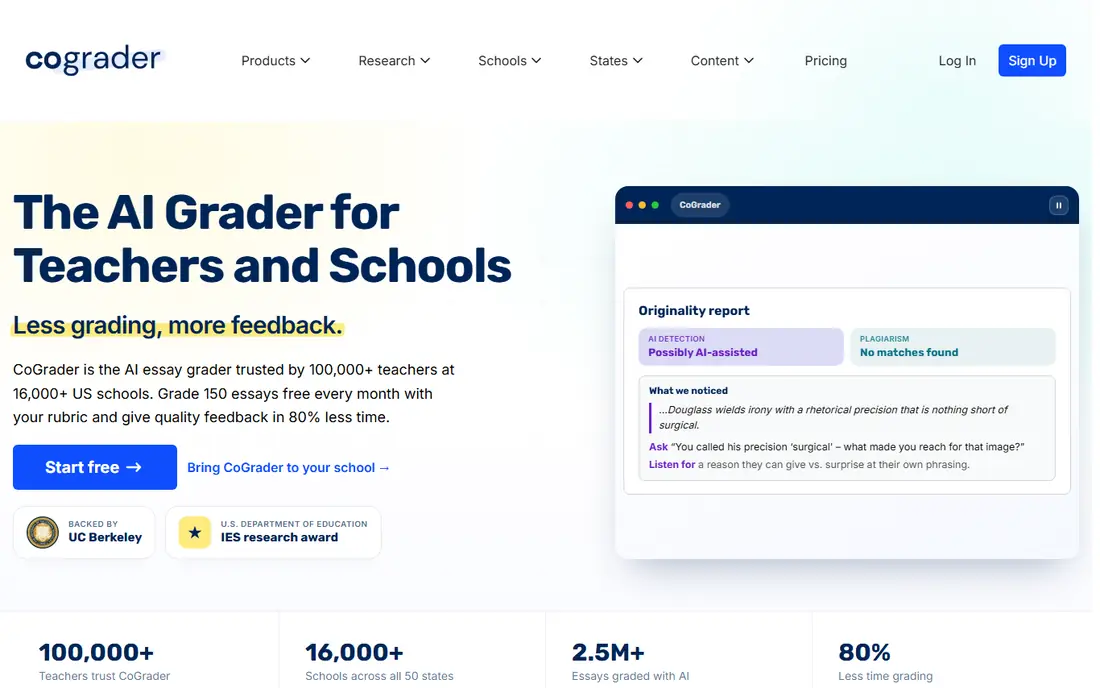
CoGrader is the most talked about dedicated grading tool for school teachers, and the workflow explains why. Connect Google Classroom or Canvas, choose an assignment, apply a rubric, and CoGrader drafts a score and feedback for every submission. The teacher reviews each result before students see it, which keeps the teacher in control of the final grade. The free Starter plan covers 100 submissions per month, which is enough for a serious trial, while Standard at $15 per month when billed annually raises the cap to 350 submissions. Rubrics for state tests and AP formats are a real advantage for ELA teachers, but check that the rubric descriptors match your assignment before trusting a full class set to any template.
- Grades full class sets against your rubric
- State and AP rubric templates
- Google Classroom integration on paid plans
- Paid plan needed for higher monthly limits
- School pricing is per student on district plans

EssayGrader suits a teacher who wants dedicated grading without a large subscription. Its Lite plan starts at $6.99 per month, with Pro at $14.99 and Premium at $34.99, and monthly limits rise with each tier. A library of hundreds of rubrics covers common essay types, and teachers can upload their own rubric and edit every score and comment before release. The limit to watch is volume. A teacher with several large classes can hit a monthly cap quickly, so count essays per month before choosing a tier. For one or two classes, though, EssayGrader gives the core dedicated grading workflow at the lowest price on this list.
- Lowest starting price among dedicated graders
- Large rubric library
- Teacher edits before release
- Monthly essay limits vary by tier
- Higher tiers needed for larger classes
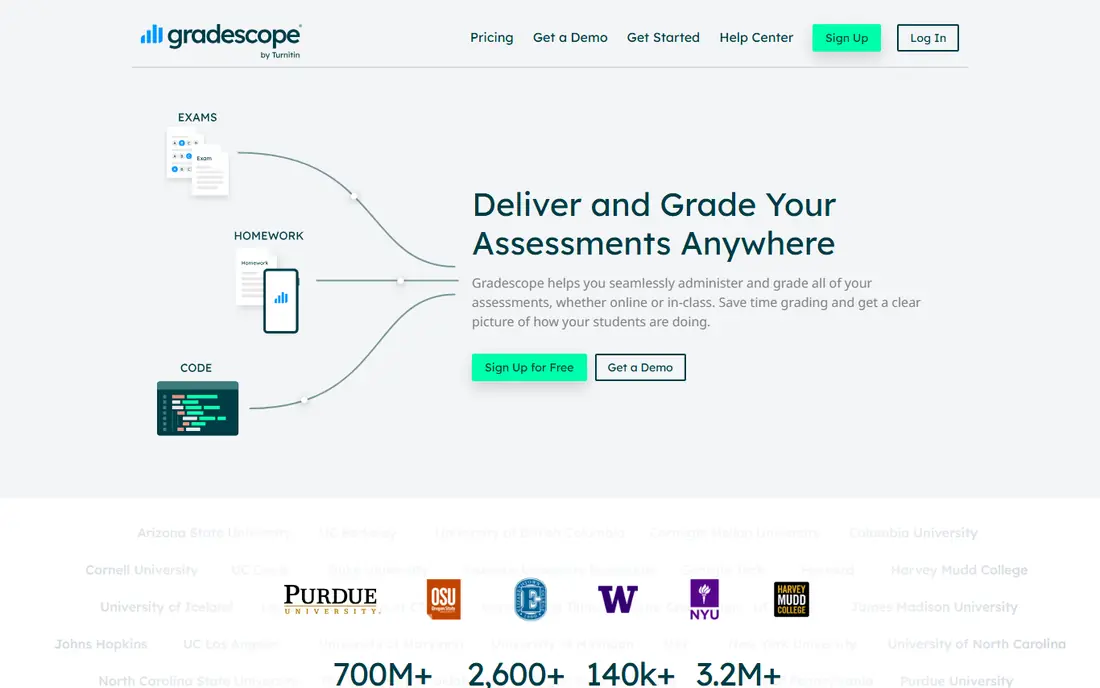
Gradescope, now owned by Turnitin, is the heavyweight for higher education and advanced secondary courses. Its best known feature is answer grouping: the system clusters similar student responses together, so a grader scores one response and applies that score to the group, with adjustments where needed. That saves the most time on maths, code and short answer work. Gradescope does not assign AI scores in the way CoGrader does. A human assigns every point, and the AI help is in grouping and workflow. Pricing is institutional and not published as a simple per teacher figure, so a single teacher usually accesses it through a university licence rather than buying it alone.
- Handles essays, maths, code and bubble sheets
- Groups similar answers for faster grading
- Strong for large courses
- No published per teacher price
- Institutional purchase is the usual route
Brisk Teaching is a feedback tool, not a scoring tool, and that distinction should guide how you use it. Inside Google Docs, it can draft targeted comments tied to a rubric, highlight strengths and gaps, and help a teacher give richer feedback faster. For formative drafts and revision work, that feedback is often more useful than a number alone. Do not use Brisk as a final grader. It does not assign the kind of rubric score CoGrader or EssayGrader produce, and a teacher still needs to decide grades. As a feedback companion inside Google Classroom, though, its free educator plan makes it an easy addition to a dedicated grader.
- Rubric based feedback inside Docs and Slides
- No new tab needed
- Free educator plan
- Gives qualitative feedback, not final scores
- Best in Google Workspace schools
MagicSchool AI earns a place for teachers who already use it for planning and want feedback help in the same toolkit. Its feedback tools draft criteria based comments on student writing, which a teacher can edit and return. That fits revision cycles and draft feedback, where comments matter more than a final mark. Like Brisk, MagicSchool should not be treated as a scored grader. Its strength is speed and breadth: one login for plans, rubrics and feedback drafts, with Plus at $8.33 per month when billed annually for heavier use. Pair it with CoGrader or EssayGrader when final scores are needed.
- Wide toolkit including feedback and rubric tools
- Student work feedback drafts
- Free tier for testing
- Feedback is criteria based comments, not a scored grade
- Usage limits on the free tier
Class Companion focuses on guided student practice rather than marking a final submission. Students work through writing and practice tasks with instant, guided feedback, while teachers set the assignment and review progress. That format suits practice essays, revision and skill building, where immediate feedback helps more than a delayed grade. For final grading, Class Companion is not a direct substitute for CoGrader. Use it to build skills during a unit, then grade the final piece with a dedicated tool or by hand. Pricing is school based and not published as a simple per teacher price, so check the free tier first.
- Guided practice with instant feedback for students
- Teacher controls over assignments
- Supports writing practice
- More practice focused than final grading
- School pricing by quote
Eduaide.AI helps most at the start of grading, not at the scoring step. It can generate rubrics, assessment prompts and feedback templates shaped by teaching frameworks, which a teacher can then use with a dedicated grader or for hand marking. That rubric quality matters, because a weak rubric produces weak AI feedback no matter which scorer you use. Teachers who need a full class set scored should not rely on Eduaide alone. Its role is preparation and feedback wording. Combined with CoGrader or EssayGrader, it can improve consistency, since the rubric and the feedback language are planned before any student work is scored.
- Rubric and assessment generators
- Feedback templates in several styles
- Planning tools alongside grading support
- Not a dedicated class set scorer
- Free generations are limited each month
Diffit closes this list because assessment design is part of grading. A teacher can create a leveled passage with questions and vocabulary support, then grade student responses against clear criteria. For mixed ability classes, that leveled assessment is fairer than giving every student the same text and the same questions. Diffit does not score a class set of essays the way CoGrader does, so do not buy it for that job alone. Its value is in creating the assessment well, especially for reading and differentiated work, and it pairs naturally with a dedicated grader for the scoring step.
- Creates leveled passages with questions
- Useful for differentiated assessment
- Exports for classroom use
- Assessment creation, not a dedicated essay scorer
- Teacher review needed for question quality
How we picked these
We compared official pricing pages, feature pages and public teacher guidance, and kept tools that support grading or feedback workflows in October 2026. We separated scored grading from feedback only tools, because treating them as the same would mislead a teacher buying for final grades. Prices are taken from vendor pages or reputable comparisons where vendor pricing is not published, and we mark institutional tools as See website.
How to use AI grading fairly
Always review before release
Read a sample of AI scores across high, middle and low work, check the rubric evidence, and edit anything that does not match your judgement. A teacher approved grade is the standard, not an AI draft.
Tell students how grades are made
Explain that AI may draft feedback, that you review and approve every grade, and how students can ask for a recheck. Transparency protects trust, especially when a grade affects a course outcome.
Watch for bias and subject limits
AI grading can struggle with creative work, unusual arguments and subjects outside its training examples. Use it most for structured writing and assessments, and grade creative or open ended work with extra care and human review.
FAQ
What ai grading tools are best for teachers?
CoGrader is our pick for dedicated K-12 essay grading, EssayGrader for low cost grading, and Gradescope for higher education and maths. Brisk Teaching and MagicSchool AI are better for feedback drafts than for final scores.
Can AI grading replace teacher marking?
No, AI tools should draft scores and feedback for teacher review, not replace teacher judgement. Review every grade before release, especially for high stakes work.
Is CoGrader free?
CoGrader has a free Starter plan covering 100 submissions per month, with Standard at $15 per month when billed annually for 350 submissions. School and district plans are priced separately.
Does Gradescope use AI to assign grades?
Gradescope groups similar answers to speed human grading, but a human assigns every point. That makes it different from dedicated AI scorers that draft scores directly.
How do I choose between CoGrader and EssayGrader?
Choose CoGrader for state and AP rubric templates and Google Classroom workflow, and EssayGrader for the lowest starting price. Count your monthly essays first, since limits differ by tier.