Best AI Grading App in 2026: 9 Apps Compared
Compare the best ai grading app options in 2026 for teachers, from CoGrader and Gradescope to EssayGrader, with prices, limits and honest trade-offs below.
- Editor's choice
 CoGrader
Google Classroom essay grading
Starts at$15 per monthVisit cograder.comFull review - Great alternative
 EssayGrader
Bulk essay feedback
Starts at$6.99 per monthVisit essaygrader.aiFull review - Also consider
 Gradescope
University rubric grading
Starts atSee websiteVisit gradescope.comFull review
TL;DR:
- CoGrader and EssayGrader lead for individual teachers grading essays, with free tiers and rubric-based feedback.
- Gradescope leads for universities and large classes, with rubric grading for scanned and digital work.
- Brisk Teaching and MagicSchool lead for feedback inside existing classroom tools, rather than as a standalone grader.
- No AI grader should assign a final grade unchecked; teacher review remains essential, especially for high-stakes work.
Quick comparison
| Tool | Best for | Starts at | Free plan? | |
|---|---|---|---|---|
| CoGrader | Google Classroom essay grading | $15 per month | Yes | Visit |
| EssayGrader | Bulk essay feedback | $6.99 per month | Yes | Visit |
| Gradescope | University rubric grading | See website | No | Visit |
 Brisk Teaching | Feedback in Google tools | See website | Yes | Visit |
 MagicSchool AI | General teacher AI tools | $12.99 per month | Yes | Visit |
 Class Companion | Step-by-step student feedback | See website | Yes | Visit |
 Formative | Real-time assessment | See website | Yes | Visit |
 ExamAI | Paper and digital exam grading | See website | Yes | Visit |
 Turnitin Feedback Studio | Originality and feedback | See website | No | Visit |
The best ai grading app
AI grading apps promise to cut marking time, but they differ in what they actually grade: essays, quizzes, scanned exams or short answers. They also differ in how much teacher control they leave. The apps below cover those cases, with a clear warning that applies to all of them: review AI scores before students see them, and keep human judgment for final grades.
CoGrader grades essays and written assignments against a rubric you set or choose, with feedback tied to criteria rather than a single vague score. Its Google Classroom integration is the main draw: import assignments, grade in bulk, and return feedback without moving files between systems. A class dashboard shows patterns across students, which helps with reteaching.
The free tier includes a monthly grading allowance, while the paid plan, at $15 per month billed annually or $19 month to month, raises that limit and adds grammar, plagiarism and AI detection features. CoGrader states that teachers review every score before students see it, and that workflow is the right one. Use it to draft feedback faster, not to outsource judgment.
- Google Classroom integration
- Rubric-based grading
- Class performance dashboard
- Best for written work
- Free tier has monthly limits
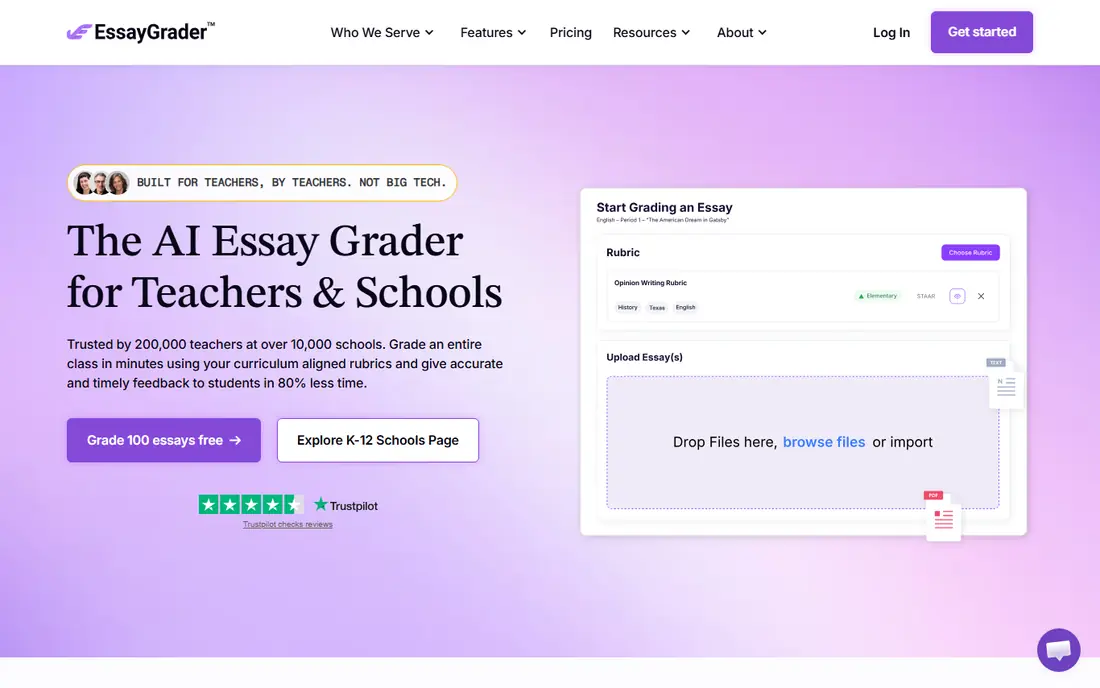
EssayGrader focuses on speed for essay marking. Bulk upload lets you grade a whole class set at once, and its rubric library covers many assignment types, with custom rubrics for your own criteria. Reports highlight grammar, clarity and rubric alignment, which gives students specific points to revise.
The free tier covers a monthly essay allowance, with paid plans from $6.99 per month raising limits to 100 to 800 essays depending on tier. Treat its scores as a draft: read a sample across ability levels, adjust the rubric where the AI misreads an argument, and keep final grades in your hands, especially for assessed work.
- Bulk upload for whole classes
- Large rubric library
- Detailed error reports
- Quality varies by subject and rubric
- Limits rise with paid tiers
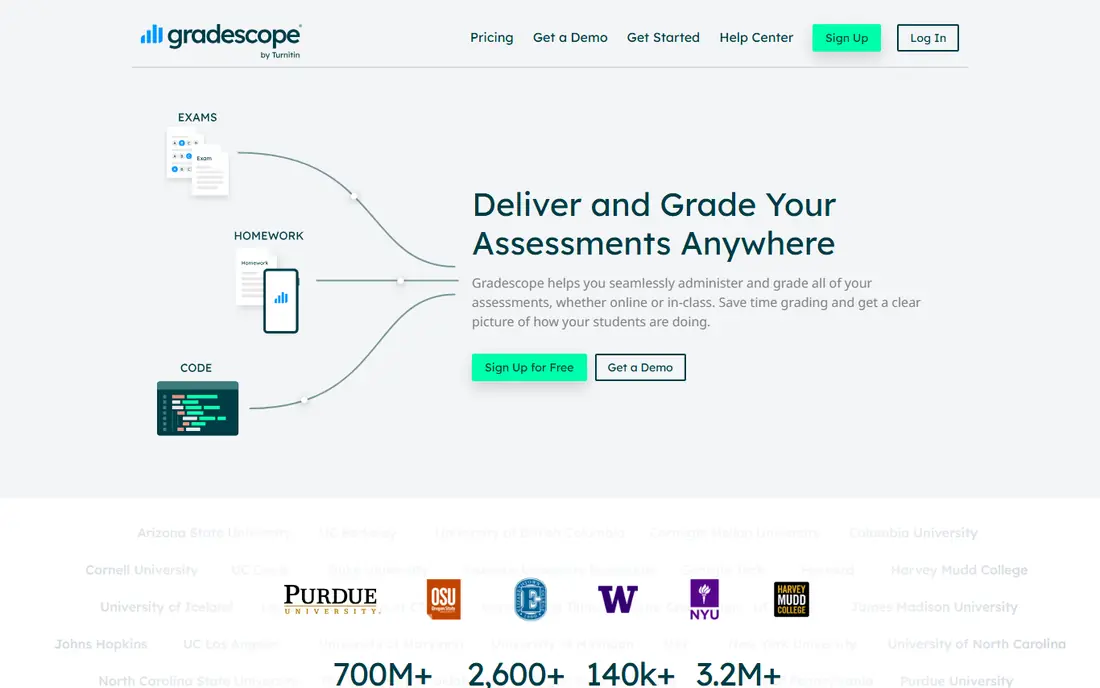
Gradescope, now part of Turnitin, is the established choice for universities and large classes. It handles scanned handwritten work and digital submissions, applies rubrics consistently across markers, and groups similar answers so a grader can score a batch at once. That grouping is its AI strength: the system organizes, while a human still assigns each point.
Pricing is institutional, with a basic tier after a trial and full pricing by sales contact, so individual teachers will usually need department support. Setup is heavier than CoGrader or EssayGrader, but for a course with hundreds of scripts, the consistency and workflow gains are real.
- Rubric grading for scanned work
- AI grouping of similar answers
- LMS integration
- Institutional pricing
- No free individual plan
- Setup takes time
Brisk Teaching is a Chrome extension and classroom tool that gives feedback inside Google Docs, Slides and other Google tools, rather than as a separate grading site. Teachers can generate targeted comments, adjust reading levels and check student work without exporting files. That inside-the-workflow design makes it easy to use every day.
It is best understood as a feedback aid, not a full grader. It gives qualitative comments rather than a final numeric grade for most tasks, and its free Educator plan has daily caps. Pair it with a rubric grader such as CoGrader when you need both comments and a score.
- Works inside Google Docs and Classroom
- Qualitative feedback
- Easy for daily use
- Does not assign scores in the same way as a grader
- Daily caps on free plan
MagicSchool AI is a broad teacher platform, with tools for lesson plans, assessments, rubrics and feedback, plus an AI grader among them. Its value is breadth: a teacher who already uses it for planning can add grading without learning a new system. Criteria-based comments help students see what to improve, rather than just a mark.
Because grading is one feature in a large set, it is less specialized than CoGrader or Gradescope for bulk essay work. The free plan covers core tools with limits, while Plus, at $12.99 per month or $8.33 billed annually, raises those limits. Choose MagicSchool if you want one platform for many jobs, and a specialist grader if marking is your main bottleneck.
- Wide teacher toolset
- Rubric and feedback generators
- Lesson and assessment tools
- Grading is one feature among many
- Paid plan needed for full access
Class Companion gives feedback on student work in steps, showing where a solution or argument goes right or wrong, rather than only a final score. That staged view helps students revise, and it gives teachers control over criteria and hints. It is designed for classroom use, with a focus on learning from feedback, not just marking.
As a newer tool, its subject coverage and integrations are narrower than the established graders. Test it on a small assignment first, compare its feedback with your own marking on a sample, and use it where step-by-step guidance matters most, such as math and science problems.
- Step-by-step feedback for students
- Teacher control over criteria
- Classroom-friendly
- Newer and smaller than Gradescope
- Subject coverage varies
Formative, also known as Formative AI, is built for live assessment: teachers see responses as students work, give feedback in the moment, and adjust teaching based on what the class understands. Its AI features can score short answers and suggest feedback, which speeds up quick checks and exit tickets.
It is less suited to final essay grading than CoGrader or EssayGrader, where rubric depth and bulk handling matter more. Use Formative for the learning process, to catch misconceptions early, and keep a specialist grader or your own rubric for summative work.
- Real-time student responses
- AI feedback options
- Strong for formative checks
- Better for ongoing assessment than final essay grading
- Some features need paid plan
ExamAI combines exam creation with grading for both paper and digital exams. Teachers can print exams with QR codes, scan student papers with a phone, and receive AI grading for essays, math, science and multiple-choice items. Student study tools, such as flashcards and practice tests, are also included.
As a newer platform, its long-term record is shorter than Gradescope, so test it on a low-stakes quiz before a major exam. Its free plan is a useful trial, with paid plans listed on its site. For teachers who still grade paper, the scan workflow is its main draw.
- Grades paper exams via QR scans
- Exam creation tools
- Covers many subjects
- Newer tool
- Pricing and limits should be checked on vendor site
Turnitin Feedback Studio is best known for originality checking, but it also offers rubric grading, comment libraries and feedback tools that many universities already use. Its strength is integrity and workflow: submissions, similarity reports and feedback live in one place, with LMS integration.
It is not primarily an AI essay grader in the CoGrader sense, and pricing is institutional. Schools that already license Turnitin should use Feedback Studio for its integrity and comment features, and add a specialist AI grader only where bulk feedback is the bottleneck.
- Originality checking
- Rubric and comment tools
- Widely used in higher education
- Institutional pricing
- AI grading is not its core job
How we picked these
We compared official feature pages, pricing and free tiers, classroom integrations, rubric control and grading type in October 2026. We favored tools that are actively maintained, that keep teacher review in the workflow, and that serve a distinct case, from essay bulk grading to scanned exams to live assessment. We excluded tools that only detect AI writing with no grading or feedback function.
How to use an AI grader responsibly
Start with a clear rubric and a sample. Grade a small set yourself first, then compare the AI feedback on the same set, and adjust criteria where it misreads tone, argument or subject detail. Share the rubric with students, so feedback feels fair and specific, not mysterious.
Keep final grades human. AI tools can draft comments, spot patterns and save time, but they can also miss nuance, reward surface fluency over real understanding, and vary by subject. Check high and low scores by hand, review borderline cases, and follow your school policy on AI use, data privacy and student data, including FERPA where it applies in the US.
FAQ
What is the best ai grading tool for teachers?
For individual teachers grading essays, CoGrader and EssayGrader are the strongest picks, with free tiers and rubric-based feedback. For universities, Gradescope is the established choice. For feedback inside Google tools, Brisk Teaching is the easiest daily option.
Can AI grading apps grade handwritten work?
Yes, in some cases. Gradescope handles scanned handwritten work with rubric grading, and ExamAI scans paper exams with QR codes. CoGrader and EssayGrader focus on typed work, so check the input type before you choose.
Is AI grading accurate?
Accuracy varies by subject, rubric quality and assignment type, and vendors publish limited independent evidence. Treat AI scores as drafts, review a sample across ability levels, and keep human judgment for final grades. A clear rubric improves results more than any single tool choice.
Do AI grading apps work with Google Classroom?
CoGrader integrates directly with Google Classroom, and Brisk Teaching works inside Google Docs and Classroom. Gradescope and Turnitin integrate with major learning systems, including Canvas and Blackboard. Check your school system before buying.
Should students see AI feedback directly?
In most cases, teacher review should come first. Review scores and comments, correct errors, and then release feedback that you stand behind. That workflow protects fairness, catches AI mistakes, and keeps the teacher, not the tool, as the grader students trust.