Best AI Budget Apps in 2026: 8 Apps Compared
The best ai budget app sorts spending, forecasts cash flow and flags subscriptions automatically. Compare 8 AI budget tools, prices and free plans here.
- Editor's choice
 Copilot Money
Apple users who want strong AI sorting
Starts at$13 per monthVisit copilot.moneyFull review - Great alternative
 Monarch Money
couples and a full money dashboard
Starts at$14.99 per monthVisit monarchmoney.comFull review - Also consider
 YNAB
strict zero-based budgeting with guidance
Starts at$14.99 per monthVisit ynab.comFull review
TL;DR:
- Copilot Money is our first pick for most readers, because it balances features, price and ease of use better than the narrower options below.
- Monarch Money and YNAB are the best alternatives when the first pick does not fit your phone, budget or style.
- Free plans vary a lot: some give a genuinely usable daily tool, while others are only a short trial, so check the free plan column before you install.
- Prices change often, so confirm the current price on the official site or in the app store listing before you subscribe, and use a trial where one is offered.
- Note: This article gives general information only and is not financial advice. Budget apps show your spending, but they do not replace advice from a qualified financial professional for debt, investing or tax decisions.
Quick comparison
| Tool | Best for | Starts at | Free plan? | |
|---|---|---|---|---|
| Copilot Money | Apple users who want strong AI sorting | $13 per month | Free trial (1 month) | Visit |
| Monarch Money | couples and a full money dashboard | $14.99 per month | Free trial (7 days) | Visit |
| YNAB | strict zero-based budgeting with guidance | $14.99 per month | Free trial (34 days) | Visit |
 Quicken Simplifi | an affordable all-rounder with forecasts | $5.99 per month | Free trial | Visit |
 Rocket Money | subscription cleanup and bill help | Free | Yes | Visit |
 PocketGuard | a single safe-to-spend number | Free | Yes | Visit |
 Cleo | chat-first budgeting and saving nudges | Free | Yes | Visit |
 Piere | AI spending insights and smart lists | See website | Free trial | Visit |
The best ai budget apps
We compared official feature pages, pricing pages, app store listings and public reviews to build this list. The best AI budget tool is the one that sorts your transactions correctly with little fixing, and whose forecast you can trust in an unusual month. Prices below are in United States dollars where a vendor publishes them, and we use See website where a price is not published plainly on the official site.

A strong option for Copilot Money is a fit for apple users who want strong ai sorting. Copilot Money is our pick for Apple households, because its sorting learns your habits and its cash flow forecast gives a useful view of the month ahead. Investment tracking in the same dashboard also suits people who want one money home. In daily use, that strength shows up in small moments: a quicker log, a clearer reminder, or a result you can actually act on, rather than a feature list you never open. There is no Android app, and there is no permanent free plan, only a one-month trial. At $13 per month or $95 per year, it is a considered purchase, so use the full trial before paying. Before you pay, check the plan that includes the features you will use, and test the free tier or trial for at least a week. A tool that fits your routine in week one is far more useful than a richer tool you stop opening in week three.
- Machine-learning transaction sorting
- Cash flow forecasts
- Investment tracking
- Apple and web only, no Android app
- No permanent free plan
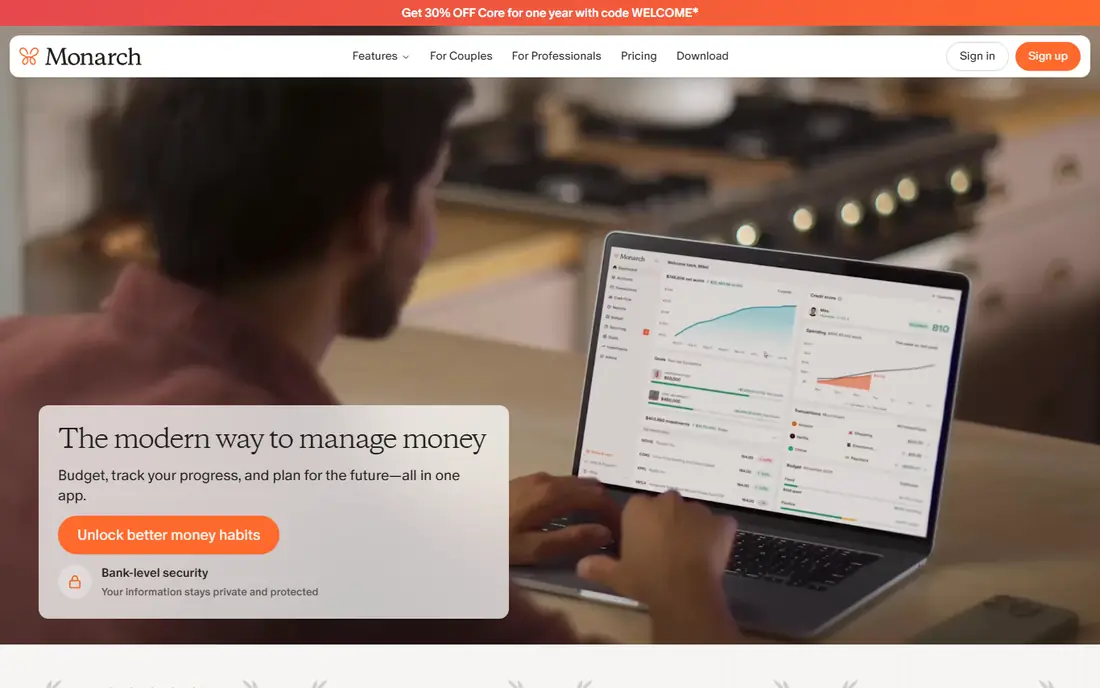
For readers who want Monarch Money is a fit for couples and a full money dashboard. Monarch Money suits couples and households that want a shared dashboard, with separate logins, joint goals and AI insights on shared spending. Net worth tracking across accounts gives a clear long-term view. In daily use, that strength shows up in small moments: a quicker log, a clearer reminder, or a result you can actually act on, rather than a feature list you never open. There is no permanent free plan, only a seven-day trial, and Core is $14.99 per month or $99.99 per year, with Plus at $199 per year. Use the trial to test bank connections and shared views. Before you pay, check the plan that includes the features you will use, and test the free tier or trial for at least a week. A tool that fits your routine in week one is far more useful than a richer tool you stop opening in week three.
- Shared logins and goals
- AI spending insights
- Net worth tracking
- No free plan
- Plus tier costs more for advanced features

Our pick for most people is YNAB is a fit for strict zero-based budgeting with guidance. YNAB suits people who want control rather than automation alone, because its zero-based method asks you to give every dollar a job before the month starts. Its guides and workshops help that habit stick. In daily use, that strength shows up in small moments: a quicker log, a clearer reminder, or a result you can actually act on, rather than a feature list you never open. It needs regular attention, and there is no free plan, only a 34-day trial, at $14.99 per month or $109 per year. People who want a mostly automatic app may prefer Copilot or Monarch. Before you pay, check the plan that includes the features you will use, and test the free tier or trial for at least a week. A tool that fits your routine in week one is far more useful than a richer tool you stop opening in week three.
- Zero-based method
- Goal tracking
- Strong learning resources
- No free plan
- Hands-on style needs regular time
A strong option for Quicken Simplifi is a fit for an affordable all-rounder with forecasts. Quicken Simplifi is the affordable all-rounder here, with a spending plan, cash flow forecast and bill tracking at a lower annual cost than Copilot or Monarch. That value suits people who want AI help without a premium price. In daily use, that strength shows up in small moments: a quicker log, a clearer reminder, or a result you can actually act on, rather than a feature list you never open. First-year pricing is often discounted, so check the renewal price, and investment tracking is limited compared with Monarch or Copilot. It is best for spending and bills, not for deep portfolio work. Before you pay, check the plan that includes the features you will use, and test the free tier or trial for at least a week. A tool that fits your routine in week one is far more useful than a richer tool you stop opening in week three.
- Spending plan
- Cash flow forecasts
- Bill tracking
- Price and trial length vary by offer
- Investment tracking is limited
For readers who want Rocket Money is a fit for subscription cleanup and bill help. Rocket Money suits people whose main money leak is forgotten subscriptions, because its tracking and cancellation help target that problem directly. A free basic tier lets you test bank sync before paying. In daily use, that strength shows up in small moments: a quicker log, a clearer reminder, or a result you can actually act on, rather than a feature list you never open. Premium pricing is flexible, reported from about $7 to $14 per month, so the yearly total depends on your choice. Bill negotiation help and fuller tools need Premium, so compare the paid total with what you expect to save. Before you pay, check the plan that includes the features you will use, and test the free tier or trial for at least a week. A tool that fits your routine in week one is far more useful than a richer tool you stop opening in week three.
- Free basic tools
- Subscription tracking
- Bill negotiation help on Premium
- Premium price is set by the user and varies
- Some features need Premium
Our pick for most people is PocketGuard is a fit for a single safe-to-spend number. PocketGuard suits people who want one answer each day: how much is safe to spend after bills and goals. That single number is easier to act on than a full set of charts. In daily use, that strength shows up in small moments: a quicker log, a clearer reminder, or a result you can actually act on, rather than a feature list you never open. The free tier limits linked accounts, and Plus is $12.99 per month or $74.99 per year for full features. It is a spending guide, not a full net worth or investment dashboard. Before you pay, check the plan that includes the features you will use, and test the free tier or trial for at least a week. A tool that fits your routine in week one is far more useful than a richer tool you stop opening in week three.
- In My Pocket safe-to-spend figure
- Bill tracking
- Simple dashboard
- Limited free accounts
- Plus needed for full features
A strong option for Cleo is a fit for chat-first budgeting and saving nudges. Cleo suits people who prefer to ask about money in plain chat rather than read charts, with saving challenges and nudges that keep the habit light. That style works well for younger savers and first-time budgeters. In daily use, that strength shows up in small moments: a quicker log, a clearer reminder, or a result you can actually act on, rather than a feature list you never open. The chat-first style can feel gimmicky if you want a detailed dashboard, and fuller features need a paid plan, reported from $5.99 per month. Try the free tier to see if the chat format helps or annoys you. Before you pay, check the plan that includes the features you will use, and test the free tier or trial for at least a week. A tool that fits your routine in week one is far more useful than a richer tool you stop opening in week three.
- Chat-based budgeting
- Saving challenges
- Spending insights
- Chat style divides opinion
- Fuller features need a paid plan
For readers who want Piere is a fit for ai spending insights and smart lists. Piere suits people who want AI insights without a heavy dashboard, with smart lists that group spending into useful patterns and a cash flow view for the month ahead. Its lighter feel suits daily check-ins. In daily use, that strength shows up in small moments: a quicker log, a clearer reminder, or a result you can actually act on, rather than a feature list you never open. It has a smaller user base than Copilot or Monarch, and pricing is less widely reported, so confirm the current plan on its website. It is a promising smaller pick, not yet a proven leader. Before you pay, check the plan that includes the features you will use, and test the free tier or trial for at least a week. A tool that fits your routine in week one is far more useful than a richer tool you stop opening in week three.
- AI transaction insights
- Smart spending lists
- Cash flow view
- Smaller user base than leaders
- Pricing needs checking on site
How we picked these
We started with products that exist and work in October 2026, and that truly fit the topic, not just products with a similar name. For each one, we checked the official homepage, the pricing page or app store listing, and the free plan terms, and we noted where a price was not published plainly. We favoured products with clear privacy terms, honest limits and a usable free tier or trial, and we kept a mix of well-known leaders and strong smaller options. We did not claim hands-on testing that did not happen. Instead, we compared what vendors publish, what app store listings show, and what public reviews report about everyday use. Where a product had a known weakness, such as a high price, a limited free tier or missing export, we say so in its write-up, because that weakness often decides the choice.
What to check before you choose
Start with the job, not the feature list
Write down the one job you need done every week, then check that job first in a trial. A long feature list is easy to admire and hard to use, while a tool that does your main job well will still be useful when you are busy or tired. If the main job needs a paid plan, price that plan, not the free tier, before you commit.
Check the real monthly cost
Monthly prices, annual prices and per-user fees can tell very different stories, and some tools add processing, marketplace or add-on charges. Add the plan you need, the users or locations you need, and any extra fees, then compare that total across two or three finalists. A trial that asks for a card should come with a calendar reminder to review it before renewal.
Test on your own phone and data
A tool that looks good in screenshots can feel different with your photos, your accounts and your daily routine. Use your own data in the trial, test the main flow twice, and check export, sharing and cancellation before you build a long history inside one app. If export is missing, keep a simple backup of key records elsewhere.
FAQ
What is the best ai budget app?
Copilot Money suits Apple users who want strong automatic sorting and cash flow forecasts. Monarch Money suits couples and Android users who want a full dashboard. YNAB suits people who want strict, hands-on control rather than full automation.
What is the best ai budget tool for couples?
Monarch Money is the strongest couples pick here, with separate logins, shared goals and joint spending views. PocketGuard and Goodbudget can also work for shared budgets, but Monarch gives the clearest shared dashboard.
Are AI budget apps safe to connect to my bank?
Reputable apps use read-only connections through aggregators such as Plaid or MX, so they can view transactions but cannot move money. Check the privacy policy for data storage, model training and deletion, and use two-factor authentication on your accounts.
Do AI budget apps replace a spreadsheet?
For many people, yes for daily tracking, because sorting, forecasting and subscription checks happen automatically. A spreadsheet still wins for custom analysis, irregular income planning or a budget you want to keep fully offline.
Can an AI budget app cancel subscriptions for me?
Some apps, notably Rocket Money, offer subscription tracking and cancellation help on paid plans. Read the terms carefully, because cancellation help varies by merchant and may need your confirmation for each service.