6 AI App Builder for Production Apps Worth Shortlisting in 2026
Searching for the best AI app builder for production apps? Here are 6 options with prices and free plans. Pros and cons for every tool. Updated for 2026.
- Editor's choice
 OutSystems
Enterprise app modernization and AI agents
Starts atSee websiteVisit outsystems.comFull review - Great alternative
 Cursor
AI-assisted coding for ambitious software
Starts at$8 a monthVisit cursor.comFull review - Also consider
 Bubble
No-code web and mobile apps
Starts atSee websiteVisit bubble.ioFull review
Direct answer
This list puts OutSystems first for enterprise app modernization and AI agents. Listed starting prices: Cursor from $8 a month, Vercel v0 from $30 per user per month and Retool from $10 per builder a month. Cursor is better for AI-assisted coding for ambitious software, and Bubble is better for no-code web and mobile apps. The other 3 tools in the list cover narrower or pricier cases.
TL;DR:
- This list starts with OutSystems, which is built for enterprise app modernization and AI agents.
- For the cheapest start, look at Cursor: $8 per month.
- GitHub Copilot suits AI assistance across the development lifecycle.
- 3 of 6 tools offer a free plan: Cursor, Vercel v0, Retool.
Last checked November 2026. Prices and plan details were read from the vendors' own pages in November 2026; vendors change plans often, so confirm the current price on the vendor site before you buy.
Quick comparison
| Tool | Best for | Starts at | Free plan? | |
|---|---|---|---|---|
| OutSystems | Enterprise app modernization and AI agents | See website | Not stated | Visit |
| Cursor | AI-assisted coding for ambitious software | $8 a month | Yes | Visit |
| Bubble | No-code web and mobile apps | See website | Not stated | Visit |
| Vercel v0 | Full-stack web apps with AI assistance | $30 per user per month | Yes | Visit |
 Retool | Internal production tools with AI | $10 per builder a month | Yes | Visit |
 GitHub Copilot | AI assistance across the development lifecycle | See website | Not stated | Visit |
AI App Builder for Production Apps compared in detail
If you are comparing AI app builder for production apps, this page covers 6 tools in one place: what each is best for, what it costs to start, whether it has a free plan, and the main limit to know about.
OutSystems is built with enterprise app modernization and AI agents in mind. OutSystems helps enterprises modernize legacy systems and run custom apps and AI agents to meet customer and regulatory demands.
It suits large organizations that require confidence in building apps and AI agents at scale, with governance and modernization in mind. Check the vendor site for OutSystems pricing; none is listed in this comparison. Trial and free access: Not stated.
Where it is weaker: Enterprise-oriented complexity.
- Modernize legacy systems
- Enterprise focus
- May be heavy for small projects
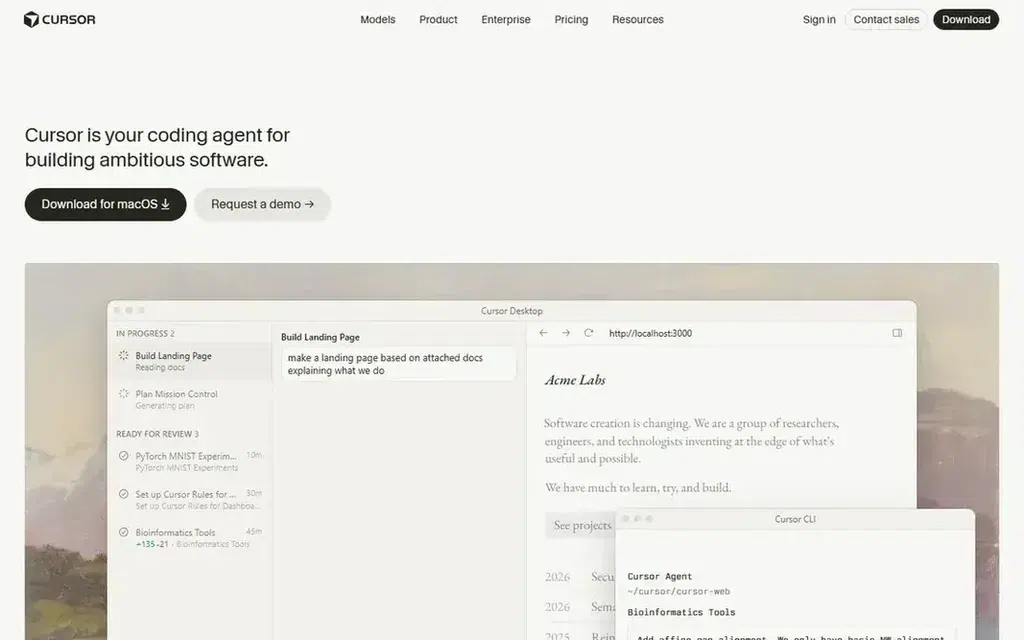
Think of Cursor for AI-assisted coding for ambitious software. Teams without developers may find it less approachable.
Points against: Needs coding knowledge.
From a buyer's view, Cursor is an AI coding agent made for ambitious software, meant to make developers extraordinarily productive. On cost, Cursor starts like this: $8 per month. Free access exists with Cursor.
- Turns ideas into code
- Hand off tasks
- Not a no-code builder
Bubble was built for no-code web and mobile apps. Bubble is a no-code AI app builder for web and mobile.
In daily use, Bubble is strongest when visual development and speed are priorities. More specifically, teams with existing engineering workflows might prefer a coding agent. No starting price is listed for Bubble here; confirm pricing on the vendor site. On free options: Not stated.
Honest limits: No-code limits for complicated needs.
- Design, database, logic
- Web and mobile
- May need platform-specific learning
Vercel v0
Best for: Full-stack web apps with AI assistance
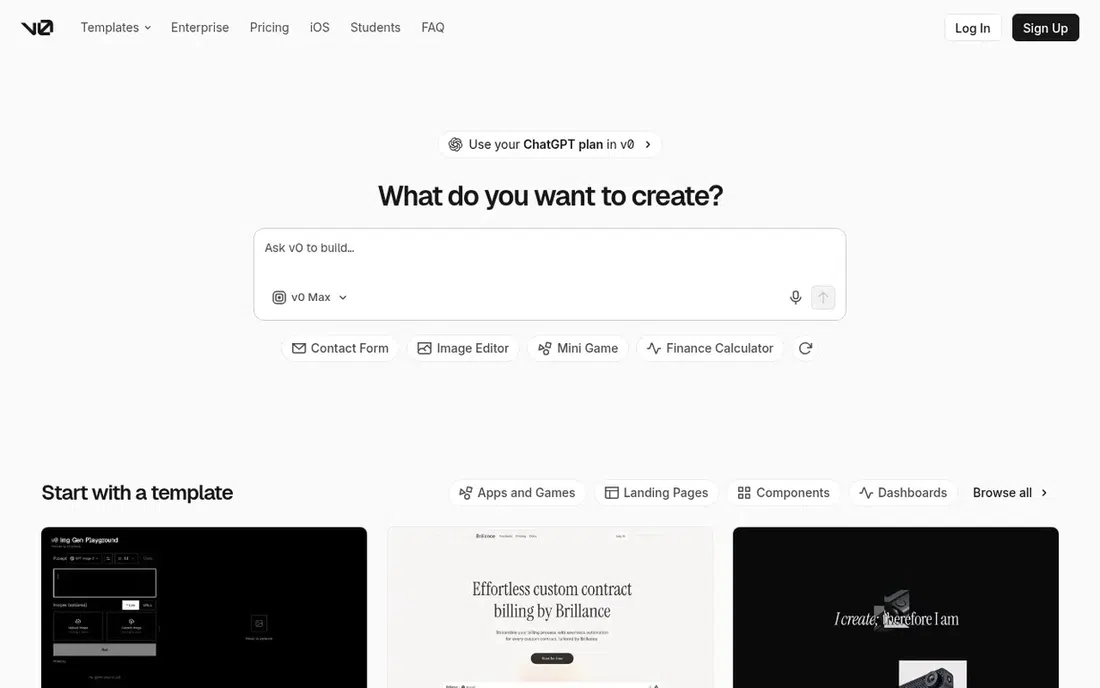
For full-stack web apps with AI assistance, Vercel v0 is a natural candidate. Vercel v0 is a collaborative AI assistant for designing, iterating, and scaling full-stack applications for the web. On top of that, the tool emphasizes iteration and scaling, making it a good match for projects expected to grow.
Drawbacks to consider: Web-centric.
Beyond that, since v0 centres on web applications, it may not include native mobile or desktop needs. In daily use, teams outside the Vercel ecosystem should check integration requirements. Vercel v0 cost at the entry level: $30 per user per month. Free access exists with Vercel v0.
- Full-stack web focus
- Design, iterate, scale
- May need Vercel ecosystem familiarity
Where Retool fits: internal production tools with AI. Retool targets internal tools instead of customer-facing apps, so it may not suit every production use case.
If you need a general web app builder or coding agent, consider other tools. On cost, Retool starts like this: $10 per builder per month. Free access exists with Retool.
What to check first: Focus on internal tools.
- Link databases, APIs, LLMs
- Build internal software
- May need some technical setup
Where GitHub Copilot fits: AI assistance across the development lifecycle. GitHub Copilot is an AI coding agent that works every step of the way, from an open issue to reviewing and merging a pull request. It operates in your editor, the terminal, on your desktop, and on GitHub.
In practice, teams outside the GitHub ecosystem may see less benefit. Beyond that, for visual app creation or internal tools, other choices may be more direct. GitHub Copilot does not show a starting price in this comparison, so check the vendor site for current pricing. Trial and free access: Not stated.
Where it is weaker: Needs GitHub workflow.
- Works from issue to pull request
- AI coding agent
- Not a standalone app builder
How we chose
LinkVetted looked at what each vendor publishes: pricing, plan limits, feature coverage for AI app builder for production apps and stated drawbacks. No hands-on testing is claimed. Plan names, prices and limits change often. Treat the figures here as a starting point and verify them with the vendor. The ranking is editorial: typical fit first, then clear pricing, then free access. If your needs are unusual, read the profiles rather than relying on position.
Pre-purchase checklist
- Ask OutSystems, Bubble and GitHub Copilot for a written quote, since no starting price is shown.
- Look at free plan limits closely: Cursor, Vercel v0 and Retool have one, and the caps decide whether it is usable for real work.
- Read the limits listed for OutSystems first: enterprise-oriented complexity.
- Ask Bubble how an export works before you move any records in; an easy exit lowers the risk.
- Price OutSystems for your actual team size; headline prices rarely include add-ons or overage.
FAQ
Can I try these options before paying?
Often, yes. Cursor, Vercel v0 and Retool have a free plan. Use your own data and a real task during the test, and check what the free tier or trial limits before you rely on it.
Is OutSystems the right pick for everyone comparing AI app builder for production apps?
No single tool suits every team. OutSystems comes first because it fits enterprise app modernization and AI agents, while Cursor suits AI-assisted coding for ambitious software and Bubble suits no-code web and mobile apps. Match the tool to your own size, budget and workflow before deciding.
What is the cheapest option for AI app builder for production apps in this list?
On published monthly entry prices, Cursor is the lowest here at $8 per month. Entry price is only part of the cost, because seats, add-ons and billing terms can change the total. For the full picture, the cards above cover all 6 entries of this AI app builder for production apps list, including price, free plan and limits.
Which tool is a good match for internal production tools?
OutSystems comes first here and is built for enterprise app modernization and AI agents. Buyers with other needs may prefer Cursor (for AI-assisted coding for ambitious software) or Bubble (for no-code web and mobile apps). Compare costs and limits first.
Which AI app builder for production apps have a free plan?
On this list, Cursor, Vercel v0 and Retool include a free plan. Caps on seats, usage or features are common, so test the free plan against your real workload.
Sources
- https://www.outsystems.com
- https://cursor.com
- https://bubble.io
- https://v0.dev
- https://retool.com
- https://github.com/features/copilot