Best AI Tools for Video Production in 2026: 8 Tools Compared
Best AI tools for video production compared, from avatar presenters and generative clips to transcript editing, captions, and stock based drafts for creators.

- Editor's choice
 Runway
Generative clips and creative control
Starts at$15 per monthVisit runwayml.comFull review - Great alternative
 Descript
Editing video by transcript
Starts at$24 per monthVisit descript.comFull review - Also consider
 Synthesia
Corporate presenter video
Starts at$29 per monthVisit synthesia.comFull review
TL;DR:
- AI video tools split into four jobs: generative clips, avatar presenters, transcript editing, and prompt to draft video, so pick by the job first.
- Credit and minute meters drive the real cost, so check what a minute of finished video uses before judging a monthly price.
- Free plans are useful for testing, but most watermark exports or limit commercial use, so read the terms before publishing client work.
- Human review still matters: check faces, hands, lip sync, and facts in every AI clip before it goes live.
Quick comparison
| Tool | Best for | Starts at | Free plan? | |
|---|---|---|---|---|
| Runway | Generative clips and creative control | $15 per month | Yes | Visit |
| Descript | Editing video by transcript | $24 per month | Yes | Visit |
| Synthesia | Corporate presenter video | $29 per month | Yes | Visit |
 HeyGen | Avatar ads and translation | $29 per month | Yes | Visit |
 Pictory | Turning scripts into video | $25 per month | Free trial | Visit |
 Kapwing | Browser editing with AI assists | $16 per month | Yes | Visit |
 InVideo | Prompt to finished draft | $20 per month | Yes | Visit |
 Veed | Subtitles and team editing | $20 per month | Yes | Visit |
The best AI tools for video production
AI video production now covers the full pipeline, from a first clip to a captioned final edit. We compared official feature pages, pricing pages, and public documentation, and we focused on tools that are live and usable in October 2026.

Runway is our pick for creators who want to generate footage rather than film it. It turns text and image prompts into short clips, and it offers camera control and editing tools that suit brand films, music visuals, and social concepts. For a creative team, the value is iteration speed: many clip ideas can be tested in an afternoon.
The catch is metering. Credits go quickly on the newest models, so a monthly plan that looks cheap can run out mid project. Plan clip counts in advance, and keep Runway for shots that are hard or costly to film.
- Strong text and image to video generation
- Editing tools in the same workspace
- Wide model choice
- Credits burn fast on high end models
- Short clip lengths need careful planning
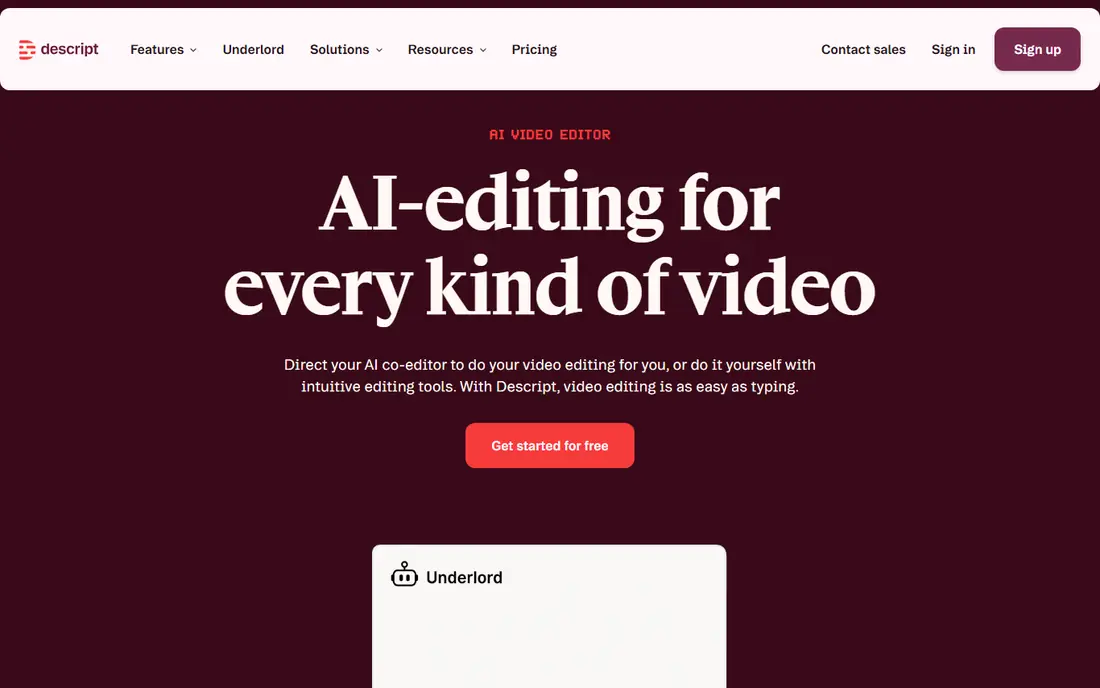
Descript changes editing for anyone who works with spoken video. Record a talk, a lesson, or a podcast, then cut the transcript to cut the video. Filler words, pauses, and repeated takes can be cleaned up in text, which is far faster than scrubbing a timeline for many editors.
Descript is not the tool for generating cinematic footage from a prompt. It shines when there is real recorded material to shape. Teams that publish tutorials, interviews, and internal updates will get the most from it.
- Edit video by editing text
- Strong filler word removal
- Good for talking head and podcast video
- Not a generative footage tool
- Media hours and AI credits need tracking
Synthesia fits training, onboarding, and explainer video at scale. A team writes a script, picks an avatar, and produces a consistent presenter video without booking a studio. That consistency helps when a course has dozens of lessons that must look and sound alike.
The trade off is tone. Avatar presenters suit clear instruction, but they are a poor fit for emotional storytelling or product demos that need a real person on camera. Budget by video minutes, since long courses use credits faster than a single short ad.
- Large avatar and language range
- Governance and team controls
- Consistent presenter style
- Avatar video can feel formal
- Per minute metering limits long series
HeyGen is a strong choice for marketing teams that need many short presenter videos, plus versions in other languages. Its translation feature keeps lip sync close to the new audio, which makes a translated ad feel less like a dub. For teams selling in several markets, that is a real time saver.
The catch is credit math. Different avatar models use different credit amounts, so two videos of the same length can cost different amounts. Check the credit table before promising a fixed number of videos per month to a client.
- Wide avatar choice
- Video translation with lip sync
- Fast ad and social formats
- Free plan is limited to a few videos
- Credit use varies by avatar model
Pictory suits content teams that already have scripts, blog posts, or webinar recordings and need video versions. Paste a script, and Pictory builds a storyboard with stock footage, captions, and voiceover options. That workflow turns one article into several social clips without a full shoot.
The honest limit is originality. Stock footage and template pacing work well for explainers and social posts, but they will not replace filmed footage for a brand film. Use Pictory for volume and reach, and film the pieces that must feel unique.
- Fast blog and script to video conversion
- Large stock library
- Simple editor for beginners
- Stock based video can feel generic
- No free standing plan, trial only
Kapwing is a practical all rounder for teams that edit in the browser and publish often. It covers trimming, captions, resizing for social formats, and AI assists such as silence removal and clip finding. Because it runs in the browser, a team can collaborate without installing heavy desktop software on every machine.
It is not a generative video engine, and very large projects may feel slower than desktop editing. For social teams, educators, and small marketing teams, that trade is usually worth it for speed and shared access.
- Full browser editor
- Auto captions and clip tools
- Easy team collaboration
- Browser editing can lag on very large files
- AI features are assists, not full generation
InVideo fits creators who want a first draft fast. Describe the video, and InVideo builds a draft with scenes, stock footage, text, and voiceover, which can then be edited. That is useful for ads, explainers, and social posts where speed matters more than a fully custom shoot.
The draft is a starting point, not a finished product. Check pacing, stock relevance, and voice quality before publishing, and confirm export resolution on your plan. Teams that review drafts with a clear checklist get the best results.
- Prompt to draft workflow
- Stock library and AI voices
- Templates for many formats
- Drafts need human polish
- Export limits vary by plan
Veed is our pick for teams whose main pain is subtitles, translation, and clean final edits. Auto captions are fast, styles are easy to apply, and the browser editor handles trimming, branding, and team review without a steep learning curve. For training and social teams, captions alone can justify the tool.
Veed does not try to be a full generative studio, so creators who want text to cinematic footage should pair it with a generation tool. As a finishing tool, though, it is fast, clear, and easy to teach to new team members.
- Accurate auto subtitles and translation
- Clean browser editor
- Team workspaces
- Free plan limits export length
- Advanced AI generation is limited
How we picked these
We compared official feature pages, pricing pages, and public documentation for AI video tools that produce or edit publishable video in October 2026. We grouped tools by job, generative footage, avatar presenters, transcript editing, and draft creation, so readers can compare like with like. We left out tools that only generate still images or that had no usable free or paid plan.
How to choose without wasting credits
Start with the finished video you need, then work backward. If you need a presenter, pick an avatar tool. If you have recorded footage, pick a transcript or browser editor. If you need footage you cannot film, pick a generative tool and budget by clips, not by months.
Next, run a small paid test before a yearly plan. Make two or three real videos, count credits or minutes used, and check export quality, captions, and commercial terms. That test tells you more than any pricing page, because meters differ by model, length, and resolution.
FAQ
What are the best AI tools for video production?
The best tool depends on the job. Runway leads for generative clips, Synthesia and HeyGen lead for avatar presenters, Descript leads for transcript editing, and Pictory and InVideo lead for fast drafts from scripts. Most teams use two tools, one to create and one to finish.
What is the best AI software for video production for beginners?
Kapwing and Veed are easy starting points because they run in the browser and focus on editing, captions, and templates. Pictory is also beginner friendly for script to video work. Start with a free plan and one real project before paying.
Can AI video tools replace filming?
Not fully. AI tools handle presenters, stock based drafts, and hard to film shots well, but real people, real products, and real places still film better for trust and detail. Use AI for speed and scale, and film the moments that must feel authentic.
How much does AI video production cost per month?
Entry plans in this list start from about $15 to $29 per month, but credits and minutes often matter more than the headline price. A plan that covers ten short videos may not cover one long course. Count minutes and clips in a trial before committing.
Do free plans allow commercial use?
Often not, or only with a watermark and limits. Check the terms for each tool before using free exports for client work or ads. Paid plans usually remove the watermark and allow commercial use, but terms still vary by tool.
How do I avoid odd looking AI video?
Keep clips short, avoid complex hands and fast motion, and review every clip at full size. Check lip sync, text on screen, and scene changes. A short human review pass catches most problems before an audience does.