Best Accounting Software for Invoicing in 2026: 8 Tools Compared
Compare the best accounting software for invoicing in 2026, including QuickBooks, Xero, and FreshBooks, on invoice tools, payments, and plans for owners today.
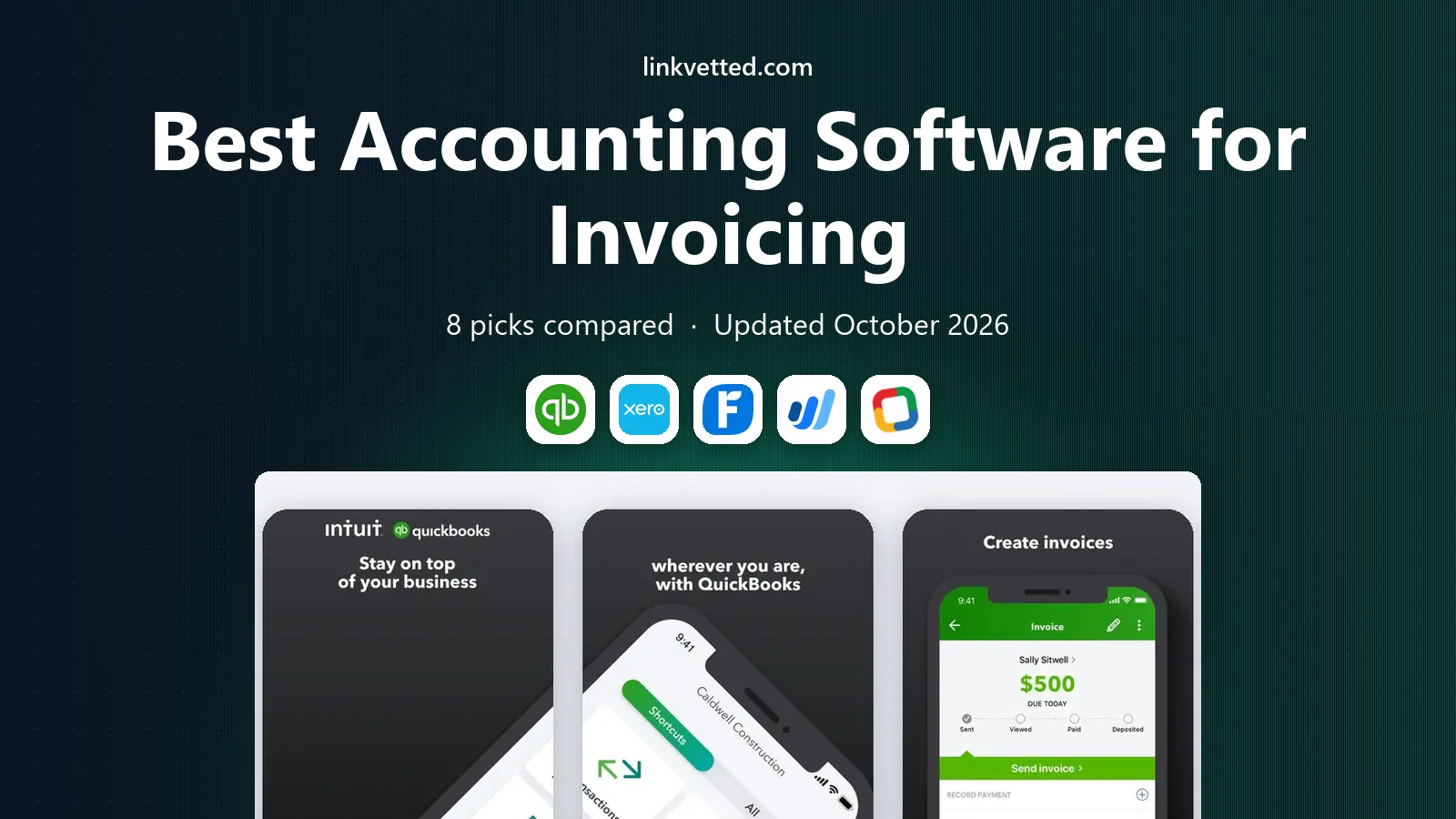
- Editor's choice
 QuickBooks Online
Full accounting plus invoicing
Starts atSee websiteVisit quickbooks.intuit.comFull review - Great alternative
 Xero
Teams sharing the books
Starts atSee websiteVisit xero.comFull review - Also consider
 FreshBooks
Service businesses and time billing
Starts atSee websiteVisit freshbooks.comFull review
TL;DR:
- QuickBooks Online suits most small businesses that want invoicing tied to full accounting, reports, and a large integration list.
- Xero suits teams that share the books, since it allows unlimited users on every plan, while FreshBooks suits service businesses built around clients and time.
- Wave and Zoho Invoice suit very small budgets, with free tiers that cover basic invoicing and bookkeeping.
- This is general business information, not financial or tax advice, so check tax and payroll rules for your location before you choose.
Quick comparison
| Tool | Best for | Starts at | Free plan? | |
|---|---|---|---|---|
| QuickBooks Online | Full accounting plus invoicing | See website | Free trial | Visit |
| Xero | Teams sharing the books | See website | Free trial | Visit |
| FreshBooks | Service businesses and time billing | See website | Free trial | Visit |
 Wave | Free invoicing for solo owners | Free | Yes | Visit |
 Zoho Books | Budget-conscious growing businesses | Free | Yes | Visit |
 Square Invoices | Fast payment collection | Free | Yes | Visit |
 Stripe Invoicing | Online and recurring billing | See website | No | Visit |
 Sage | Inventory and growing firms | See website | Free trial | Visit |
The best accounting software for invoicing
Good invoicing software should make it easy to send a professional invoice, get paid, chase late payments, and see who still owes you. The best tools also connect invoicing to bank feeds, expenses, and reports, so an invoice is not a separate document floating outside your books. The options below cover different budgets and business types.
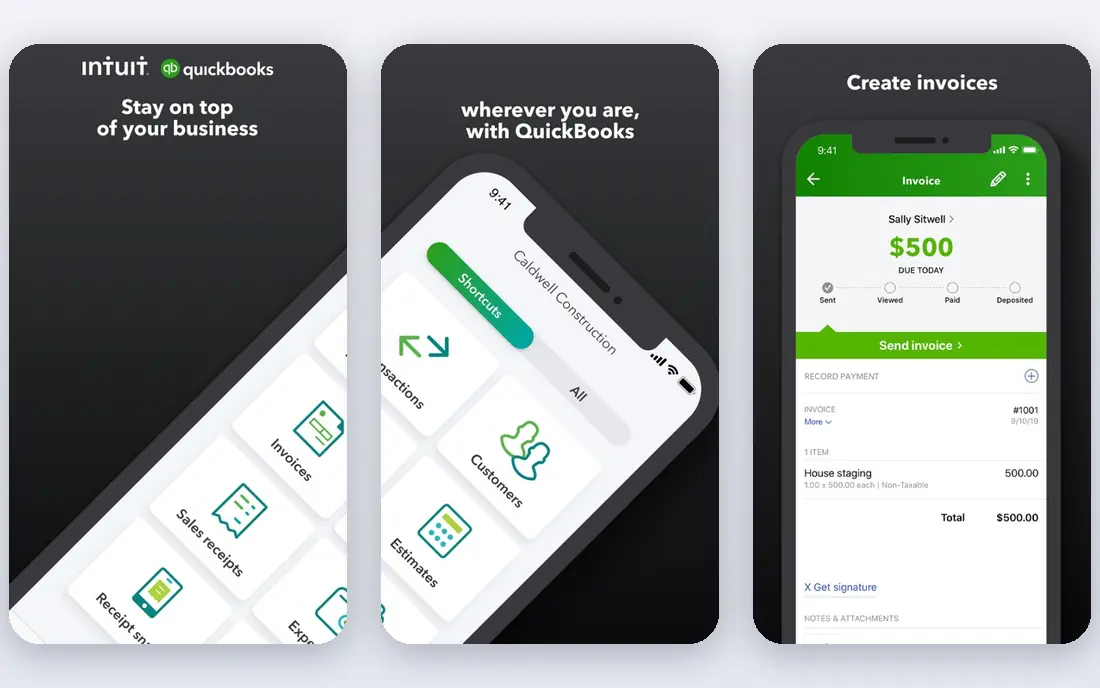
QuickBooks Online is our pick for most small businesses because invoicing sits inside a complete accounting system. An invoice updates accounts receivable, sales reports, and customer history at once, so you do not need to reconcile a separate invoicing app with your books. Templates are professional, recurring invoices save time, and payment links let customers pay online.
The main watch point is price over time. Introductory offers can make the first months cheaper, then the regular rate applies, and higher tiers are needed for more users, inventory, or advanced reporting. Accountant support is a plus, since many US accountants already work in QuickBooks. If you want one system for invoicing, expenses, payroll add-ons, and tax reports, QuickBooks is a strong default.
- Invoicing tied to full accounting
- Many integrations
- Strong reporting
- Price rises with higher tiers
- Promo prices can increase later
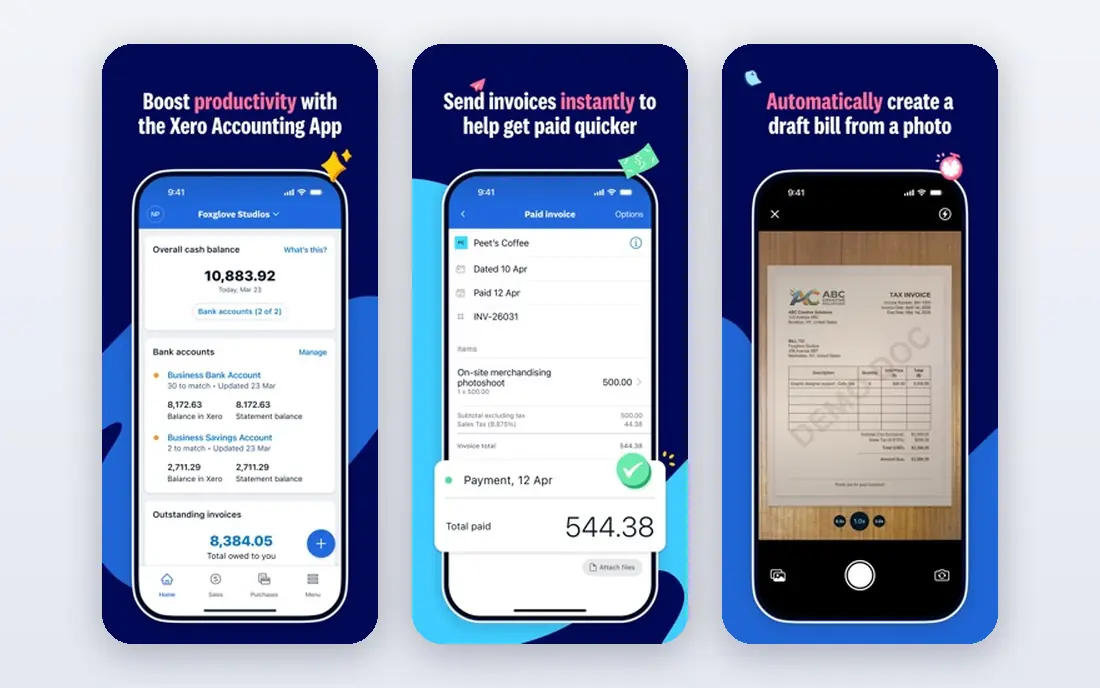
Xero suits businesses where several people need access to the books without paying per user. Every plan allows unlimited users, which helps a team, a bookkeeper, and an accountant work together without extra seat fees. Invoicing is clean and fast, with recurring invoices, payment reminders, and online payment options, and bank feeds help match payments to invoices.
The limits matter for some US businesses. Payroll is handled through an add-on rather than built in, and inventory tracking is less deep than some rivals. Xero also has plan limits on invoices and bills at lower tiers, so check those against your monthly volume. For a team that shares bookkeeping and wants a tidy invoicing workflow, Xero is a strong alternative to QuickBooks.
- Unlimited users on every plan
- Clean invoicing
- Good bank feeds
- US payroll needs an add-on
- Inventory features are limited
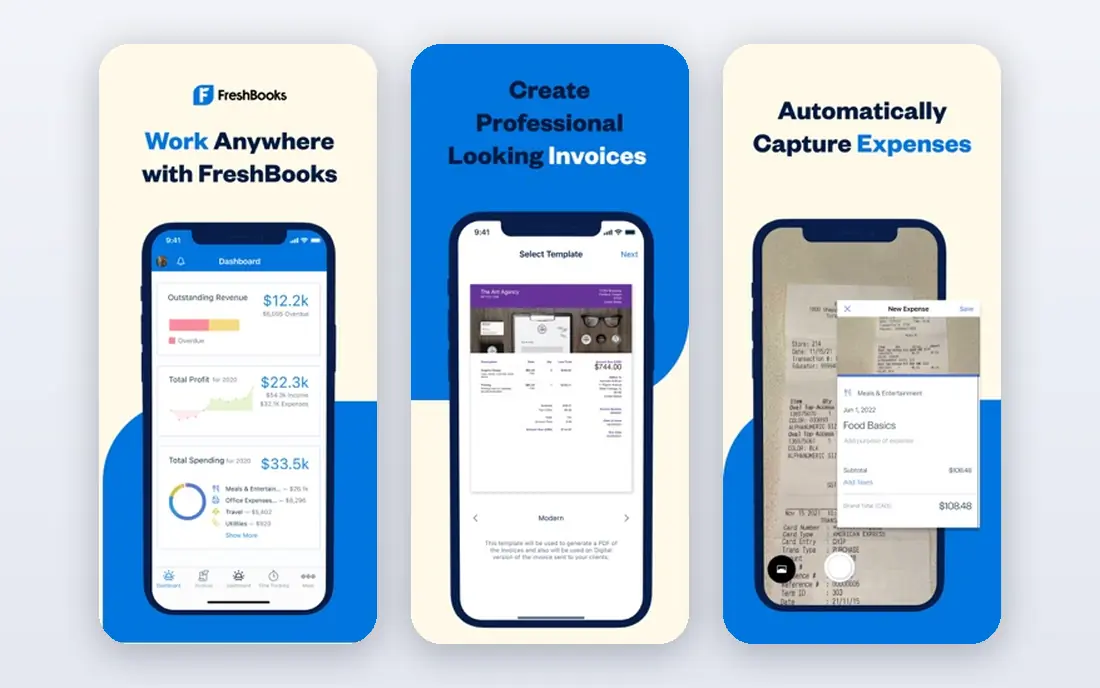
FreshBooks is built around clients, projects, and billable time, which suits freelancers, consultants, agencies, and other service businesses. You can track time, turn it into an invoice, send automated payment reminders, and give clients a portal to view invoices and pay. That client-centered flow feels simpler than a general ledger-first system.
The trade-off is accounting depth. FreshBooks covers everyday bookkeeping well, but businesses with complex inventory, manufacturing, or multi-entity accounting may need a fuller system. Lower tiers also limit the number of billable clients, so a growing service business should check the next tier before committing. If invoicing and getting paid on time are your main concerns, FreshBooks is a natural fit.
- Client-focused invoicing
- Time tracking and projects
- Automated reminders
- Less suited to complex accounting
- Client limits on lower tiers
Wave is a strong free starting point for sole proprietors and very small businesses. Core invoicing and accounting are free, invoices look professional, and you can accept online payments, though payment processing fees apply as with most tools. Setup is quick, which suits owners who want to send an invoice today without a long onboarding process.
The limits appear as a business grows. Bank feeds and some payroll features sit on paid plans, and Wave is best suited to US and Canadian users. It is not built for complex inventory or multi-user teams. For a solo owner with simple needs and a tight budget, Wave covers the essentials at no monthly software cost.
- Free core invoicing and accounting
- Simple setup
- Good for solo owners
- Some features need paid plans
- Best suited to US and Canada
Zoho Books offers good value, with a free plan for businesses under a revenue threshold and affordable paid plans above that. Invoicing includes recurring invoices, payment reminders, client portals, and multi-currency support on higher tiers, while automation rules can handle approvals and follow-ups. If you already use Zoho CRM, Zoho Inventory, or other Zoho apps, the shared data is a clear benefit.
The main drawback is the integration list, which is smaller than QuickBooks, though it covers common tools and payment providers. Some features take time to learn, since Zoho Books packs a lot into its menus. For a growing business that wants low cost and room to add other Zoho tools later, Zoho Books is worth a close look.
- Free plan for small businesses
- Strong automation
- Works well with other Zoho apps
- Fewer third-party integrations than QuickBooks
- Learning curve for some features
Square Invoices suits businesses that already use Square for payments, whether in person, online, or both. You can send an invoice in minutes, request a deposit or milestone payment, and let customers pay by card or other supported methods. That speed helps trades, food businesses, event sellers, and other businesses that need payment before or soon after work.
Square Invoices is not a full accounting platform on its own, though it connects to accounting tools for bookkeeping. Payment processing fees apply, so compare those against other payment providers if volume is high. If your priority is getting paid fast with minimal setup, Square Invoices is a practical tool, especially alongside a separate accounting system if needed.
- Quick invoice setup
- Deposits and milestones
- Strong for in-person and online sellers
- Not a full accounting system
- Processing fees apply
Stripe Invoicing is built for online businesses, software companies, and anyone who bills customers around the world. It supports one-time invoices, recurring billing, subscriptions, and a wide range of payment methods, with tax tools available as add-ons. Invoices can be customized and sent from the Stripe dashboard or through its API for automated billing.
The pricing model differs from a monthly subscription tool. Stripe charges a fee per paid invoice on some plans, plus standard payment processing fees, so high-volume businesses should model total cost carefully. It is also less of a general bookkeeping system than QuickBooks or Xero, so you may still need accounting software for reports and payroll. For online and recurring billing, Stripe Invoicing is a strong, flexible choice.
- Strong online payment options
- Recurring billing and subscriptions
- International payments
- No monthly fee model for basic invoicing is offset by per-invoice fees
- Needs a Stripe account
Sage covers a range of accounting products, from small business accounting to larger systems for growing firms. Invoicing is tied to inventory, job costing, and reporting, which suits product businesses, contractors, and firms that need more than simple service billing. Sage has a long history in accounting, and many accountants are familiar with its products.
The main difficulty is choosing the right Sage product, since plans and features vary across its lines, and setup can take longer than a simple invoicing app. Pricing should be confirmed for the specific product that fits your size. For a business that is outgrowing a simple invoicing tool and needs inventory or project depth, Sage is a credible next step.
- Deeper inventory and job costing
- Scalable for growing firms
- Established vendor
- Steeper learning curve
- Pricing and plans vary by product line
How we picked these
We compared official product pages, pricing pages where published, and public reviews for QuickBooks Online, Xero, FreshBooks, Wave, Zoho Books, Square Invoices, Stripe Invoicing, and Sage. We favored tools that exist and work in October 2026, cover invoicing plus payment collection, and suit different business sizes. We did not claim hands-on testing, and prices change often, so check the vendor page before you pay. This article is general information only, not financial or tax advice.
How to choose invoicing software that gets you paid
Start with your invoice volume and payment habits. Count how many invoices you send each month, how many clients you bill, and whether you need recurring invoices, deposits, or milestone payments. Then check payment options. Customers pay faster when they can pay by card or bank transfer from the invoice itself, so a tool that only sends a PDF may slow you down.
Next, check reminders and reporting. Automated reminders for overdue invoices save awkward follow-up calls, and an aging report shows who owes what at a glance. Also check whether invoicing connects to your bank, expenses, and tax reports. A tool that keeps invoicing separate from bookkeeping can create extra work at tax time.
Watch total cost, not just the monthly price
Monthly software cost is only part of the total. Payment processing fees, payroll add-ons, extra users, and higher tiers for invoice limits can all add up. Promo prices also matter, since a low first-year rate can rise later. Model a full year at your real invoice volume, then compare tools on that total rather than on the headline price alone.
Test with real invoices before you switch
Run a trial with a few real clients, not just sample data. Send a test invoice, check how it looks on a phone, test payment, and confirm that the payment matches the invoice in your books. Also test exporting data, since you should be able to leave with your customer list and invoice history intact if you change tools later.
FAQ
Which accounting software is best for invoicing?
QuickBooks Online is a strong all-around choice for small businesses that want invoicing inside full accounting. FreshBooks suits service businesses built around clients and time, while Xero suits teams that share the books. For a free start, Wave and Zoho Books cover basic invoicing well.
What is the best free invoicing software?
Wave offers free core invoicing and accounting for solo owners, and Zoho Books offers a free plan for small businesses under a revenue threshold. Square Invoices also lets you send invoices without a monthly fee, though payment processing fees apply when a customer pays. Check limits on each free tier before you rely on it for a growing client list.
Can invoicing software handle recurring invoices?
Yes, most tools on this list support recurring invoices, including QuickBooks Online, Xero, FreshBooks, Zoho Books, and Stripe Invoicing. Recurring invoices suit retainers, subscriptions, and regular service contracts. Set a clear start and end date, check the first few invoices carefully, and confirm that payment reminders still work for recurring bills.
Do I still need an accountant if I use invoicing software?
Invoicing software helps with day-to-day records, but it does not replace professional advice for tax, payroll, or complex accounting questions. Many owners use software for invoicing and expenses, then work with a bookkeeper or accountant for year-end reports and tax filings. Check which tools your accountant already supports before you choose.
How do payment processing fees work with invoicing software?
Most invoicing tools charge no extra fee to send an invoice, but they charge a processing fee when a customer pays by card or another electronic method. The fee varies by provider, payment method, and region, so check the current fee schedule on the vendor site. For large invoices, bank transfer options can sometimes cost less than card payments.