Best Invoicing Software for Consultants in 2026: 9 Tools Compared
We compare the best invoicing software for consultants, from FreshBooks and Bonsai to free Wave and Zoho Invoice, with pricing and payment fee notes today.
- Editor's choice
 FreshBooks
Hourly billing consultants
Starts at$23 per monthVisit freshbooks.comFull review - Great alternative
 Wave
Free solo invoicing
Starts atFreeVisit waveapps.comFull review - Also consider
 Zoho Invoice
Free invoicing for small rosters
Starts atFreeVisit zoho.comFull review
TL;DR:
- FreshBooks is the best invoicing-first pick for consultants who bill by the hour, thanks to time tracking tied directly to invoices.
- Wave and Zoho Invoice cover invoicing free for solo consultants, with payment fees as the real cost to watch.
- Bonsai suits consultants who pitch first, since proposals and contracts sit alongside invoices in one workflow.
- QuickBooks Online and Xero make sense when your accountant already uses them, even though they cost more than pure invoicing tools.
Quick comparison
| Tool | Best for | Starts at | Free plan? | |
|---|---|---|---|---|
| FreshBooks | Hourly billing consultants | $23 per month | Free trial | Visit |
| Wave | Free solo invoicing | Free | Yes | Visit |
| Zoho Invoice | Free invoicing for small rosters | Free | Yes | Visit |
 Invoice Ninja | Budget open-source invoicing | Free | Yes | Visit |
 Square Invoices | In-person plus invoicing | Free | Yes | Visit |
 Bonsai | Proposals plus invoicing | $19 per month | Free trial | Visit |
 QuickBooks Online | Accountant-friendly accounting | $38 per month | Free trial | Visit |
 Xero | Teams with unlimited users | $27 per month | Free trial | Visit |
 HoneyBook | Client experience for creatives | See website | Free trial | Visit |
The best invoicing software for consultants
Consultants bill differently from shops: hourly work, retainers, milestone payments, and expenses all land on the same invoice, and late payment hurts a solo practice fast. The right tool should make invoicing quick, track time and expenses cleanly, and let clients pay without chasing. The nine tools below cover free solo options through full accounting platforms.

FreshBooks is built for service billing. You track time against a client or project, convert tracked hours into an invoice in a few clicks, add expenses, and send automated reminders when payment lags. Lite starts at $23 per month for up to 5 billable clients, with Plus and Premium raising that cap. For consultants who bill hours weekly, that tight loop saves more time than a generic invoice template.
The client cap is the catch on Lite, so growing consultants should price Plus from the start. Card payment fees, around 2.9 percent plus 30 cents, also apply on top of the subscription. FreshBooks is our top paid pick for hourly consultants who want invoicing, time, and expenses in one clean product.
- Time tracking tied to invoices
- Clean client portal
- Automated reminders
- Lite caps at 5 clients
- Payment fees apply on top of subscription
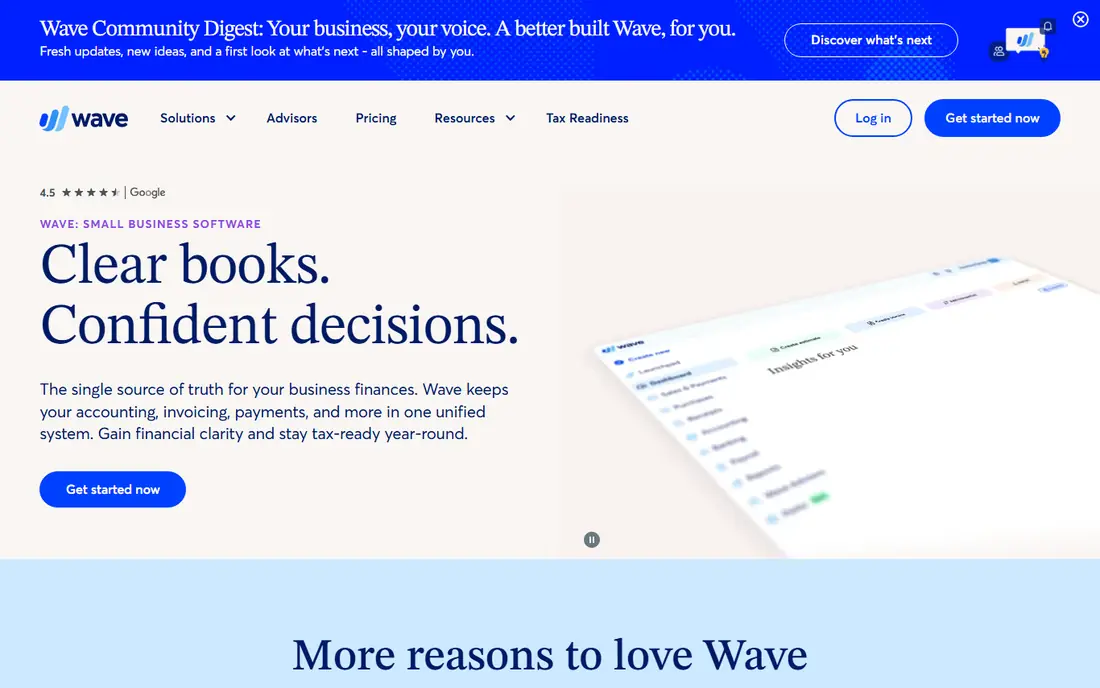
Wave gives solo consultants genuinely free invoicing, with unlimited estimates and invoices on its Starter plan, plus basic bookkeeping records. Setup takes minutes, clients get a clean payment page, and receipt capture and bank imports sit on the paid Pro plan at $19 per month. For a consultant starting out, Wave covers the core job at no software cost.
Wave earns money from payment processing, around 2.9 percent plus 60 cents per card transaction, and 1 percent for bank payments, so high card volume adds up. It also lacks the proposal and time-tracking depth of FreshBooks or Bonsai. Wave is best when you send a modest number of invoices and want to keep software costs at zero.
- Free unlimited invoices and estimates
- Basic bookkeeping included
- Easy setup
- Payment fees apply
- Payroll and advanced features are paid add-ons

Zoho Invoice is free, not just a trial, and it includes invoicing, estimates, time tracking, expenses, and a client portal. That makes it the strongest free option for consultants with a small client roster, especially those already using other Zoho products. The free tier carries an annual invoice limit, reported around 500 invoices per year for small teams, which most solo consultants will not hit.
Larger practices will outgrow the free tier or need Zoho Books for full accounting, which adds cost. Zoho Invoice suits consultants who want a capable free tool and are comfortable inside the Zoho ecosystem. If you need unlimited invoicing with no caps, compare Wave or a paid plan first.
- Free invoicing with no subscription
- Time tracking and expenses
- Client portal
- Annual invoice cap on free tier
- Deeper Zoho features need other Zoho apps
Invoice Ninja appeals to budget-minded consultants who like control. The free hosted tier covers up to 5 clients, Pro at $14 per month removes caps and adds features, and the open-source version can be self-hosted for full control over data. It supports quotes, invoices, recurring billing, expenses, and time tracking, which covers most consulting workflows.
The interface is functional rather than beautiful, and setup, especially self-hosting, takes more care than FreshBooks or Wave. Invoice Ninja fits consultants who want low cost, open-source flexibility, and are happy to trade polish for control. For a purely hosted, polished experience, FreshBooks remains easier.
- Free tier for up to 5 clients
- Open-source self-host option
- Pro at $14 per month
- Interface is less polished than FreshBooks
- Setup takes more care
Square Invoices suits consultants who also take payments in person, at events, or in a studio, since invoicing sits inside the wider Square system. The free tier includes unlimited invoices and recurring invoices, with Plus at $49 per month per location adding broader features and lower processing rates. Clients can pay by card or bank transfer from the invoice link.
The free card processing rate, around 3.3 percent plus 30 cents, is higher than most rivals, so consultants who bill mainly by invoice should compare total cost. Square is best when in-person and online payments must live in one ledger. Purely remote consultants will usually get better value from Wave or FreshBooks.
- Free invoicing
- Strong in-person payment support
- Recurring invoices
- Free card rate is higher than rivals
- Paid tiers are per location
Bonsai is built around the consultant workflow that starts before the invoice: proposal, then contract, then time tracking, then invoice. Essentials starts at $19 per month and bundles those steps, so a consultant can pitch a scoped project, get it signed, track work, and bill from the same client record. That continuity is its main advantage over pure invoicing tools.
There is no permanent free plan, only a trial, and its accounting features are thinner than QuickBooks or Xero. Bonsai suits independent consultants and small agencies that win work through proposals and want one client workflow. If you only need invoices, a free tool will do the same job for less.
- Proposals, contracts, and invoices in one flow
- Time tracking
- Client portal
- No free plan
- Accounting depth is thinner than QuickBooks
QuickBooks Online is the accounting default most US accountants already know, which is a practical advantage at tax time. Simple Start starts at $38 per month and includes invoicing, expense tracking, and basic reports, with higher tiers adding inventory, project tracking, and payroll options. For consultants who need full books, not just invoices, that depth matters.
For invoicing alone, QuickBooks costs more than FreshBooks or free tools, and its interface can feel heavy for a solo consultant. Choose it when your accountant works in QuickBooks, when you need full double-entry books, or when your practice is growing into a firm. Otherwise, a lighter invoicing tool will feel faster day to day.
- US accounting standard
- Wide accountant support
- Invoicing plus full books
- Higher price for invoicing alone
- Interface can feel heavy for solo users
Xero starts at $27 per month on its Early plan and stands out by allowing unlimited users on every plan, which helps small consulting teams and their accountants collaborate without per-seat fees. Invoicing, quotes, bank reconciliation, and expense claims are clean and reliable, and its app ecosystem covers time tracking and payments.
US payroll requires an add-on, and project tracking sits on higher tiers, so check plan details against your workflow. Xero suits consultants who work with a team or an external bookkeeper and want everyone in the same books without seat charges. Solo consultants who only invoice may prefer a free or cheaper tool.
- Unlimited users on every plan
- Clean invoicing
- Strong bank feeds
- Payroll needs an add-on in the US
- Project tracking sits on higher tiers
HoneyBook targets creative and service consultants who sell on experience: branded proposals, contracts, invoices, and payments in one polished client flow. Templates for common service packages speed up pitching, and clients move from inquiry to payment without juggling separate tools. That polish helps consultants whose brand and client journey matter as much as the invoice itself.
Pricing has changed often, so check the vendor site for current plans, and accounting depth is thinner than QuickBooks or Xero. HoneyBook fits creative consultants, coaches, and event professionals who want a premium client experience. Pure hourly consultants may find FreshBooks or Bonsai more direct.
- Polished client experience
- Proposals, contracts, and payments together
- Templates
- Pricing varies and plans changed often
- Less accounting depth than QuickBooks
How we picked these
We compared official feature pages, pricing pages, and payment fee disclosures for each tool, plus public reviews, and kept only products that exist and work today for consultant invoicing. We favored tools with clear client caps, payment fees, and free tier limits, since those decide real cost. We did not claim hands-on testing. This guide is general information, not financial or tax advice, and payment fees and plan prices should be rechecked on vendor sites before you choose.
What to check before you choose
Start with how you bill. Hourly consultants need time tracking tied to invoices, retainer consultants need recurring billing, and project consultants need proposals and milestone invoicing. Pick the tool that matches your main billing pattern, not the one with the longest feature list. Next, calculate total cost: subscription plus payment fees on a typical invoice, since a free tool with high card fees can cost more than a paid tool with lower fees.
Then test the client experience. Send yourself a test invoice, pay it, and check reminders, late fees, and receipt handling. Confirm your accountant can access reports in the format they need, and check whether expenses, mileage, and taxes for your state are handled cleanly. Finally, confirm export options, so you can leave with your client and invoice history intact if you switch later.
FAQ
What is the best free invoicing software for consultants?
Wave and Zoho Invoice are the strongest free options, with Wave offering unlimited invoices and Zoho Invoice adding time tracking and expenses for free. Both earn money from payment fees or related products, so compare card fees on your typical invoice. For a polished paid experience, FreshBooks is the usual next step.
How much does invoicing software cost for a consultant?
Free tools cost nothing in software fees but charge payment processing, while paid plans in this list run from about $14 to $38 per month for solo use. Add card fees of roughly 3 percent per payment on top. Model a full year of subscription plus fees on your real invoice volume before deciding.
Should consultants use QuickBooks or a simpler invoicing tool?
Use QuickBooks or Xero when you need full accounting, work with an accountant who uses them, or run a growing firm. Use FreshBooks, Bonsai, or a free tool when invoicing, time, and client workflow are the main job. Many solo consultants start simple and move to full accounting as revenue and complexity grow.
Can I send recurring invoices for retainers?
Yes, most tools here support recurring invoices, including Wave, Square, FreshBooks, and Zoho Invoice. Set the schedule, amount, and payment terms once, and the tool sends each invoice automatically. Check whether reminders and late fees apply to recurring invoices on your plan.
What payment methods should I offer clients?
Offer card and bank transfer at minimum, since cards pay faster and bank transfers cost less in fees. Most tools here support both, plus digital wallets on some plans. Nudge larger invoices toward bank transfer, where the fee saving is meaningful, and keep cards for speed on smaller amounts.