Top Autodesk Sketchbook Alternatives in 2026: 5 Picks Ranked
Need Autodesk Sketchbook alternatives? We compare 5 tools on cost, free access and who each suits. Verdicts stay brief and factual. Jump to the table.
- Editor's choice
 MediBang Paint
Accessible digital painting on iPad
Starts atPricing on requestVisit medibangpaint.comFull review - Great alternative
 Rebelle
Realistic natural media painting
Starts atPricing on requestVisit escapemotions.comFull review - Also consider
 Affinity Photo
Precise photo editing and compositing
Starts atPricing on requestVisit affinity.serif.comFull review
Direct answer
Start with MediBang Paint if you need accessible digital painting on iPad. For a different need, Rebelle covers realistic natural media painting and Affinity Photo covers precise photo editing and compositing. The other 2 tools in the list cover narrower or pricier cases. None of these vendors publish plan prices, so pricing is on request for every option.
TL;DR:
- This list starts with MediBang Paint, which is built for accessible digital painting on iPad.
- A fair warning about Clip Studio Paint: feature set can feel dense.
- Neither MediBang Paint nor Procreate, nor any of the other 3 tools, has a permanent free plan; trials and quotes are the norm.
- Pricing across the list, from MediBang Paint to Procreate, is by quote only.
- Procreate fits iPad drawing and animation.
Last checked November 2026. Pricing on request: vendors did not publish plan prices when this guide was last checked (November 2026), so ask each vendor for a written quote.
Quick comparison
| Tool | Best for | Starts at | Free plan? | |
|---|---|---|---|---|
| MediBang Paint | Accessible digital painting on iPad | Pricing on request | Not stated | Visit |
| Rebelle | Realistic natural media painting | Pricing on request | Not stated | Visit |
| Affinity Photo | Precise photo editing and compositing | Pricing on request | Not stated | Visit |
 Clip Studio Paint | Illustration, comics and animation | Pricing on request | Not stated | Visit |
 Procreate | IPad drawing and animation | Pricing on request | Not stated | Visit |
The full Autodesk Sketchbook list
This LinkVetted guide covers 5 options for Autodesk Sketchbook. Each profile lists a starting price, free plan details, strengths and drawbacks, so you can drop poor fits quickly.
MediBang Paint targets accessible digital painting on iPad. MediBang Paint is presented as an intuitive application for digital creators, with the iPad version highlighted on its homepage. It emphasizes highly configurable brushes and a rational interface, positioned as a solid fit for creators who work whereas out and about.
Watch-outs: Page excerpt is Japanese only.
Its homepage material is in Japanese, so English-speaking users should check localized documentation before committing. It is a drawing-focused app instead of a full photo editor, so complicated retouching is better handled elsewhere. MediBang Paint shows no starting price here, so confirm the cost on the vendor site. Trial and free access: Not stated.
- Easy-to-learn interface for creators
- Suited to drawing away from a desk
- Fewer photo-editing features
Rebelle is built with realistic natural media painting in mind. Rebelle is desktop software for Mac and Windows, so iPad and mobile artists need a different choice for example Procreate or MediBang Paint.
Where it falls short: Narrower focus than all-in-one editors.
Check the vendor site for Rebelle pricing; none is listed in this comparison. Free access: Not stated.
- Wet diffusion and drying effects
- Available for Mac and Windows
- Desktop only
Pick Affinity Photo if this describes you: precise photo editing and compositing. Affinity Photo is a professional photo editor built around precision, speed and creative freedom, based on its homepage. It is targeted at users who require capable editing without a focus on price positioning.
For artists whose work mixes painting with retouching, compositing or color work, it can serve as the editing backbone alongside a dedicated drawing app. Affinity Photo is not designed first for sketching or natural media painting, so brush-based artists may find it less immediate than Procreate or Rebelle. Check the vendor site for Affinity Photo pricing; none is listed in this comparison. Free options: Not stated.
Honest limits: Not primarily a sketch app.
- Desktop-class editing environment
- Professional photo editing toolset
- Different ramp-up time for painters
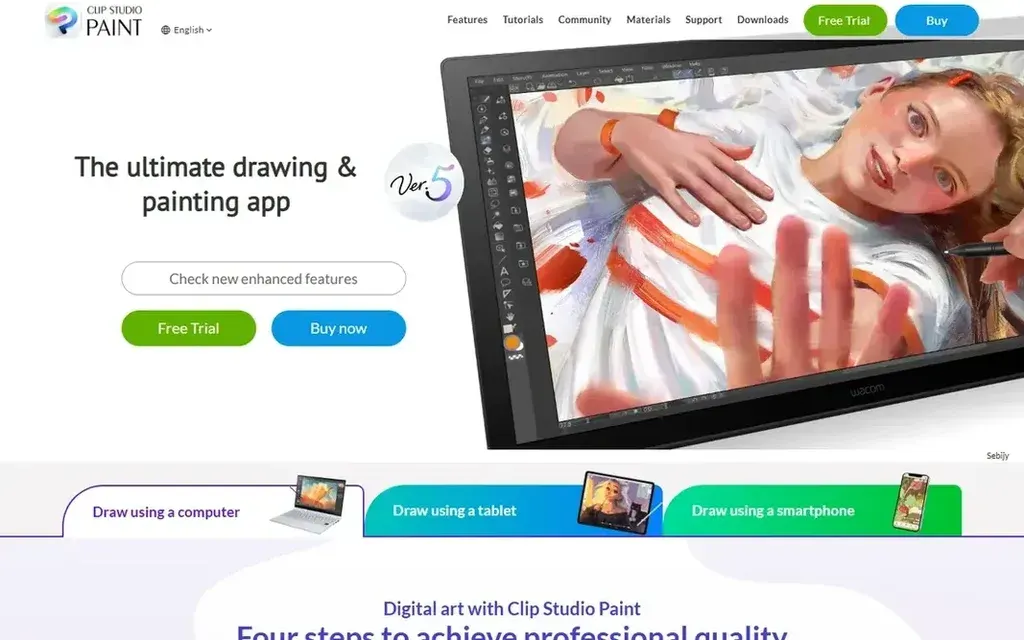
Clip Studio Paint targets Illustration, comics and animation. Its homepage presents it as approachable for anyone starting digital art, and it runs on PC, tablets and smartphones.
Main advantages: Rich brush and drawing features.
As for the details, because the feature set is deep, new users may need time to learn the interface and panel layout. Clip Studio Paint shows no starting price here, so confirm the cost on the vendor site. As for free access: Not stated.
Where it falls short: Interface may overwhelm beginners.
- Aimed at illustration and comics
- Available on PC
- Feature set can feel dense
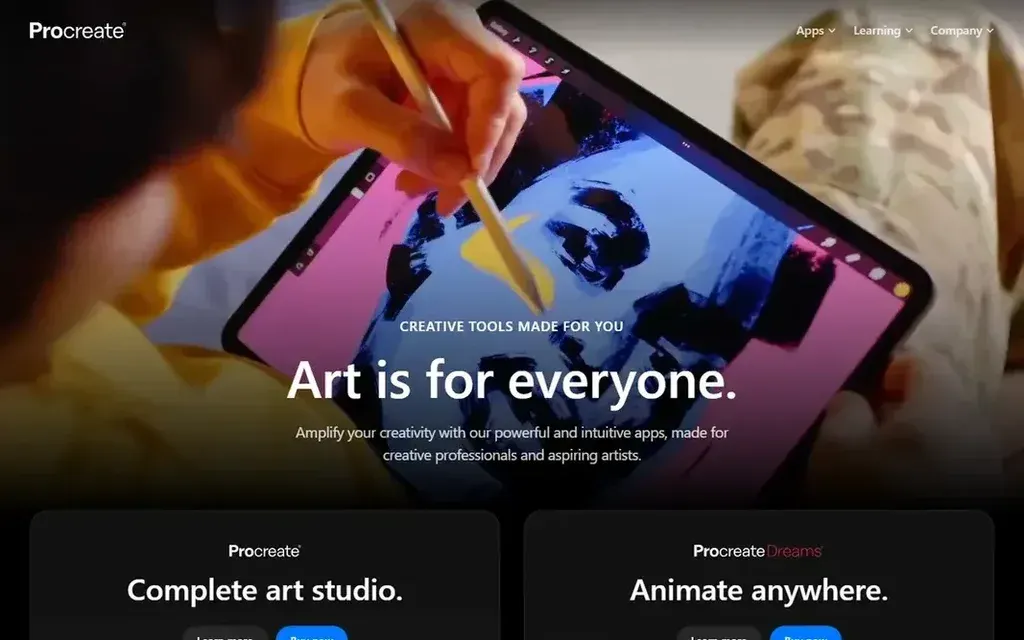
Procreate makes the most sense for iPad drawing and animation. Pick something else if you need cross-platform access, desktop-class image editing, or comic page management. Also, if your workflow is centered on an iPad and you want a focused sketching and painting environment, Procreate is the closest natural fit among these alternatives.
It also is not a photo editor or compositor. Its homepage emphasizes capable yet easy-to-use tools and a one-time purchase model with no subscription. This comparison lists no price for Procreate; ask the vendor. On free options: Not stated.
Watch-outs: iPad only.
- Pay once
- Contains drawing and animation apps
- Not a photo editor
How the list was put together
Pre-purchase checklist
- Request quotes from MediBang Paint, Procreate and the others; the list shows no fixed prices.
- Before choosing MediBang Paint, weigh its main limit: page excerpt is Japanese only.
- The entry price of MediBang Paint is only the starting point; model the full cost with seats and extras.
- A short pilot of Affinity Photo with your real workflow tells you more than a feature table.
- Test how quickly Clip Studio Paint answers a pre-sales question; it hints at how support will feel later.
FAQ
Do these tools publish their prices?
No. None of the tools, from MediBang Paint to Procreate, shows a fixed starting price here, so budget time for quotes.
How are the tools for Autodesk Sketchbook ordered?
The order follows typical fit for Autodesk Sketchbook, with MediBang Paint first and Procreate last, then price clarity and free access. It is editorial judgement, not a score, so another team could rank the tools differently.
Does any tool for Autodesk Sketchbook here have a free plan?
A permanent free plan is not offered by MediBang Paint, Procreate or the other tools here. Plan a short evaluation period instead.
Can I try these tools before paying?
Not by default. None of the tools, from MediBang Paint to Procreate, lists a free plan or a free trial here, so ask each vendor for a demo before committing.
Are there desktop choices for realistic painting?
Rebelle runs on Mac and Windows and simulates color mixing, wet diffusion and drying for natural media looks. Affinity Photo spans precision photo editing on desktop.
What is the best Autodesk Sketchbook alternative for iPad artists?
MediBang Paint comes first here and is built for accessible digital painting on iPad. Buyers with other needs may prefer Rebelle (for realistic natural media painting) or Affinity Photo (for precise photo editing and compositing). Compare costs and limits first.
Sources
- https://medibangpaint.com
- https://www.escapemotions.com/products/rebelle
- https://affinity.serif.com/en-us/photo
- https://www.clipstudio.net
- https://procreate.com