Top Canva Magic Expand Alternatives in 2026: 5 Picks Ranked
5 products for Canva Magic Expand alternatives, ranked by fit, with starting costs and free tiers. Each profile ends with a plain caveat. Pick by budget.

- Editor's choice
 Photoroom
E-commerce product photo editing
Starts atSee websiteVisit photoroom.comFull review - Great alternative
 Fotor
Online photo editing with effects
Starts atSee websiteVisit fotor.comFull review - Also consider
 Adobe Photoshop
Professional AI-assisted photo editing
Starts atSee websiteVisit adobe.comFull review
Direct answer
Photoroom is the first pick on this list for E-commerce product photo editing. Listed starting prices: Picsart from $10.5 a month. If your case is different, Fotor suits online photo editing with effects and Adobe Photoshop suits professional AI-assisted photo editing. The other 2 tools in the list cover narrower or pricier cases.
TL;DR:
- Photoroom takes the first slot, best suited to E-commerce product photo editing.
- Before buying Fotor, weigh this: limited advanced AI features.
- For the cheapest start, look at Picsart: $10.5 per month.
- Only Fotor offers a free plan among these 5 tools.
Last checked November 2026. Prices and plan details were read from the vendors' own pages in November 2026; vendors change plans often, so confirm the current price on the vendor site before you buy.
Quick comparison
| Tool | Best for | Starts at | Free plan? | |
|---|---|---|---|---|
| Photoroom | E-commerce product photo editing | See website | Free trial | Visit |
| Fotor | Online photo editing with effects | See website | Yes | Visit |
| Adobe Photoshop | Professional AI-assisted photo editing | See website | Not stated | Visit |
 Adobe Firefly | Generative AI for images and media | See website | Not stated | Visit |
 Picsart | All-in-one creative system with templates | $10.5 a month | Not stated | Visit |
The full Canva Magic Expand list
Short on time? The summary and table above give the quick view of 5 tools for Canva Magic Expand, and the profiles that follow give the detail behind each entry.
For E-commerce product photo editing, Photoroom is a natural candidate. Photoroom is specialized for product photography, so it may lack advanced creative features for general image editing or artistic projects. From a buyer's view, Photoroom is an AI visual editor aimed at e-commerce, helping sellers build product listing images and videos.
Where it falls short: Less suited for artistic editing.
Choose Photoroom when e-commerce visuals are the priority. For wide design work, a more versatile tool like Photoshop or Picsart is better. Check the vendor site for Photoroom pricing; none is listed in this comparison. Free options: Free trial.
- Turns photos into videos
- AI-powered background removal
- Niche focus on e-commerce
In short, Fotor is for online photo editing with effects. The homepage flags its free online editing capabilities.
Where it falls short: Web-based only.
More specifically, Fotor is an online photo editor that offers tools for cropping, adding text and effects, and retouching images. For sophisticated AI editing, consider Photoshop or Firefly. Fotor shows no starting price here, so confirm the cost on the vendor site. You can start on Fotor without paying.
- Free online editor
- Retouching capabilities
- Restricted advanced AI features
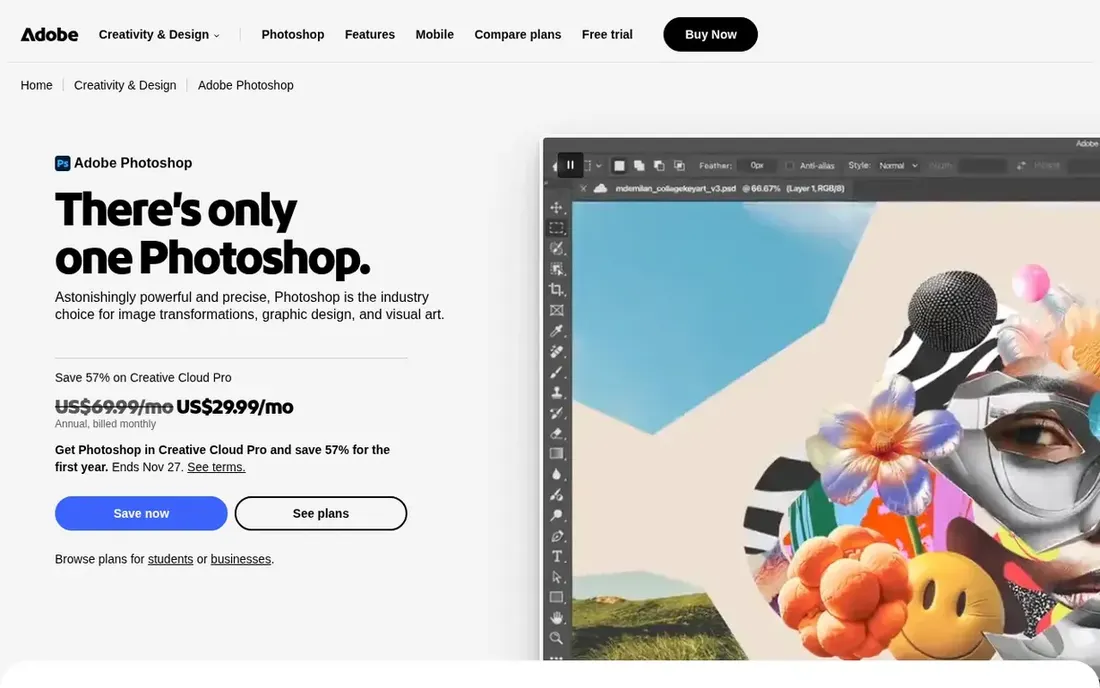
Adobe Photoshop serves professional AI-assisted photo editing. The homepage flags fast ways to build custom scenes and combine images online or with the mobile app.
Beyond that, Adobe Photoshop is a full photo and design application that bundles AI-driven features for complicated edits. From a buyer's view, if you need a more straightforward, template-driven tool for fast social media graphics, a lighter alternative may be better. Adobe Photoshop does not show a starting price in this comparison, so check the vendor site for current pricing. Free access: Not stated.
Honest limits: Steeper ramp-up time.
- Works online and on mobile
- Advanced generative fill tools
- Needs Adobe account

Adobe Firefly is built with Generative AI for images and media in mind. Firefly is primarily a generation tool, so it may not offer the precise pixel-level editing that some users need for expanding existing images. On top of that, Adobe Firefly is a standalone generative AI tool for creating and editing images, audio, and video.
Where it falls short: Output may need refinement.
For everyday use, for in-depth retouching or compositing, a dedicated editor like Photoshop is more appropriate. In daily use, the homepage emphasizes its use for creative projects. Adobe Firefly shows no starting price here, so confirm the cost on the vendor site. Free plan details: Not stated.
- Supports audio and video
- Access to several AI models
- Focus on generation over editing
Picsart was built for all-in-one creative product with templates. The homepage emphasizes quick content creation with generative AI and templates.
Whereas Picsart supplies numerous features, its interface can feel busy, and advanced users might find the editing controls less precise than dedicated software. Also, pick Picsart for fast, template-driven designs. Entry price for Picsart: $10.5 per month. Free plan details: Not stated.
Trade-offs to know: Can be overwhelming.
- Expert-crafted templates
- Broad selection of AI tools
- Some features need account
How we built this list
A buyer's checklist
- Ask Photoroom, Fotor, Adobe Photoshop and Adobe Firefly for a written quote, since no starting price is shown.
- Test the free plan from Fotor against your real workload before relying on it.
- Use real work to test the free trial from Photoroom, rather than a demo project.
- Read the limits listed for Photoroom first: niche focus on e-commerce.
- Price Adobe Photoshop for your actual team size; headline prices rarely include add-ons or overage.
- Map your must-have features to a specific Photoroom plan before you compare prices.
FAQ
Can I try these tools before paying?
Often, yes. Fotor has a free plan and Photoroom offers a free trial. Use your own data and a real task during the test, and check what the free tier or trial limits before you rely on it.
What is the best alternative to Canva Magic Expand for professional editing?
For most readers this guide would start with Photoroom, built for E-commerce product photo editing. Fotor is the alternative for online photo editing with effects, and Adobe Photoshop for professional AI-assisted photo editing. The right answer depends on budget and workflow.
Do these tools publish their prices?
Not all of them. Photoroom, Fotor, Adobe Photoshop and Adobe Firefly publish no starting price, so expect a quote request for those. The rest, Picsart included, show a starting price, though seats and billing terms still change the final cost.
Which tool is easiest for beginners: Picsart or Fotor?
Picsart gives you a wider range of AI tools and templates, whereas Fotor concentrates on straightforward photo editing. Beginners might find Fotor a little more straightforward for entry-level edits.
Is Photoroom right for non-e-commerce image editing?
Photoroom is optimized for e-commerce product photos, so it may not be a strong match for general creative editing. It excels at background removal and creating product listing visuals.
What is the cheapest option for Canva Magic Expand in this list?
On published monthly entry prices, Picsart is the lowest here at $10.5 per month. Entry price is only part of the cost, because seats, add-ons and billing terms can change the total. Prices, free plan details and limits for all 5 tools in this Canva Magic Expand alternatives roundup sit on the individual cards above.
Sources
- https://www.photoroom.com
- https://www.fotor.com
- https://www.adobe.com/products/photoshop.html
- https://www.adobe.com/products/firefly.html
- https://picsart.com