Canva Magic Studio Alternatives in 2026: 5 Options Vetted
5 tools for Canva Magic Studio alternatives, compared on pricing, free plans and best-fit use. Read the caveats before you buy. Updated November 2026.
- Editor's choice
 Figma
Collaborative product design and prototyping
Starts at$3 a monthVisit figma.comFull review - Great alternative
 Adobe Firefly
Generative AI for images, audio, and video
Starts atSee websiteVisit adobe.comFull review - Also consider
 Microsoft Designer
Fast AI-assisted social graphics
Starts atSee websiteVisit designer.microsoft.comFull review
Direct answer
Figma leads the list, best for collaborative product design and prototyping. Listed starting prices: Figma from $3 a month, Picsart from $10.5 a month and Sketch from $12 per editor per month. If your case is different, Adobe Firefly suits Generative AI for images, audio, and video and Microsoft Designer suits fast AI-assisted social graphics. Prices, free plans and limits for all 5 tools follow.
TL;DR:
- This list starts with Figma, which is built for collaborative product design and prototyping.
- Check the limits for Adobe Firefly before you commit: not a full layout design tool.
- Sketch suits Designer-focused design and handoff.
- Neither Figma nor Sketch, nor any of the other 3 tools, has a permanent free plan; trials and quotes are the norm.
Last checked November 2026. Prices and plan details were read from the vendors' own pages in November 2026; vendors change plans often, so confirm the current price on the vendor site before you buy.
Quick comparison
| Tool | Best for | Starts at | Free plan? | |
|---|---|---|---|---|
| Figma | Collaborative product design and prototyping | $3 a month | Not stated | Visit |
| Adobe Firefly | Generative AI for images, audio, and video | See website | Not stated | Visit |
| Microsoft Designer | Fast AI-assisted social graphics | See website | Not stated | Visit |
 Picsart | All-in-one creative content creation | $10.5 a month | Not stated | Visit |
 Sketch | Designer-focused design and handoff | $12 per editor per month | Free trial | Visit |
Canva Magic Studio compared in detail
Short on time? The summary and table above give the quick view of 5 tools for Canva Magic Studio, and the profiles that follow give the detail behind each entry.
Figma is a good fit for collaborative product design and prototyping. Figma is a collaborative canvas where design, code, and AI come together, supporting the journey from first idea to shipped product.
Where Figma stands out: Design, code.
The main drawbacks: Steeper ramp-up time for non-designers.
More specifically, the system's emphasis on collaboration and production readiness makes it a capable alternative for teams that have outgrown template-based design tools. Figma pricing: $3 per month. Trial and free access: Not stated.
- Live team collaboration
- Concept-to-production workflow
- Overkill for straightforward social graphics
Adobe Firefly is a good fit for Generative AI for images, audio, and video. Adobe Firefly is a generative AI tool for creating and editing images, audio, and video, and it also lets you try top models from other providers. As an alternative to Canva Magic Studio, Firefly stands out for its media-generation focus instead of template-based layout design.
What to check first: Needs familiarity with generative workflows.
Also, Firefly is not a complete graphic design application for layouts, templates, or brand kits. So it performs best alongside a dedicated design tool. In practice, choose Firefly when generative image, audio, or video creation is the core of your task. Check the vendor site for Adobe Firefly pricing; none is listed in this comparison. Free plan details: Not stated.
- Generative AI across media types
- Suited to creative experimentation
- Not a full layout design tool

Microsoft Designer is designed for fast AI-assisted social graphics. Microsoft Designer is a graphic design app that turns a straightforward idea into professional-quality social media posts, invitations, digital postcards, and graphics. As for the details, choose Microsoft Designer when speed and approachable AI help matter more than fine-grained design control.
Where it is weaker: Less control for complicated layouts.
Also, the app emphasizes starting from a prompt or idea and generating something unique, which makes it a practical alternative when you want AI assistance for everyday visual content. On top of that, because it centres on fast, guided design, Microsoft Designer may feel restricted for in-depth multi-page layouts or precise brand systems. Pricing for Microsoft Designer is not stated here, so ask the vendor for current figures. On free options: Not stated.
- Professional-looking templates
- Idea-to-design flow
- Restricted advanced design features
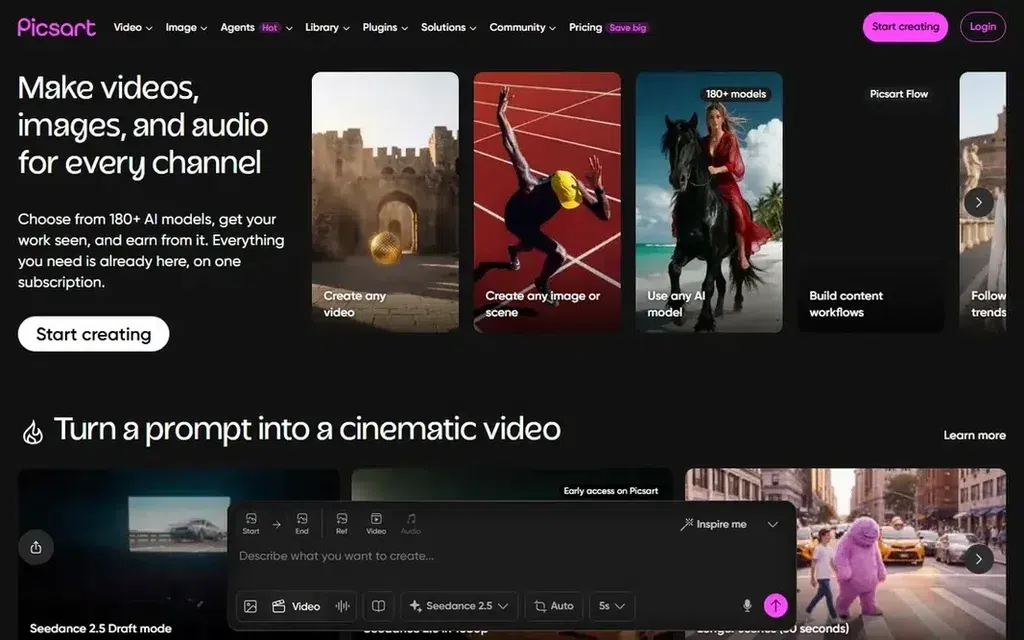
Picsart is designed for all-in-one creative content creation. It fits creators who want to produce content rapidly across social formats and who value having generative AI tools alongside editing features.
For teams that require structured collaboration or code-aware design handoff, Figma or Sketch may be more appropriate. Picsart pricing: $10.5 per month. Free plan details: Not stated.
Points against: Interface can feel busy for beginners.
- Built-in asset libraries
- Broad selection of AI design tools
- Advanced controls may overwhelm casual users
Sketch works best for Designer-focused design and handoff. It fits professional designers who want a dedicated environment for interface design and handoff.
Where it falls short: Smaller ecosystem than some competitors.
Choose Sketch when you want a designer-centric tool with solid prototyping and handoff capabilities and your team works primarily on Mac. Sketch starts at: $12 per editor per month. Trial and free access: Free trial.
- Made by designers for designers
- Prototyping and collaboration features
- Mac-only system
How we compared the tools
The comparison looks at four things: starting price, free access, how well the feature set matches Canva Magic Studio, and the main limit of each tool. Treat prices as a snapshot: vendors change plans often, so check the vendor site for the figure that applies today. The sequence is a judgement call: typical use case first, then pricing transparency, then free access. Use the profiles to check fit.
Questions to settle before buying
- Get a written quote from Adobe Firefly and Microsoft Designer; the list shows no starting price for them.
- Use real work to test the free trial from Sketch, rather than a demo project.
- Read the limits listed for Figma first: steeper ramp-up time for non-designers.
- Run a one or two week pilot of Figma with the people who will use it every day.
- Find out whether the entry plan of Sketch covers your must-haves or only a trimmed-down version.
FAQ
How are the tools for Canva Magic Studio ordered?
The order follows typical fit for Canva Magic Studio, with Figma first and Sketch last, then price clarity and free access. It is editorial judgement, not a score, so another team could rank the tools differently.
Which alternative is a good match for quick social media graphics?
This list starts with Figma, which fits collaborative product design and prototyping. For other needs, Adobe Firefly is aimed at Generative AI for images, audio, and video, and Microsoft Designer at fast AI-assisted social graphics. Check each tool's price and main limit first.
Do these tools publish their prices?
Not all of them. Adobe Firefly and Microsoft Designer publish no starting price, so expect a quote request for those. The rest, Figma included, show a starting price, though seats and billing terms still change the final cost.
What is the cheapest option for Canva Magic Studio in this list?
On published monthly entry prices, Figma is the lowest here at $3 per month. Entry price is only part of the cost, because seats, add-ons and billing terms can change the total. Prices, free plan details and limits for all 5 tools in this Canva Magic Studio alternatives roundup sit on the individual cards above.
Is Figma the right pick for everyone comparing Canva Magic Studio?
No single tool suits every team. Figma comes first because it fits collaborative product design and prototyping, while Adobe Firefly suits Generative AI for images, audio, and video and Microsoft Designer suits quick AI-assisted social graphics. Match the tool to your own size, budget and workflow before deciding.
What should I check before choosing a design tool?
Confirm the output formats, product compatibility, and collaboration features you need. Also review whether the tool spans print along with digital, and whether its AI features match your content type. Vendor sites list current capabilities and limitations.
Sources
- https://www.figma.com
- https://www.adobe.com/products/firefly.html
- https://designer.microsoft.com
- https://picsart.com
- https://www.sketch.com