5 Autodesk Revit Alternatives Worth Switching To in 2026
Autodesk Revit alternatives in 2026: 5 contenders with entry costs and free tiers. Clear notes on pricing gaps and limits. Last reviewed November 2026.
- Editor's choiceEdificius
Integrated 3D and BIM building design
Starts atSee websiteVisit accasoftware.comFull review - Great alternative
 BricsCAD BIM
Teams moving from CAD to BIM
Starts at€330 a yearVisit bricsys.comFull review - Also consider
 ArchiCAD
Architects wanting easy-to-learn BIM
Starts atSee websiteVisit graphisoft.comFull review
Direct answer
Our first pick is Edificius, best for integrated 3D and BIM building design. Listed starting prices: BricsCAD BIM from €330 a year. BricsCAD BIM fits teams moving from CAD to BIM; ArchiCAD fits architects wanting easy-to-learn BIM. Prices, free plans and limits for all 5 tools follow.
TL;DR:
- This list starts with Edificius, which is built for integrated 3D and BIM building design.
- Before buying Vectorworks Architect, weigh this: adaptability can need setup discipline.
- Tekla Structures is the one to check for structural BIM and construction workflows.
- Pricing for Edificius, ArchiCAD, Vectorworks Architect and Tekla Structures is quote-based, which adds a sales step before you can compare cost.
- Neither Edificius nor Tekla Structures, nor any of the other 3 tools, has a permanent free plan; trials and quotes are the norm.
Last checked November 2026. Prices and plan details were read from the vendors' own pages in November 2026; vendors change plans often, so confirm the current price on the vendor site before you buy.
Quick comparison
| Tool | Best for | Starts at | Free plan? | |
|---|---|---|---|---|
| Edificius | Integrated 3D and BIM building design | See website | Not stated | Visit |
| BricsCAD BIM | Teams moving from CAD to BIM | €330 a year | Free trial | Visit |
| ArchiCAD | Architects wanting easy-to-learn BIM | See website | Not stated | Visit |
 Vectorworks Architect | Concept-to-construction architecture projects | See website | Not stated | Visit |
 Tekla Structures | Structural BIM and construction workflows | See website | Not stated | Visit |
The best Autodesk Revit
Choosing Autodesk Revit usually comes down to price, fit and limits. This LinkVetted guide sets 5 tools side by side on those three points, with the facts kept short and checkable.
Edificius
Best for: Integrated 3D and BIM building design
Edificius targets integrated 3D and BIM building design. As a smaller ecosystem compared to the largest BIM suites, Edificius may call for additional checks on interoperability and collaboration with other disciplines before committing.
Teams with complicated multi-office coordination should confirm file exchange and workflow fit. Edificius does not show a starting price in this comparison, so check the vendor site for current pricing. Trial and free access: Not stated.
Where it falls short: Smaller ecosystem than major BIM suites.
- Integrated building design approach
- 3D and BIM design in one
- Confirm interoperability needs
BricsCAD BIM was built for teams moving from CAD to BIM. BricsCAD BIM from Bricsys gives you building information modeling within a CAD-oriented environment.
The vendor frames it as a safe and simple way to transition from CAD to BIM. Entry price for BricsCAD BIM: €330 per year. Free access: Free trial.
Points against: BIM depth may trail specialists.
- Building information modeling toolset
- Made for gradual BIM adoption
- Transition still needs training
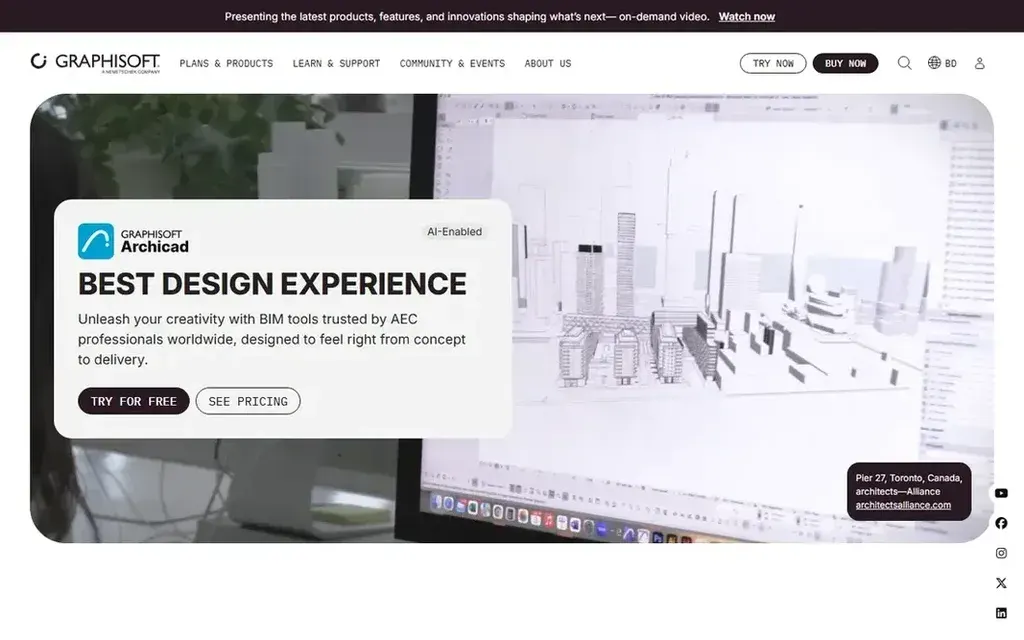
Where ArchiCAD fits: architects wanting intuitive BIM. ArchiCAD from Graphisoft is BIM software aimed primarily at architects.
On top of that, since ArchiCAD is oriented toward architecture, businesses with heavy multi-discipline or structural requirements may need companion tools or a different system. Pricing for ArchiCAD is not stated here, so ask the vendor for current figures. Trial and free access: Not stated.
Points against: Architectural focus may limit other disciplines.
- Efficient BIM workflow
- Built-in architectural toolset
- Workflow differs from Revit
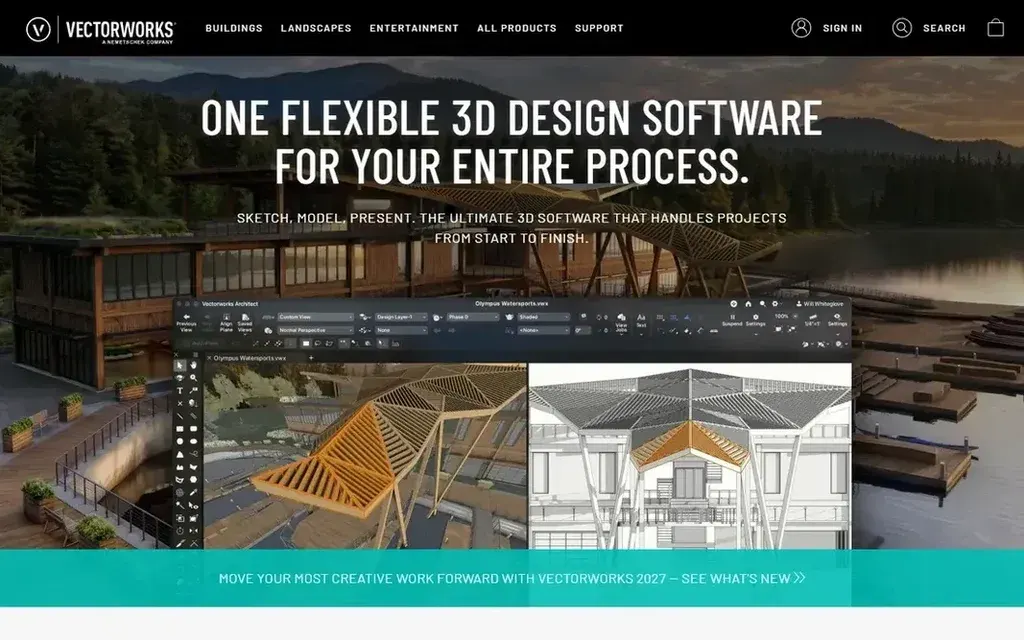
Vectorworks Architect makes the most sense for concept-to-construction architecture projects. Vectorworks Architect is BIM architecture design software that the vendor says has the adaptability to support architecture projects from concept to construction. That end-to-end framing appeals to practices that want one environment spanning early design studies and later documentation.
That adaptability can cut both ways: without disciplined standards, project setup and consistency depend more on the team. Worth adding: users coming from Revit should expect a ramp-up time and a different approach to families and components. Pick Vectorworks Architect when concept-to-construction continuity matters most; look elsewhere if you need deep structural or fabrication-level detailing as the primary focus. Pricing for Vectorworks Architect is not stated here, so ask the vendor for current figures. Free plan details: Not stated.
Honest limits: Ramp-up time for new users.
- Wide architectural design coverage
- Adaptable BIM approach
- Adaptability can need setup discipline
Tekla Structures is designed for structural BIM and construction workflows. Tekla Structures is structural BIM software from Tekla, described by the vendor as simplifying construction projects and making workflows more cost-efficient. Its emphasis on structural modeling and construction delivery makes it a distinct alternative to Revit for engineers, detailers and construction teams instead of general architecture practices.
Worth adding: when structural accuracy and constructability drive the project, this kind of focused system is worth evaluating. From a buyer's view, Tekla Structures is not positioned as a general architectural design environment, so architecture-led businesses will usually need a different primary tool. Its specialist scope also means teams should confirm how it suits alongside their other design software. Tekla Structures does not show a starting price in this comparison, so check the vendor site for current pricing. On free options: Not stated.
Where it is weaker: Not an architectural design tool.
- Geared toward efficient project delivery
- Structural BIM focus
- Specialist scope narrows its fit
Selection criteria
The comparison looks at four things: starting price, free access, how well the feature set matches Autodesk Revit, and the main limit of each tool. Where a vendor does not publish a price, the entry says quote. Where a price depends on seats or billing term, the entry says so. The order reflects how well each tool fits the most common buying scenario for Autodesk Revit, then price clarity, then free plan access. It is a starting point, not a verdict.
Before you commit
- Get a written quote from Edificius, ArchiCAD, Vectorworks Architect and Tekla Structures; the list shows no starting price for them.
- Take the trial from BricsCAD BIM and push a live task through it before you pay.
- Before choosing Edificius, weigh its main limit: smaller ecosystem than major BIM suites.
- Compare total cost, not headline price: for Vectorworks Architect, add extra seats, add-ons and any usage-based charges.
- Read the plan comparison for ArchiCAD carefully; key features often start on a higher tier.
FAQ
Can I try these tools before paying?
Often, yes. BricsCAD BIM offers a free trial. Use your own data and a real task during the test, and check what the free tier or trial limits before you rely on it. Each of the 5 options in this Autodesk Revit alternatives guide has its own card above with the price, free plan and limits.
How should I evaluate these alternatives before choosing?
Start with your discipline focus, then check interoperability with partners, documentation workflows and training needs. Confirm current features and requirements on each vendor site, and test a representative project in a demo or trial.
Does any tool for Autodesk Revit here have a free plan?
No tool in this list, Edificius and Tekla Structures included, has a permanent free plan. BricsCAD BIM offer a trial. Trials and quotes are the usual route, so plan a short evaluation period.
Can I move from CAD to BIM gradually?
BricsCAD BIM is positioned as a way to transition from CAD to BIM within a CAD-oriented environment. That can ease adoption for teams with existing CAD habits, though training and standards are still needed.
Is Edificius the right pick for everyone comparing Autodesk Revit?
No single tool suits every team. Edificius comes first because it fits integrated 3D and BIM building design, while BricsCAD BIM suits teams moving from CAD to BIM and ArchiCAD suits architects wanting intuitive BIM. Match the tool to your own size, budget and workflow before deciding.
How are the tools for Autodesk Revit ordered?
Edificius sits first and Tekla Structures last because the order follows typical fit for Autodesk Revit, then price clarity and free access. It is a judgement call, so read each profile for fit and limits.
Sources
- https://www.accasoftware.com/en/edificius
- https://www.bricsys.com/en-us/bricscad/bim
- https://graphisoft.com/archicad
- https://www.vectorworks.net/en-US/architect
- https://www.tekla.com/products/tekla-structures