Revit Alternatives in 2026: 5 Options Vetted
5 products for Revit alternatives, ranked by fit, with starting costs and free tiers. Fit, price and catches for every tool. A comparison table is included.

- Editor's choice
 Tekla Structures
Structural BIM and detailing
Starts atPricing on requestVisit tekla.comFull review - Great alternative
 Allplan
Structural and precast engineering
Starts atPricing on requestVisit allplan.comFull review - Also considerAutoCAD Architecture
Drafting with intelligent objects
Starts atPricing on requestVisit autodesk.comFull review
Direct answer
Tekla Structures is the first pick on this list for structural BIM and detailing. Look at Allplan for structural and precast engineering, and at AutoCAD Architecture for drafting with intelligent objects. The full list of 5 tools follows, with free plan facts. None of these vendors publish plan prices, so pricing is on request for every option.
TL;DR:
- The list opens with Tekla Structures, aimed at structural BIM and detailing.
- Tekla Structures, Vectorworks Architect and the 3 others all need a premium plan or a trial, since no free plan is listed.
- A fair warning about Tekla Structures: not centred on architectural design.
- Vectorworks Architect is the one to check for adaptable architectural design.
Last checked November 2026. Pricing on request: vendors did not publish plan prices when this guide was last checked (November 2026), so ask each vendor for a written quote.
Quick comparison
| Tool | Best for | Starts at | Free plan? | |
|---|---|---|---|---|
| Tekla Structures | Structural BIM and detailing | Pricing on request | Not stated | Visit |
| Allplan | Structural and precast engineering | Pricing on request | Not stated | Visit |
| AutoCAD Architecture | Drafting with intelligent objects | Pricing on request | Not stated | Visit |
 ArchiCAD | Architects seeking easy-to-learn BIM | Pricing on request | Not stated | Visit |
 Vectorworks Architect | Adaptable architectural design | Pricing on request | Not stated | Visit |
The 5 tools in detail
LinkVetted compared 5 tools for Revit. The goal is a practical shortlist: published prices, free plan facts, best-fit use cases and honest limits for every entry.
Think of Tekla Structures for structural BIM and detailing. Tekla Structures is not intended as a primary architectural design tool, so architects may find it less a good match for early-stage design. It also assumes a solid understanding of structural engineering principles.
Also, the software supports collaborative workflows among structural engineers and contractors. For everyday use, Tekla Structures is structural BIM software that simplifies construction projects with advanced modeling and detailing capabilities. It is widely used for steel and concrete structures, enabling accurate fabrication and construction planning. Pricing for Tekla Structures is not stated here, so ask the vendor for current figures. Free access: Not stated.
Watch-outs: Needs structural engineering knowledge.
- Cost-efficient processes
- Advanced structural modeling
- Not centred on architectural design

Allplan is aimed squarely at structural and precast engineering. Allplan, a Nemetschek company, supplies 3D CAD software tailored for structural, civil, and precast concrete engineering. It offers tools for modeling and detailing complicated structures, making it a capable choice for engineering-focused businesses.
In practice, Allplan supports BIM processes for infrastructure and building projects. In daily use, architectural businesses looking for a primary design tool might find it less easy-to-learn. Allplan's emphasis on engineering means it may not offer the same depth of architectural design tools as some competitors. This comparison lists no price for Allplan; ask the vendor. Trial and free access: Not stated.
Where it is weaker: Less tailored for pure architectural design.
- Supports structural workflows
- Capable 3D CAD for engineering
- May need extra tools for full BIM collaboration
AutoCAD Architecture
Best for: Drafting with intelligent objects
Choose AutoCAD Architecture for drafting with intelligent objects. AutoCAD Architecture is a toolset within Autodesk AutoCAD that accelerates architectural design and drafting with intelligent objects and styles.
Watch-outs: Restricted BIM capabilities compared with full BIM tools.
In practice, for full BIM processes, consider dedicated BIM software. Also, whereas it boosts drafting efficiency, AutoCAD Architecture is not a full BIM system and may lack advanced modeling and collaboration features. AutoCAD Architecture does not show a starting price in this comparison, so check the vendor site for current pricing. On free options: Not stated.
- Large library of objects and styles
- Familiar AutoCAD interface
- Less emphasis on collaboration

Think of ArchiCAD for architects seeking easy-to-learn BIM. Choose ArchiCAD if architectural design efficiency is your primary goal. From a buyer's view, the software is well-suited for architectural practices that prioritize simplicity and simplified design processes.
Whereas ArchiCAD excels in architectural design, it may lack the advanced structural analysis and detailing features found in specialized engineering tools. On top of that, teams with heavy structural or MEP requirements might have to complement it with other software. It supports the design and documentation of building projects within a BIM workflow. Pricing for ArchiCAD is not stated here, so ask the vendor for current figures. Free access: Not stated.
Honest limits: Restricted interoperability with some engineering formats.
- Built-in BIM tools
- Efficient design workflow
- Less emphasis on structural detailing
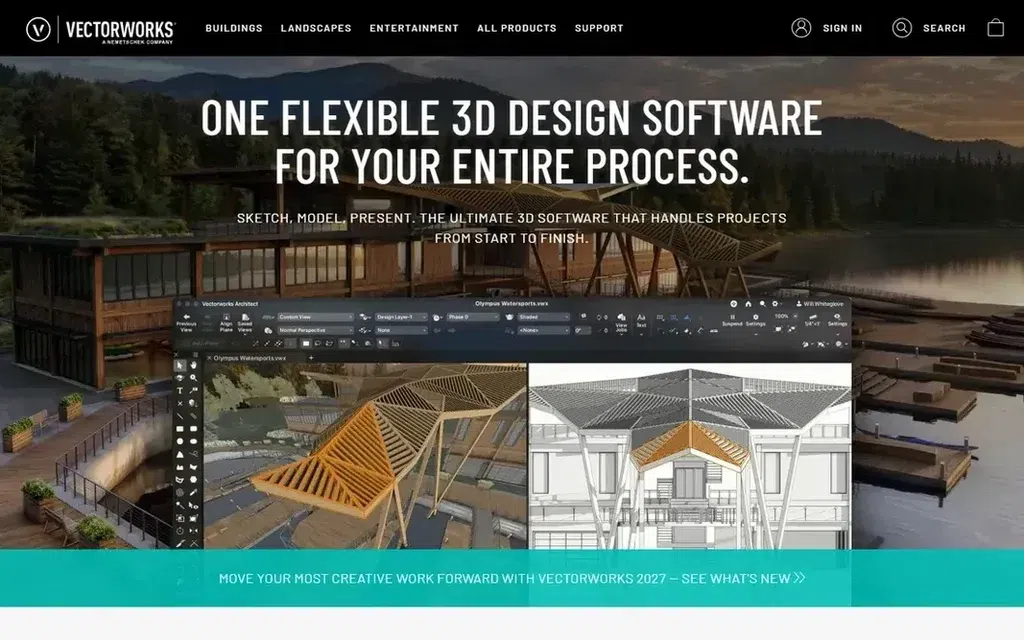
For adaptable architectural design, Vectorworks Architect is a natural candidate. Vectorworks Architect is BIM software that supplies adaptability for architectural projects from concept through construction. It merges 2D drafting and 3D modeling with BIM capabilities, allowing designers to develop ideas fluidly.
Highlights: Supports concept to construction.
Watch-outs: Learning curve for advanced features. From a buyer's view, Vectorworks Architect is well suited to design-led practices. For everyday use, the software is suitable for architects who value design freedom alongside documentation. Worth adding: some users may find the software's broad feature set needs time to master. As for the details, if you need a highly structured, engineering-centric BIM tool, other choices may be more appropriate. Check the vendor site for Vectorworks Architect pricing; none is listed in this comparison. Free plan details: Not stated.
- Integrated design tools
- Adaptable BIM workflows
- Can be resource-intensive
Selection criteria
We compared the tools on published pricing, free plan or trial availability, feature coverage for Revit, and the limits each vendor documents. Figures are shown as the vendors publish them. Billing terms, seat minimums and add-ons can change the real cost. We ordered the tools by general fit, then by how clearly pricing is shown, then by free access. A buyer with unusual needs may reorder them.
Things to verify first
- Ask each vendor, from Tekla Structures to Vectorworks Architect, for a written quote; none of them publishes a starting price.
- Read the limits listed for Tekla Structures first: not centred on architectural design.
- Make sure ArchiCAD lets you export your data in a format another tool can read.
- Ask whether Allplan integrates with your current software, and whether that comes standard or as an add-on.
- Confirm the exact Vectorworks Architect plan that includes your must-have features.
FAQ
How does AutoCAD Architecture differ from full BIM software?
AutoCAD Architecture is a toolset that enhances drafting with intelligent objects but does not offer the full BIM capabilities of tools like ArchiCAD or Allplan. It is a good match for documentation-heavy work and businesses transitioning from 2D CAD. For thorough BIM, consider dedicated BIM products.
Which alternative is a good match for structural engineering?
This list starts with Tekla Structures, which fits structural BIM and detailing. For other needs, Allplan is aimed at structural and precast engineering, and AutoCAD Architecture at drafting with intelligent objects. Check each tool's price and main limit first.
Is Tekla Structures the right pick for everyone comparing Revit?
No single tool suits every team. Tekla Structures comes first because it fits structural BIM and detailing, while Allplan suits structural and precast engineering and AutoCAD Architecture suits drafting with intelligent objects. Match the tool to your own size, budget and workflow before deciding.
Can I try these tools before paying?
Not by default. None of the tools, from Tekla Structures to Vectorworks Architect, lists a free plan or a free trial here, so ask each vendor for a demo before committing.
How are the tools for Revit ordered?
The order follows typical fit for Revit, with Tekla Structures first and Vectorworks Architect last, then price clarity and free access. It is editorial judgement, not a score, so another team could rank the tools differently.
What is the best Revit alternative for architects?
Start with Tekla Structures if you need structural BIM and detailing. Allplan is the better match for structural and precast engineering, and AutoCAD Architecture for drafting with intelligent objects. The best choice depends on budget, team size and workflow.
Sources
- https://www.tekla.com/products/tekla-structures
- https://www.allplan.com
- https://www.autodesk.com/products/autocad-architecture
- https://graphisoft.com/archicad
- https://www.vectorworks.net/en-US/architect