Shortlist: 6 Best Deepfake Software Options for 2026
Best deepfake software: 6 contenders ranked by fit, with entry costs and free tiers. Strengths and weak spots are spelled out. Quick comparison inside.
- Editor's choice
 FaceSwap
Learning face swapping with community support
Starts atFree (open source)Visit faceswap.devFull review - Great alternative
 Reface
Casual face swaps on mobile
Starts at$7.58 a month (billed annually)Visit reface.aiFull review - Also consider
 DeepSwap
Fast online face swaps without installing software
Starts at$9.99 per monthVisit deepswap.aiFull review
Direct answer
Start with FaceSwap if you need learning face swapping with community support. Reface is better for casual face swaps on mobile, and DeepSwap is better for fast online face swaps without installing software. The full list of 6 tools follows, with prices and free plan facts.
TL;DR:
- The list opens with FaceSwap, aimed at learning face swapping with community support.
- The cheapest monthly starting price in the list is $7.58 per month, offered by Reface.
- DeepFaceLab comes with a trade-off: needs a capable NVIDIA GPU and many hours of training.
- 6 of the 6 tools have a free plan, including FaceSwap, Reface, DeepSwap and DeepFaceLab.
Quick comparison
| Tool | Best for | Starts at | Free plan? | |
|---|---|---|---|---|
| FaceSwap | Learning face swapping with community support | Free (open source) | Yes | Visit |
| Reface | Casual face swaps on mobile | $7.58 a month (billed annually) | Yes | Visit |
| DeepSwap | Fast online face swaps without installing software | $9.99 per month | Yes | Visit |
 DeepFaceLab | High-quality face swaps on your own hardware | Free (open source) | Yes | Visit |
 HeyGen | Marketing videos with realistic AI avatars | $24 per month (billed annually) | Yes | Visit |
 Vidnoz | Budget AI avatar videos with an ample free level | $19.99 per month (billed yearly) | Yes | Visit |
Deepfake Software, one by one
LinkVetted compared 6 tools for deepfake software. The goal is a practical shortlist: published prices, free plan facts, best-fit use cases and honest limits for every entry.
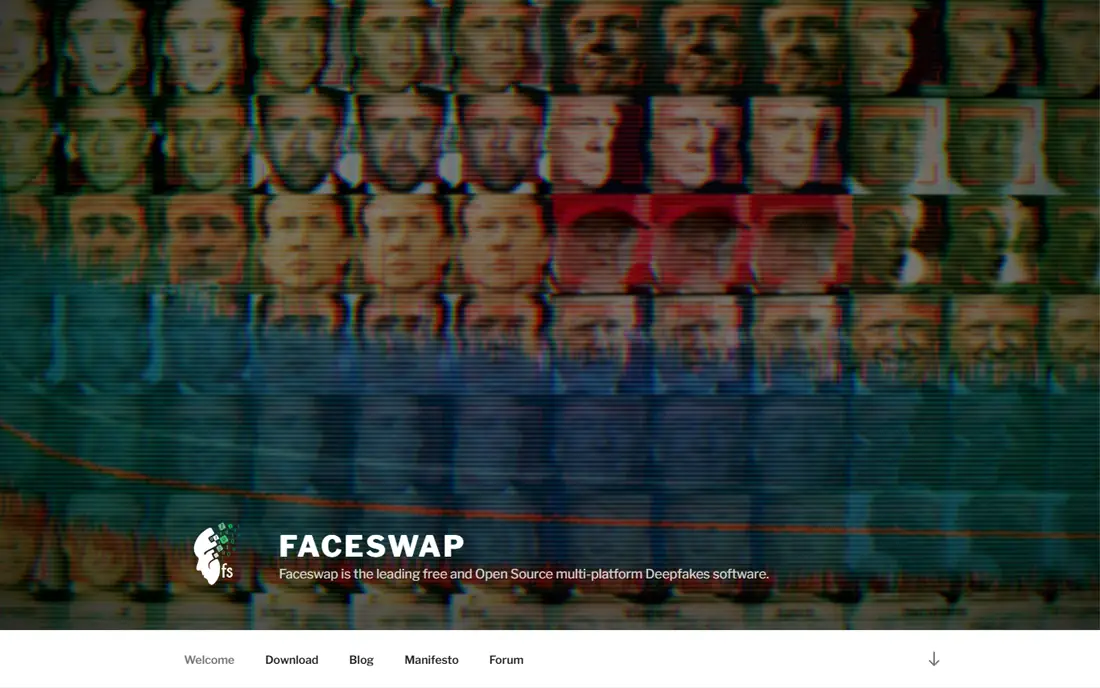
Where FaceSwap fits: learning face swapping with community support. If DeepFaceLab feels like a laboratory, FaceSwap feels like a classroom. It is also free and open source, but it wraps the face-swap pipeline in a graphical interface with far better onboarding, which makes it the friendlier starting point for someone new to the technique.
Where it is weaker: Output quality trails DeepFaceLab on hard footage.
What works well: macOS and Linux.
On challenging source material, like quick head turns or harsh lighting, DeepFaceLab normally produces cleaner results. FaceSwap also benefits greatly from a discrete GPU, though it is more forgiving on mid-range hardware. On top of that, for creators who want to understand face swapping instead of just press a button, this is the right first download. Price to start with FaceSwap: Free. Free access exists with FaceSwap.
- Active development and documentation
- Guided workflow that teaches the process
- Still needs a decent GPU for reasonable training times
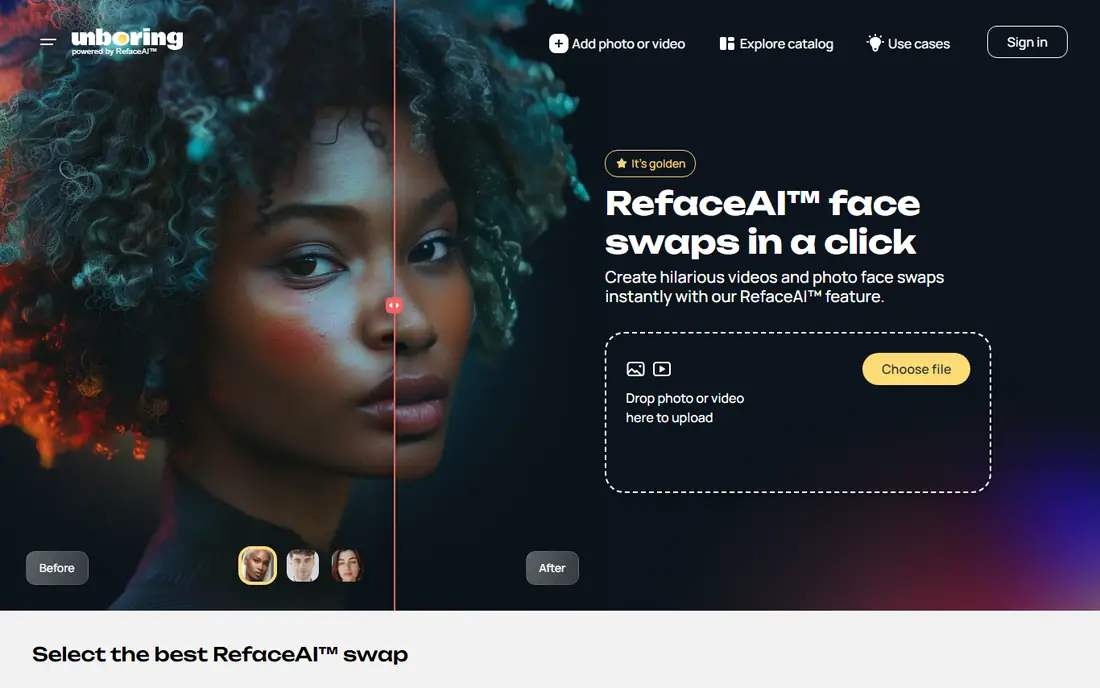
In short, Reface is for casual face swaps on mobile. Upload a selfie, choose a template video or GIF, and the swap renders in under a minute. Professionals will outgrow it quick, since there is no timeline editing, no model training and no batch processing.
More specifically, premium plans are straightforward. Entry-level costs $7.58 a month billed yearly as $90.99, and Premium costs $9.99 a month billed yearly as $119.99, with a free level for light use. In practice, Reface built its name on viral mobile face swaps. Its web face-swap tool brings the same one-tap simplicity to the desktop. On top of that, the company behind it now brands the product line as Unboring by Reface, but the core experience is unchanged. What you pay to start with Reface: $7.58 per month. Reface offers a free plan.
Where it is weaker: Geared toward fun instead of professional output.
- Low-cost annual pricing
- Very simple mobile workflow
- Watermark on free outputs

DeepSwap targets fast online face swaps without installing software. That convenience is the whole pitch, and for one-off fun projects or fast marketing mockups it gives. Also, for casual use where speed beats perfection, it is the path of least resistance.
Heavy users will find desktop tools less expensive in the long run, and you provide up the fine-tuning that makes swaps convincing on tricky footage. In daily use, pricing runs on credits. The monthly plan costs $9.99 for 20 credits, whereas the yearly plan costs $49.99 for 240 credits. The free level lets two swaps per day. Price to start with DeepSwap: $9.99 per month. DeepSwap offers a free plan.
Trade-offs to know: Restricted free level at two swaps per day.
- Leads to minutes
- No installation or GPU needed
- Less control than desktop tools
DeepFaceLab is designed for high-quality face swaps on your own hardware. DeepFaceLab is the tool behind a large share of the face-swap videos you have seen online. It is a research-grade, open-source project that runs locally on Windows or Linux.
Trade-offs to know: Command-line heavy setup that intimidates beginners.
It provides you control over every stage of the swap, from face extraction to model training to final blending. Worth adding: for filmmakers, researchers and hobbyists who want maximum quality without a subscription, it is still the benchmark. Also, nobody charges you per video, which makes it the cheapest way to produce a large volume of swaps once your hardware is in place. The main limit is the ramp-up time and the compute. DeepFaceLab cost at the entry level: Free. DeepFaceLab offers a free plan.
- Best output quality among free tools
- Full control over training and models
- Needs a solid NVIDIA GPU and numerous hours of training
HeyGen serves marketing videos with realistic AI avatars. You type a script, pick an avatar, and get a presenter-led video with convincing lip sync across a huge range of languages. In daily use, Marketers use it for product explainers, localized ads and personalized outreach.
The platform also takes care of video translation that preserves the speaker's voice. For teams that publish video on a regular basis, the realism justifies the meter. Beyond that, watch your credits, since edits that re-render a scene consume them again. From a buyer's view, the free plan contains three videos a month, which is enough to judge avatar quality. Creator costs $29 a month billed monthly or $24 a month billed yearly with 600 credits, Pro is $49 a month with 1,000 credits, and Business is $149 a month plus $20 per seat. Entry price for HeyGen: $24 per month. HeyGen includes a free tier.
Drawbacks to consider: Best avatars sit on higher levels.
- 175 plus languages with voice cloning
- Very realistic avatars with capable lip sync
- Credit consumption on re-renders can surprise new users
Pick Vidnoz if this describes you: budget AI avatar videos with an ample free level. The free plan provides 60 credits a day, enough for short tests, with 720p exports and a watermark. More specifically, credits do not roll over, so map your monthly output to a level before subscribing.
Where it is weaker: Credit math gets confusing across features.
The library numbers are big, with over 1,900 avatars and 2,800 templates claimed on the site. For budget-conscious creators, it is the most feature-dense choice per dollar. Starter costs $26.99 a month billed monthly or $19.99 a month billed yearly with 450 credits, Business is $74.99 or $56.99 annually with 900 credits, and Enterprise is custom. Vidnoz pricing: $19.99 per month. A free plan is available with Vidnoz.
- Free plan refreshes 60 credits daily
- Huge template and avatar library
- Support quality varies
What went into this list
Each tool was reviewed on what its vendor publishes: price, plan limits, core features and stated drawbacks. We did not run hands-on tests. Prices and plan limits come from vendor pages and can change, so confirm them on the vendor site before you buy. The order reflects how well each tool fits the most common buying scenario for deepfake software, then price clarity, then free plan access. It is a starting point, not a verdict.
Questions to settle before buying
- Prices are a starting point; Reface shows $7.58 per month to start, so verify what your seat count would cost.
- Look at free plan limits closely: FaceSwap, Reface, DeepSwap and others have one, and the caps decide whether it is usable for real work.
- Before choosing FaceSwap, weigh its main limit: output quality trails DeepFaceLab on hard footage.
- Confirm you can export your data from Reface, so leaving later does not mean losing records.
- The entry price of DeepSwap is only the starting point; model the full cost with seats and extras.
FAQ
Can I use these tools for commercial client work?
Yes, on premium plans, with conditions. Stock avatars provided by the platform are usually cleared for commercial use, which is one reason teams prefer them for client projects.
Do these tools publish their prices?
Yes. Every tool from FaceSwap to Vidnoz shows a starting price, though seats, add-ons and billing terms still change the final cost.
What is the cheapest option for deepfake software in this list?
On published monthly entry prices, Reface is the lowest here at $7.58 per month. Entry price is only part of the cost, because seats, add-ons and billing terms can change the total.
Which options for deepfake software have a free plan?
6 of the 6 tools have a free plan, including FaceSwap, Reface, DeepSwap and DeepFaceLab. Free plans usually cap users, projects or features, so check the limits on the vendor page.
Is deepfake software legal?
The software itself is legal in most places, and face swapping or AI avatars are legitimate techniques in film, marketing and training. What matters is how you use it. Creating misleading content of real people without consent can violate fraud, defamation, harassment or likeness-rights laws based on your jurisdiction. Use your own footage or licensed material and get consent in writing for commercial work.
Which tool is a good match for a beginner?
The first pick on this list is FaceSwap, because it suits learning face swapping with community support. Reface is better for casual face swaps on mobile, and DeepSwap for quick online face swaps without installing software. Check price and limits against your own needs before choosing.