VisiWave Site Survey Alternatives in 2026: 5 Options Vetted
VisiWave Site Survey alternatives in 2026: 5 contenders with entry costs and free tiers. Fit, price and catches for every tool. Quick comparison inside.

- Editor's choiceiBwave Wi-Fi
Carrier-grade in-building wireless design
Starts atSee websiteVisit ibwave.comFull review - Great alternative
 SolarWinds Network Performance Monitor
Continuing network observability and monitoring
Starts at$2 per node a monthVisit solarwinds.comFull review - Also considerAcrylic Wi-Fi Professional
Coverage design and AP placement
Starts atSee websiteVisit acrylicwifi.comFull review
Direct answer
If you need carrier-grade in-building wireless design, iBwave Wi-Fi is the first tool to look at here. Listed starting prices: SolarWinds Network Performance Monitor from $2 per node a month. SolarWinds Network Performance Monitor is the stronger choice for continuing network observability and monitoring, while Acrylic Wi-Fi Professional suits coverage design and AP placement. All 5 tools are compared below on price, free plan and limits.
TL;DR:
- Number one here is iBwave Wi-Fi, a fit for carrier-grade in-building wireless design.
- None of the 5 tools, from iBwave Wi-Fi to WiFi Explorer, has a free plan, so budget for a subscription or use a trial.
- For Professional Wi-Fi analysis on macOS and Windows, WiFi Explorer is worth a look.
- Before buying NetSpot, weigh this: advanced survey depth varies by product.
Last checked November 2026. Prices and plan details were read from the vendors' own pages in November 2026; vendors change plans often, so confirm the current price on the vendor site before you buy.
Quick comparison
| Tool | Best for | Starts at | Free plan? | |
|---|---|---|---|---|
| iBwave Wi-Fi | Carrier-grade in-building wireless design | See website | Not stated | Visit |
| SolarWinds Network Performance Monitor | Continuing network observability and monitoring | $2 per node a month | Free trial | Visit |
| Acrylic Wi-Fi Professional | Coverage design and AP placement | See website | Not stated | Visit |
 NetSpot | Cross-platform site surveys and heat maps | See website | Not stated | Visit |
| WiFi Explorer | Professional Wi-Fi analysis on macOS and Windows | See website | Not stated | Visit |
Tool-by-tool breakdown
If you are comparing VisiWave Site Survey, this page covers 5 tools in one place: what each is best for, what it costs to start, whether it has a free plan, and the main limit to know about.
iBwave Wi-Fi
Best for: Carrier-grade in-building wireless design
Choose iBwave Wi-Fi for carrier-grade in-building wireless design. iBwave Wi-Fi is part of a broader in-building wireless design and deployment system pitched at carrier-grade environments. Worth adding: the vendor positions its tools around delivering steady in-building connectivity, which makes it a solid alternative for organizations with demanding indoor wireless projects.
Where it falls short: Geared toward specialized design teams.
It is more specialized and design-heavy than light survey utilities, so small teams may find it excessive. Those wanting fast heat maps on a laptop should compare NetSpot or Acrylic Wi-Fi Professional first. iBwave Wi-Fi makes sense when in-building design rigor and deployment planning are central requirements. No starting price is listed for iBwave Wi-Fi here; confirm pricing on the vendor site. Free plan details: Not stated.
- In-building design focus
- Deployment planning support
- Heavier than straightforward survey tools
SolarWinds Network Performance Monitor
Best for: Continuing network observability and monitoring
Choose SolarWinds Network Performance Monitor for continuing network observability and monitoring. SolarWinds Network Performance Monitor is part of a hybrid IT observability and IT management portfolio. It is not a site survey or heat map product, so it cannot replace VisiWave-style coverage planning on its own.
Teams needing map-based wireless design should pair it with a dedicated tool such as NetSpot or iBwave Wi-Fi. On top of that, choose SolarWinds when continuous monitoring and broader IT observability are the primary goals. The starting price for SolarWinds Network Performance Monitor: $2 per node per month. Free plan details: Free trial.
Trade-offs to know: Overkill for one-off surveys.
- Wide hybrid IT observability
- Monitoring beyond Wi-Fi
- Not a dedicated site survey tool
Acrylic Wi-Fi Professional
Best for: Coverage design and AP placement

Acrylic Wi-Fi Professional is a good fit for coverage design and AP placement. Acrylic Wi-Fi Professional is wireless analysis software oriented around coverage improvement, site surveys and heat maps. It helps users decide where to place access points and see predicted results on heat maps, which fits network planners and installers who want a design-first workflow.
The vendor materials emphasize coverage planning, making it a reasonable alternative for teams concentrated on getting AP layout right. Much of the vendor content is in Spanish, so English-speaking teams may have to confirm documentation and support details. It is less oriented toward long-term monitoring than observability systems. No starting price is listed for Acrylic Wi-Fi Professional here; confirm pricing on the vendor site. Free access: Not stated.
Trade-offs to know: Less emphasis on continuing monitoring.
- Access point placement guidance
- Site survey and design focus
- Documentation leans toward Spanish
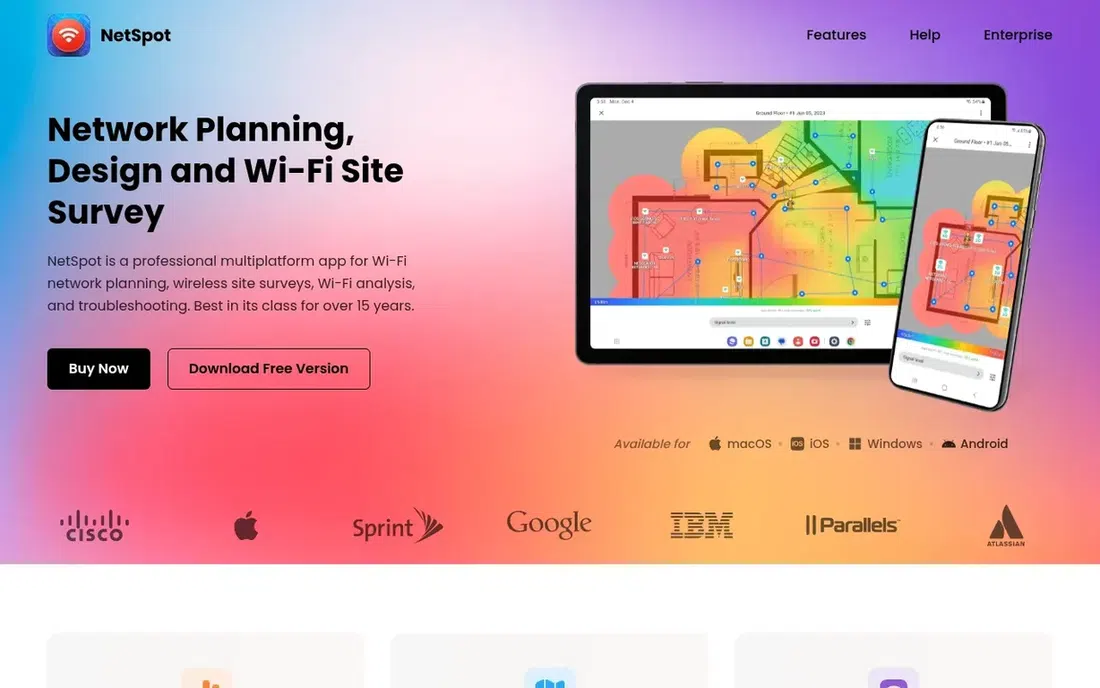
NetSpot works best for cross-platform site surveys and heat maps. NetSpot is Wi-Fi site survey and network planning software that builds heat maps and examines wireless performance across Mac, Windows and Android.
Limits to weigh: Advanced survey depth varies by product.
Worth adding: feature depth and survey workflows can differ between the desktop and mobile versions, so check platform-specific capabilities before standardizing. Check the vendor site for NetSpot pricing; none is listed in this comparison. Free options: Not stated.
- Builds Wi-Fi heat maps
- Windows and Android
- Interface can feel dense for beginners
WiFi Explorer
Best for: Professional Wi-Fi analysis on macOS and Windows
Choose WiFi Explorer for Professional Wi-Fi analysis on macOS and Windows. If your priority is producing heat maps and formal coverage documentation, dedicated survey tools like NetSpot or Acrylic Wi-Fi Professional are better aligned. Also, WiFi Explorer from Intuitibits is professional Wi-Fi analysis software for macOS, Windows and iOS.
The main drawbacks: Best value for analysis-focused users.
It centres on scanning networks, troubleshooting connectivity, capturing packets and optimizing performance, which fits administrators who require in-depth visibility into nearby networks and client behavior. It is a solid fit for analysis-driven troubleshooting instead of map-centric site surveys. Confirm platform-specific features before standardizing across a mixed fleet. WiFi Explorer does not show a starting price in this comparison, so check the vendor site for current pricing. Free plan details: Not stated.
- Analysis for macOS and Windows
- Mobile companion choices
- Survey and heat map features are secondary
How we chose
Things to verify first
- Get a written quote from iBwave Wi-Fi, Acrylic Wi-Fi Professional, NetSpot and WiFi Explorer; the list shows no starting price for them.
- Take the trial from SolarWinds Network Performance Monitor and push a live task through it before you pay.
- Read the limits listed for iBwave Wi-Fi first: heavier than straightforward survey tools.
- Test how quickly NetSpot answers a pre-sales question; it hints at how support will feel later.
- Compare total cost, not headline price: for Acrylic Wi-Fi Professional, add extra seats, add-ons and any usage-based charges.
FAQ
Which tool is a good match for troubleshooting interference?
For most readers this guide would start with iBwave Wi-Fi, built for carrier-grade in-building wireless design. SolarWinds Network Performance Monitor is the alternative for continuing network observability and monitoring, and Acrylic Wi-Fi Professional for coverage design and AP placement. The right answer depends on budget and workflow.
Can I try these tools before paying?
Often, yes. SolarWinds Network Performance Monitor offers a free trial. Use your own data and a real task during the test, and check what the free tier or trial limits before you rely on it.
How are the tools for VisiWave Site Survey ordered?
The order follows typical fit for VisiWave Site Survey, with iBwave Wi-Fi first and WiFi Explorer last, then price clarity and free access. It is editorial judgement, not a score, so another team could rank the tools differently.
Do these tools publish their prices?
Not all of them. iBwave Wi-Fi, Acrylic Wi-Fi Professional, NetSpot and WiFi Explorer publish no starting price, so expect a quote request for those. The rest, SolarWinds Network Performance Monitor included, show a starting price, though seats and billing terms still change the final cost.
Is iBwave Wi-Fi the right pick for everyone comparing VisiWave Site Survey?
No single tool suits every team. iBwave Wi-Fi comes first because it fits carrier-grade in-building wireless design, while SolarWinds Network Performance Monitor suits ongoing network observability and monitoring and Acrylic Wi-Fi Professional suits coverage design and AP placement. Match the tool to your own size, budget and workflow before deciding.
Sources
- https://www.ibwave.com
- https://www.solarwinds.com
- https://www.acrylicwifi.com
- https://www.netspotapp.com
- https://www.intuitibits.com