Best Trimble Viewpoint Alternatives for 2026 (5 Compared)
5 products for Trimble Viewpoint alternatives, ranked by fit, with starting costs and free tiers. Fit, price and catches for every tool. Budget notes included.
- Editor's choice
 CoConstruct
Custom home builders and remodelers
Starts atPricing on requestVisit coConstruct.comFull review - Great alternative
 Autodesk Construction Cloud
Secure collaboration across project teams
Starts atPricing on requestVisit autodesk.comFull review - Also consider
 Oracle Primavera P6
Enterprise scheduling and portfolio management
Starts atPricing on requestVisit oracle.comFull review
Direct answer
CoConstruct is the first pick on this list for custom home builders and remodelers. Autodesk Construction Cloud is better for secure collaboration across project teams, and Oracle Primavera P6 is better for enterprise scheduling and portfolio management. The other 2 tools in the list cover narrower or pricier cases. None of these vendors publish plan prices, so pricing is on request for every option.
TL;DR:
- Number one here is CoConstruct, a fit for custom home builders and remodelers.
- No starting price is shown for any of the 5 tools, CoConstruct and Deltek Costpoint included, so plan time for sales calls.
- Deltek Costpoint fits government contractors needing audit-ready ERP.
- Procore comes with a trade-off: wide scope may overwhelm small teams.
Last checked November 2026. Pricing on request: vendors did not publish plan prices when this guide was last checked (November 2026), so ask each vendor for a written quote.
Quick comparison
| Tool | Best for | Starts at | Free plan? | |
|---|---|---|---|---|
| CoConstruct | Custom home builders and remodelers | Pricing on request | Not stated | Visit |
| Autodesk Construction Cloud | Secure collaboration across project teams | Pricing on request | Not stated | Visit |
| Oracle Primavera P6 | Enterprise scheduling and portfolio management | Pricing on request | Not stated | Visit |
 Procore | Connected field and office management | Pricing on request | Not stated | Visit |
| Deltek Costpoint | Government contractors needing audit-ready ERP | Pricing on request | Not stated | Visit |
Our 5 picks for Trimble Viewpoint
Short on time? The summary and table above give the quick view of 5 tools for Trimble Viewpoint, and the profiles that follow give the detail behind each entry.
CoConstruct is built with custom home builders and remodelers in mind. CoConstruct is construction management software for builders and remodelers, now part of a unified brand with Buildertrend. Its homepage describes a shared commitment to a smooth experience.
Points against: Brand transition may affect roadmap.
Also, the brand consolidation means teams should confirm current product direction. The system is oriented toward residential work, so commercial contractors with complicated scheduling or accounting needs may outgrow it. CoConstruct shows no starting price here, so confirm the cost on the vendor site. Free options: Not stated.
- Fits residential projects
- Concentrated on builder workflows
- Residential focus limits bigger commercial use
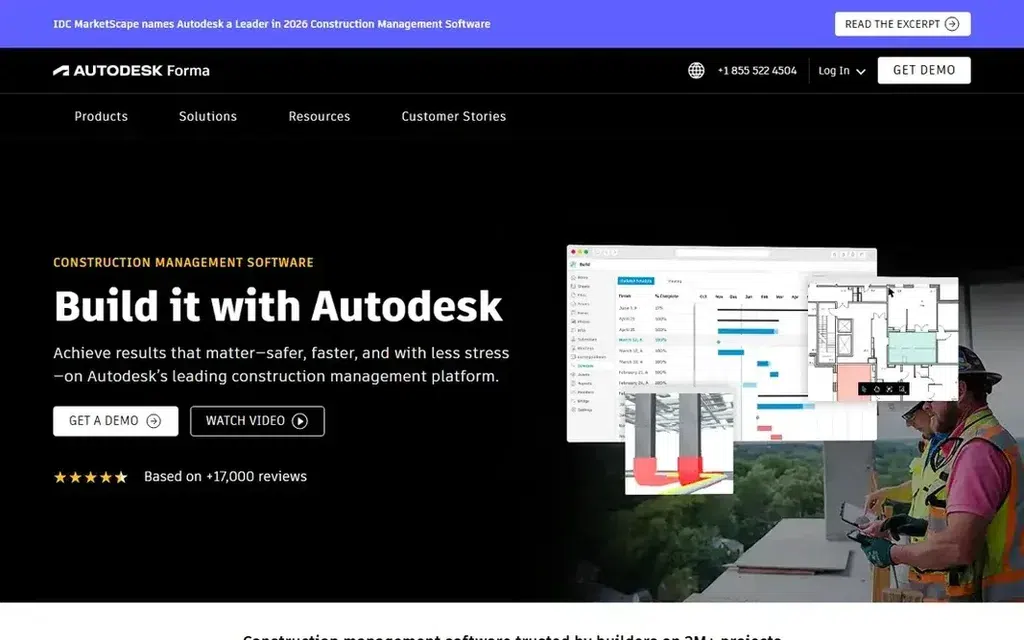
Autodesk Construction Cloud targets secure collaboration across project teams. Autodesk Construction Cloud, now described as Autodesk Forma, is construction management software aimed at project teams that require to collaborate securely and rapidly.
It fits teams already working within Autodesk design tools who want construction data to stay connected. Check the vendor site for Autodesk Construction Cloud pricing; none is listed in this comparison. Free plan details: Not stated.
Trade-offs to know: Feature depth varies by module.
- Suits design and build workflows
- Secure team collaboration
- Adoption relies on team training
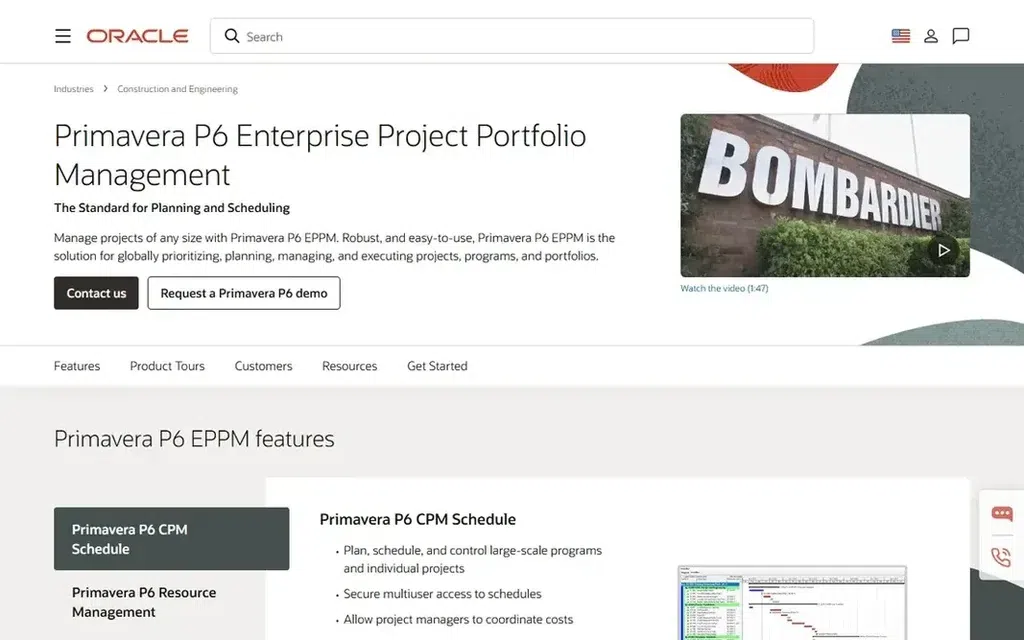
Oracle Primavera P6 makes the most sense for enterprise scheduling and portfolio management. Primavera P6 is a scheduling and portfolio tool instead of a full field and accounting system.
Its complexity can be excessive for smaller businesses. On top of that, teams wanting straightforward job tracking may prefer a lighter choice. Oracle Primavera P6 shows no starting price here, so confirm the cost on the vendor site. Trial and free access: Not stated.
Watch-outs: Steep ramp-up time.
- Deals with projects of any size
- Suited to complicated schedules
- Heavy for small projects

Procore works best for connected field and office management. Confirm module fit and implementation effort on the vendor site before committing.
Its homepage emphasizes live visibility for delivering quality projects on time. Pricing for Procore is not stated here, so ask the vendor for current figures. On free options: Not stated.
Downsides: Wide scope may overwhelm small teams.
- Links site and office data
- Live project visibility
- Setup requires planning
Deltek Costpoint
Best for: Government contractors needing audit-ready ERP
Deltek Costpoint makes the most sense for government contractors needing audit-ready ERP. Deltek Costpoint is intelligent ERP targeted at government contractors, with cost tracking, contract management and audit-ready governance built in. Its homepage stresses control and compliance.
Costpoint is an ERP for government contracting, not a construction field product, so businesses outside that space will find it a poor match. Worth adding: verify compliance features against your contract requirements. From a buyer's view, teams wanting jobsite tools should look elsewhere or pair it with a field system. Deltek Costpoint does not show a starting price in this comparison, so check the vendor site for current pricing. Trial and free access: Not stated.
Limits to weigh: Narrow industry focus.
- Aimed at government contractors
- Cost and contract tracking
- Not a field management tool
How we chose
Each tool was reviewed on what its vendor publishes: price, plan limits, core features and stated drawbacks. We did not run hands-on tests. Treat prices as a snapshot: vendors change plans often, so check the vendor site for the figure that applies today. Tools are placed by general fit for Trimble Viewpoint, with price clarity and free access as tie-breakers. A different team can reasonably rank them differently.
What to check before you buy
- Request quotes from CoConstruct, Deltek Costpoint and the others; the list shows no fixed prices.
- Before choosing CoConstruct, weigh its main limit: residential focus limits bigger commercial use.
- Check the support hours and onboarding help Deltek Costpoint offers; smaller vendors vary a lot here.
- Before rolling out Procore, verify the integrations your workflow depends on.
- Find out whether the entry plan of Oracle Primavera P6 covers your must-haves or only a trimmed-down version.
FAQ
How are the tools for Trimble Viewpoint ordered?
CoConstruct sits first and Deltek Costpoint last because the order follows typical fit for Trimble Viewpoint, then price clarity and free access. It is a judgement call, so read each profile for fit and limits.
What is the primary difference between these alternatives and Trimble Viewpoint?
Trimble Viewpoint spans multiple construction products, so the right replacement relies on which workflows you depend on most. Map your must-have functions before comparing.
Do these tools publish their prices?
No. None of the tools, from CoConstruct to Deltek Costpoint, shows a fixed starting price here, so budget time for quotes.
Does any tool for Trimble Viewpoint here have a free plan?
A permanent free plan is not offered by CoConstruct, Deltek Costpoint or the other tools here. Plan a short evaluation period instead.
Can I try these tools before paying?
Not by default. None of the tools, from CoConstruct to Deltek Costpoint, lists a free plan or a free trial here, so ask each vendor for a demo before committing.
Sources
- https://www.coConstruct.com
- https://www.autodesk.com/solutions/construction-management-software
- https://www.oracle.com/construction-engineering/primavera-p6
- https://www.procore.com
- https://www.deltek.com/en/products/project-erp/costpoint