Best Translator App in 2026: 9 Apps Compared
Best translator app compared for travel, documents, and professional use, including free translator apps and the best free translator app for everyday needs.
- Editor's choice
 Google Translate
Most people and most languages
Starts atFreeVisit translate.google.comFull review - Great alternative
 DeepL
European languages and documents
Starts atFreeVisit deepl.comFull review - Also consider
 Microsoft Translator
Travel and group conversation
Starts atFreeVisit translator.microsoft.comFull review
TL;DR:
- Google Translate is our pick for most people, because it is free, covers the most languages, and works offline on mobile.
- DeepL is the best choice for European language documents and professional tone, though its language range is narrower.
- For translators, DeepL, Microsoft Translator, and Reverso offer glossaries, document handling, or context examples that a simple phrase app lacks.
- Always check a translation for official or legal documents, because no app replaces a qualified human translator for high-stakes text.
Quick comparison
| Tool | Best for | Starts at | Free plan? | |
|---|---|---|---|---|
| Google Translate | Most people and most languages | Free | Yes | Visit |
| DeepL | European languages and documents | Free | Yes | Visit |
| Microsoft Translator | Travel and group conversation | Free | Yes | Visit |
 Apple Translate | iPhone and Apple device users | Free | Yes | Visit |
 iTranslate | Travel phrases and voice | Free | Yes | Visit |
 Papago | Korean, Japanese, and Chinese | Free | Yes | Visit |
 Reverso | Context examples for translators | Free | Yes | Visit |
 Yandex Translate | Russian and Central Asian languages | Free | Yes | Visit |
 ChatGPT | Tone, style, and context control | Free | Yes | Visit |
The best translator apps
The best translator app depends on whether you need travel phrases, documents, or professional work. The picks below cover free everyday translation, strong European language quality, and tools for translators who need glossaries and document handling.
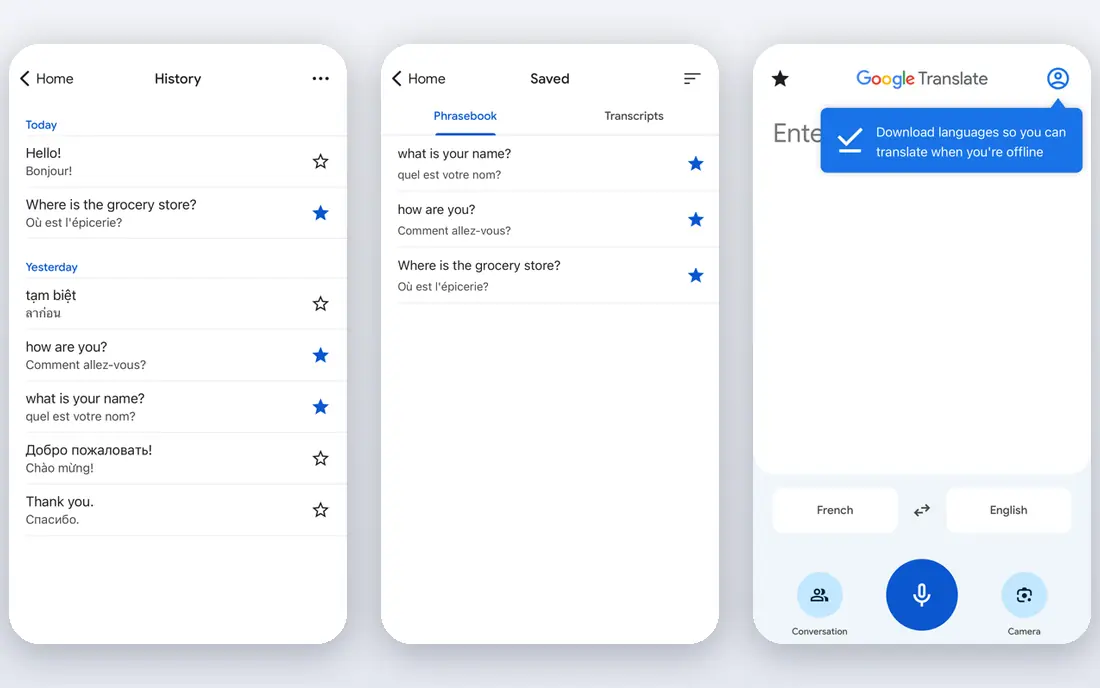
Google Translate is the best free translator app for most everyday needs. It handles text, voice, handwriting, and camera translation, and its mobile app can work offline with downloaded languages, which helps travellers without data. For quick phrases, signs, and menus, it is fast and reliable.
The limit is nuance. Quality is strongest for common languages and weaker for low-resource pairs, and formal versus informal tone is less controlled than in DeepL. For casual use, that is fine, but for business documents, compare its output with DeepL or a human translator.
- Free and covers many languages
- Camera, voice, and offline mobile translation
- Document translation
- Quality varies by language pair
- Document formatting can be uneven
- Less tone control than DeepL

DeepL is our pick for professional and document translation in European languages. Its output often reads more naturally than Google Translate, and it preserves document formatting better, which matters for reports, contracts, and marketing text. Paid plans add glossaries, tone control, and more document translations.
The trade-off is coverage. DeepL supports far fewer languages than Google, so travellers and users working with Asian, African, or less common languages will still need Google Translate. Use DeepL where it excels, and Google where DeepL does not cover your language.
- Natural-sounding European language translation
- Document formatting preserved
- Glossaries and tone options on paid plans
- Narrower language range than Google
- Free tier limits document translations
- No offline mobile mode like Google
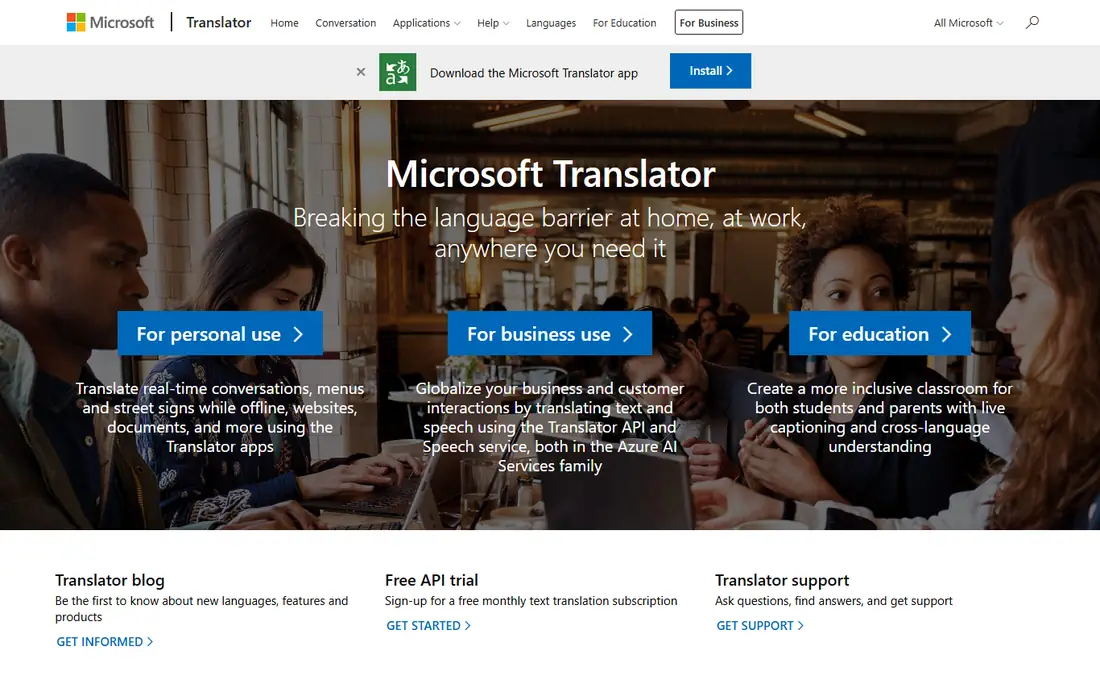
Microsoft Translator is a strong free alternative to Google Translate, with text, voice, and camera translation plus a group conversation feature that lets several people talk across languages. That group mode is useful for meetings, tours, and classrooms where one phone cannot serve everyone.
For documents and professional work, Microsoft Translator is less specialised than DeepL. It handles everyday translation well, but translators who need glossaries and formatted document output will prefer DeepL. As a free travel and conversation app, though, it is a solid pick.
- Free text, voice, and camera translation
- Group conversation mode
- Offline packs on mobile
- Document handling is less strong than DeepL
- Quality varies by language
- Fewer professional glossary tools
Apple Translate is the best translator app for people who live inside the Apple ecosystem. It is built into iPhone, iPad, and Mac, offers conversation mode, and can translate on-device, which helps privacy and offline use. For quick travel phrases, it is simple and fast.
The limit is platform and range. Android and Windows users need another app, and Apple Translate covers fewer languages than Google. It is best as a convenient built-in tool for Apple users, not as a full professional translation platform.
- Built into iPhone and other Apple devices
- On-device translation for privacy
- Conversation mode
- Apple only
- Fewer languages than Google
- Document and web features are more limited
iTranslate is a travel-friendly app with voice translation, camera translation, and a phrasebook for common situations. Its interface is simple, which helps when you need a quick translation in a shop or station without learning a complex tool. Voice mode works well for short conversations.
The catch is paid features. Offline translation and fuller camera use sit behind a subscription, and the free tier includes ads. For occasional travel, the free version may be enough, but frequent travellers should compare iTranslate Pro with free Google or Microsoft options before paying.
- Voice and camera translation
- Phrasebook and offline modes on paid plans
- Simple travel interface
- Full offline and camera features need a paid plan
- Document translation is limited
- Free tier has ads
Papago, from Naver, is the best translator app for many users working with Korean, Japanese, and Chinese. It handles those language pairs with care, offers image and voice translation, and includes dictionary examples that help learners understand context. For travel or study in East Asia, it often beats a general app.
Outside East Asian languages, Papago is less compelling than Google Translate. Its global range is narrower, and some features vary by region. Use Papago as a specialist for Korean, Japanese, and Chinese, and keep Google Translate for everything else.
- Strong for Korean, Japanese, and Chinese
- Image and voice translation
- Dictionary and examples
- Narrower global language range
- Less useful for European language documents
- Some features are region-limited
Reverso is useful for translators and language learners because it shows translations in real context, not just as a single word or sentence. Seeing how a phrase is used in actual texts helps you pick the right meaning, and its synonyms and grammar notes support careful writing.
The downside is simplicity. Reverso is not the fastest app for a quick travel phrase, and its document handling does not match DeepL. Use it as a checking tool alongside a main translator, especially when a word has several meanings and context matters.
- Translation with real context examples
- Synonyms and grammar help
- Useful for learning and professional checks
- Interface is busier than Google Translate
- Document handling is less complete than DeepL
- Some features need a plan
Yandex Translate is a strong free option for Russian and Central Asian languages, with text, image, and voice translation on web and mobile. For users working with those languages, it can be a better pick than a general app, and its dictionary features help learners.
For European business documents or global travel, Google Translate and DeepL remain stronger overall picks. Yandex Translate is best as a specialist for its core languages, not as a single translator for every need, and users should check current availability in their region.
- Free text, image, and voice translation
- Strong for Russian and nearby languages
- Web and mobile apps
- Language quality varies outside its core strengths
- Document features are basic
- Availability varies by region
ChatGPT is not a traditional translator app, but it is useful when tone, style, and context matter. You can ask for a formal business version, a casual version, or an explanation of why a phrase works, which dedicated apps handle less flexibly. For marketing copy and learning, that control is valuable.
The risk is consistency. ChatGPT output can vary between runs, and it does not preserve document formatting like DeepL. It also needs careful checking for important text, since it can smooth over errors rather than flag them. Use it for drafts and learning, and a dedicated translator or human for final documents.
- Translates with tone and style control
- Explains choices
- Handles idioms and context in conversation
- Not a dedicated translator
- Output can vary
- Document formatting is limited
- Paid plan raises limits
How we picked these
We compared official product pages, app store listings, and pricing pages, and weighed language coverage, translation quality, document handling, offline use, and price. We favoured apps that are actively maintained and that fit a clear use, rather than listing every translation tool available.
We did not claim hands-on testing with professional translators. Where a free tier is limited, we say so, and we note that no machine translator should be trusted alone for legal, medical, or official documents without a qualified human check.
How to choose the best translator app for you
Start with your languages. If you work mainly in European languages, DeepL should be your first check for documents, while Google Translate should be your first check for breadth. For Korean, Japanese, or Chinese, add Papago, and for Russian, add Yandex Translate as a specialist.
Next, match the task. Travel needs voice, camera, and offline modes, documents need formatting and glossaries, and learning needs context examples. A single app rarely does all three best, so many users keep two apps: one for travel and one for documents.
Finally, check privacy and cost. Free apps may process text on servers, so avoid pasting highly sensitive documents into any free translator without reading its privacy terms. For regular professional work, a paid plan with glossary and document features is usually worth the cost.
FAQ
What is the best free translator app?
Google Translate is the best free translator app for most people, because it is free, covers the most languages, and offers camera, voice, and offline mobile translation. Microsoft Translator is a strong free alternative, while DeepL offers the best free tier for European document quality.
What is the best translator app for documents?
DeepL is our pick for documents, because it preserves formatting better and handles tone and glossaries on paid plans. Google Translate also translates documents for free, but formatting can be uneven. For final business or legal documents, have a human translator check the result.
What is the best software for translators?
DeepL is the strongest software for translators working in European languages, with glossaries and document handling. Reverso helps with context examples, and ChatGPT helps with tone and style drafts. Professional translators often use several tools together, not just one.
Is Google Translate or DeepL better?
DeepL is usually better for European language nuance and documents, while Google Translate is better for language breadth, travel features, and offline mobile use. The best choice depends on your language pair and task, and many users keep both apps.
Can a translator app replace a human translator?
No, for legal, medical, official, or high-stakes business text, a qualified human translator is still needed. Apps are excellent for everyday understanding, travel, and drafts, but they can miss nuance, legal meaning, and cultural context. Always get a human check for important documents.