TraceParts Alternatives in 2026: 5 Options Vetted
Compare 5 TraceParts alternatives, with prices, free plans and who each fits. GrabCAD takes the lead for community models and additive workflows. Numbers first.

- Editor's choiceGrabCAD
Community models and additive workflows
Starts atPricing on requestVisit grabcad.comFull review - Great alternativeMcMaster-Carr
Purchasable components with CAD files
Starts atPricing on requestVisit mcmaster.comFull review - Also considerDigi-Key
Electronic components and CAD models
Starts atPricing on requestVisit digikey.comFull review
Direct answer
GrabCAD leads the list, best for community models and additive workflows. McMaster-Carr is the stronger choice for Purchasable components with CAD files, while Digi-Key suits electronic components and CAD models. The full list of 5 tools follows, with free plan facts. None of these vendors publish plan prices, so pricing is on request for every option.
TL;DR:
- The list opens with GrabCAD, aimed at community models and additive workflows.
- No starting price is shown for any of the 5 tools, GrabCAD and 3D ContentCentral included, so plan time for sales calls.
- For supplier-hosted CAD model downloads, 3D ContentCentral is worth a look.
- A permanent free plan is missing from all 5 tools, GrabCAD and 3D ContentCentral included; plan for a trial or a premium start.
- One limit worth knowing about McMaster-Carr: concentrated on buying, not just browsing models.
Last checked November 2026. Pricing on request: vendors did not publish plan prices when this guide was last checked (November 2026), so ask each vendor for a written quote.
Quick comparison
| Tool | Best for | Starts at | Free plan? | |
|---|---|---|---|---|
| GrabCAD | Community models and additive workflows | Pricing on request | Not stated | Visit |
| McMaster-Carr | Purchasable components with CAD files | Pricing on request | Not stated | Visit |
| Digi-Key | Electronic components and CAD models | Pricing on request | Not stated | Visit |
| CADENAS PARTsolutions | Manufacturer catalogs and parts management | Pricing on request | Not stated | Visit |
 3D ContentCentral | Supplier-hosted CAD model downloads | Pricing on request | Not stated | Visit |
Every option for TraceParts explained
Choosing TraceParts usually comes down to price, fit and limits. This LinkVetted guide sets 5 tools side by side on those three points, with the facts kept short and checkable.
GrabCAD
Best for: Community models and additive workflows

GrabCAD serves community models and additive workflows. Worth adding: choose a vendor-backed portal when certified supplier data matters, and use GrabCAD for community models and print workflow support. Since much of the library is community contributed, model accuracy and manufacturability can vary, so verify geometry before production use.
It is not a structured manufacturer catalog in the TraceParts sense. Beyond that, the system is widely used across engineering and maker communities. This comparison lists no price for GrabCAD; ask the vendor. As for free access: Not stated.
Where it falls short: Not a manufacturer catalog portal.
Highlights: Large community of shared CAD models.
- Shop and SDKs
- GrabCAD Print
- Community model quality varies
McMaster-Carr
Best for: Purchasable components with CAD files
Choose McMaster-Carr for Purchasable components with CAD files. The catalog handles only products McMaster-Carr carries, so specialty or custom parts may not appear.
Honest limits: not just browsing models.
It is a purchasing-driven source instead of an open model community. Also, for mechanical hardware, this combination is hard to match. McMaster-Carr shows no starting price here, so confirm the cost on the vendor site. As for free access: Not stated.
- Very wide catalog of mechanical components
- CAD models available alongside products
- Catalog restricted to carried products
Digi-Key
Best for: Electronic components and CAD models
For electronic components and CAD models, Digi-Key is a natural candidate. Digi-Key is a major distributor of electronic components whose site supplies CAD models and in-depth parametric data for plenty of parts. Worth adding: for electrical and electronic work, it serves as a practical alternative to a general parts portal.
Its strength is electronics, so mechanical hardware and industrial components are mostly outside its scope. Also, model availability relies on the specific part and manufacturer. Beyond that, use a mechanical-focused catalog for hardware, and turn to Digi-Key when the design centers on electronic components you plan to purchase. No starting price is listed for Digi-Key here; confirm pricing on the vendor site. Trial and free access: Not stated.
Upsides: Huge electronics component catalog. Trade-offs to know: Concentrated on electronics, not mechanical hardware.
- CAD models for numerous electronic parts
- Capable parametric search for parts
- Model availability varies by part
CADENAS PARTsolutions
Best for: Manufacturer catalogs and parts management
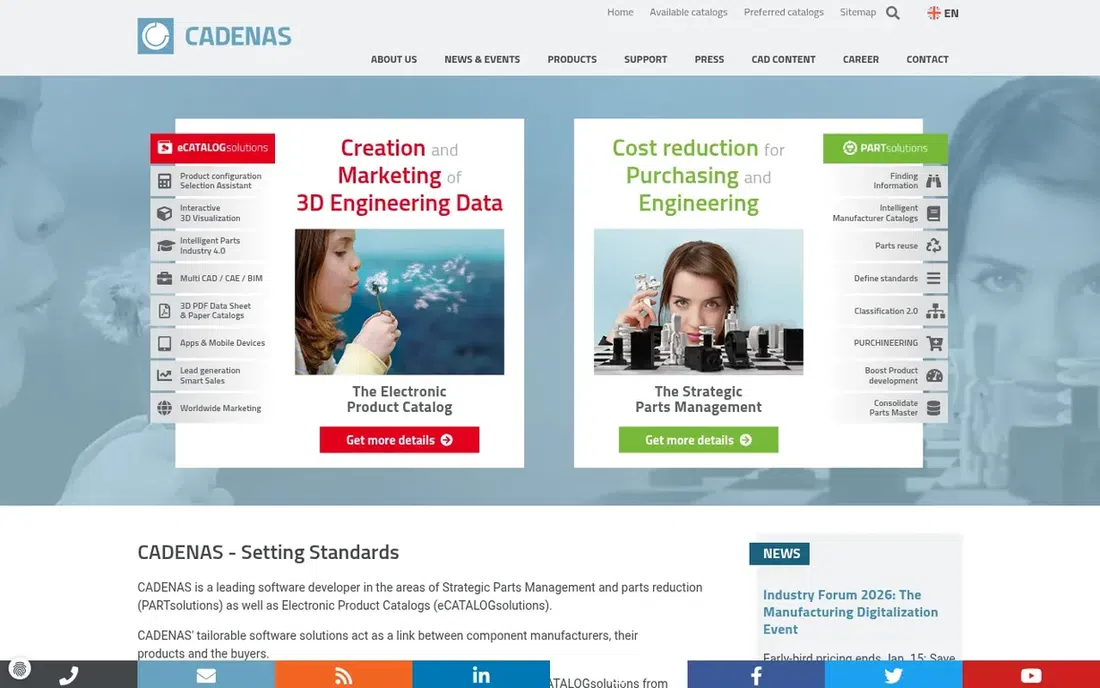
Choose CADENAS PARTsolutions for manufacturer catalogs and parts management. CADENAS PARTsolutions centers on 3D eCATALOGs, digital twins and parts management, positioning it as a strategic alternative to an entry-level parts portal.
More specifically, if your need is casual model downloads, a community library may be more straightforward. In daily use, since the product leans toward manufacturer partnerships and enterprise parts management, it is less suited to hobbyists hunting for one-off community models. CADENAS PARTsolutions does not show a starting price in this comparison, so check the vendor site for current pricing. Free plan details: Not stated.
Watch-outs: Less of a general public model community.
- Structured 3D eCATALOGs from manufacturers
- Digital twin and parts management focus
- Catalog coverage relies on participating vendors
Choose 3D ContentCentral for supplier-hosted CAD model downloads. 3D ContentCentral is a Dassault Systèmes library offering 3D CAD models, 2D drawings and supplier catalogs from plenty of manufacturers. For everyday use, coverage relies on which suppliers publish there, and available formats follow each supplier's uploads.
Drawbacks to consider: Model formats tied to supplier uploads.
So a specific part may be missing or offered only in restricted formats. Confirm the model version before relying on it. 3D ContentCentral does not show a starting price in this comparison, so check the vendor site for current pricing. Free plan details: Not stated.
- Supplier catalogs with 3D models and 2D drawings
- Operated by Dassault Systèmes
- Some catalogs may be incomplete
How we chose
Questions to settle before buying
- Request quotes from GrabCAD, 3D ContentCentral and the others; the list shows no fixed prices.
- Read the limits listed for GrabCAD first: community model quality varies.
- Price GrabCAD for your actual team size; headline prices rarely include add-ons or overage.
- Find out what support Digi-Key includes on your plan, and whether onboarding help costs extra.
- Run a one or two week pilot of CADENAS PARTsolutions with the people who will use it every day.
FAQ
Is GrabCAD the right pick for everyone comparing TraceParts?
No single tool suits every team. GrabCAD comes first because it fits community models and additive workflows, while McMaster-Carr suits Purchasable components with CAD files and Digi-Key suits electronic components and CAD models. Match the tool to your own size, budget and workflow before deciding.
What is the best overall TraceParts alternative?
GrabCAD comes first here and is built for community models and additive workflows. Buyers with other needs may prefer McMaster-Carr (for Purchasable components with CAD files) or Digi-Key (for electronic components and CAD models). Compare costs and limits first.
How are the TraceParts ordered?
GrabCAD sits first and 3D ContentCentral last because the order follows typical fit for TraceParts, then price clarity and free access. It is a judgement call, so read each profile for fit and limits.
Can I try these tools before paying?
Not by default. None of the tools, from GrabCAD to 3D ContentCentral, lists a free plan or a free trial here, so ask each vendor for a demo before committing.
Do these tools publish their prices?
No. None of the tools, from GrabCAD to 3D ContentCentral, shows a fixed starting price here, so budget time for quotes.
Sources
- https://grabcad.com
- https://www.mcmaster.com
- https://www.digikey.com
- https://www.cadenas.de
- https://www.3dcontentcentral.com