Rows Alternatives in 2026: 5 Options Vetted
Weighing Rows alternatives? We lined up 5 products by cost, free access and fit. We put Coda first for docs blended with tables and apps. Straight answers.
- Editor's choice
 Coda
Docs blended with tables and apps
Starts atSee websiteVisit coda.ioFull review - Great alternativeMicrosoft Excel
Deep analysis and modeling
Starts atSee websiteVisit microsoft.comFull review - Also consider
 Airtable
Database-style apps and automation
Starts at$20 per user a monthVisit airtable.comFull review
Direct answer
Our first pick is Coda, best for docs blended with tables and apps. Listed starting prices: Airtable from $20 per user a month, Notion from $10 per member per month and Smartsheet from $12 per Member/month. Microsoft Excel is better for deep analysis and modeling, and Airtable is better for database-style apps and automation. The remaining 2 options are covered below with prices and limits.
TL;DR:
- Top of the list is Coda, which targets docs blended with tables and apps.
- Notion has the lowest monthly starting price in this list: $10 per member per month.
- 2 of 5 tools offer a free plan: Airtable, Notion.
- For project execution with governance, Smartsheet is worth a look.
- What to know about Airtable first: can feel complicated for straightforward sheets.
Last checked November 2026. Prices and plan details were read from the vendors' own pages in November 2026; vendors change plans often, so confirm the current price on the vendor site before you buy.
Quick comparison
| Tool | Best for | Starts at | Free plan? | |
|---|---|---|---|---|
| Coda | Docs blended with tables and apps | See website | Not stated | Visit |
| Microsoft Excel | Deep analysis and modeling | See website | Not stated | Visit |
| Airtable | Database-style apps and automation | $20 per user a month | Yes | Visit |
 Notion | Docs, databases and AI search | $10 per member per month | Yes | Visit |
 Smartsheet | Project execution with governance | $12 per Member/month | Not stated | Visit |
Rows, one by one
LinkVetted compared 5 Rows. The goal is a practical shortlist: published prices, free plan facts, best-fit use cases and honest limits for every entry.
Coda is built with docs blended with tables and apps in mind. Coda describes itself as an all-in-one collaborative workspace that blends the adaptability of docs, the structure of spreadsheets, the power of applications and the intelligence of AI.
Choose Coda when the document and the data should live together. As for the details, teams with strict spreadsheet requirements may prefer a conventional grid. Coda does not show a starting price in this comparison, so check the vendor site for current pricing. Trial and free access: Not stated.
Where it shines: tables and apps combined.
Drawbacks to consider: Can overlap with other tools.
- Docs
- AI features inside documents
- Advanced sheets need planning
Microsoft Excel
Best for: Deep analysis and modeling
Microsoft Excel is built with deep analysis and modeling in mind. Collaboration relies on how files are stored and shared, and complicated workbooks can be hard for others to audit.
What to check first: Complicated files need discipline.
It suits analysts, finance teams and anyone who builds in-depth models, pivot summaries or chart-heavy reports. Check the vendor site for Microsoft Excel pricing; none is listed in this comparison. Trial and free access: Not stated.
- Industry-standard spreadsheet features
- Strong data analysis tooling
- Collaboration setup varies by context
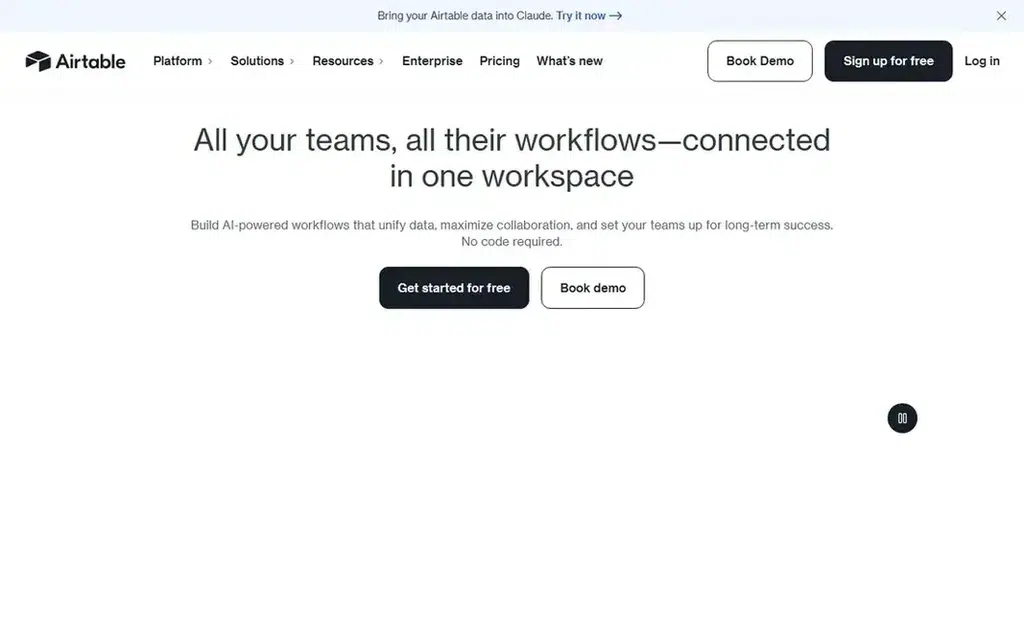
In short, Airtable is for database-style apps and automation. Records can be organized and viewed in different ways, and automation manages repetitive tasks and manual work. Also, teams that only need straightforward number crunching may find it heavier than necessary.
Where it falls short: Can feel complicated for straightforward sheets.
More specifically, the adaptability includes a ramp-up time, and sprawling bases can become hard to govern without conventions. On top of that, Airtable presents itself as a product for building enterprise-ready AI workflows, apps and agents. Collaboration happens in live, so multiple people can work in the same base without passing files around. Starting cost for Airtable: $20 per user per month. Airtable has a free plan.
- Several views over structured records
- Built-in automation for repetitive tasks
- Large bases need planning
Choose Notion for docs, databases and AI search. Notion is not a full spreadsheet replacement, so heavy formulas and numerical modeling belong elsewhere. In practice, pick a dedicated spreadsheet when calculation accuracy and auditability are the primary requirements.
Watch-outs: Spreadsheet math is restricted.
Notion calls itself the AI workspace that works for you, with custom agents, search across apps and automation of busywork. It is a reasonable home for wikis, meeting notes and content planning where structure is modest. On cost, Notion starts like this: $10 per member per month. Notion offers a free plan.
- Custom agents and automation
- Docs and databases in one workspace
- Flexible structure needs conventions

Choose Smartsheet for project execution with governance. Smaller teams with straightforward lists may prefer a general spreadsheet. In practice, Smartsheet is oriented toward execution instead of freeform writing or light note taking.
What to check first: Less suited to freeform documents.
Beyond that, if your priority is long-form documents and wikis alongside tables, a workspace tool may fit better. Shared views help stakeholders see progress without requesting status updates, and governance features support bigger organizations coordinating numerous workstreams. Smartsheet starts at: $12 per Member/month. Free plan details: Not stated.
- Governance controls for shared work
- Grid and project-style views
- Setup benefits from planning
What went into this list
Things to verify first
- Get a written quote from Coda and Microsoft Excel; the list shows no starting price for them.
- Read the fine print on the free plans from Airtable and Notion; seat, project and feature caps differ.
- Before choosing Coda, weigh its main limit: can overlap with other tools.
- Confirm you can export your data from Smartsheet, so leaving later does not mean losing records.
- Compare total cost, not headline price: for Airtable, add extra seats, add-ons and any usage-based charges.
FAQ
Do these tools publish their prices?
Not all of them. Coda and Microsoft Excel publish no starting price, so expect a quote request for those. The rest, Airtable included, show a starting price, though seats and billing terms still change the final cost.
Is Coda the right pick for everyone comparing Rows?
No single tool suits every team. Coda comes first because it fits docs blended with tables and apps, while Microsoft Excel suits deep analysis and modeling and Airtable suits database-style apps and automation. Match the tool to your own size, budget and workflow before deciding.
How are the Rows ordered?
The order follows typical fit for Rows, with Coda first and Smartsheet last, then price clarity and free access. It is editorial judgement, not a score, so another team could rank the tools differently.
What is the cheapest option for Rows in this list?
On published monthly entry prices, Notion is the lowest here at $10 per member per month. Entry price is only part of the cost, because seats, add-ons and billing terms can change the total. All 5 picks in this Rows alternatives comparison list a starting price, free plan details and the main limits on their cards above.
Sources
- https://coda.io
- https://www.microsoft.com/en-us/microsoft-365/excel
- https://www.airtable.com
- https://www.notion.so
- https://www.smartsheet.com