Switching From Podcastle? 5 Alternatives for 2026
Podcastle alternatives in 2026: 5 tools with starting prices, free plans and limits. The weak spots sit next to the strengths. Last reviewed November 2026.
- Editor's choiceSquadCast
Remote recording with cloud backup
Starts at$16 per person a monthVisit squadcast.fmFull review - Great alternative
 Riverside
Remote podcast recording and editing
Starts at$24 a monthVisit riverside.fmFull review - Also consider
 Audacity
Free open-source audio editing
Starts atSee websiteVisit audacityteam.orgFull review
Direct answer
Start with SquadCast if you need remote recording with cloud backup. Listed starting prices: SquadCast from $16 per person a month, Riverside from $24 a month and Descript from $16 per person a month. Look at Riverside for remote podcast recording and editing, and at Audacity for free open-source audio editing. The full list of 5 tools follows, with prices and free plan facts.
TL;DR:
- The list opens with SquadCast, aimed at remote recording with cloud backup.
- A fair warning about Riverside: editing features may be less advanced than dedicated DAWs.
- Starting prices begin at $16 per person per month with SquadCast.
- Zencastr fits recording and publishing podcasts easily.
Last checked November 2026. Prices and plan details were read from the vendors' own pages in November 2026; vendors change plans often, so confirm the current price on the vendor site before you buy.
Quick comparison
| Tool | Best for | Starts at | Free plan? | |
|---|---|---|---|---|
| SquadCast | Remote recording with cloud backup | $16 per person a month | Yes | Visit |
| Riverside | Remote podcast recording and editing | $24 a month | Yes | Visit |
| Audacity | Free open-source audio editing | See website | Not stated | Visit |
 Descript | Text-based podcast editing | $16 per person a month | Yes | Visit |
 Zencastr | Recording and publishing podcasts easily | See website | Not stated | Visit |
Tool-by-tool breakdown
LinkVetted put together this guide to Podcastle for readers who want a clear shortlist without reading every vendor page. It compares 5 tools on starting price, free plans, who each one suits and where each one falls short.
SquadCast
Best for: Remote recording with cloud backup
Where SquadCast fits: remote recording with cloud backup. SquadCast is a remote recording studio that lets you produce high-quality audio and video content with in-browser software.
Honest limits: Focus on recording over editing.
More specifically, recordings are auto-saved with cloud storage, which fits podcasters who prioritize dependable remote capture. In daily use, SquadCast emphasizes recording instead of deep editing, so you may need separate software for post-production. Price to start with SquadCast: $16 per person per month. A free plan is available with SquadCast.
- In-browser recording studio
- High-quality audio and video
- Needs steady internet
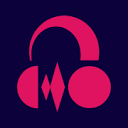
Riverside works best for remote podcast recording and editing. If your priority is capturing clean remote audio and video, Riverside is a solid choice.
Riverside is an online studio for high-quality podcast and video recording and editing. Entry price for Riverside: $24 per month. You can start on Riverside without paying.
Points against: Editing features may be less advanced than dedicated DAWs.
- High-quality online studio recording
- Designed for remote conversations
- Needs stable internet for recording
Audacity is designed for free open-source audio editing. Audacity is a free, open-source audio editor and recorder. It offers essential recording and editing tools for podcasters on a budget, and it runs on several systems.
Limits to weigh: Restricted built-in podcast publishing.
What works well: Free and open source.
If you want a no-cost option for entry-level editing and recording, Audacity is a practical choice. For advanced collaboration or AI features, consider a different alternative. Audacity lacks built-in podcast hosting or publishing, and its interface may feel less refined than commercial tools. Audacity shows no starting price here, so confirm the cost on the vendor site. Trial and free access: Not stated.
- Cross-platform
- Audio editor and recorder
- Interface can feel dated
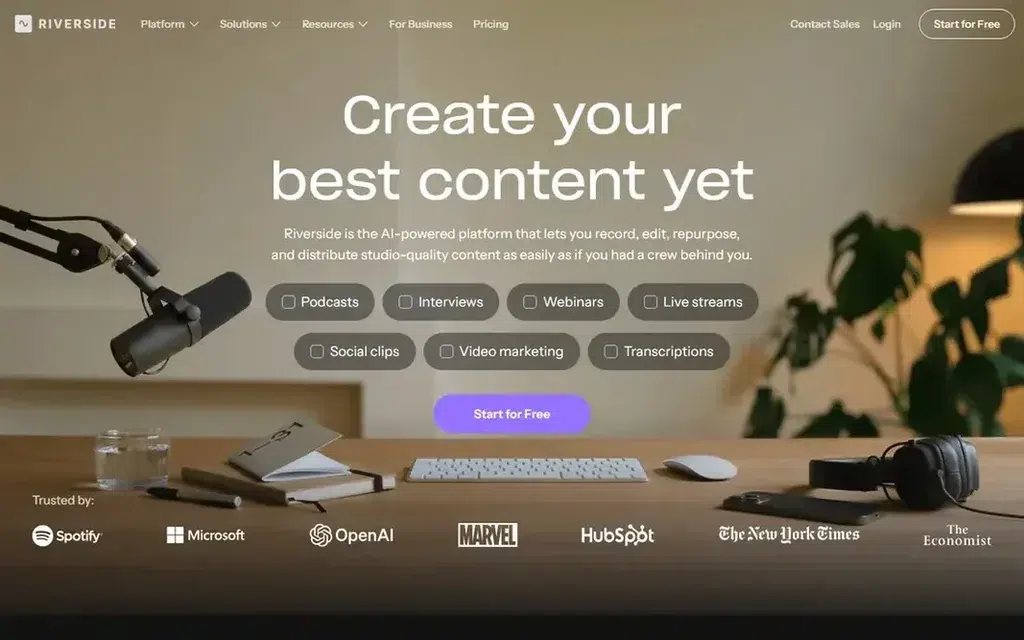
Pick Descript if this describes you: text-based podcast editing. Descript is an AI video and audio editor that makes editing as simple as editing text.
On top of that, the text-based workflow may feel unfamiliar if you are used to traditional multitrack editors. Some advanced capabilities are tied to premium plans. Descript pricing: $16 per person per month. Free access exists with Descript.
Points against: May need learning a new workflow.
Highlights: publish in one tool.
- Record, transcribe
- AI-powered video and audio editing
- Advanced features may need a subscription
In short, Zencastr is for recording and publishing podcasts easily. Zencastr lets you record high-quality audio and video, edit your podcast just by chatting, and publish everywhere.
Downsides: May require account setup.
It is made for podcasters who want a straightforward, conversational workflow from recording to publishing. The chat-based editing may not offer the granular control of traditional editors, and some features may rely on your plan. No starting price is listed for Zencastr here; confirm pricing on the vendor site. Free access: Not stated.
- Record high-quality audio and video
- Publish everywhere
- Editing features may be entry-level
How these tools were picked
Selection started from tools commonly considered for Podcastle, then narrowed to 5 that have clear pricing information or a clear quote process. Prices and plan limits come from vendor pages and can change, so confirm them on the vendor site before you buy. The sequence is a judgement call: typical use case first, then pricing transparency, then free access. Use the profiles to check fit.
Things to verify first
- Get a written quote from Audacity and Zencastr; the list shows no starting price for them.
- Read the fine print on the free plans from SquadCast, Riverside and Descript; seat, project and feature caps differ.
- Read the limits listed for SquadCast first: focus on recording over editing.
- A short pilot of SquadCast with your real workflow tells you more than a feature table.
- Ask Riverside about contract length, onboarding fees and user minimums before you sign.
FAQ
Is SquadCast the right pick for everyone comparing Podcastle?
No single tool suits every team. SquadCast comes first because it fits remote recording with cloud backup, while Riverside suits remote podcast recording and editing and Audacity suits free open-source audio editing. Match the tool to your own size, budget and workflow before deciding.
Which options for Podcastle have a free plan?
SquadCast, Riverside and Descript offer a free plan in this list. Free plans usually cap users, projects or features, so check the limits on the vendor page.
How are the tools for Podcastle ordered?
The order follows typical fit for Podcastle, with SquadCast first and Zencastr last, then price clarity and free access. It is editorial judgement, not a score, so another team could rank the tools differently.
Do these tools publish their prices?
Not all of them. Audacity and Zencastr publish no starting price, so expect a quote request for those. The rest, SquadCast included, show a starting price, though seats and billing terms still change the final cost.
Sources
- https://squadcast.fm
- https://riverside.fm
- https://www.audacityteam.org
- https://www.descript.com
- https://zencastr.com