Best Markup.io Alternatives for 2026 (5 Compared)
Markup.io alternatives in 2026: 5 tools with starting prices, free plans and limits. Every pick gets a straight assessment. Reviewed in November 2026.

- Editor's choicePageProof
AI-assisted markup for creative review
Starts at$299 a monthVisit pageproof.comFull review - Great alternative
 monday.com
Adaptable workspace for review and operations
Starts at$9 per seat a monthVisit monday.comFull review - Also consider
 Ziflow
High-volume review across numerous file types
Starts at$199 a month billed yearlyVisit ziflow.comFull review
Direct answer
This list puts PageProof first for AI-assisted markup for creative review. monday.com is the stronger choice for adaptable workspace for review and operations, while Ziflow suits high-volume review across numerous file types. Listed starting prices: PageProof from $299 a month, monday.com from $9 per seat a month and Ziflow from $199 a month billed yearly. The remaining 2 options are covered below with prices and limits.
TL;DR:
- PageProof takes the first slot, best suited to AI-assisted markup for creative review.
- A free plan is available from 2 of the 5 tools: monday.com, Ziflow.
- The main caution on Wrike: broader than pure proofing.
- The cheapest monthly starting price in the list is $9 per seat per month, offered by monday.com.
- Filestage suits regulated creative review and approval.
Last checked November 2026. Prices and plan details were read from the vendors' own pages in November 2026; vendors change plans often, so confirm the current price on the vendor site before you buy.
Quick comparison
| Tool | Best for | Starts at | Free plan? | |
|---|---|---|---|---|
| PageProof | AI-assisted markup for creative review | $299 a month | Free trial | Visit |
| monday.com | Adaptable workspace for review and operations | $9 per seat a month | Yes | Visit |
| Ziflow | High-volume review across numerous file types | $199 a month billed yearly | Yes | Visit |
 Wrike | Enterprise work delivery with review built in | See website | Not stated | Visit |
 Filestage | Regulated creative review and approval | See website | Not stated | Visit |
5 options for Markup.io in detail
If you are comparing Markup.io, this page covers 5 tools in one place: what each is best for, what it costs to start, whether it has a free plan, and the main limit to know about.
PageProof
Best for: AI-assisted markup for creative review
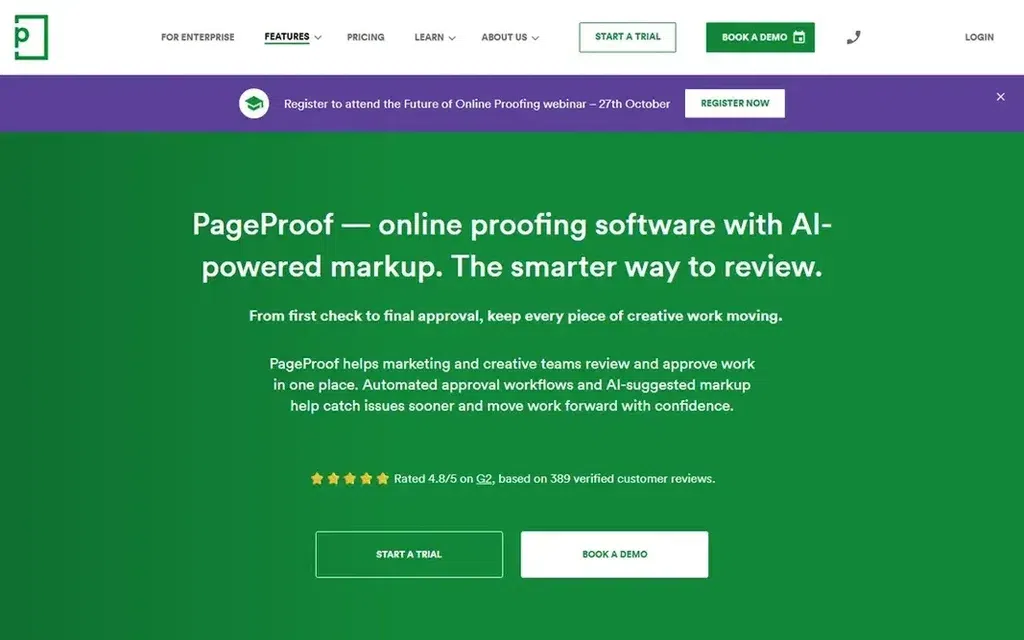
PageProof serves AI-assisted markup for creative review. PageProof is online proofing software for reviewing and approving creative work, with AI-powered markup that helps teams spot issues quicker.
For everyday use, PageProof is a reasonable pick when markup speed and clarity are the priority. Starting cost for PageProof: $299 per month. As for free access: Free trial.
Where it falls short: Narrower than full work management suites.
- AI-powered markup to spot issues
- Focused approval workflow
- Best value for teams with steady review volume
For adaptable workspace for review and operations, monday.com is a natural candidate. Its adaptability means review and approval steps can be organized within broader workflows, which fits teams that want one workspace for plenty of processes.
Downsides: Proofing is not the core focus.
Worth adding: since it is a general workspace instead of a dedicated proofing product, teams needing precise visual markup may prefer a specialized tool. Entry price for monday.com: $9 per seat per month. monday.com offers a free plan.
- Merges execution and management
- AI workspace for people and agents
- Customization takes time to set up

Ziflow is aimed squarely at high-volume review across numerous file types. Ziflow is online proofing software for quicker reviews and approvals. Its homepage flags automatic workflows, support for a large number of file types, and integrations, which fits teams handling frequent rounds of feedback on varied content.
Trade-offs to know: Proofing focus may not handle full project planning.
In daily use, the tool is oriented toward review and approval. So teams wanting a single system for planning, resourcing and delivery may have to pair it with another system. Pick Ziflow when review volume and file variety are the central pain points. The starting price for Ziflow: $199 per month billed annually. Free access exists with Ziflow.
- Automatic review workflows
- Integrations with other tools
- Workflow setup takes planning
In short, Wrike is for enterprise work delivery with review built in. Wrike is an AI-powered enterprise work management platform that helps organizations reach outcomes whereas keeping control of how work gets done. Its homepage frames it around work delivery for people and AI.
Choose Wrike when review needs to connect to enterprise planning rather than stand alone. As a wide product, it spans far more than visual markup, which can mean more configuration than a straightforward proofing tool needs. Check the vendor site for Wrike pricing; none is listed in this comparison. Trial and free access: Not stated.
The main drawbacks: Setup can be involved for large teams.
- Made for enterprise scale
- AI-powered work management
- Broader than pure proofing

Pick Filestage if this describes you: regulated creative review and approval. Its homepage positions it for creative and marketing teams working in regulated industries, where documented sign-off matters.
Drawbacks to consider: May be more than small teams need.
Filestage does not show a starting price in this comparison, so check the vendor site for current pricing. As for free access: Not stated.
- Pitched at regulated industries
- Aimed at creative and marketing teams
- Concentrated on proofing instead of full project management
How we compared the tools
For each of the 5 tools we noted price, free plan or trial, fit for Markup.io and the main limit, using vendor pages and documentation. Treat prices as a snapshot: vendors change plans often, so check the vendor site for the figure that applies today. Tools are placed by general fit for Markup.io, with price clarity and free access as tie-breakers. A different team can reasonably rank them differently.
Pre-purchase checklist
- Get a written quote from Wrike and Filestage; the list shows no starting price for them.
- Look at free plan limits closely: monday.com and Ziflow have one, and the caps decide whether it is usable for real work.
- Take the trial from PageProof and push a live task through it before you pay.
- Before choosing PageProof, weigh its main limit: narrower than full work management suites.
- Total up the real monthly cost of monday.com, including add-ons, extra users and usage-based fees.
- Read the plan comparison for Ziflow carefully; key features often start on a higher tier.
FAQ
What is the cheapest option for Markup.io in this list?
On published monthly entry prices, monday.com is the lowest here at $9 per seat per month. Entry price is only part of the cost, because seats, add-ons and billing terms can change the total. All 5 picks in this Markup.io alternatives comparison list a starting price, free plan details and the main limits on their cards above.
Do these tools publish their prices?
Not all of them. Wrike and Filestage publish no starting price, so expect a quote request for those. The rest, PageProof included, show a starting price, though seats and billing terms still change the final cost.
How are the tools for Markup.io ordered?
PageProof sits first and Filestage last because the order follows typical fit for Markup.io, then price clarity and free access. It is a judgement call, so read each profile for fit and limits.
Which alternative fits regulated industries?
Filestage states that it is made for creative and marketing teams in regulated industries, making it a natural starting point. Confirm the specific audit and access controls you need straight with the vendor before deciding.
Can I combine a proofing tool with a work platform?
Plenty of teams use a dedicated proofing tool for markup and approvals whereas running planning in a work management product. Check integration choices on each vendor site to see how well the two link.
Can I try these tools before paying?
Often, yes. monday.com and Ziflow have a free plan and PageProof offers a free trial. Use your own data and a real task during the test, and check what the free tier or trial limits before you rely on it.
Sources
- https://pageproof.com
- https://monday.com
- https://www.ziflow.com
- https://www.wrike.com
- https://filestage.io