Best Mileage Tracker App in 2026: 9 Apps Compared
Compare the best mileage tracker app options in 2026, from free automatic logs to team reimbursement programs, with pricing, free limits, and tax notes.

- Editor's choice
 MileIQ
hands-off solo tracking
Starts at$5.99 per monthVisit mileiq.comFull review - Great alternative
 Everlance
mileage plus expenses
Starts at$8 per monthVisit everlance.comFull review - Also consider
 TripLog
team reimbursement
Starts at$8 per user per monthVisit triplogmileage.comFull review
TL;DR:
- Automatic drive detection is the feature that matters most, since manual logs are the ones that get forgotten.
- Free plans are real, but they cap automatic trips per month, so count your business drives before you pick a plan.
- Solo drivers need a simple log, while employers need approval, reimbursement, and team controls.
- A mileage log needs date, destination, purpose, and miles for each trip, so check exports before you commit to an app.
Quick comparison
| Tool | Best for | Starts at | Free plan? | |
|---|---|---|---|---|
| MileIQ | hands-off solo tracking | $5.99 per month | Yes | Visit |
| Everlance | mileage plus expenses | $8 per month | Yes | Visit |
| TripLog | team reimbursement | $8 per user per month | Yes | Visit |
 Hurdlr | mileage plus tax estimates | $9.99 per month | Yes | Visit |
 Driversnote | compliant logs across countries | $11 per month | Yes | Visit |
 Zoho Expense | mileage inside Zoho expenses | Free | Yes | Visit |
 Timeero | field teams with GPS time tracking | $6 per user per month | Free trial | Visit |
 MileageWise | audit-ready logs and reconstruction | $6.99 per month | No | Visit |
 Cardata | employer reimbursement programs | See website | No | Visit |
The best mileage tracker apps
The best mileage tracker apps catch every business drive without asking you to remember it at the end of the week. This list covers solo drivers, freelancers, and employers, with free limits and paid prices noted so you can match the app to your drive count. This is not tax advice, and tax rules vary, so check current IRS guidance or ask a tax professional about your own situation.

MileIQ is the simplest pick for a solo owner who wants a log that builds itself. It detects drives automatically, and you swipe each drive as business or personal, with work hours helping it classify repeat trips. Reports include date, destination, purpose, and miles, which is the core of a defensible log, and exports work with common spreadsheet and accounting tools.
The free plan covers 40 drives a month, which suits an occasional driver but not a daily field worker, who will need the paid unlimited plan. MileIQ also sticks to mileage, so a driver who wants expenses and tax filing in the same app should look at Everlance or Hurdlr. For a clean, hands-off mileage log, MileIQ is our pick for most solo drivers.
- Automatic drive detection
- Simple swipe to classify trips
- IRS-ready reports
- Paid plan needed for unlimited drives
- No expense tracking built in
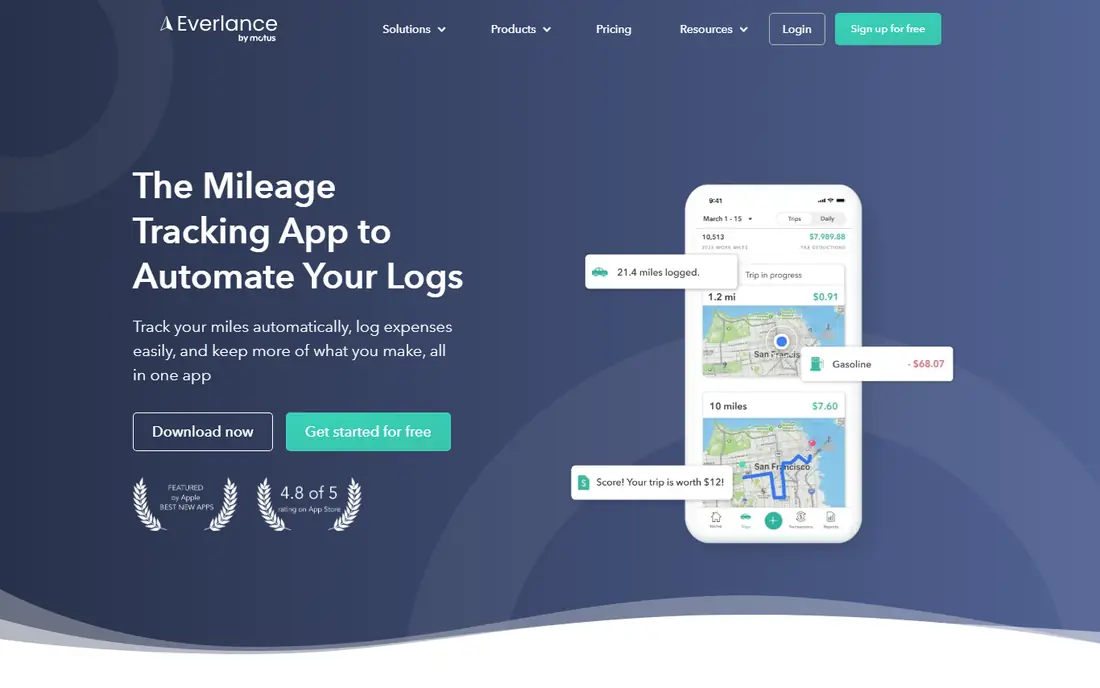
Everlance suits self-employed workers who want mileage and expenses in one app, rather than a mileage log plus a separate expense tool. It detects trips automatically, lets you snap receipts, and syncs bank and card accounts on paid plans, so a trip and its fuel or parking cost can sit in the same record. Managers get a live view of team trips once a drive is marked as work.
The free plan covers 30 automatic trips a month, with unlimited manual trips, so a busy driver will need a paid plan for full automation. Tax filing and audit support also sit in higher tiers, not the entry plan. If you want one app for miles and money, Everlance is a strong, well-priced choice.
- Automatic trips plus expense and receipt tracking
- Bank and card sync on paid plans
- Team features for managers
- Free plan caps automatic trips at 30 a month
- Tax filing sits in higher tiers
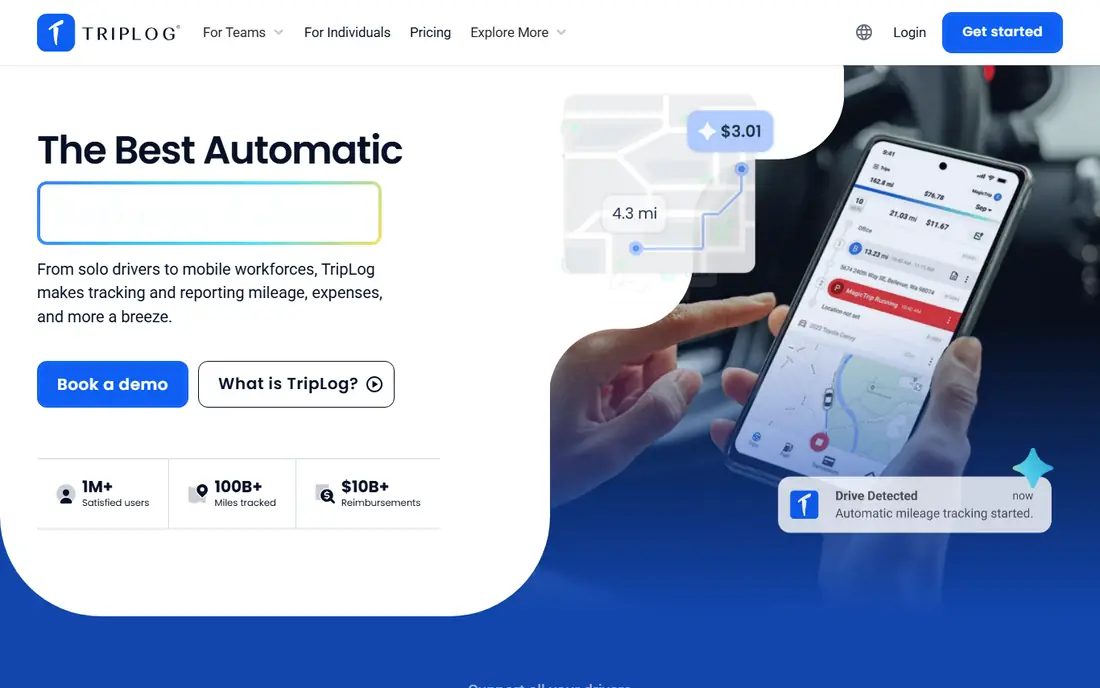
TripLog is built for employers reimbursing drivers, with team plans, admin controls, and reimbursement workflows that solo apps lack. It tracks mileage, fuel, tolls, and parking, and supports formal reimbursement programs, including fixed and variable rate plans for firms with larger fleets. That structure helps a manager approve, audit, and pay mileage claims without spreadsheets.
A solo driver may find TripLog more complex than MileIQ, and the free plan limits report downloads, so a team should trial the paid Teams plan with real claims. For a company with several drivers who need consistent, auditable reimbursement, TripLog is a practical, proven pick.
- Team mileage plans with approvals
- Fuel, toll, and parking tracking
- FAVR and cents-per-mile programs for employers
- Feature depth can feel heavy for a solo driver
- Report downloads on the free plan are limited
Hurdlr suits freelancers and gig workers who want a running tax picture, not only a mileage log. It tracks miles, income, and expenses, and gives real-time estimates for quarterly taxes, which helps a self-employed worker avoid a surprise bill. Manual mileage tracking is free, while automatic tracking and fuller tax features sit in the paid Premium plan.
The breadth means setup takes longer than MileIQ, since you are entering income and expense sources as well as trips. A driver who only needs miles will pay for features they do not use. For a freelancer who wants miles, expenses, and tax estimates in one place, Hurdlr is a strong choice.
- Automatic and manual mileage tracking
- Real-time tax estimates
- Income and expense tracking for freelancers
- Paid plan needed for full automation and tax features
- Interface covers a lot, so setup takes time
Driversnote is designed for drivers who need a log that meets tax rules in different countries, not only US rules. It detects trips automatically, lets you classify them with a swipe, and produces reports formatted for the country and tax system you select. That makes it useful for firms with drivers in several countries, or for an employee who moves between tax systems.
The free plan covers 15 trips a month, which is tight for a daily driver, and the paid Pro plan costs more than MileIQ or Everlance entry plans. A US-only solo driver may not need the international compliance depth. For a driver or team with cross-border needs, Driversnote is a careful, compliant pick.
- Automatic tracking with compliant reports
- Works across many countries and tax rules
- Simple team log sharing
- Higher entry price than some rivals
- Free plan caps trips at 15 a month
Zoho Expense suits firms already running on Zoho, since mileage can be logged and added to expense reports that flow into Zoho Books. Its free plan covers up to three users, which lets a tiny team test mileage and expenses together without paying. Paid plans add more users, approvals, and advanced controls at a modest per-user price.
Mileage here is a feature, not the whole product, so a driver who wants the most automatic, mileage-first experience may prefer MileIQ. A team that already uses Zoho for books and expenses, however, will save time by keeping mileage in the same system. For Zoho firms, it is the obvious first trial.
- Free plan for up to three users
- Mileage flows into expense reports
- Good links to Zoho Books
- Mileage is one feature inside a larger expense app
- Best value inside the Zoho suite
Timeero is for field teams that need to know where staff worked, for how long, and how far they drove, in one system. It combines GPS time tracking with mileage, so a manager can see job times, locations, and drive distances together, which suits home care, field service, and sales teams. Admin controls and reports help with payroll and reimbursement.
A solo driver will find Timeero more than needed, and there is no free plan for ongoing use, only a trial. For a team manager who already struggles to match time sheets to mileage claims, the combined view is the point. Timeero is a strong pick for field teams, not for solo loggers.
- GPS time tracking plus mileage
- Team location and job tracking
- Good for field service and home care teams
- No free plan for ongoing use
- More than a solo driver needs
MileageWise targets drivers who worry about an audit, or who need to rebuild a log they failed to keep at the time. It checks entries against a long list of possible audit flags, helps reconstruct past trips from location history, and stores logs for the retention period tax rules require. That focus on defensibility sets it apart from simpler swipe-to-classify apps.
There is no free plan, and the interface prioritises function over polish, so a casual driver may prefer MileIQ. A driver with a gap in past records, or a business that wants the most audit-ready log it can build, will value MileageWise despite those limits. For audit peace of mind, it is a serious option.
- Checks logs against many audit flags
- Rebuilds forgotten trips from location history
- Stores logs for tax retention
- No free plan
- Interface is functional rather than polished
Cardata is for mid-size and larger employers running a formal vehicle reimbursement program, not for a solo driver logging trips. It manages fixed and variable rate programs, cents-per-mile programs, and compliance data, with support for employers setting up and running the program. That managed approach suits firms that want reimbursement handled correctly at scale, without building the program in-house.
Pricing is by quote, and onboarding is a program setup rather than a simple app download, so small firms may find TripLog or Timeero more accessible. For an employer with many drivers and a need for a compliant, managed program, Cardata is a credible, enterprise-grade choice.
- Managed reimbursement programs for employers
- FAVR and cents-per-mile options
- Data and compliance support
- Priced by quote for employers, not for solo drivers
- Onboarding is a program, not a quick app install
How we picked these
We compared official feature pages, pricing pages, free plan limits, and public comparisons, and we favoured apps with a current, automatic tracking option and a clear export for tax records. We looked for a mix of solo, freelancer, team, and employer options, rather than nine versions of the same solo logger. We noted free trip caps, since a free plan that covers 15 trips is not the same as one that covers 40.
We did not treat a mileage log as tax advice. The IRS expects records made near the time of each trip, with miles, date, destination, and business purpose, and the apps above help build that record, but they do not replace professional tax advice for your own situation.
How to choose a mileage app
Count your business drives first. If you drive fewer than 30 times a month, a free plan from MileIQ or Everlance may be enough, while a daily driver should budget for a paid unlimited plan from the start. Then check how the app classifies trips, since work hours and favourite locations can automate much of the work, and a log that needs manual entry for every trip will be abandoned.
For teams, test approvals and reimbursement with a real pay cycle, not only with a demo trip. Check export formats, since your accountant or payroll system needs a clean file, and check whether the app supports the reimbursement model your firm uses. Keep a monthly export as a backup, since a log you cannot export is a log you do not truly own.
FAQ
What is the best mileage tracker app for small business?
MileIQ suits a solo owner who wants hands-off tracking, Everlance suits a freelancer who also tracks expenses, and TripLog suits a firm reimbursing a team. The best pick depends on drive count, team size, and whether you need expenses in the same app.
What are the best mileage tracking apps for free use?
MileIQ offers 40 free drives a month, Everlance offers 30 automatic trips a month, and Zoho Expense offers a free plan for up to three users. Count your monthly business drives before you rely on a free plan, since a cap that is too low will force manual entry.
What is the best app for tracking mileage for taxes?
MileIQ, Everlance, and MileageWise all produce logs with date, destination, purpose, and miles, which are the core fields tax records need. MileageWise adds audit checks and reconstruction for drivers with gaps, while MileIQ and Everlance are simpler for ongoing daily use.
What is the best mileage tracker app for business teams?
TripLog and Timeero lead for teams, with TripLog stronger on reimbursement programs and Timeero stronger on GPS time tracking plus mileage. Cardata suits larger employers who want a managed reimbursement program rather than a self-serve app.
What is the best car mileage tracker app for gig drivers?
Stride-style free tracking appeals to gig drivers, but among the apps here, Hurdlr suits gig workers who want tax estimates, while MileIQ suits drivers who want the simplest automatic log. Check free caps, since gig drivers often exceed a small free allowance quickly.
Do mileage tracker apps work automatically?
Most paid plans detect drives automatically using phone GPS, while free plans may cap automatic trips and require manual entry beyond that cap. Automatic detection still needs you to classify trips as business or personal, ideally with work hours or rules to cut manual work.